(#131042) Message failed to send because there were one or more errors related to your payment method.
Status: Open · Asked by vivek@u on · 0 views
Hi,
We are trying to send Template Message to contact from Pabbly Chatflow, we have approved template from meta, payment method also added and correct.
Still getting issue: (#131042) Message failed to send because there were one or more errors related to your payment method.
We also have credits available.
Hi @vivek@u,
The message is coming from Meta's end. The error you are receiving is related to your payment method. Please note that in order to send templates, you must have a valid payment method added along with your tax details.
When you log in to business.facebook.com, you should also be able to see a warning under the concerned portfolio where your specific number is included. This corresponds to the error message shown below:
Failed due to Meta policy.
(#131042) Message failed to send because there were one or more errors related to your payment method.
https://www.facebook.com/business/help/2225184664363779?id=2129163877102343
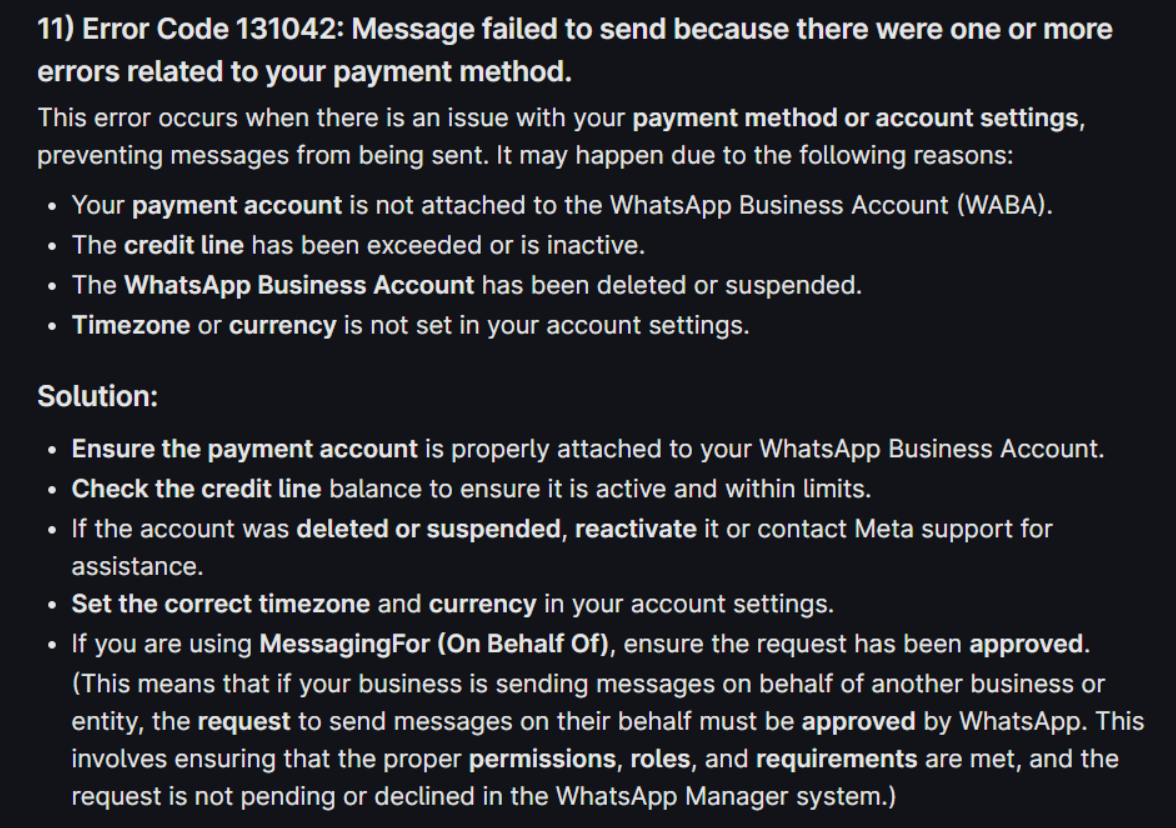
Kindly update your payment method and tax details to resolve this issue.
https://www.facebook.com/business/help/488291839463771
Also, make sure to add a GST number to your WhatsApp Business Platform, as a valid GST number is required to use the WhatsApp Business Platform for businesses operating in India.
Please check out the video shared below to understand how you can add a payment method and GST details to your WhatsApp Business account.
youtube.com/watch?v=JKLboMlmKSs:639
Thanks & Regards,
Arshil Ahmad
Customer Support Associate
? Pabbly.com
?Rate your support
Hello, were you able to fix this?
Your concern is being addressed here:
https://forum.pabbly.com/threads/payment-problem-sending-template.35552/#post-167178
Thanks & Regards,
Arshil Ahmad
Customer Support Associate
? Pabbly.com
?Rate your support