(#132001) Template name does not exist in the translation
Status: Open · Asked by mexilet.technologies.pvt. on · 0 views
i have an issue that template
'Template name does not exist in the translation" although I
checked multiple times for the language
its correct I saved template in eniglish, I checked language
code in docs it says en but the it still says doesn't exist in
this tanslation
Hey @mexilet.technologies.pvt.
Kindly make sure that your template is approved. Also, it should be available in the same language that you are selecting.
Template is approved and also in the same language
Please re-establish the connection with your WhatsApp Cloud API account and try again. Make sure to enter a Permanent Access Token in the Token field.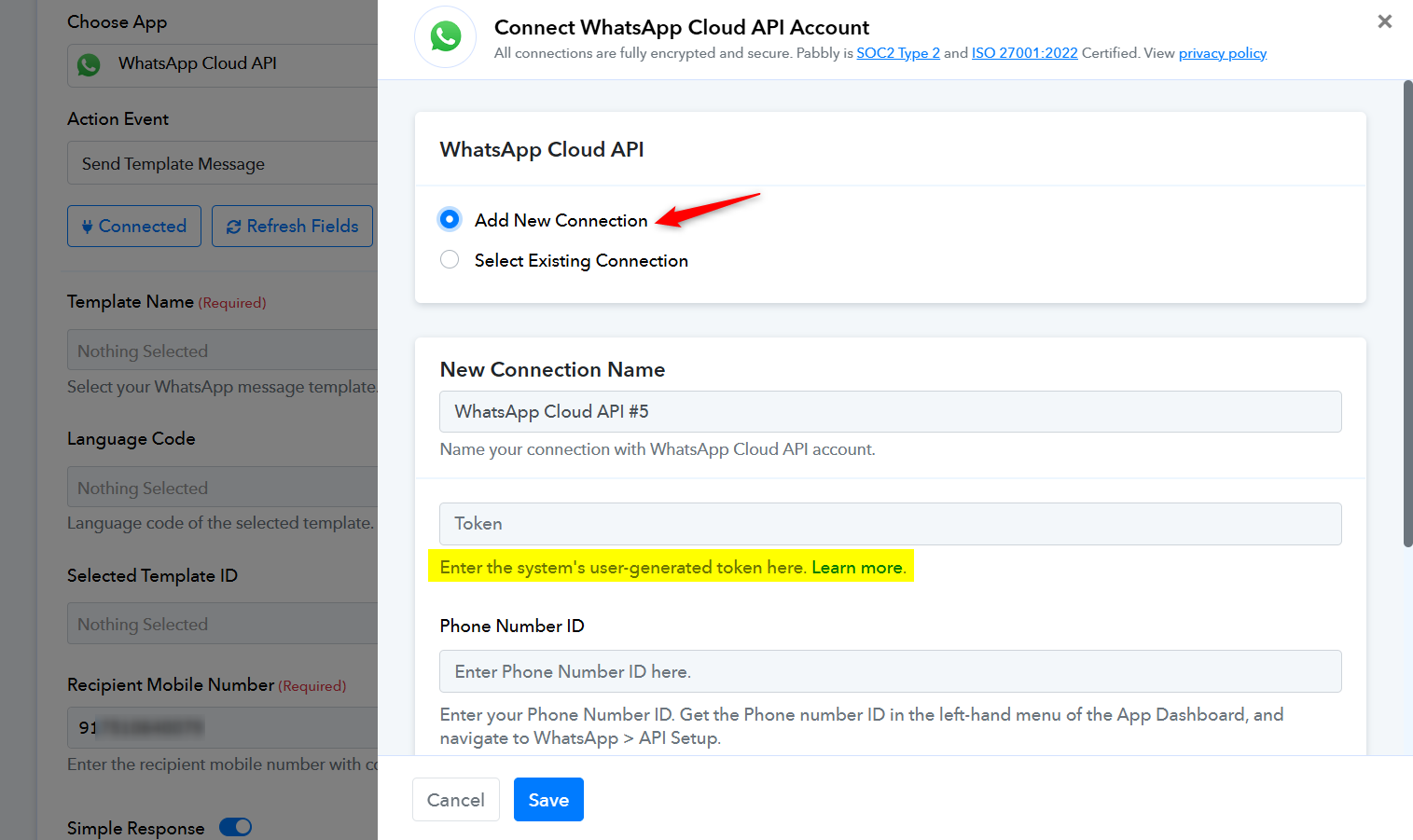
only sending hello_world template ,others are showing:(#132001) Template name does not exist in the translation.the three templates in active?
Hello @mexilet.technologies.pvt.
Please try using Send Template Message (Beta) action and let us know if it works fine for you.
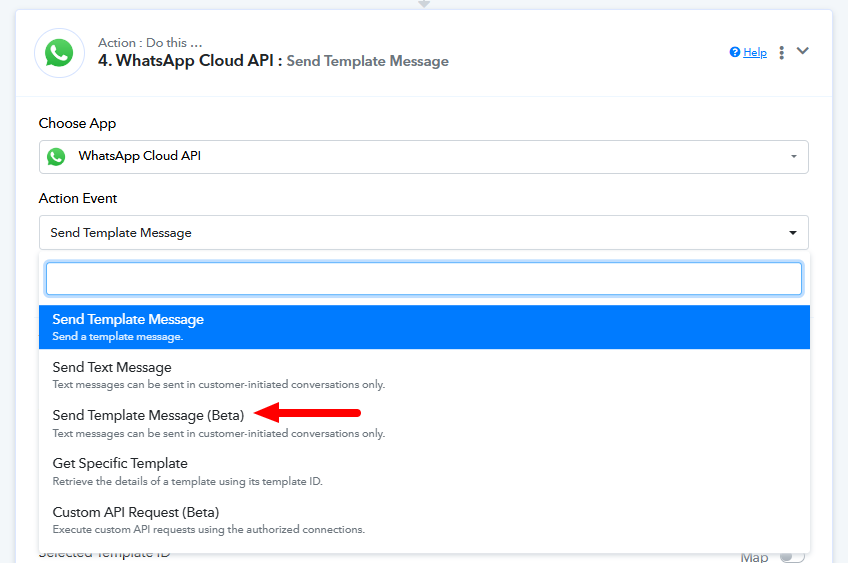
what is the issue,which fields are i apply ,what are the mantatory fields?
its beta showing same issue
Hello @mexilet.technologies.pvt.
Please refer to this loom video to learn how to configure the Send Template Message (Beta) action - https://www.loom.com/share/4b60f86d78ec4949b7c45919b8b690e1?sid=a5bd3c77-36c7-4de4-a78f-24d173e2a868.
in this loom video you created "send template message" and "send template message beta" both ,so we create same this?
Hello @mexilet.technologies.pvt.,
You can set up either the "Send Template Message" or the "Send Template Message Beta" step, whichever works best for you.
where i can get template id,
Hello @mexilet.technologies.pvt.
You can find the template ID in the URL and in the workflow can select it from the template ID dropdown, refer to the attached image.
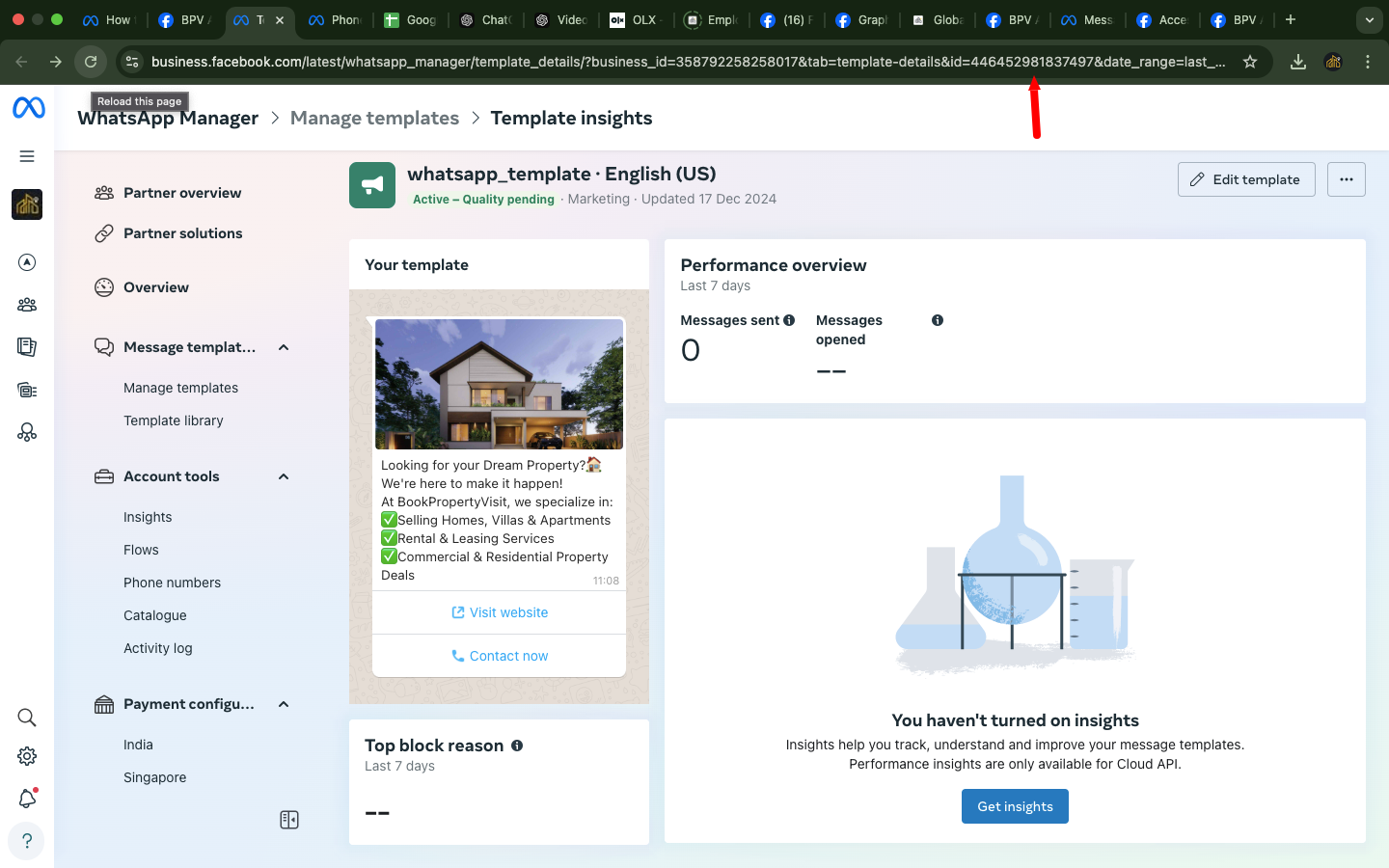
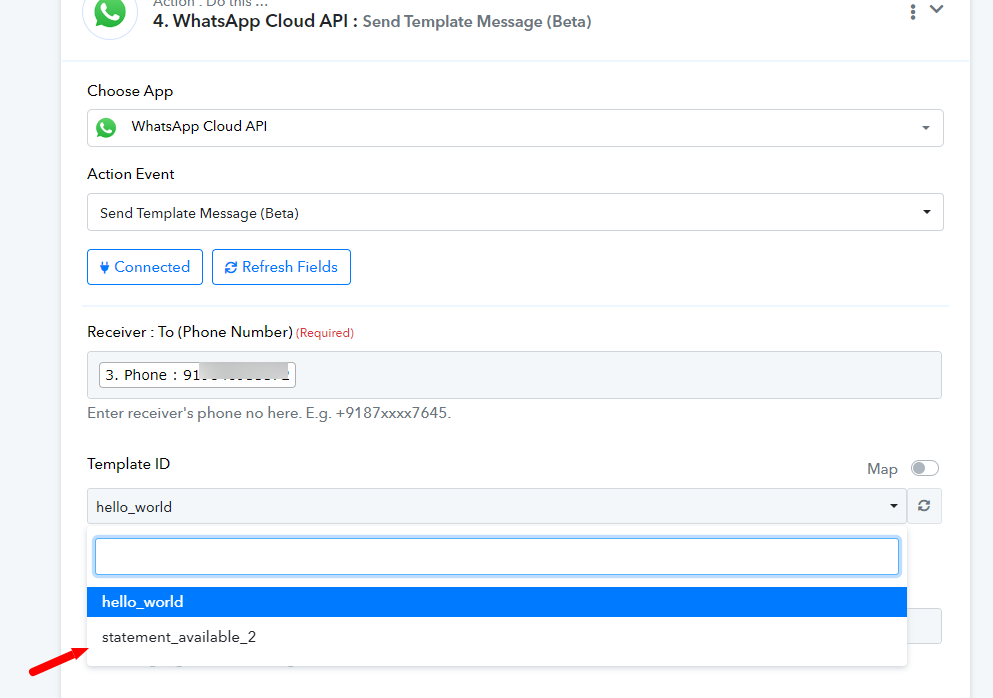
Help this issue ,what change need for this issue
Hello @mexilet.technologies.pvt.
Please ensure that the phone number is added with the plus icon (+) at the beginning. Additionally, if you have selected the header type as "Image" kindly make sure to enter the image URL in the "Media URL" field. For further clarity, please refer to the attached image for more details.
[IMG width="457px"]https://forum.pabbly.com/attachments/1736843105747-png.52032/?hash=9b0d3a588b250fa3268cd53a8576a061[/IMG]
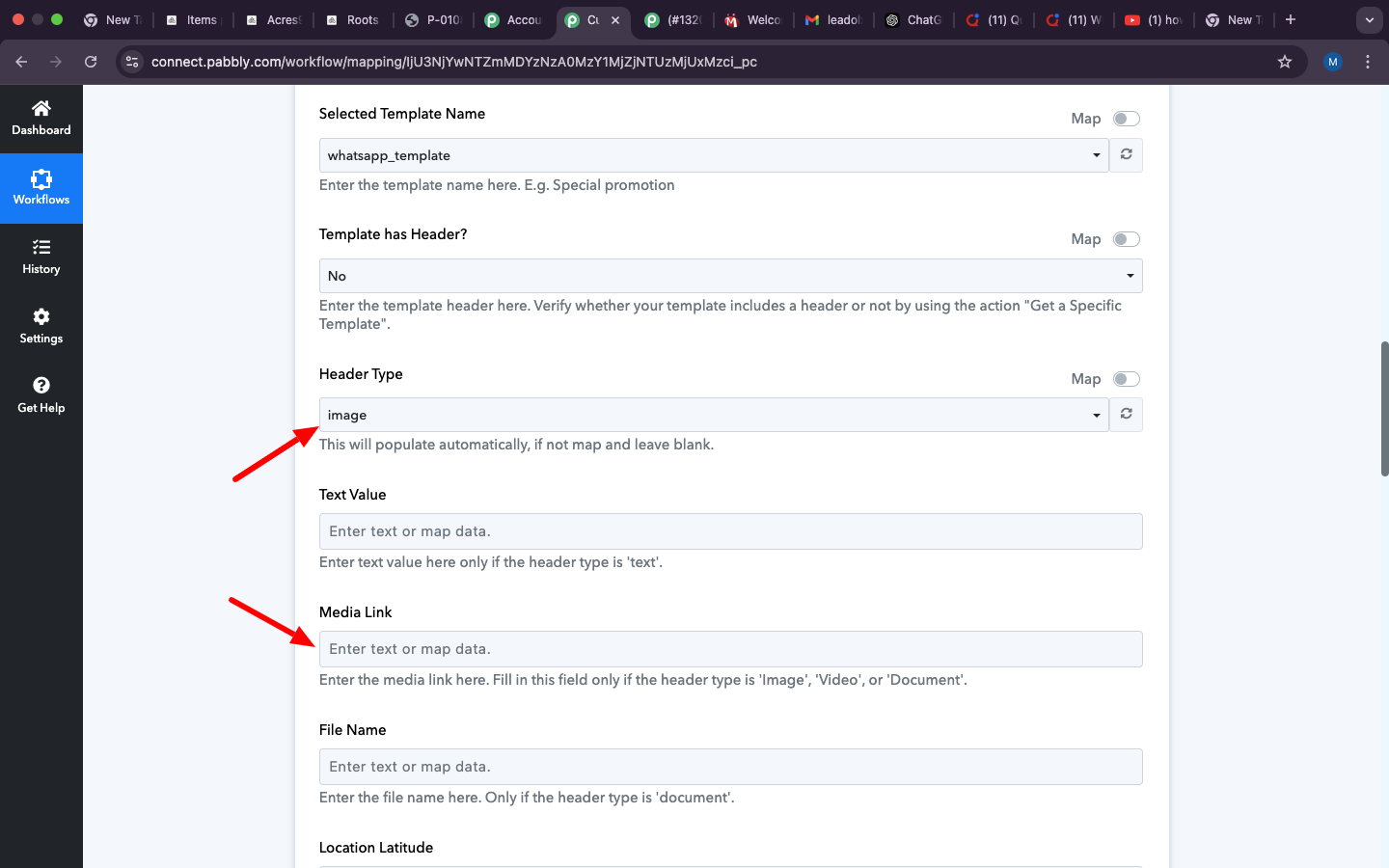
now its working one number.how many numbers i can add in the google sheet for sending template ,currently i added only two numbers ,if i change the google sheet including 50+ numbers ,
1.what are the changes need in pabbly connect.
2.if i adding 50+ numbers i google sheet ,i need to enter receipient mobile number in "whatsapp cloud api" step
3.there is a option for add number in meta with otp .the template only sending otp verified numbers?
Hello @mexilet.technologies.pvt.,
The new workflow is set up and configured to run at 1:50 PM every day, according to the Asia/Kolkata timezone. It will fetch all rows from the Google Sheet, regardless of how many numbers are listed, and send WhatsApp messages to all the numbers in the sheet.
No changes are needed in Pabbly Connect as long as the Google Sheet remains the same. If you wish to add a new Google Sheet, simply go to the Get Rows step, change the Google Sheet, capture the response in the advance format, and remap the details to the iterator and the WhatsApp send step.
For number verification, you will need to handle that manually at your end.
in excel sheet,need same format? ( +91). for numbers
Hello @mexilet.technologies.pvt.,
Yes, if you are using Excel sheets to store numbers and plan to use them with the WhatsApp Cloud API's "Send Template Message (Beta)" action, please ensure the numbers are in the +91 format.