A bug with workflow triggers involving Arrays
Status: Open · Asked by Benjamin Chew on · 0 views
Hi,
I've tested this out on a few different apps. Stripe, LeadConnectorV2...
When I do Capture Webhook Response, the data comes in nicely
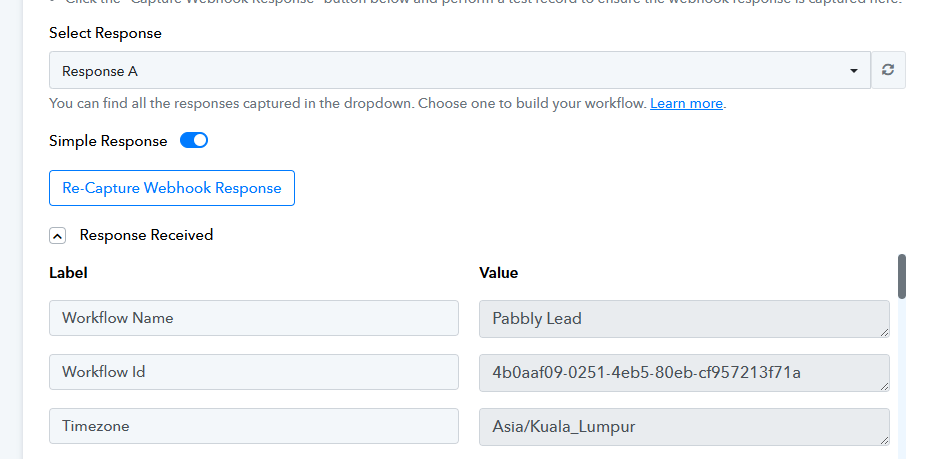
When I leave it alone to get its own data, and then Refresh the Response
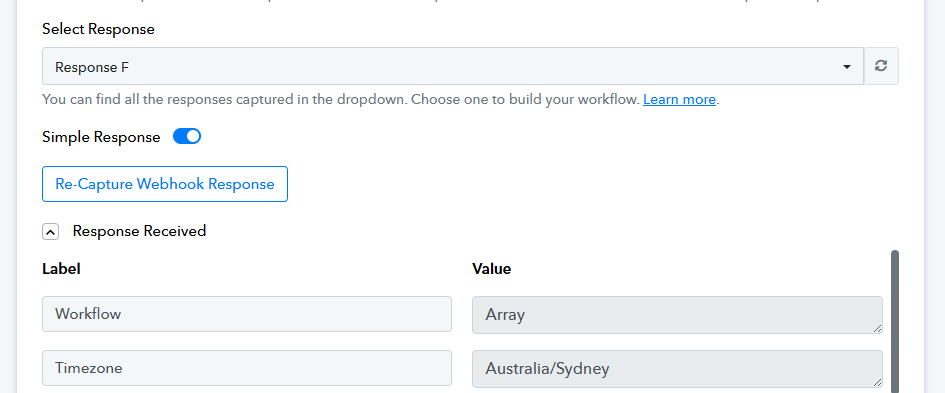
This happens, and there's alot more "Array" values when i scroll down, and also a lot of labels are missing.
If this happens to one app, I understand, but it's happening across different apps.
And because of this, I can't insert the proper Data into the Action Steps
Hello @benjaminshuu,
This issue is under review please allow us some time and as we receive some updates on it we will get back to you.
Hello @benjaminshuu,
The issue with the array-based responses from the trigger has now been resolved. Please check on your end and let us know if everything is working as expected.
Hi @Preeti Paryani I am experiencing the same issue: https://connect.pabbly.com/workflow/mapping/IjU3NjYwNTY4MDYzMDA0MzQ1MjY0NTUzNjUxMzEi_pc
The webhook is bringing in the data nicely, but when I try to filter by one of the items, it doesn't give it to me to choose from, it just says "Array"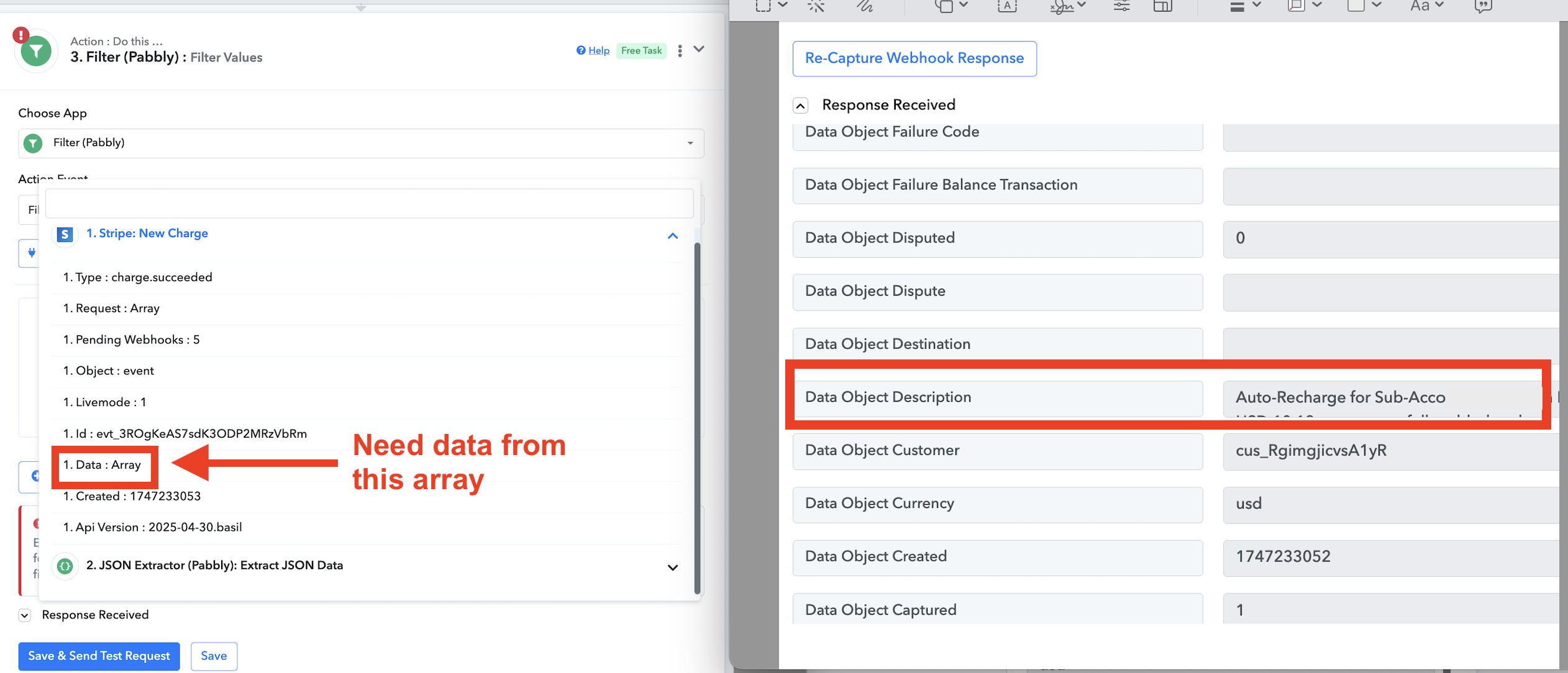
Just to confirm, are you trying to select the 'Data Object Description' field in the Filter step?
Just to confirm, are you trying to select the 'Data Object Description' field in the Filter step?
Yes, but it doesn't come up as an option on the filter step.
Hello @Orca,
We have escalated this concern to our technical team for review. Please allow us some time, and we will get back to you with updates as soon as we have some.
it still doesn't work, Array still exists @Preeti Paryani
Hello @benjaminshuu,
The trigger response appears to be getting captured correctly; however, the issue seems to be occurring during the data mapping stage. This has already been escalated to our technical team and is currently under review.
Please allow us some time, we’ll get back to you with an update shortly.
Hello @benjaminshuu,
Thank you for your patience.
We’re glad to inform you that the issue you were facing during the data mapping stage has now been resolved. The trigger response and data mapping should work as expected.
Please test the workflow again and let us know if you encounter any further issues. We’ll be happy to assist.