Action executed multiple times in a Workflow
Status: Open · Asked by Sigma Computers on · 0 views
I share my Workflow
In this workflow, ACTION Google Sheet & ACTION - API by Pabbly executed multiple time.
As a result, in google sheet every lead posted 2 times and through that API double entry happen in a whatsapp sender.
But this is not shown in History.
And as a result, my 12000 tasks exhausted so quickly.
Kindly check and solve the problem.
Hi @Sanjoy,
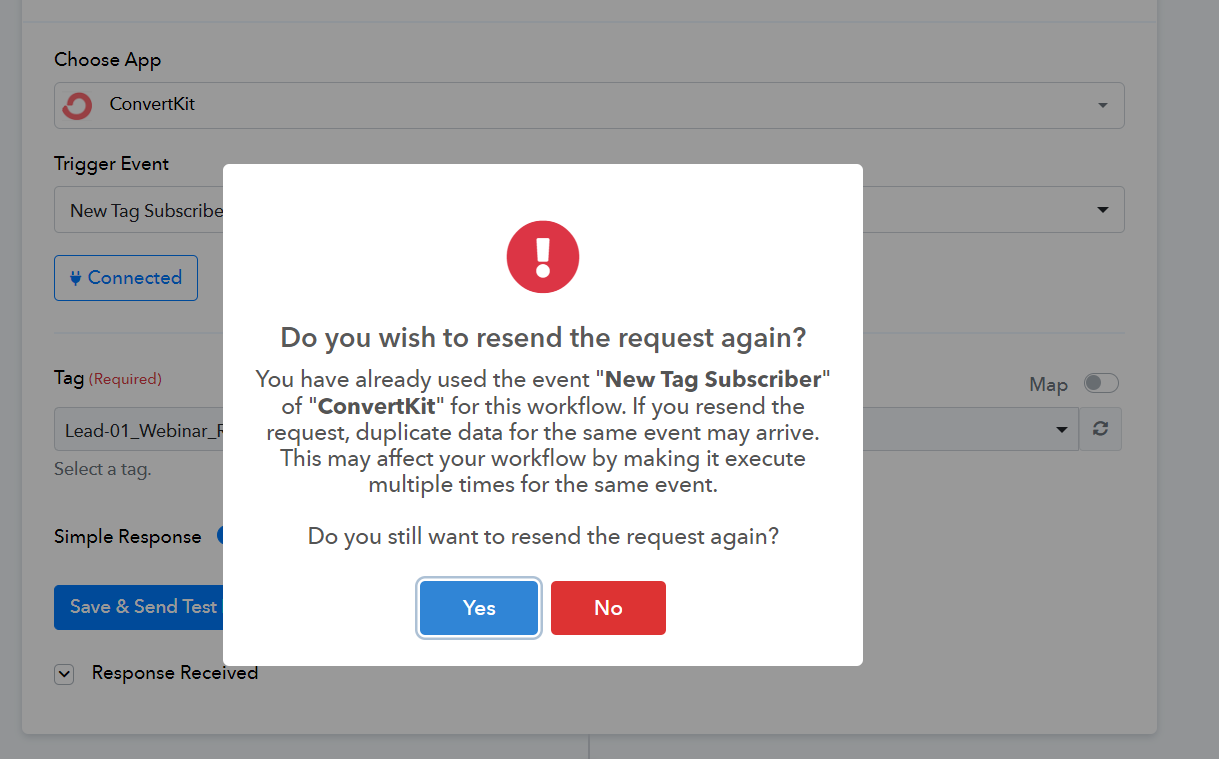
The issue you are describing occurs when a user clicks on 'Save & Send Test Request' multiple times, which, in turn, creates multiple webhooks in the application. There are two solutions for this:
- You have to log in to your ConvertKit account and delete the duplicate webhooks one-by-one.
- Alternatively, you can disable the workflow in which you are facing the issue and set up a new workflow from scratch (without cloning).
I face the same problem. Can you please check@ ArshilAhmad ?
Hello @ifikirenglish
This workflow has the trigger step as WooCommerce as a descriptive webhook type of trigger. Kindly check and delete the webhooks from WooCommerce in case of multiple webhooks. If the issue persists we would you to use Webhook.sit to check if the responses are been sent by the Application's end.
Please refer to this tutorial to learn how to use webhook.site -
I don't have a webhook not firing issue.
The problem is the trigger happens twice and sometimes more.
I've checked and I only have 1 webhook for each workflow.
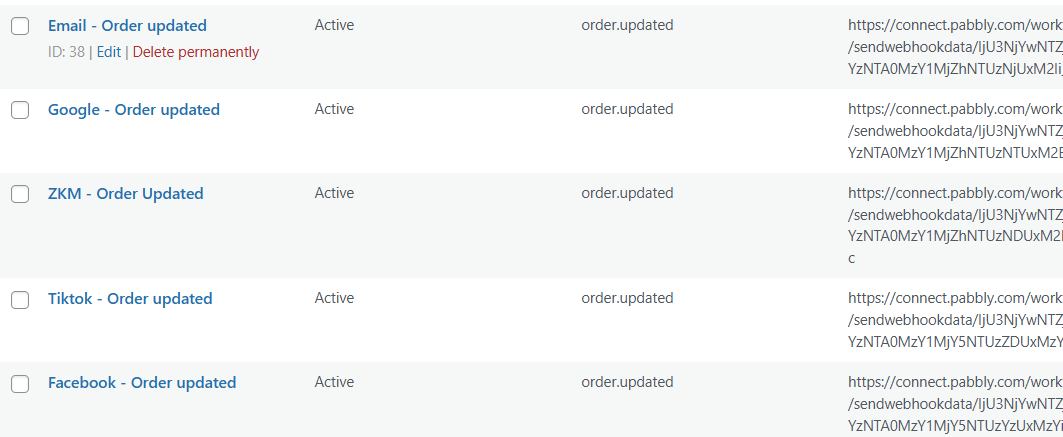
and I'm not sure what you suggest me do in the last part. I can see that the responses are being sent from the twice. Please refer to the image below.

Hello @ifikirenglish
I refer to the webhook URL you have received from the trigger step and have installed it in WooCommerce. It seems multiple webhooks are installed there due to which you are receiving duplicate records.
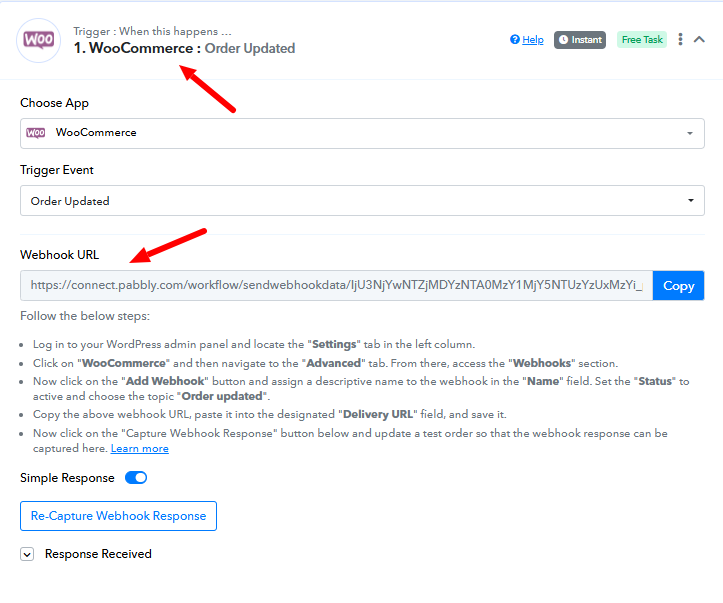
Also, by the provided screenshot it is visible that different webhooks are installed.
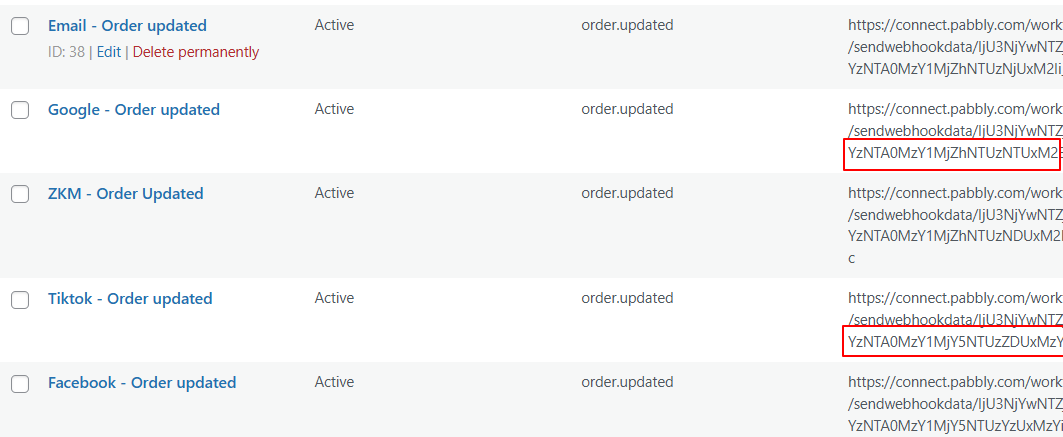
Kindly delete one webhook URL to avoid getting the duplicate records.
Hello Preeti,
I think the two webhooks are different webhooks and they belong to 2 different workflows.
Webhook 1: https://connect.pabbly.com/workflow/sendwebhookdata/IjU3NjYwNTZjMDYzNTA0MzY1MjZhNTUzNTUxM2Ei_pc
Webhook 2: https://connect.pabbly.com/workflow/sendwebhookdata/IjU3NjYwNTZjMDYzNTA0MzY1MjY5NTUzZDUxMzYi_pc
How can different webhook affect different workflow?


Hello @ifikirenglish
Can you please provide us with your WooCommerce account credentials so we can look into the issue
We have moved this thread to private discussions for privacy concerns, so be assured that your credentials will not be accessible to anyone besides our team.
Hello,
Do I provide them here? or through email?
and do you mean wordpress access?
Yes, please share your WordPress account credentials with us via email at [email protected].
I don't have a webhook not firing issue.The problem is the trigger happens twice and sometimes more.
I've checked and I only have 1 webhook for each workflow.
and I'm not sure what you suggest me do in the last part. I can see that the responses are being sent from the twice. Please refer to the image below.
Please check out the thread shared below:
https://forum.pabbly.com/threads/woocommerce-status-is-not-changing-always-showing-checkout-draft.21114/#post-101250
Hello @ifikirenglish
Workflow: Facebook - [New Purchase - Conversion (7 Funnels) - 2024/25]
Can you please replicate the workflow with which you are facing the issue(you can clone this workflow), delete the previously added webhook from your WooCommerce account, and add the webhook as per the new workflow
Please monitor the new workflow for some time and if the issue persists please let us know.
Yup. Ive done that twice. But i still get the same result
Hello @ifikirenglish
In that case, it seems the duplicate responses are been sent by WooCommerce's end. We would recommend checking and confirming it using webhook.site. To learn how to use webhook.site please refer to this tutorial -
youtube.com/watch v=V0eih93WSj8
Please monitor the responses received in the Webhook.site and provide us with the webhook.site page URL so we can also monitor the responses received.
PS: If duplicate responses are received in Webhook.site then we would suggest you to contact the WooCommerce support team regarding the issue.
Hi,
I don't understand, you're giving me an option that I've tried and told you it didn't work.
I already gave you the wordpress credentials through email, but I don't see the way forward from there.
Did you see the previous discussion in this thread?
Hello @ifikirenglishThis workflow has the trigger step as WooCommerce as a descriptive webhook type of trigger. Kindly check and delete the webhooks from WooCommerce in case of multiple webhooks. If the issue persists we would you to use Webhook.sit to check if the responses are been sent by the Application's end.
Please refer to this tutorial to learn how to use webhook.site -
Hello @ifikirenglish
Sorry for your inconvenience.
I have recorded a detailed video to explain the scenario and way you can check and confirm the issue. Please refer to it - https://www.loom.com/share/9f10e50c7f284dab86e2d670ff33b1f5 sid=58f10e40-14b2-469f-8a87-cf4fc6604129