Active Campaign - Search Contact Module is not working
Status: Open · Asked by Wesley Marques on · 0 views
Dear,
Please see in the image (attached) that Pabbly is not putting the contact email as value to API Endpoint URL, so the module is not able to find the contact and the automation doesn't work.
Could you please check it?
Thank you.
Wesley
Hi @wesleymarques,
This appears to be a mapping-related issue. We have remapped the data in Step 2, "Search Contact", of your workflow. Please make another submission and check whether the contact gets searched during the automation.
If you still encounter the same issue, please let us know and we will have our technical team look into it.
Thanks & Regards,
Arshil Ahmad
Customer Support Associate
? Pabbly.com
Dear Arshil ,
Unfortunately, we are still getting error. Please see the message below.
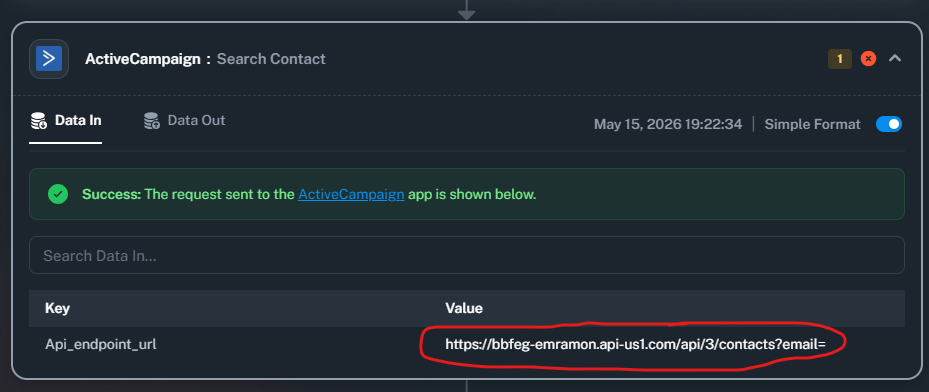
We could realize that this contact was received in our active campaign automation correctly.
However, seeing the task history on Pabbly we don't see any task as "success".
Maybe, because of it, we are confuse about it.
Thank you for the confirmation. We have forwarded this concern to our technical team. We will get back to you as soon as we have any updates from their end.
Thanks & Regards,
Arshil Ahmad
Customer Support Associate
? Pabbly.com
Dear,
Please see with you support team to fix Pabbly Connect.
It was working perfectly days ago, but now nothing is working in our automation using Active Campaign module.
Sometives the history shows Success, sometimes Partial. When I test the workflow I get success.
My Directors are asking me to change to Make or n8n and I'd like to stay here. IT'S URGENT.
Thank you.
Wesley
Our technical team has informed us that the reported issue has now been fixed.
It looks like you captured the response in Advanced format. Please select the "Simple Response" option, then click on "Re-Capture Webhook Response" and make a new submission to capture the data in simple format.
After that, make another test submission and check if the email gets passed to Step 2 of your workflow.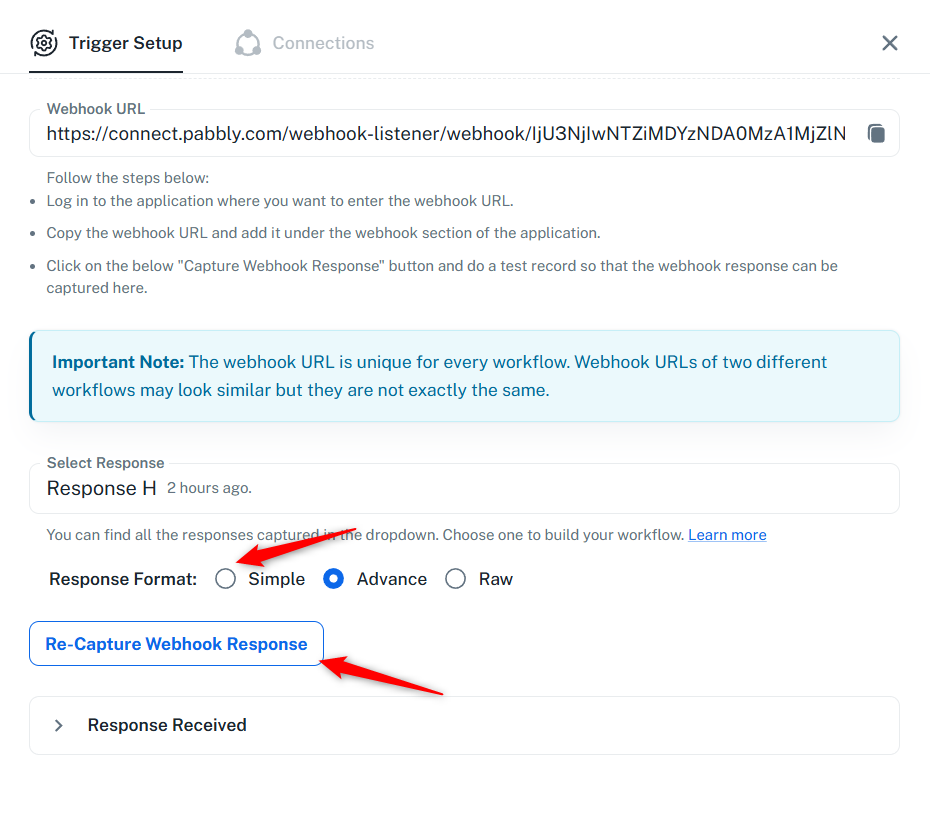
Thanks & Regards,
Arshil Ahmad
Customer Support Associate
? Pabbly.com
Thank you so much, guys!
Now it's working again.
Best regards,
Wesley
OMG...not working again.
The most strange is that when I open an automation with "partial" status and run the workflow test I get the workflow as "success after that."
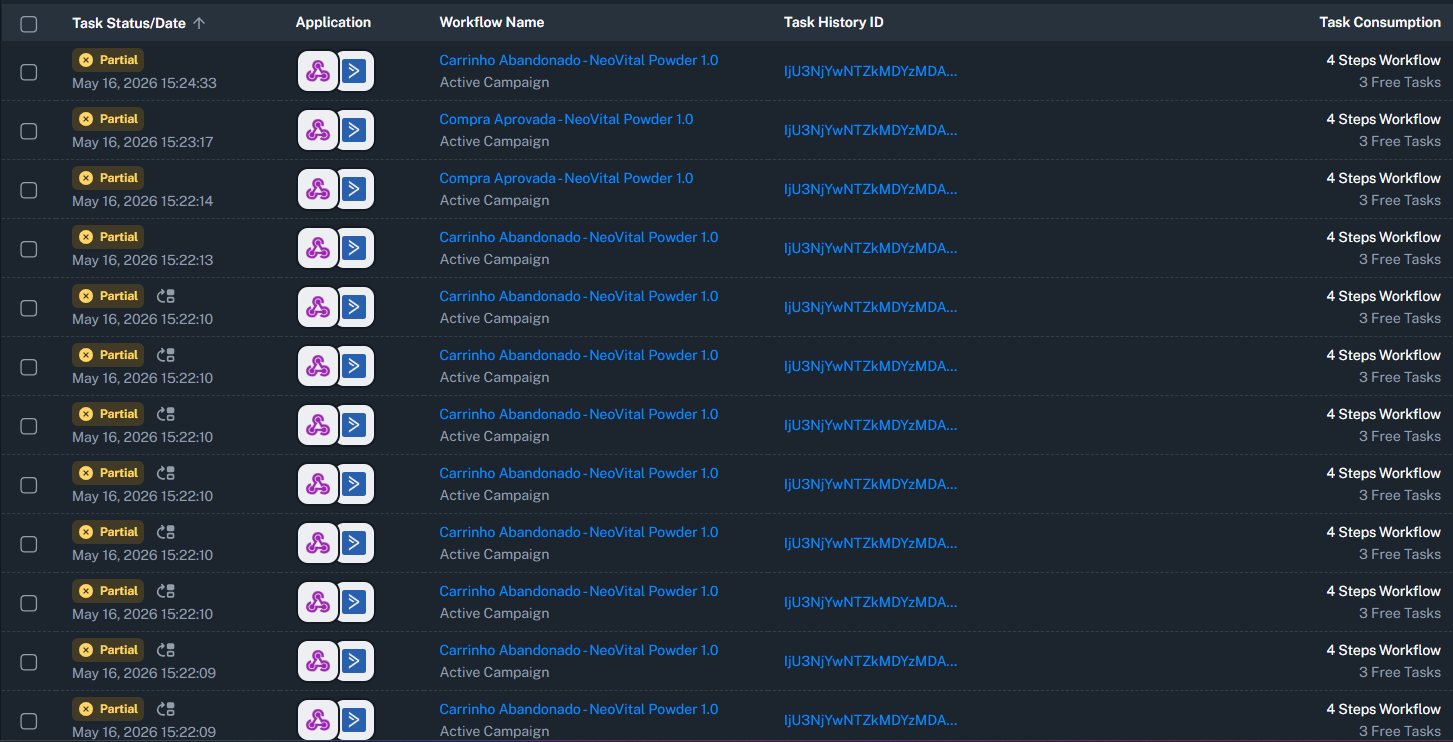
We have forwarded this to our technical team again. Please allow us some more time, we will get back to you with an update soon.
Thanks & Regards,
Arshil Ahmad
Customer Support Associate
? Pabbly.com
Hey @wesleymarques,
The reported issue has been resolved. Please try executing the search contact action and let us know how it goes.
Hey @wesleymarques,The reported issue has been resolved. Please try executing the search contact action and let us know how it goes.
It's working again. Thank you!
Hey @wesleymarques,
Glad to hear everything is working smoothly now!
Since your concern has been resolved. We are closing this thread as the issue is resolved. Please feel free to reach out to us if you face any issues in the future.