Add custom fields and featured image in Wordpress
Status: Open · Asked by Arca Dreams on · 0 views
Hello,
When I create a Wordpress post, I just don't see the option to add the value to the custom fields.
In Make.com, for example, I can easily add the custom fields I want without any problem.
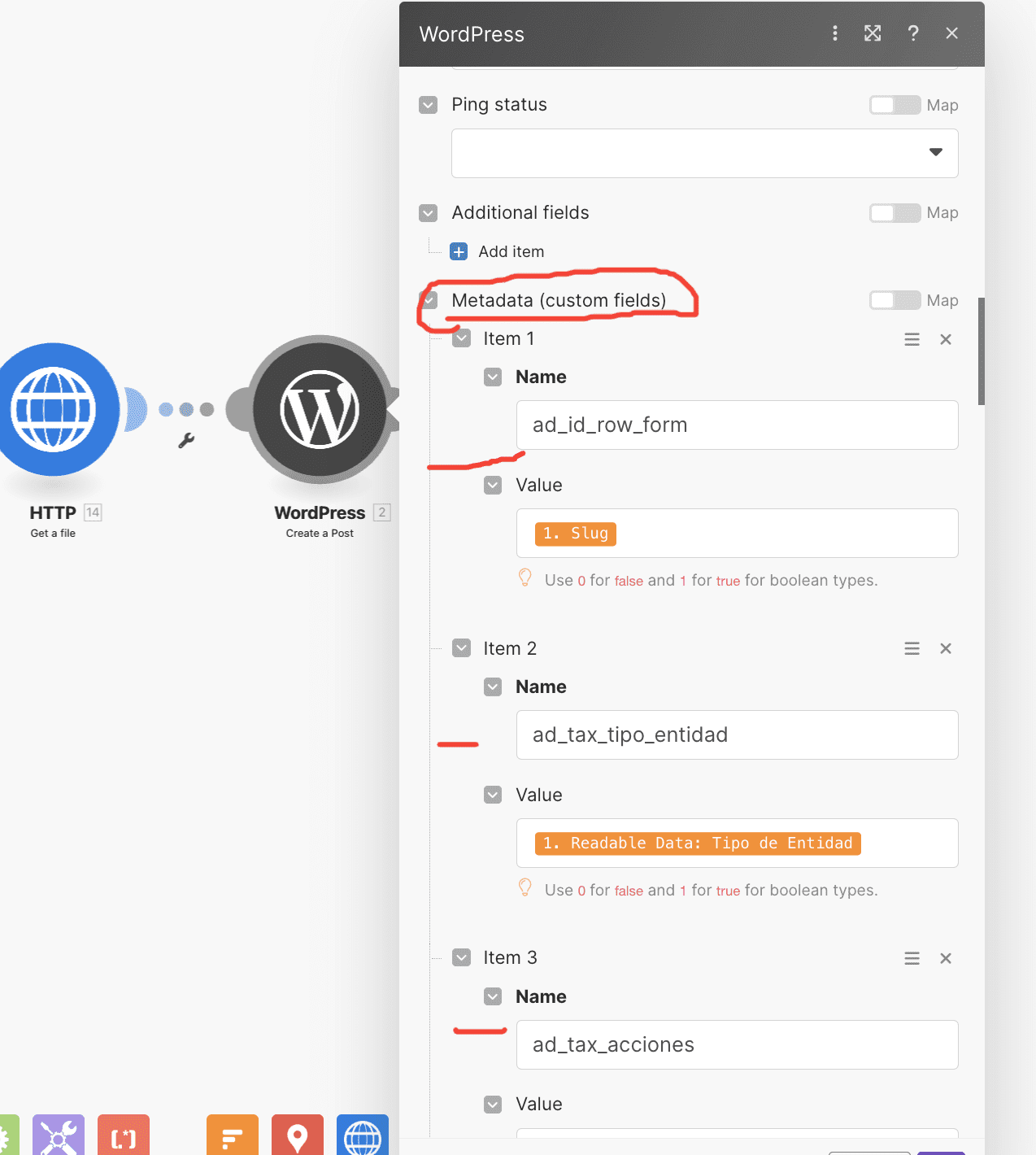
How could I add the custom fields with your application?
In addition, also in make.com I can also add the featured image with the module "Created media item". I don't know if I can add it with you?
Thanks!!
Please allow us some time to look into this. We will get back to you as soon as possible.
In order to utilize custom fields in WordPress, it is necessary that the REST API has to be enabled, which is disabled by default as set by WordPress.
Therefore, to use custom fields in WordPress, you have two options: either install an ACF plugin because it had the option to enable the REST API or create a function to enable the REST API. By doing so, you will be able to utilize custom fields with the assistance of the API by Pabbly action step.
In order to utilize custom fields in WordPress, it is necessary that the REST API has to be enabled, which is disabled by default as set by WordPress.Therefore, to use custom fields in WordPress, you have two options: either install an ACF plugin because it had the option to enable the REST API or create a function to enable the REST API. By doing so, you will be able to utilize custom fields with the assistance of the API by Pabbly action step.
Hello Supreme, I'm using metabox custom fields on a custom post type in wordpress, but can't find them in pabbly (to update a post). Does pabbly read metabox.io custom fields too? (the same way as ACF)??
Hey @pixluser
Could you please confirm if you have tried to install an ACF plugin because it had the option to enable the REST API or create a function to enable the REST API?
After that, you will be able to utilize custom fields with the assistance of the API by Pabbly action step as currently we do not have direct integration with the Metabox.
Please refer to the below video tutorial on how to use API by Pabbly :
Hey @pixluserCould you please confirm if you have tried to install an ACF plugin because it had the option to enable the REST API or create a function to enable the REST API?
After that, you will be able to utilize custom fields with the assistance of the API by Pabbly action step as currently we do not have direct integration with the Metabox.Please refer to the below video tutorial on how to use API by Pabbly :
Hello, that's very sad you don't have the metabox.io compatibility.
Is it something planned on the roadmap?
Sorry for the inconvenience.
Since we get a lot of integration requests on a daily basis, we have added an integration request board to organize customers' requests and feedback.
You can add your integration request on the board and others can also upvote so that we can add new integrations on priority based on the feedback.
I would request you to please fill in and add your request to the board itself.
Please send us the request here for the new integration and check for the same.
https://pabbly.hellonext.co/b/Integration-Request
Our team will review the request and possibly add the integration soon if possible.
Hello Arshita : here is the request to have metabox.io support also for pabbly : https://pabbly.featureos.app/p/metabox-io-support-for-custom-fields-on-posts-later-on-categories-too-users-acf-alternative
It's important to have it, metabox is used with Bricks, Oxygen, Elementor too.
Also, the support of metabox.io is very good, and metabox.io isn't a service that'll last two years and disappear… it's rock solid, and used everyday by a lot of websites.
We've forwarded your request to the integration team to create this for you.
Please allow us some time, and we'll update you once we've made integration with the meta box.
We've forwarded your request to the integration team to create this for you.Please allow us some time, and we'll update you once we've made integration with the meta box.
Wow that's an excellent news. I'll be glad to test it! Thanks a lot!
We will update you as soon as everything is set up.
Thank you for your patience.
Hey @pixluser
Thank you for your patience.
Could you please provide the credentials for the WordPress account i.e. the username and password on [email protected]?
This will allow me to access the account and assist you further.
Hey @pixluserThank you for your patience.
Could you please provide the credentials for the WordPress account i.e. the username and password on [EMAIL][email protected][/EMAIL]?
This will allow me to access the account and assist you further.
Hello Arshita, which wordpress account?
I just need to wait the pabbly team add the metabox support to the wordpress connection now, in Pabbly connect.
But I don't want to share any wordpress account for that. I'll test the new version of pabbly once it's supported instead.
Not an issue.
Please allow us some time, we will update you on this shortly.
yes thanks a lot!
Thank you for your patience.
Pabbly doesn't support ACF directly, but there is a workaround for the same.
Please refer to the video below and try it from your end:
The last reply here was over a year ago, and I wonder if there has been any progress?
It looks as though Pabbly Connect IS supporting custom fields when creating a post, albeit not finding them automatically.
If I switch the Meta textarea to manual mode, I can put in a list of custom field IDs and when I click off they are shown with the correct label pulled from WordPress. I can link to flow values, but even though everything looks correct, the values are not stored in the newly created post.
Can anyone offer any insight as to what's happening here?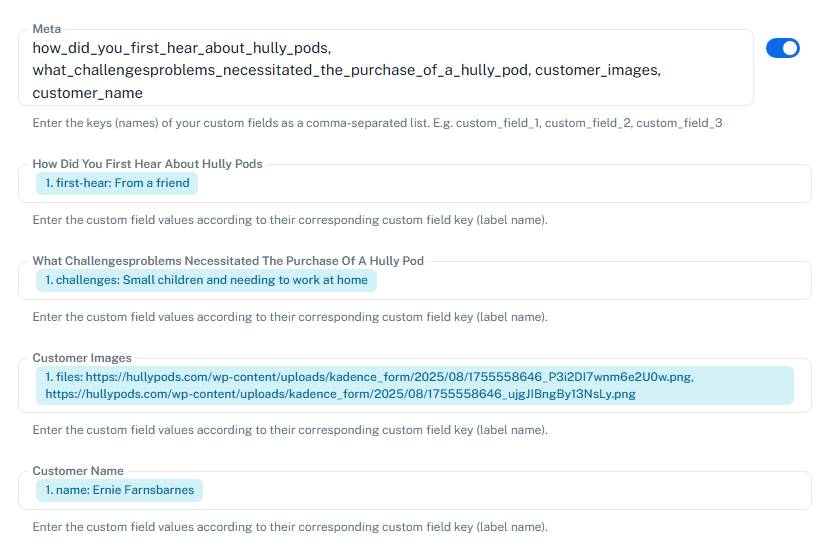
Hello @smadds,
Could you please provide us with the Workflow URL where you are facing this issue? This will help us investigate the problem more effectively and assist you accordingly.
Please be aware that to assist you effectively, we may need to access your Pabbly Connect account. If you're comfortable with this, please grant us permission by stating in your next reply:
"You have my permission to log into my Pabbly Connect account and edit the workflow, if required. Here is the registered email address associated with it."
Looking forward to assisting you further.
[IMG width="632px" height="190.41px"]https://lh7-rt.googleusercontent.com/docsz/AD_4nXfLLlHhlxuX1x6tTSFO9RK4ItJ4RJQapHWqz4Yc7G17hs-FnEMQ4rA9QBl7xH4h583jBeP2pFXCK7ZU-chTkmzP86ZiGBq6qdGl94GGGxoMbqEGqonjCBonev6vaqw9T7YK-63kaA?key=nsDumdqHFySLv4i3KkkEsp9o[/IMG]
The url is:
https://connect.pabbly.com/v2/app/workflow/mapping/IjU3NjYwNTZhMDYzZTA0MzI1MjZlNTUzMDUxMzQi_pc
You have my permission to log into my Pabbly Connect account and edit the workflow, if required. Here is the registered email address associated with it: [EMAIL][email hidden][/EMAIL]
I'm not sure how you will know if it's working - email me and I'll check on the WordPress site.
Hello @smadds,
Could you please share a screenshot showing where the meta fields that you have added in your action are visible in WordPress, along with a screenshot of the post created via Pabbly Connect where those meta fields are not appearing? This will help us better understand the concern. Additionally, it would be very helpful if you could also share a screen recording of the process of creating a post manually with those meta fields and via pabbly.
Here's a Look link to a video showing the issue and what I've found:
https://www.loom.com/share/df8715918456459bb7e888d608342679?sid=425f74b5-4466-4112-ba78-3fb268a4e33d
Hi Preeti. I'm not sure what you mean by the first question. The custom fields are created in a plugin called ACF (Advanced Custom Fields) as a field group. 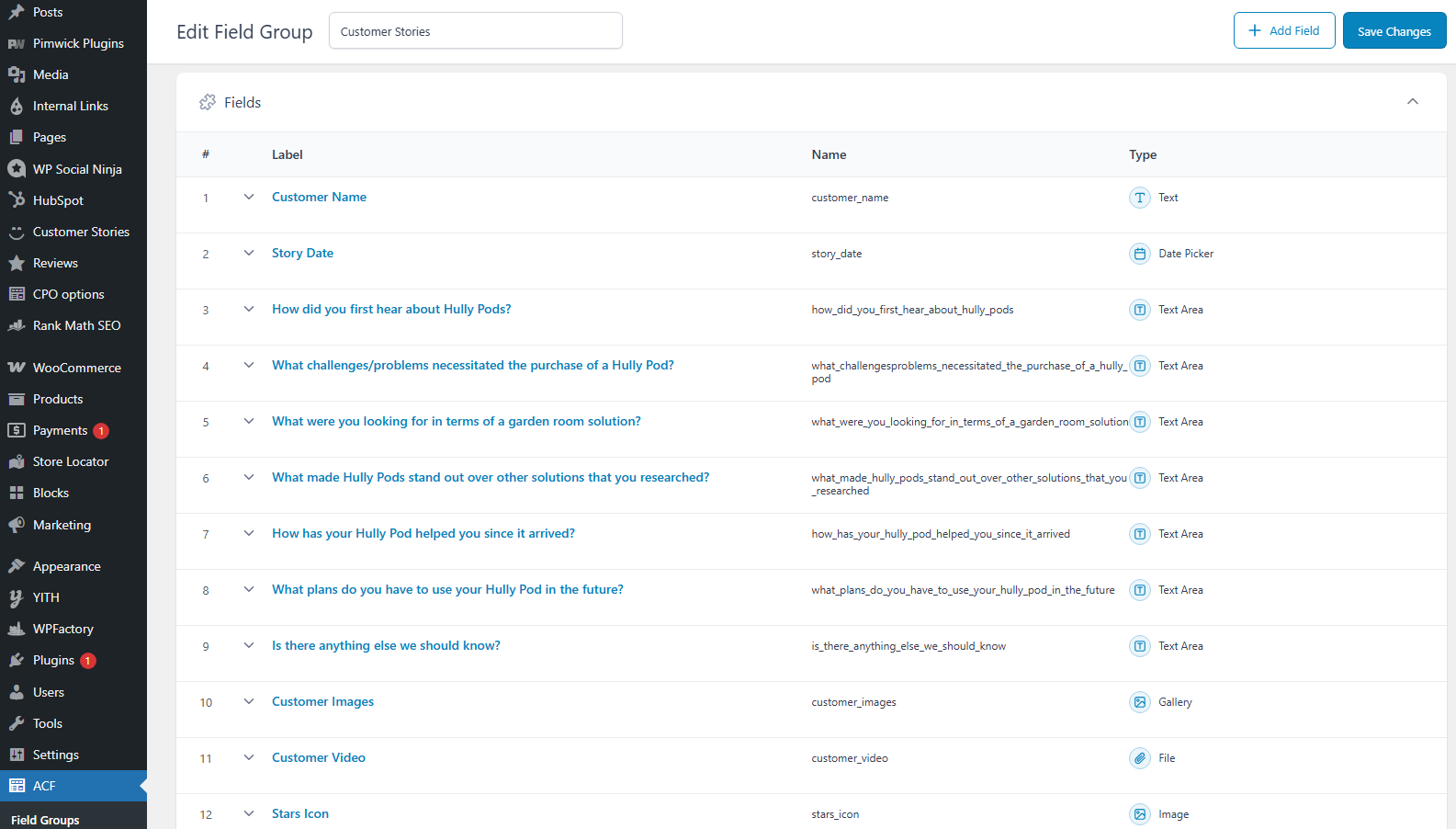
This has a rule attached to it to link the group of fields to the custom post type "Customer Stories".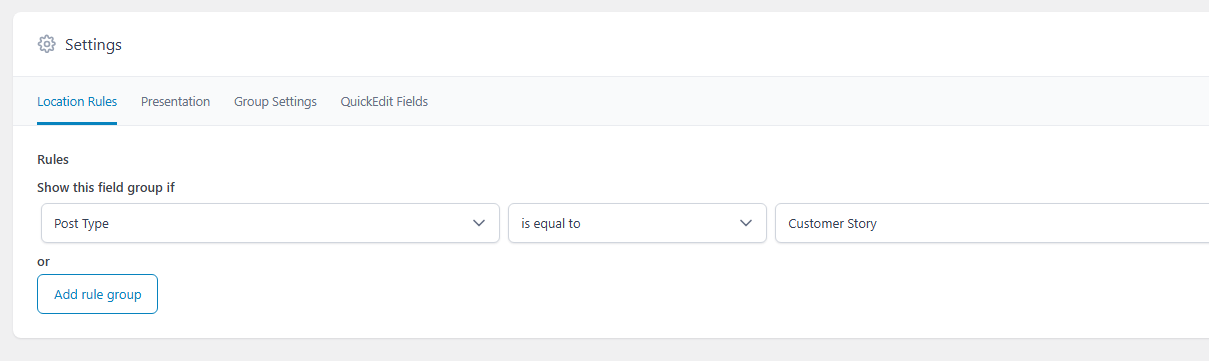
The custom fields then appear when creating or editing a post of this type. This one has been manually filled in: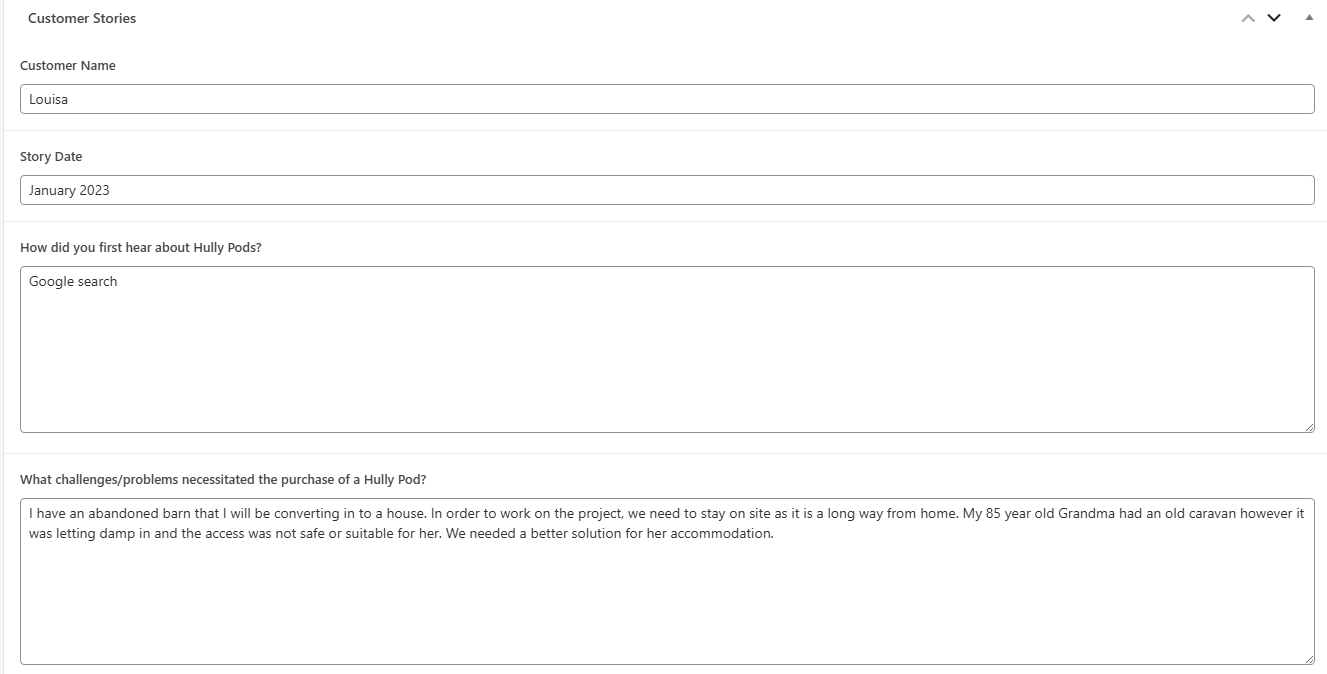
When the Pabbly flow creates the post, all the custom fields are blank: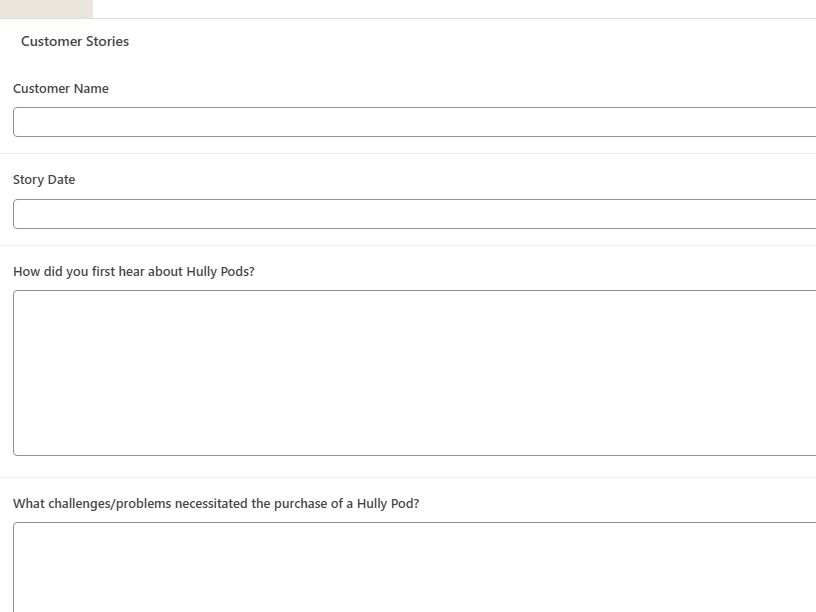
Hello @smadds,
Thanks for sharing the detailed explanation and screenshots. As of now, the Meta field in the Create Post action is meant for adding standard WordPress metadata, not for populating custom fields introduced using the ACF (Advanced Custom Fields) plugin.
That said, we understand your use case and will discuss the feasibility of supporting this scenario. If there are any updates or changes in this regard, we will get back to you accordingly.
OK. This is so disappointing, as I was hoping to move several customers away from Zapier and onto your platform, but this would be a deal breaker.
Can I do anything to accelerate the priority of this development?
I'm sure others using the WordPress connector would also benefit.
Hello @smadds,
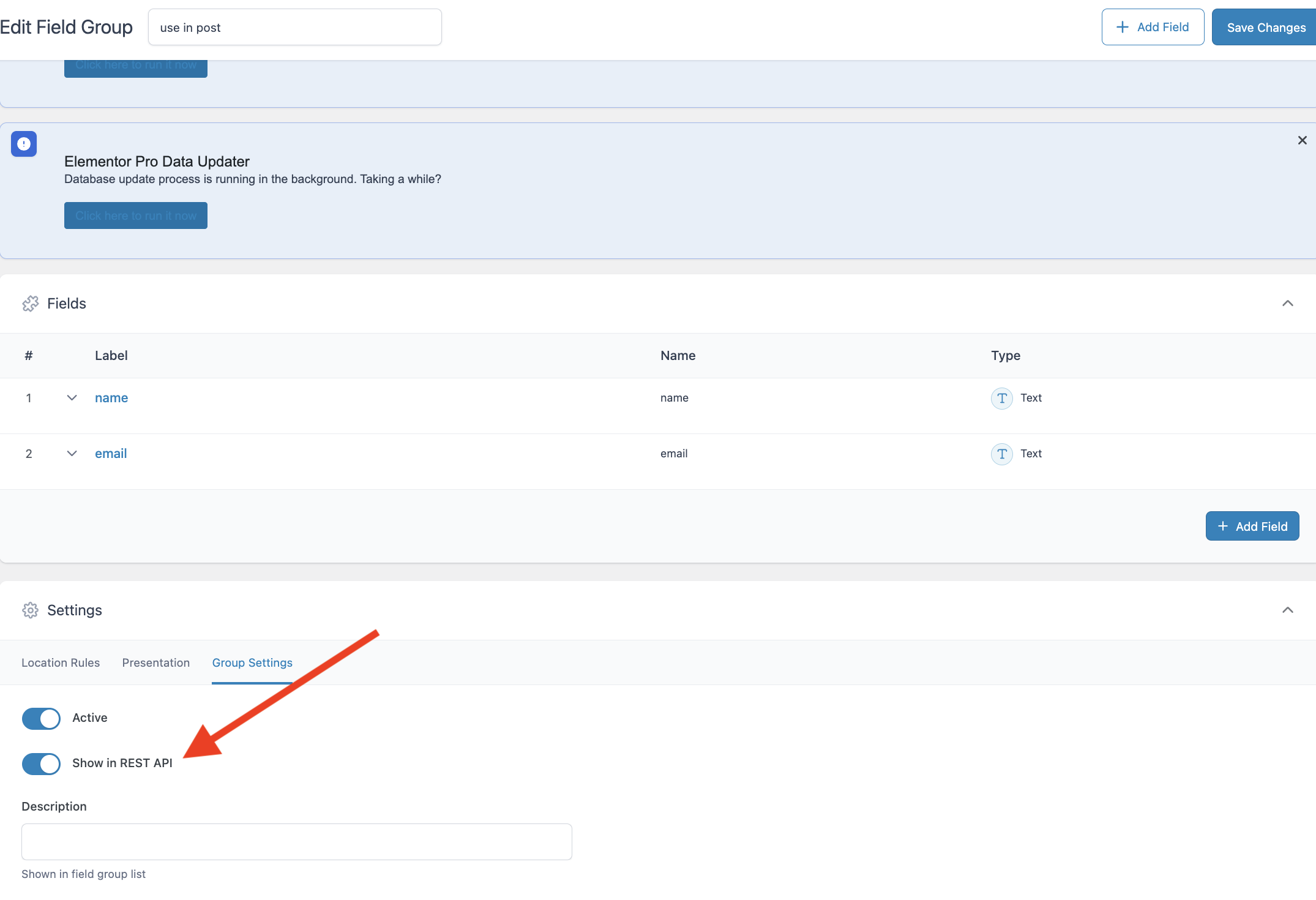
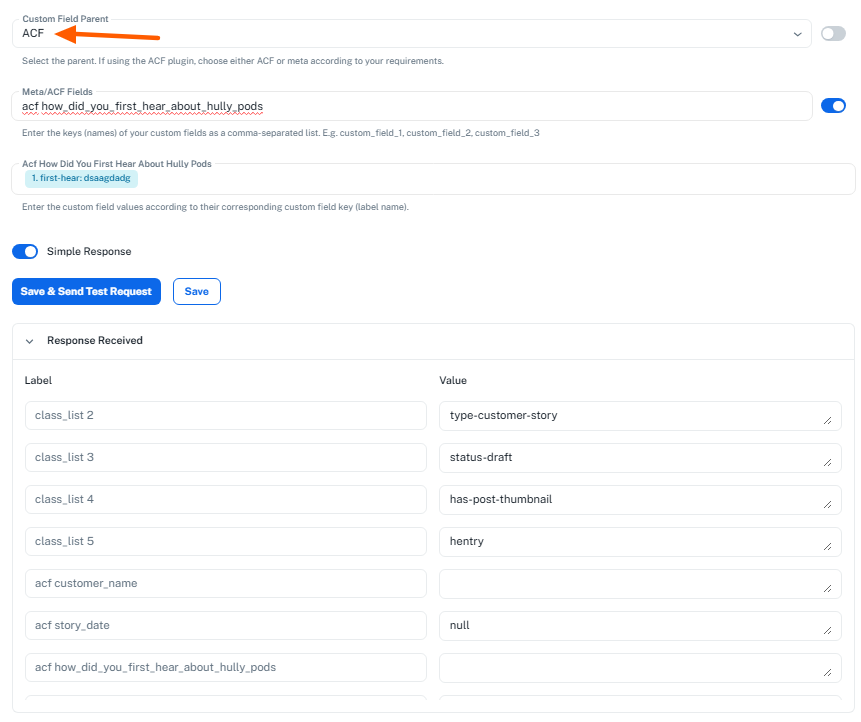
This is to inform you that ACF fields are now supported. Please enable the “Show in REST API” option under your ACF plugin settings (refer to the attached image). Once enabled, you can pass the custom fields under the acf object, and the values will be added when creating the post.
Hi Preeti
Good to see that new field to select ACF or META, thanks!
I've just done a test and the custom field was successfully passed to the post and shown in the response.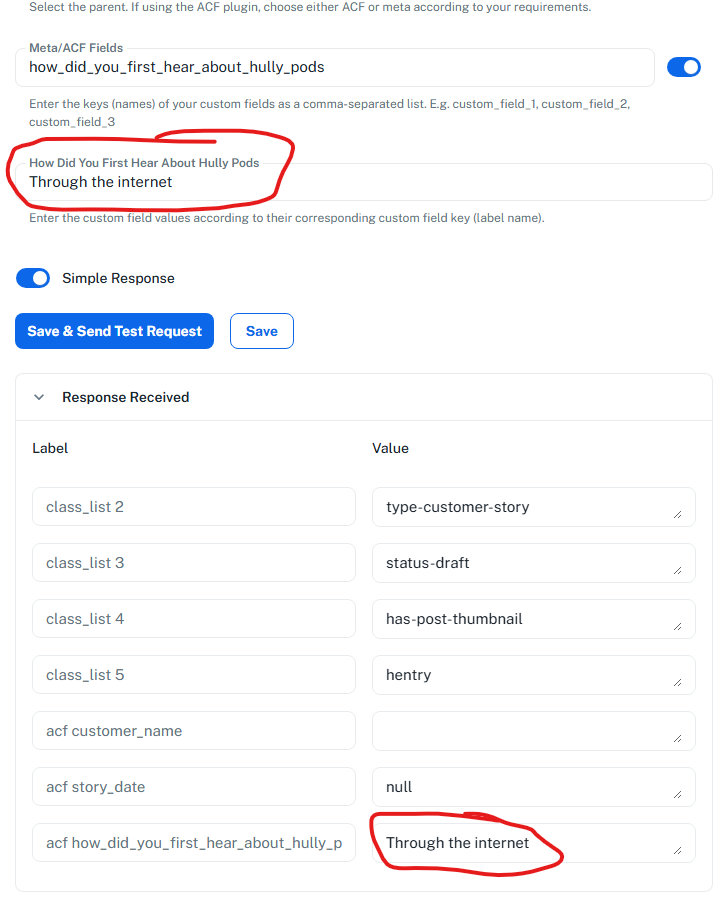
Thank you very much. Please pass on my thanks to the devs.
Hello @smadds,
Thanks for the update, we'd love to hear your thoughts! If you have a moment, please rate us on Google. Your feedback helps us improve.
Hello @smadds,This is to inform you that ACF fields are now supported. Please enable the “Show in REST API” option under your ACF plugin settings (refer to the attached image). Once enabled, you can pass the custom fields under the acf object, and the values will be added when creating the post.
Hi @ Preeti, what prevents acf fields from mapping within Pabbly? I've done 100 tests of trying to map ACF fields, and the response results are blank?
Hi @ Preeti, what prevents acf fields from mapping within Pabbly? I've done 100 tests of trying to map ACF fields, and the response results are blank?
Could you please share the Workflow URL where you have this concern?
Thanks & Regards,
Arshil Ahmad
Customer Support Associate
? Pabbly.com
?Rate your support
https://connect.pabbly.com/workflow/mapping/IjU3NjYwNTY1MDYzMzA0MzI1MjZlNTUzYzUxMzAi_pc
Thank you for sharing the Workflow URL. Could you please also share a screenshot of the ACF fields in your WordPress account?
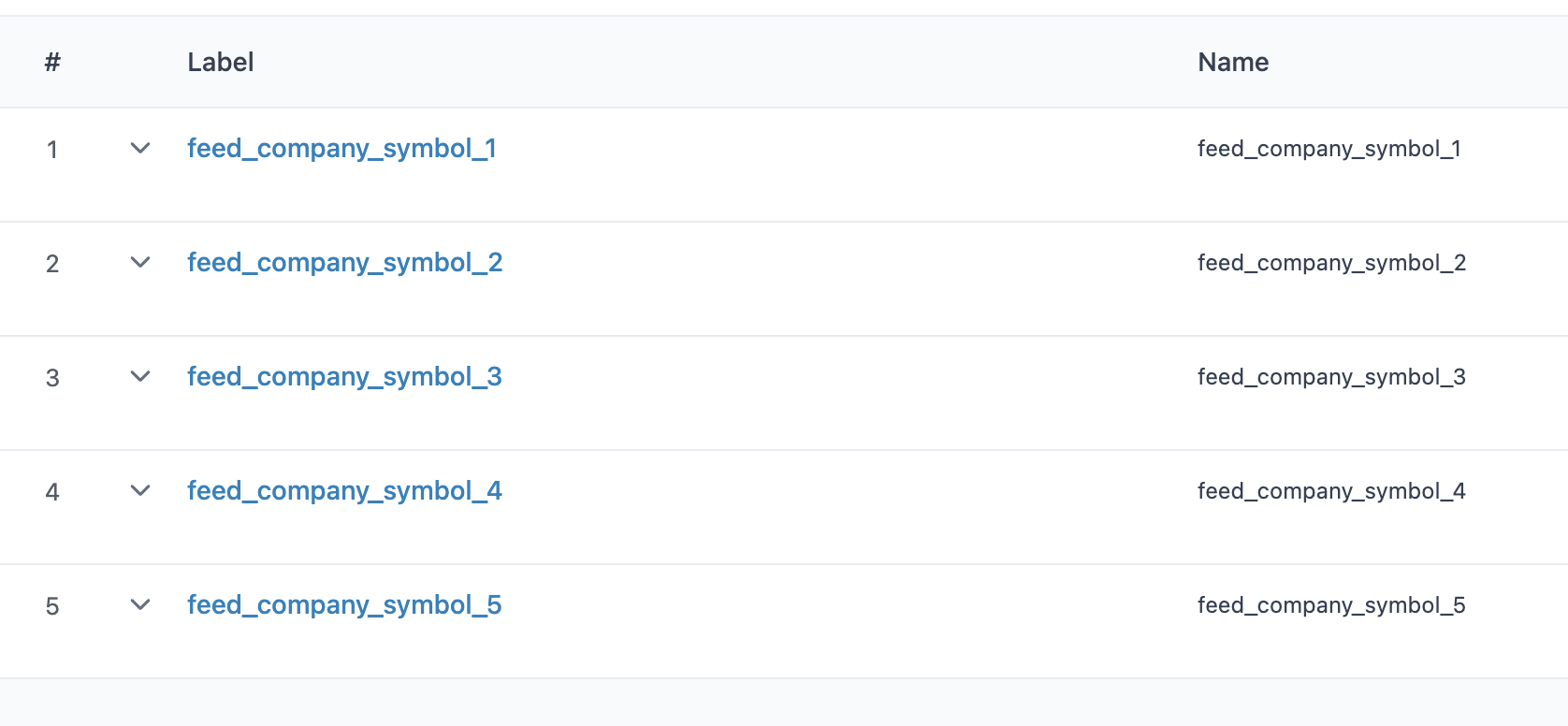
Hello @Frank1
Could you please confirm if you have installed the ACF Plugin in your WordPress account? Additionally, please refer to the guide: Guide for Setting Up Custom Fields in WordPress Posts via API and ensure everything is set up according to the instructions provided.