Add new parameter in the existing workflow
Status: Open · Asked by Khushboo on · 0 views
Hi
I need to pass the ad set and ad ID in the current workflow but unable to see that in the current setup. Can I add the ad set id and the ad id in the existing workflow or do I need to make a new workflow.
Hello @Khushboo,
Could you please share the workflow where you would like to pass the data into the required fields? Additionally, kindly let us know the action event you're using and whether the required fields are custom fields.
Looking forward to your response.
CCP Lookalike 14/06 and Career Counselling Course LG Mumbai. The action event is add new row Google sheet. Yes the event are custom fields.
Hello @Khushboo
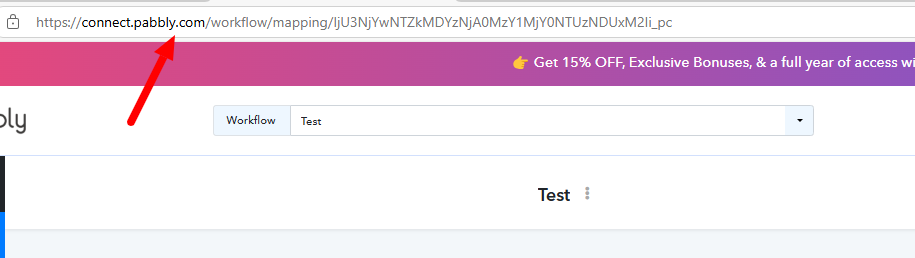
Please provide us withe the workflow URL, to learn how to retrieve the URL please refer to the attached image.
Hi
Any update
For Career Counselling Course LG Mumbai give me some time
Link for Career Counselling Course LG Mumbai
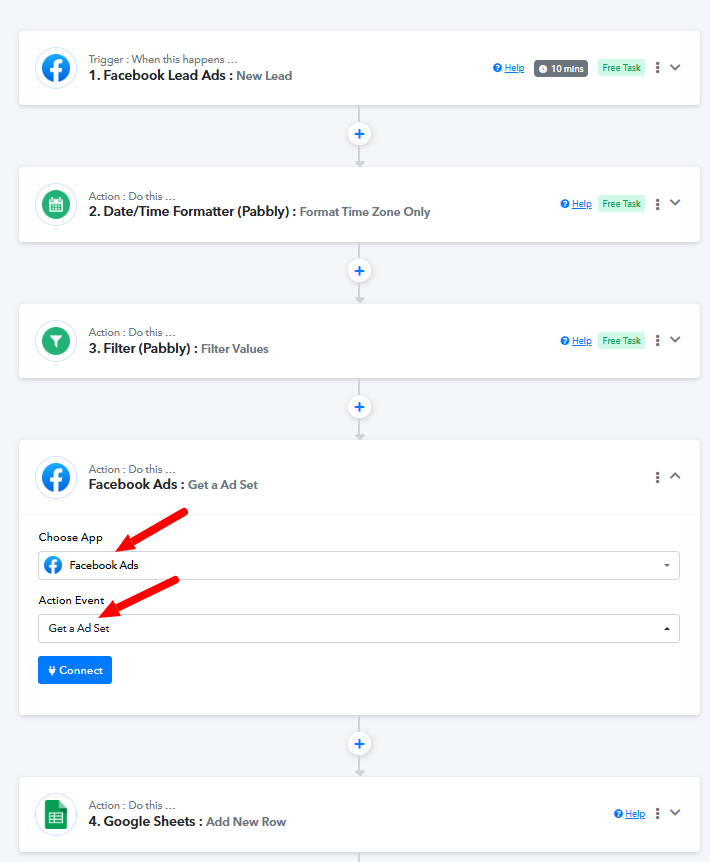
Please try using 'Facebook Ads: Get a Ad Set' action step and see if that gives you the desired information.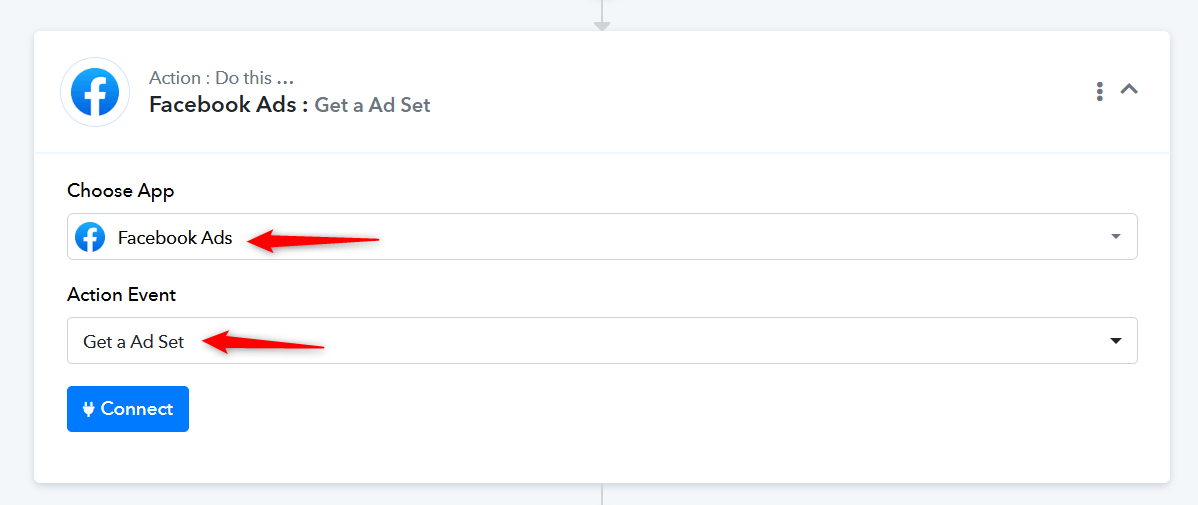
I am not getting this option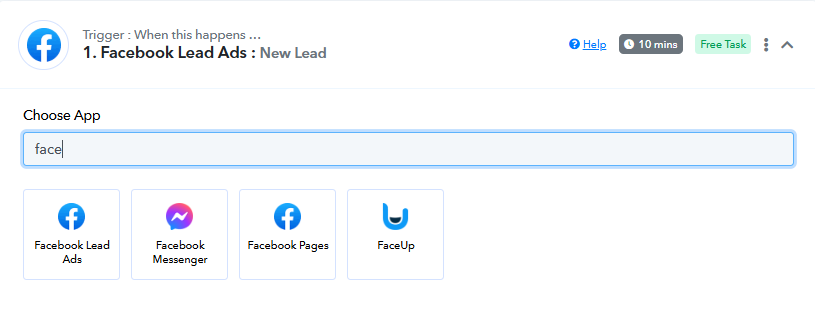
Hello @Khushboo
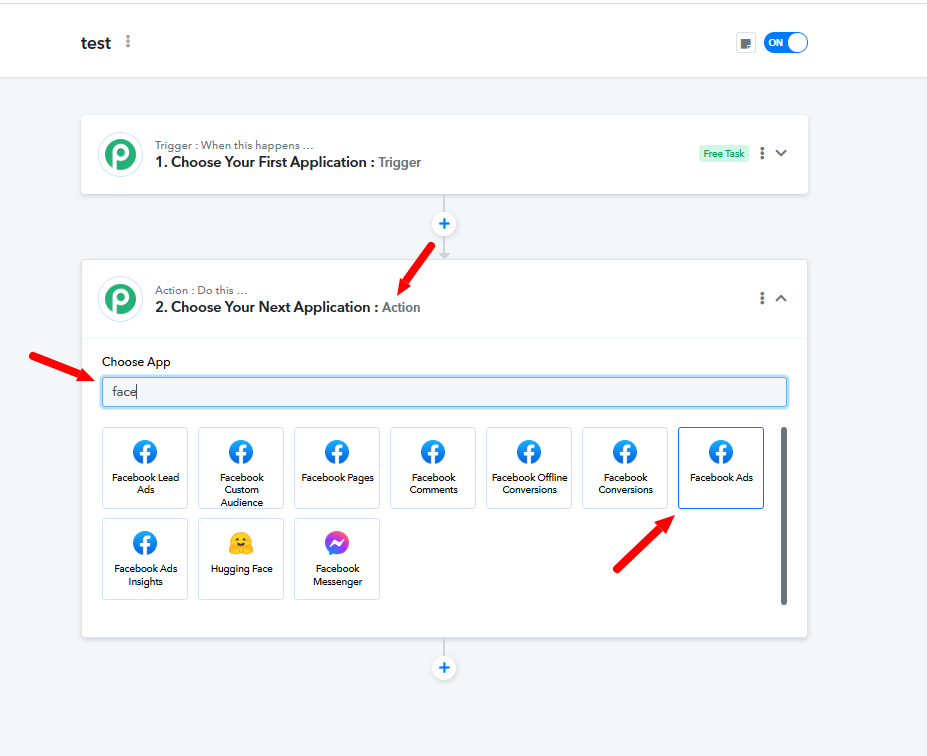
Please try selecting the application under Action. Since there aren't any triggers available for this application, you won't be able to find it under the trigger applications.
So what I need to do
Any update?
Hello @Khushboo,
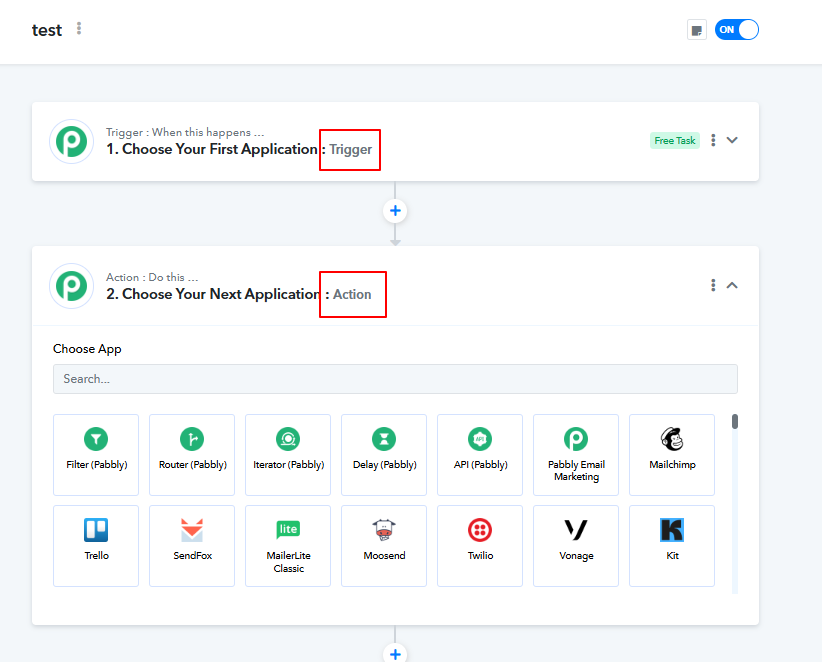
Please try selecting the application under Action. Since there aren't any triggers available for this application, you won't be able to find it under the trigger applications. Please refer to the attached screenshots for more info.
But how I will be able to upload data on Google sheet
Hello @Khushboo
Please refer to this tutorial to learn how to add data to Google Sheets -
.We have seen this video but over here they have not mentioned how to add the ad ID and the adset ID in the existing workflow
Hello @Khushboo,
Please add the "Facebook Ads: Get a Ad" Set step to your workflow before the step named "Google Sheets: Add New Row" establish a connection with facebook ads and let us know if helps you to retrieve the ad set ID, refer to the attached screenshot for more info.
I got the ad set ID. How will I get the ad ID
Hey @Khushboo
Kindly let us know your workflow name or URL so that we can check how can you get the ad ID.
Waiting for your response.
Link for Career Counselling Course LG Mumbai
Hey @Khushboo
Kindly let us know if you can join us over a Google Meet session so that we can assist you effectively.
Waiting for your response.
Can we connect tomorrow afternoon at 12 PM
Hey @Khushboo
Yes, sure we can. We have successfully scheduled an appointment for you at 12PM IST today. You can join via this link at the provided time - https://meet.google.com/arn-dovy-eec
Looking forward to a productive session.
Done
Hi
Any update. As discussed you were supposed to ask your senior regarding the ad id.
Hey @Khushboo
Kindly allow us some more time to check. We will surely let you know as soon as we find a resolution for getting Ad ID in your workflow.
Your patience is greatly appreciated.
Hi
Any update?
Hello @Khushboo,
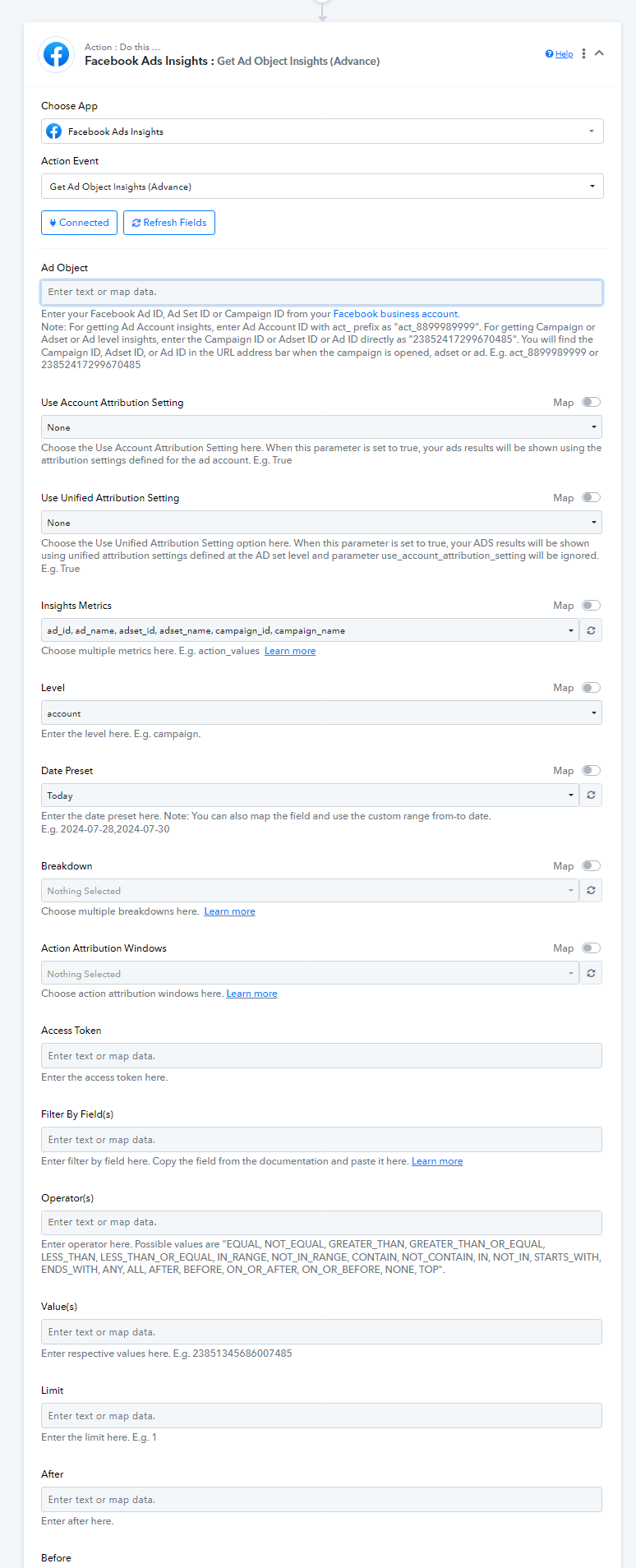
You can try using Facebook Ads Insights: Get Ad Object Insights (Advance) action to get the Ad ID and let us know if it works for you. You can refer to the following thread for more info - https://forum.pabbly.com/threads/facebook-ads-insights.23346/.
Hi
Any update?
Okay. Will check
Can you also help me how to connect the Google ads lead campaign to pabbly
To google sheet
Hello @Khushboo,
You can take reference from the following tutorial to set up a workflow from Google Ads to Google Sheets -
.In this insight metrics I have write the whole thing ad_id, ad_name, ets
Hello @Khushboo,
We’re sorry, but we couldn’t fully understand your last response. Could you please elaborate further on the issue you’re facing? Additionally, kindly share the workflow URL where you’re encountering this problem so we can assist you better.
Can we have a g-meet?
Day after tomorrow on 26th Dec
Hello @Khushboo,
We can certainly schedule a Google Meet session. However, it would be helpful if you could share the details of your concern or the specific issues you’re facing beforehand. This will allow us to prepare and ensure the session is productive.

Hello @Khushboo,
Could you please provide more details about the issue you're experiencing? Additionally, share the workflow URL where you attempted this action.
For guidance on how to use the action, please refer to the following thread: https://forum.pabbly.com/threads/facebook-ads-insights.23346/.
Hi
Any update regarding the gmeet and the ad id part?
Hello @Khushboo,
Could you please let us know your availability for a Google Meet between 4:00–5:00 PM IST? We’ll schedule the meeting accordingly.
Looking forward to your response!
Done. At 4:30 PM?
Hello @Khushboo,
We have scheduled a Google Meet session for you at 04:30 PM IST today.
You can join via this URL at the defined timing - https://meet.google.com/ioy-dckn-hxw.
Looking forward to a productive session.
Okay
Hello @Khushboo,
Following up on our meeting, please find attached the instructions to obtain the access token. Kindly refer to the following thread for detailed guidance: https://forum.pabbly.com/threads/facebook-ads-insights.2219/.
Please try using the provided action and let us know if it works as expected.