Add Tags to Contacts without overwrite [Bigin]
Status: Open · Asked by Lorenzo Giacomini on · 0 views
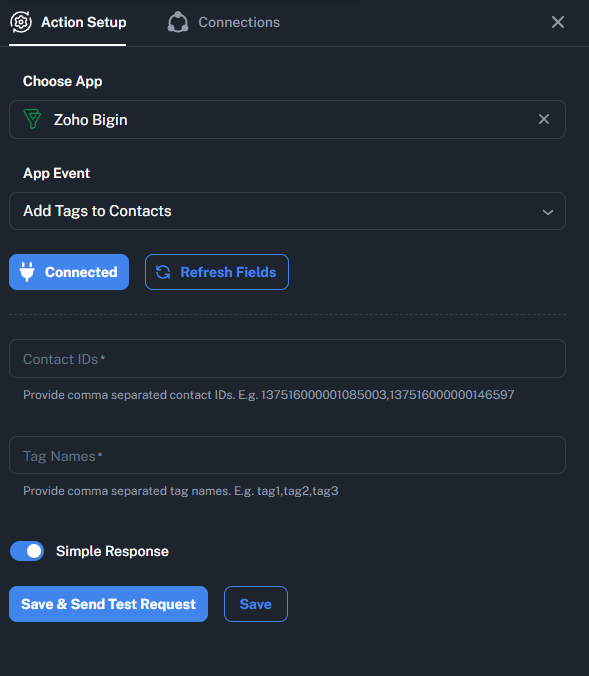
Hello, I noticed that the “Add Tags to Contacts” action in the Bigin integration uses the “over_write=true” mode.
This means that every time we add a tag, the existing ones are deleted.
Is there a way to choose the mode or, alternatively, use the default mode, which is “over_write=false”?
Below is the API call as per the Zoho API documentation:
Thank you in advance
Lorenzo
Hi @meetab,
Please allow us some time to look into this concern. We will get back to you with an update soon.
Thanks & Regards,
Arshil Ahmad
Customer Support Associate
? Pabbly.com
?Rate your support
Thank you!
Our team is currently working on updating the Zoho Bigin action step as per your requirement. We will get back to you with an update soon.
Thanks & Regards,
Arshil Ahmad
Customer Support Associate
? Pabbly.com
?Rate your support
Hello @meetab,
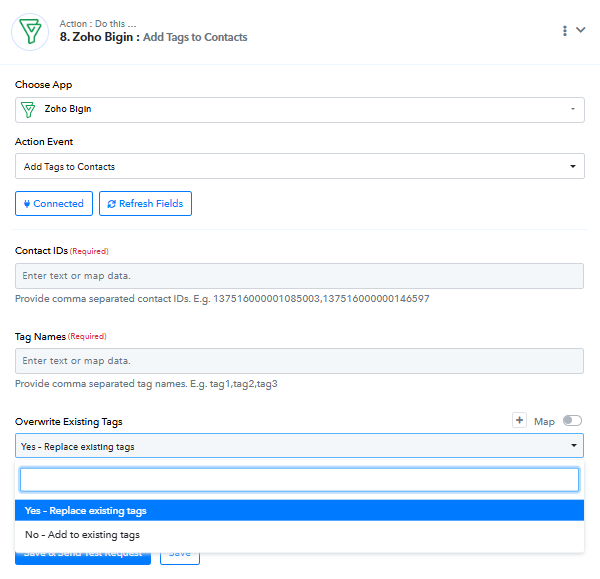
This issue has been fixed. Our team has added a field named Overwrite Existing Tags where you can select whether you want to replace the existing tags or want to add another tag along wuth the existing ones.
Fantastic, it works perfectly! Thank you for the quick implementation.
Lorenzo
Thank you for the update. We're glad we were able to help.
Thanks & Regards,
Arshil Ahmad
Customer Support Associate
? Pabbly.com
?Rate your support
Thanks again for the implementation!
Could the option (Replace | Add) be replicated for editing custom fields?
Currently, if you enter a value in a custom field with multiple options, the existing options are overwritten.
Ideally, it would be possible to have a specific node for editing custom fields.
Thank you!
Lorenzo
Hi @meetab,
Thanks for reaching out. Could you please share the workflow URL where you are facing this issue, so we can review it and assist you accordingly?
Hi @meetab,
Thank you for sharing your request. We have escalated it to our team to check the feasibility. As soon as we have any updates, we will get back to you.
Hello, any news? Thank you.
Hi @meetab,
Currently, we have not received any updates from our team. However, we have followed up with them, and once we receive any information from their end, we will get back to you promptly.
Hi @meetab,
Thanks for your patience.
We’ve added the Upsert Record action, which allows you to update records without overwriting existing values.
Please try it in your workflow and let us know if it helps.
Hello, thanks for the update but I've been trying to figure out how it works for two days.
Is it possible to have some examples of documentation? I've already looked at Bigin's documentation, but I can't replicate it within the “Action Setup.”
It is unclear how to map the fields, whether the mapping works, and what syntax to use.
Thanks in advance, Lorenzo.
Hi @meetab,
Thank you for your patience.
You don’t need to use Update Contact for this. Instead, please use the Upsert Contact action.
In the Upsert action:
- Map the contact identifier (Email/Phone/ID as required).
- In the custom field (with multiple options), simply map the values you want to add/update.
After running the workflow, please check in your Bigin account whether:
- The new values are added to the existing custom field options, or
- The field gets overwritten with the new value.
This will help you verify how the field behaves in your specific configuration.
Please test this once and let us know the result.
Hello, I was referring specifically to the UPSERT action.
I've tried configuring it in every way possible, but I always get this error (or others). I would like to see some documented examples. Is that possible?
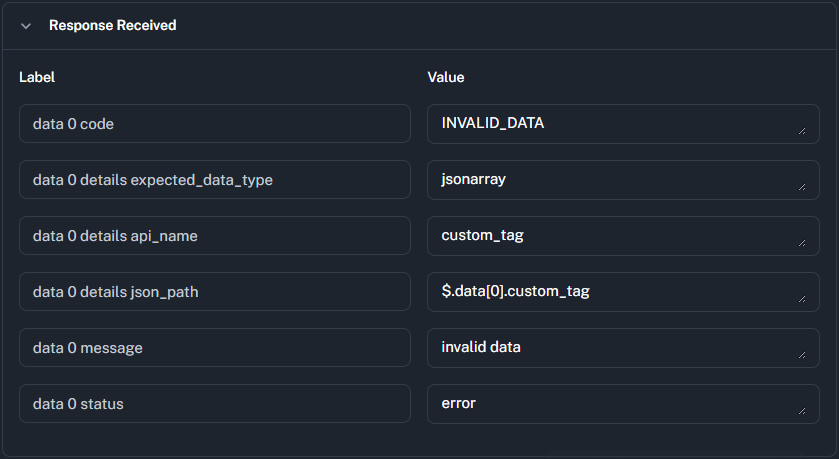
Could you please share the workflow URL where you have attempted to set up the Zoho Bigin: Upsert Contact action step?
Thanks & Regards,
Arshil Ahmad
Customer Support Associate
? Pabbly.com
?Rate your support
Hello, we're testing the Upsert in the following workflow:
You can use the contact [email][email hidden][/email] (with ID 806550000001853988) to make your tests.
Actually we're checking the actions on the custom tag "Generale" which appears with the name "custom_tag" in the namespace so you have to put "custom_tag" in the field.
Thank you
Lorenzo
Hi @meetab,
We have made a few adjustments to the action, and it is now working properly without returning any errors.
Please test it from your end and let us know if everything is functioning as expected.
Thanks.
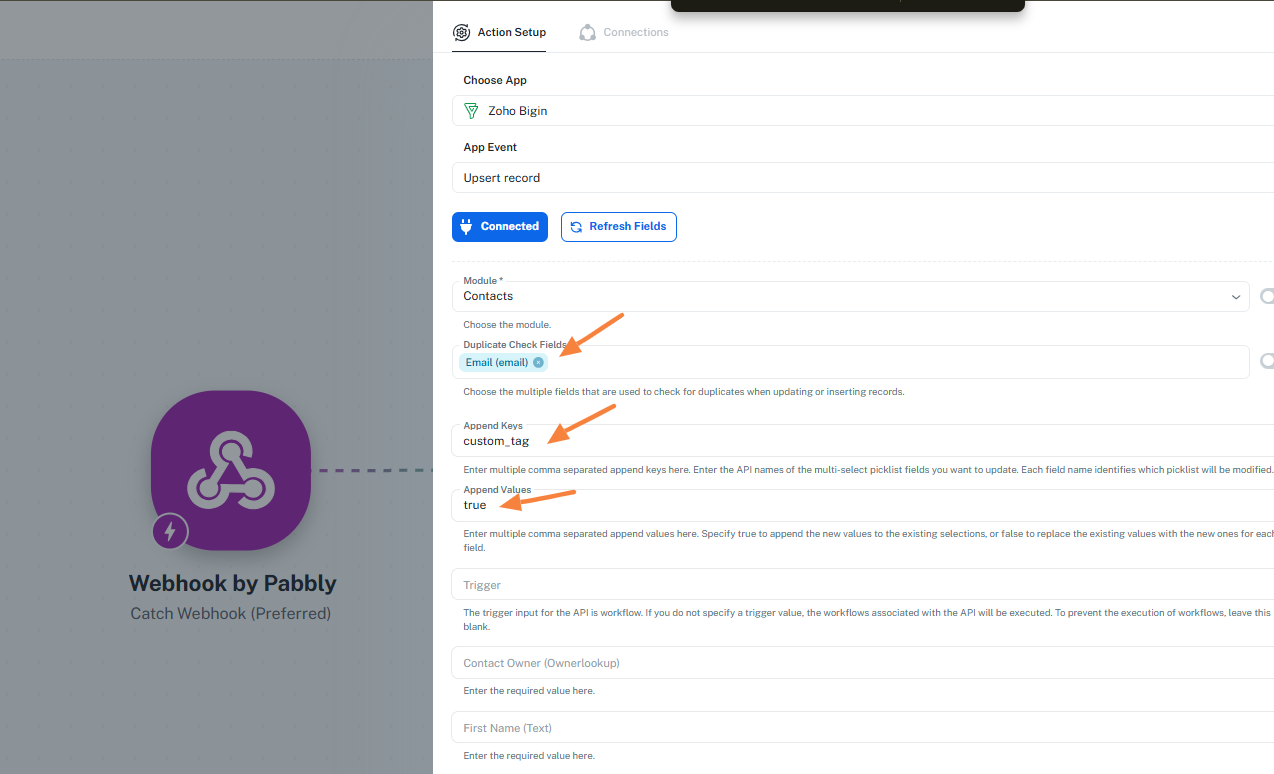
What I don't understand (see image below where I have highlighted the fields) is that, despite setting the value of the “Append Values” field to “true,” when I enter a new value in the custom field (of type Multiselectpicklist), the previous values are removed. Shouldn't it append?
With this action I'd like to add a new option in that field, not overwriting the existing values.
Thanks.
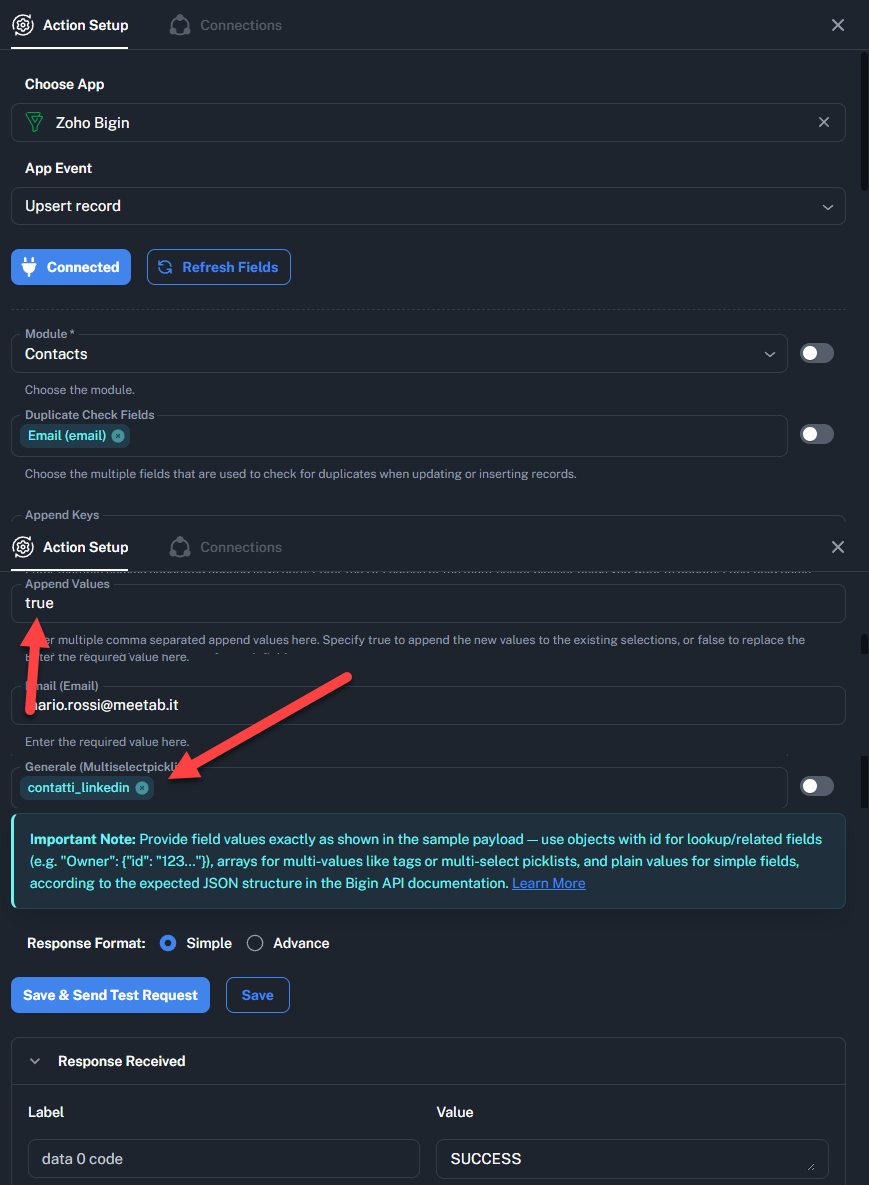
Please take a look at this video, this is what I mean:
Thank you
Please allow us some time to look into this concern. We will get back to you with an update soon.
Thanks & Regards,
Arshil Ahmad
Customer Support Associate
? Pabbly.com
?Rate your support
Hey @meetab,
The issue with the Zoho Bigin: Upsert record action not working in New UI has now been resolved. Please test it and let us know how it goes.
How can I add a value to a custom field without overwriting the previous values?
It seems that in order for it to work, I have to enter the existing values as well as the new one.