Add/Deduct Credit on users account
Status: Open · Asked by David Hurley on · 0 views
I am not seeing how to add a credit to one of my client's accounts in subscription billing. I found a video showing how to do it that was done back in 22, but there doesn't seem to be an option now. I need to add a credit of 133 to one of my users accounts for use in his upcoming payment period. He accidentally subscribed twice, so I want to credit the month on his next renewal and then have it resume normal subscription payment after that.
Hello @hpb,
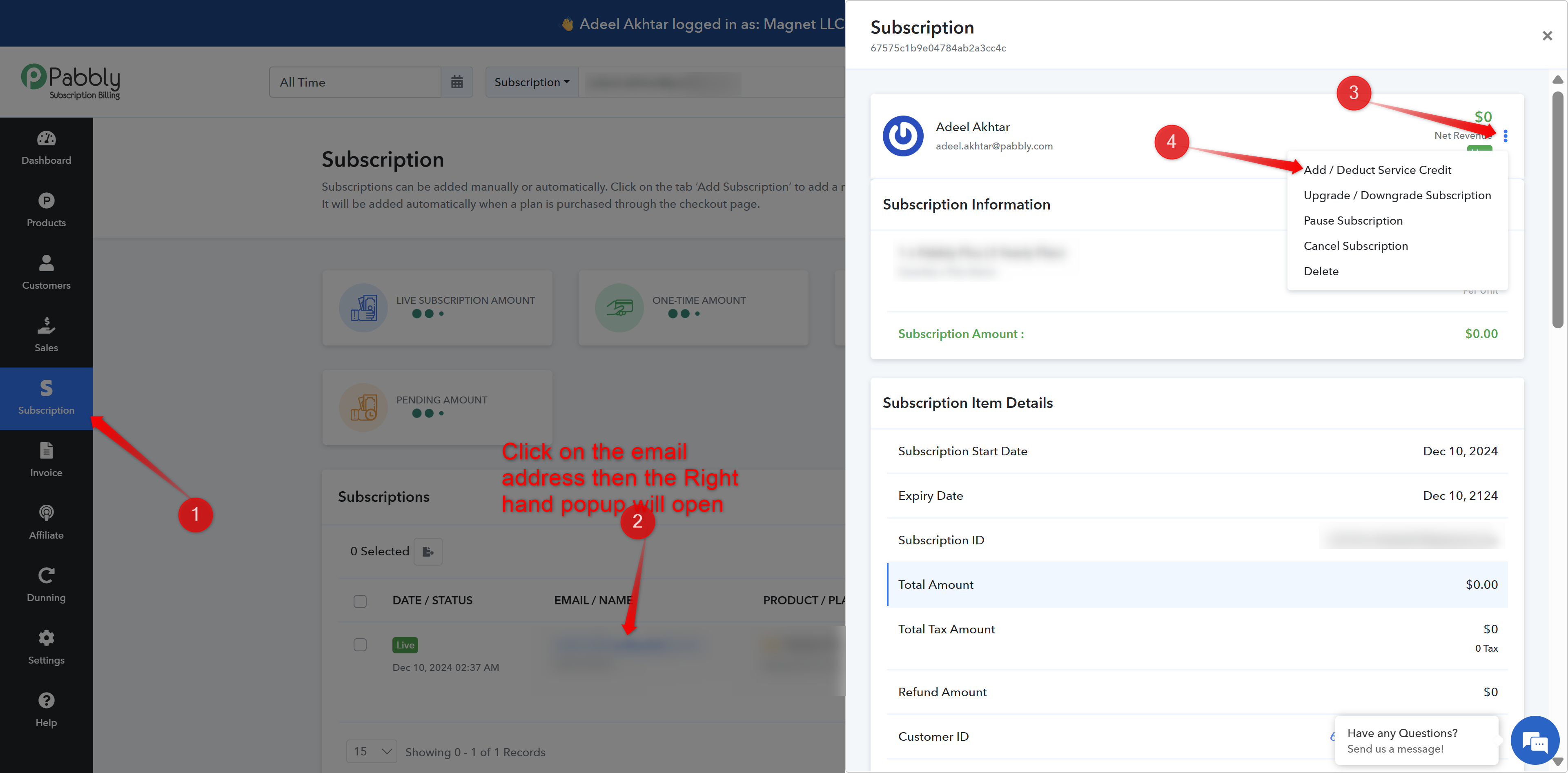
In Pabbly Subscription Billing, to add or deduct credits for a user, go to the Subscription section and open the relevant subscription. Then, click on the three dots (as shown in the attached image) and select the “Add/Deduct Credit” option.
This will allow you to adjust the user’s credit as needed. Please refer to the attached image for better understanding.
That option does not exist. See attachment
Update... I think I see why - because it is a Paypal payment. Is that correct?
Please check this out: