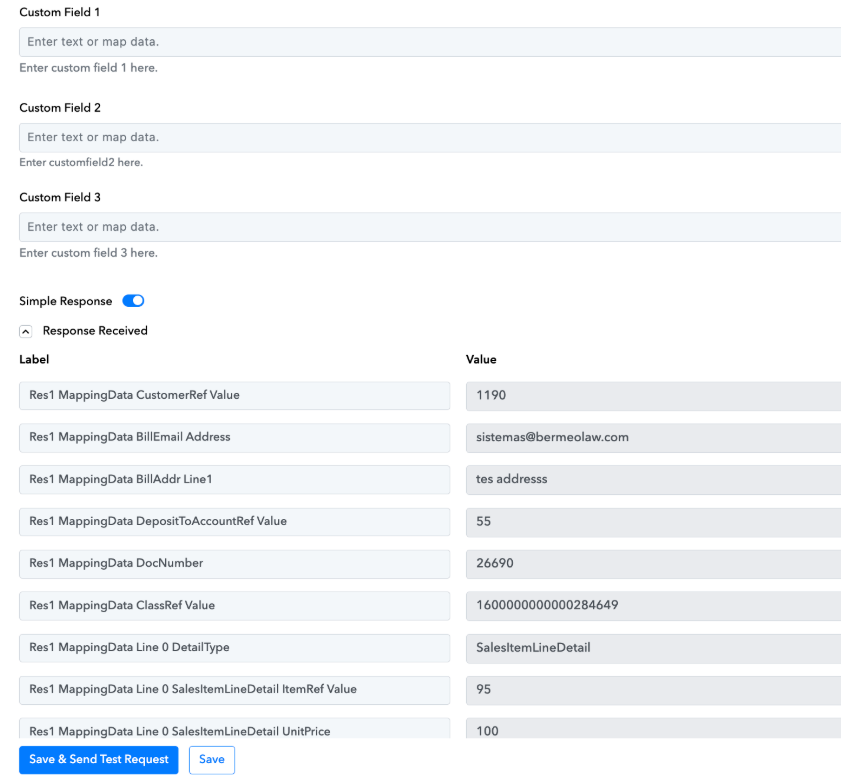
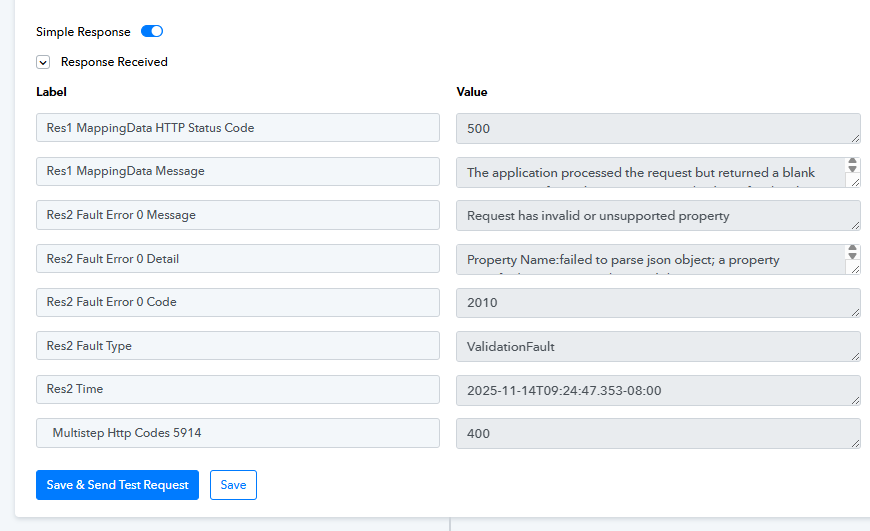
Alguna sugerencia para solucionar este error en un paso de Quickbooks online para crear un invoice con custom fields??
Status: Open · Asked by Andres Diaz on · 0 views
Hi @Andres Diaz,
Could you please share the Workflow URL where you have this concern?
Hi @Andres Diaz,Could you please share the Workflow URL where you have this concern?
Sure, actually are two of them: https://connect.pabbly.com/workflow/mapping/IjU3NjYwNTY1MDYzNTA0Mzc1MjY5NTUzMTUxMzQi_pc
https://connect.pabbly.com/workflow/mapping/IjU3NjYwNTY0MDYzMzA0MzA1MjZhNTUzMjUxM2Ei_pc
Thanks for your help
You seem to be using multiple comma-separated email addresses in the Email field. Please try passing a single email address and see if that fixes the issue.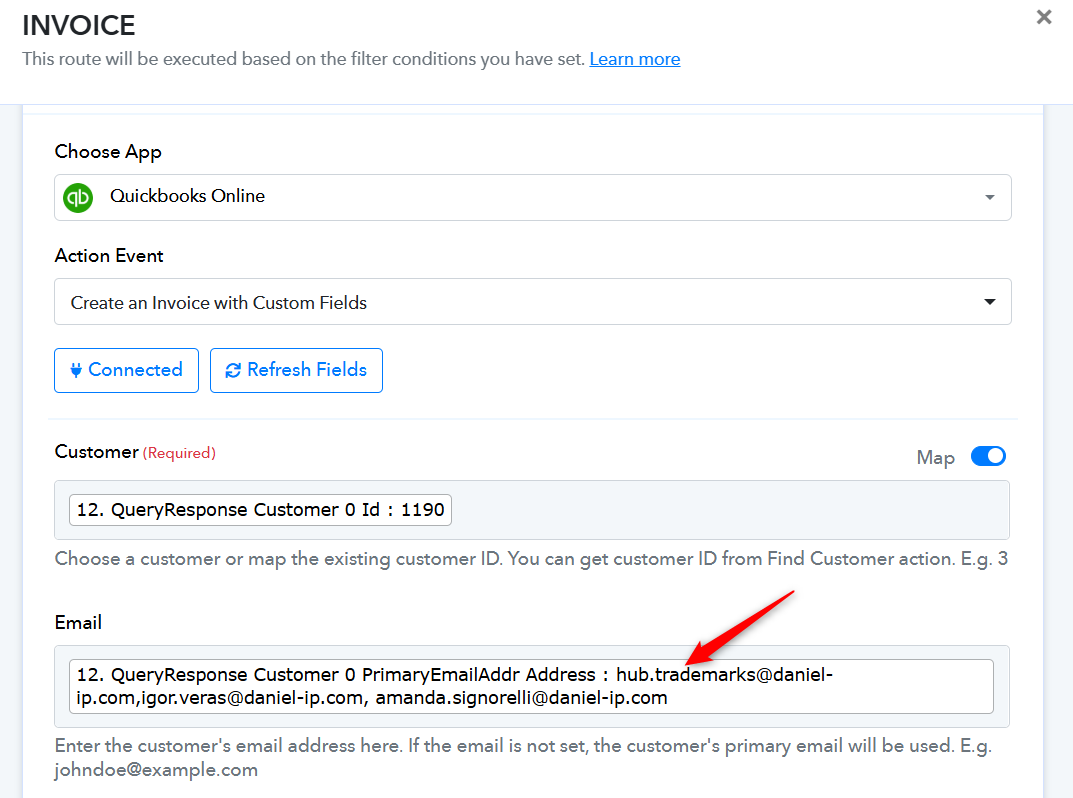
You seem to be using multiple comma-separated email addresses in the Email field. Please try passing a single email address and see if that fixes the issue.
I tried that, didnt work
Hello @Andres Diaz,
Could you please let us know under which specific route you tested the workflow by passing only a single email address? Upon checking, it still appears that multiple email addresses are being passed in the request.
Kindly share the route where you tested this, or provide the task history for that particular run, so we can review it in detail and assist you further.
Hi, de route is the one called INVOICE, here is a screenshot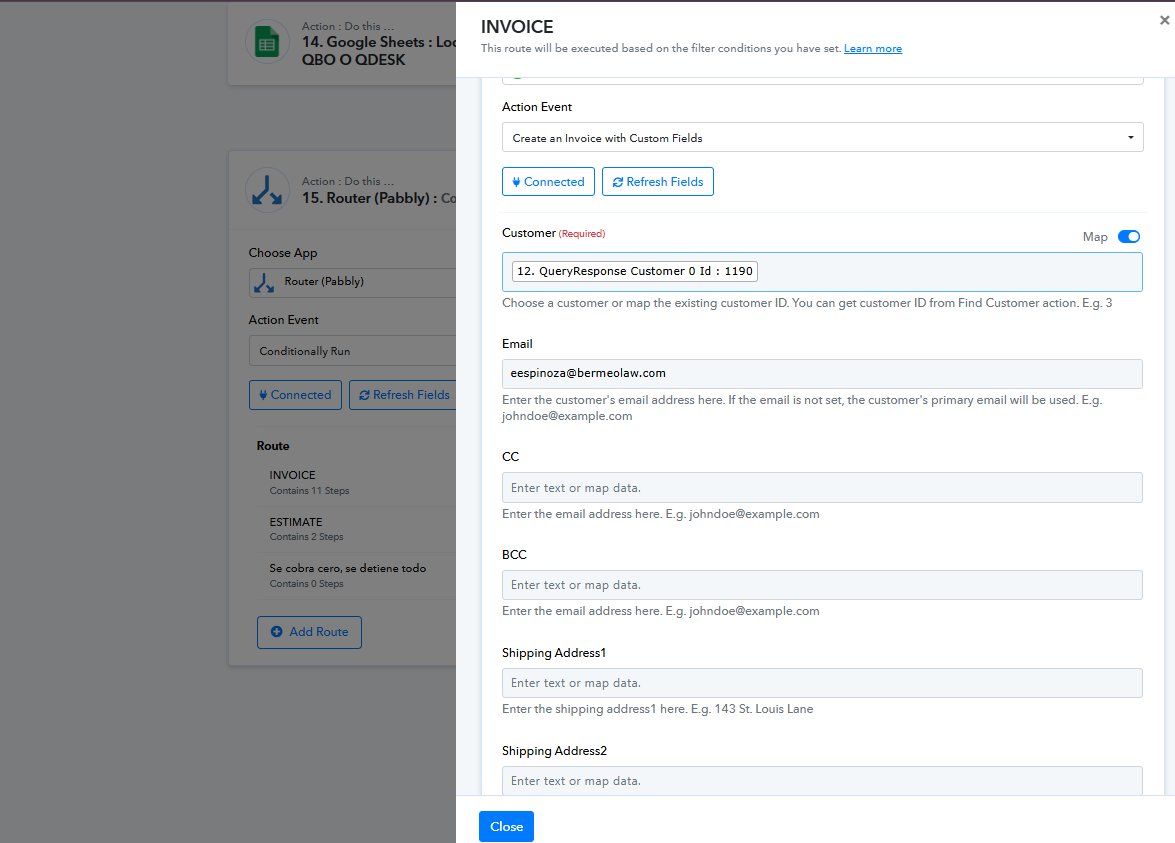
Could you please share a screenshot showing the custom fields present in your QuickBooks Online account, along with their specified format?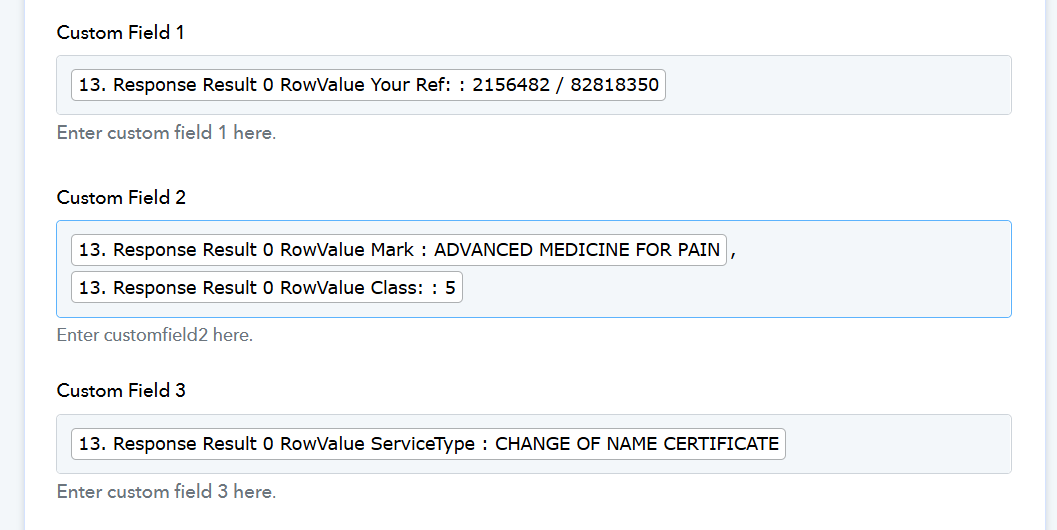
Could you please share a screenshot showing the custom fields present in your QuickBooks Online account, along with their specified format?
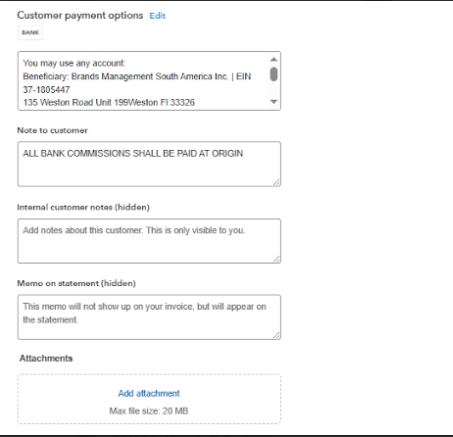
This are the custom fields on qbo:
Please allow us some time to look into this concern. We will get back to you with an update soon.
Hello @Andres Diaz,
Upon checking, the error you encountered was a 500 error, which indicates an issue on QuickBooks’ end. When we tested the action from our side, it executed successfully. During the test, our team also made minor corrections in the Google Sheets mapping, so please review the mapping once before testing the workflow again.
Since the original error was a server-side 500 response, we recommend reaching out to the QuickBooks support team to understand the root cause. For now, the workflow appears to be functioning correctly.