Amelia to Bexio
Status: Open · Asked by dentaltraining on · 0 views
Dear Team,
Unfortunately, I'm having a problem with the following action in the Bexio app. The address field isn't being accepted. Error 422 - The form could not be saved due to the following - global: Unexpected extra form field named. This is likely because Bexio has changed the format and is now separating the street and house number. I would appreciate it if you could look into this. Thank you very much.
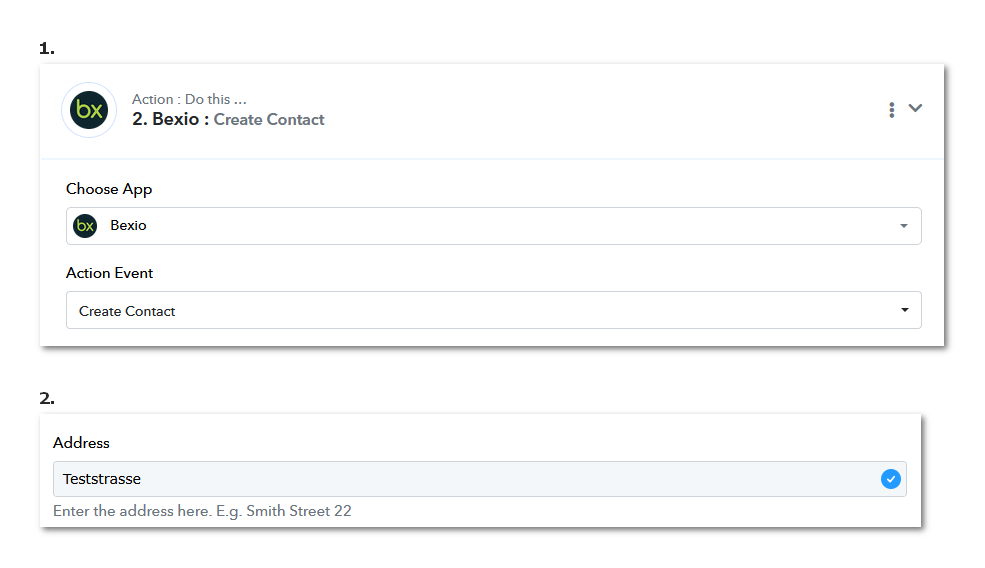
Hello @dentaltraining,
Thank you for reaching out.
We have escalated this concern to our team. Please allow us some time to review it, and we will get back to you with an update as soon as we have more information.
Thank you for your patience.
Hello @dentaltraining,
Our team has updated the Bexio: Create Contact action.
Please open your workflow, select the respective action, and click on Refresh Fields. You should then be able to see the newly added fields. Kindly map the required data accordingly and test the action.
Let us know how it goes or if you need any further assistance.
Hello Preeti,
The address field is now working perfectly. However, I'm missing the "Search Contact" action event in the subsequent steps. This is crucial to prevent duplicate entries. Could this be added to Bexio? Otherwise, the process is somewhat difficult to implement! Thank & Regards Ernesto
You can submit your request for the addition of this action event to Bexio on our dedicated platform:
https://pabbly.featureos.app/b/Integration-Request
Our integrations team will review your request and add the desired action event to Pabbly Connect.
In the meantime, you can use API (Pabbly) to execute the endpoint and search for contacts.
youtube.com/watch?v=xYC5mTobFfc
Thanks & Regards,
Arshil Ahmad
Customer Support Associate
? Pabbly.com
?Rate your support