API field missing
Status: Open · Asked by bfissm on · 0 views
I had a field missing in the Execute API request. The trigger is a pabbly webhook then it pulls in name, email, phone and a couple other pieces of info from custmoers on a website form. The phone number on the website isnt required so when the webhook pulled in the info after the customer submitted the form then the api tried to execute but it said the phone number is required so it failed. Is there a way i can send the api through even if data is missing the phone number?
Website form --> Pabbly webhook --> API execute. If phone number is put into the form its all good. If not, the API execute step fails.
Would like some help here
Hi @bfissm,
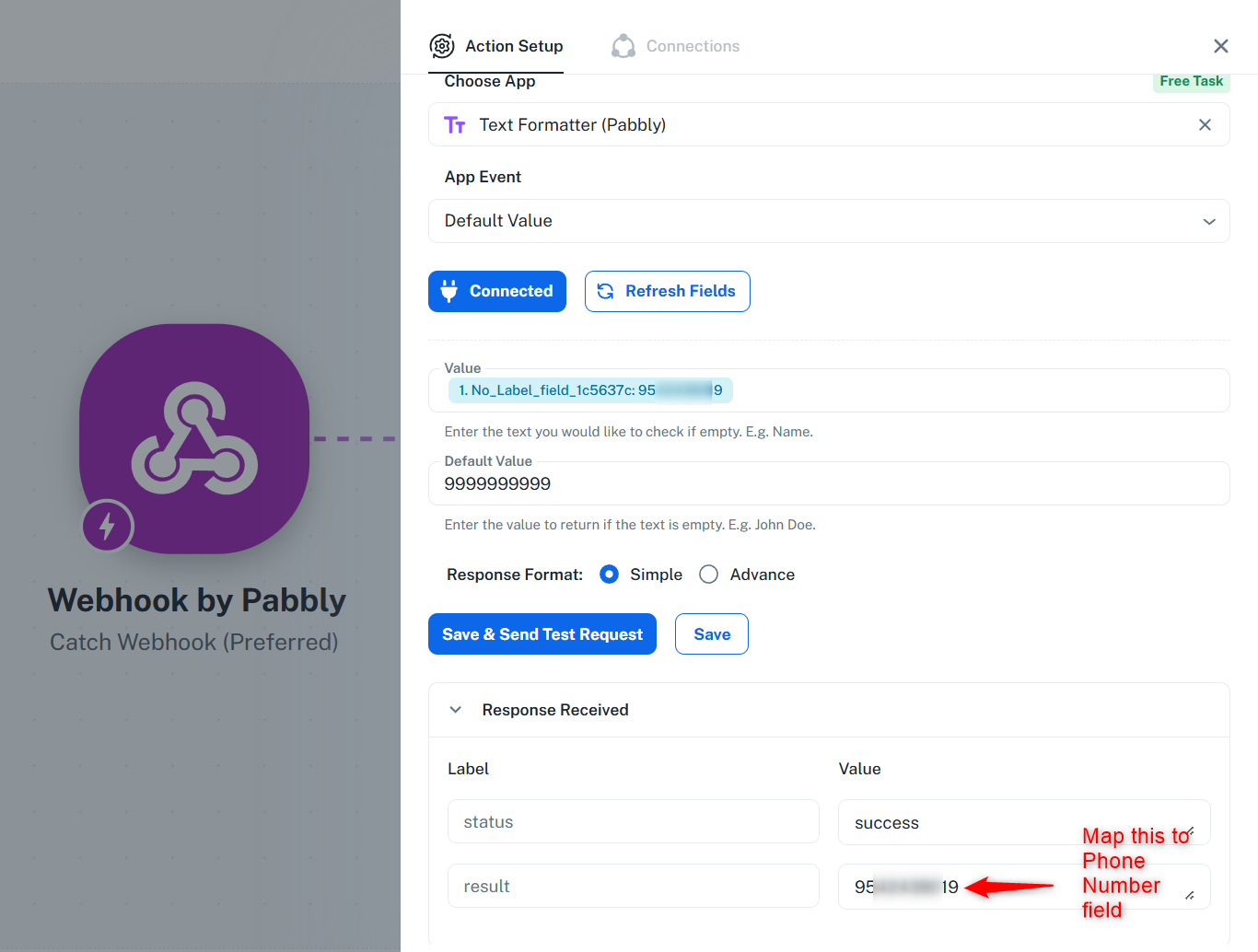
For this use case, you can add a Text Formatter: Default Value action step to your workflow. This action step returns a default value if it does not receive any data.
youtube.com/watch?v=oFvzL6iaDAI:1119
You can map the phone number to this step and then map the resulting value from this step to the phone number field in the API (Pabbly) action step. This will ensure that a default number is passed if the phone number is not received in the webhook response.
We have added the Text Formatter step to your workflow on your behalf. You can map its value to the API (Pabbly) action step, save it, and check if that resolves the issue.
Thanks & Regards,
Arshil Ahmad
Customer Support Associate
? Pabbly.com