Apify workflow with delay showing errors
Status: Open · Asked by Lawyal on · 0 views
Hello,
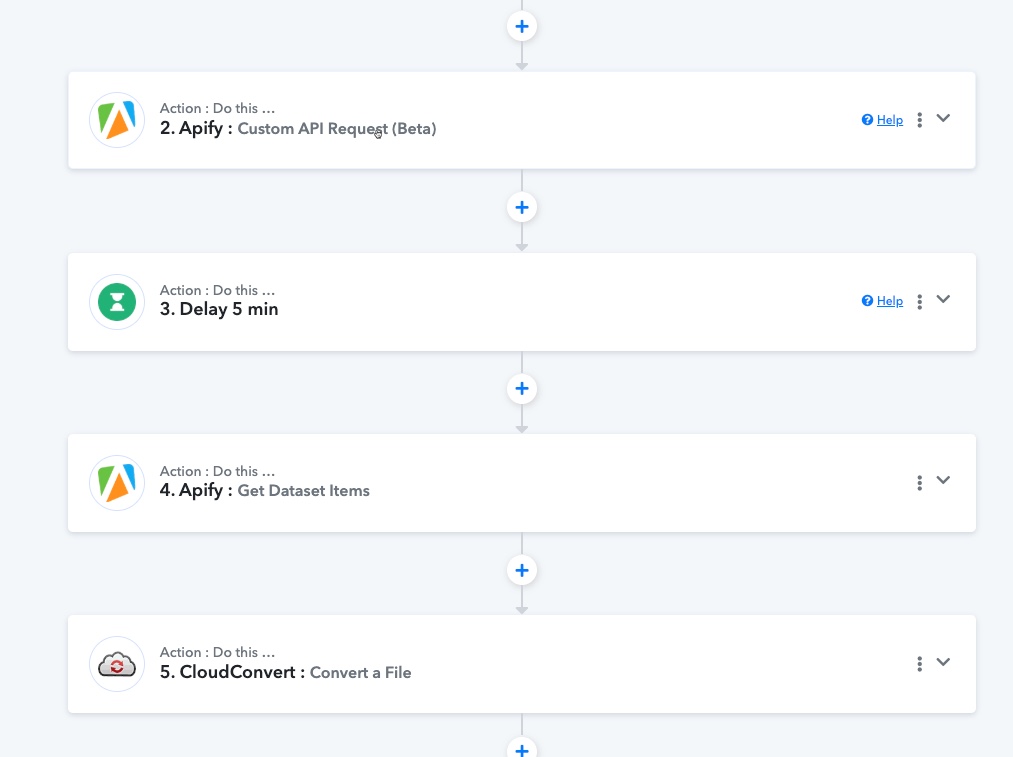
I set up multiple workflows that receive a TikTok video URL as trigger (by mail or RSS). The URL is sent to Apify for download and then converted with Cloudconvert.
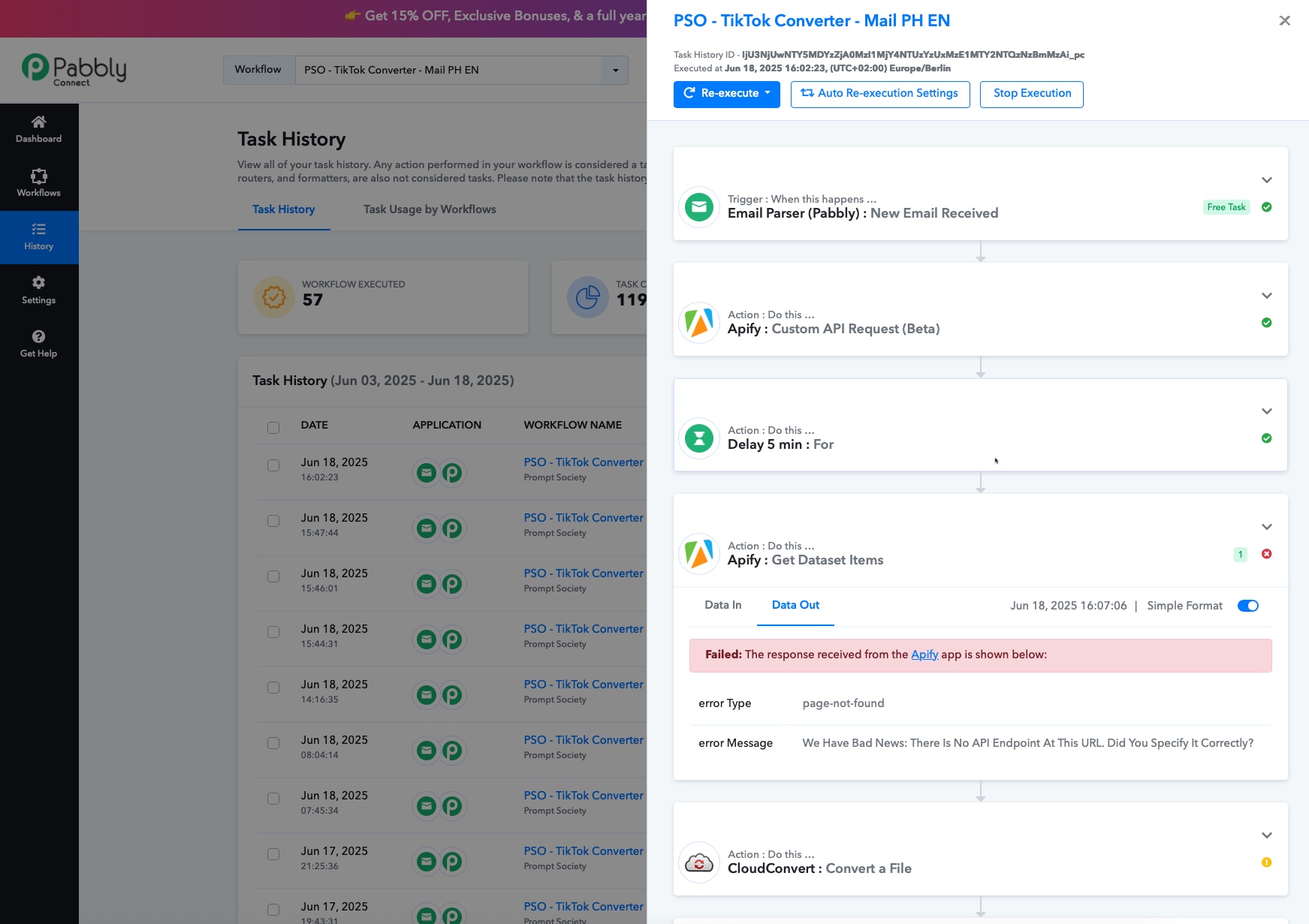
This workflow worked well for over a week in over 40 runs: "Apify: Custom API request" is pulling the video, then a 5 min. delay, then the "Apify: get dataset items" is pulling the data. This step is now is always throwing an error:
error Type: page-not-found
error Message: We Have Bad News: There Is No API Endpoint At This URL. Did You Specify It Correctly?
We tried to extend the delay but this didn't help.
The workflow automatically re-executes after some time which fixes the error that the Apify step was showing, but the re-execute is throwing some new errors in the next steps (missing data and so on). So I need to find a way to get the Apify step working again.
I checked with Apify but the data download is working well, no errors on their end.
Further investigation shows that the problem seems to be in Pabbly itself, specifically related to using delays.
I'm not sure why its creeping up now since it worked in all the previous days, maybe you guys changed something internally?
Thank you for your help
Hello @Lawyal,
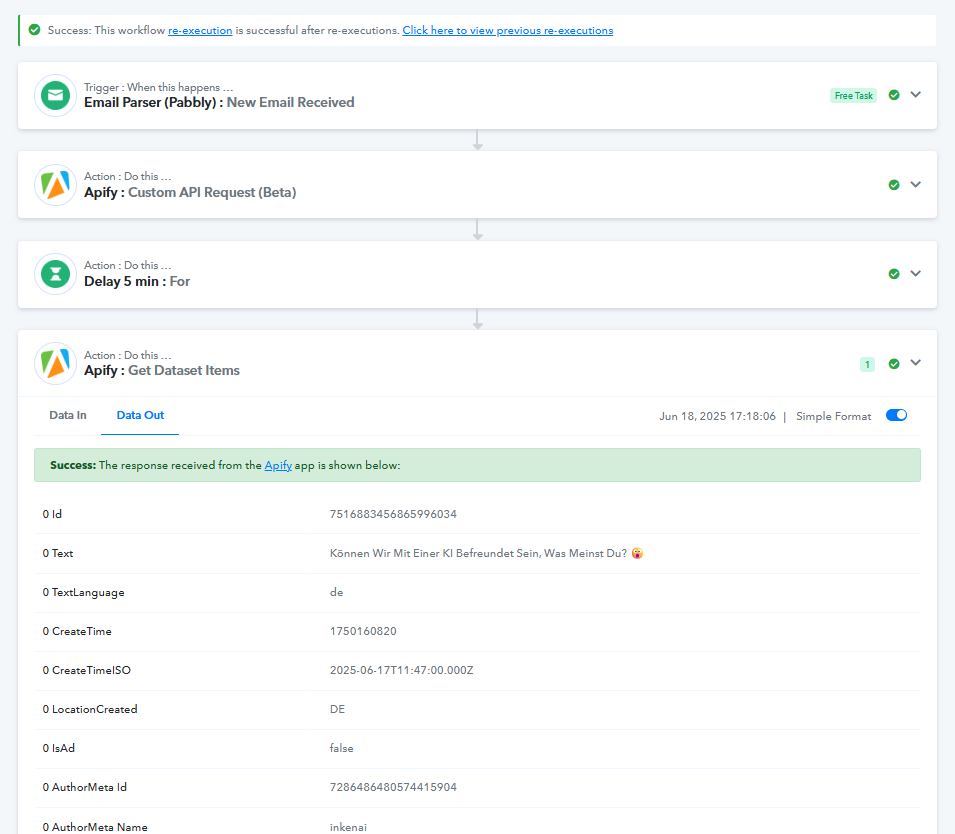
It appears that the task history has been re-executed and is now working as expected.
Please feel free to reach out if you encounter any further issues. We’ll be happy to assist you.
Hi @Preeti Paryani
you are correct, in all workflows that use these steps, they automatically re-execute after some time.
This solves the Apify problem (although I get a mail for the error) but leads to another problem at the end, where the Nifty task is created. This step fails, if the workflow re-executes automatically (the document link is not attached to the Nifty task).
I'm looking for a solution that the "Apify: get dataset items" step does not fail in the first try (on all workflows). The error still exists.
It worked for 1 week without problems and for the last 2 days it always fails.
Hello @Lawyal,
Thank you for sharing the details.
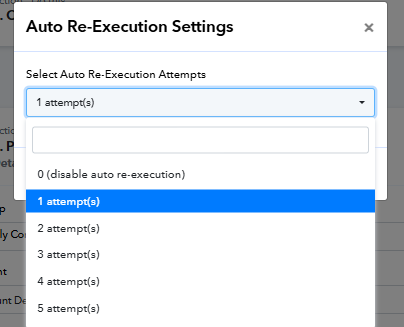
To help us investigate further, please share the workflow URL where you are experiencing the issue. Additionally, kindly set the auto-re-execution settings for the same workflow to "Disable", number of attempts to zero, so that we can review the errors as they occur.
Looking forward to your response.
Thank you @Preeti Paryani
Auto re-execution has been disabled.
Workflow:
https://connect.pabbly.com/workflow/mapping/IjU3NjYwNTZiMDYzMjA0MzQ1MjZlNTUzMzUxMzMi_pc
Failed Task history ID:
IjU3NjUwNTY5MDYzZjA0M2M1MjZlNTUzZDUxMzA1MTY1NTQzNzBmMzci_pc
IjU3NjUwNTY5MDYzZjA0M2M1MjZlNTUzZDUxMzM1MTY3NTQzMzBmMzYi_pc
Please allow us some time to look into this concern. We will get back to you with an update soon.
The mapping issue was resolved by our technical team on June 20th, 2025, and you should no longer face this problem.
Thank you, but the error is still happening for me.
Task History ID -
IjU3NjUwNTY4MDYzNzA0MzE1MjZlNTUzNTUxMzA1MTYxNTQzNzBmMzEi_pc
Task History ID -
IjU3NjUwNTY4MDYzNzA0MzE1MjZlNTUzNTUxMzE1MTZiNTQzNjBmMzAi_pc
Thank you for the update. Please allow us some more time. We will get back to you shortly.
Hello @Lawyal,
Could you please recapture the response under the trigger and notify us once it's done? This will help us investigate the issue more effectively.