Assistance Needed with FB Comment Automation Issue in Pabbly
Status: Open · Asked by david Namche on · 0 views
Hi everyone,
I’ve been using Pabbly for a few months now for automating Facebook comments across 10+ pages. On average, I process around 200k tasks per month and was planning to double this soon. However, today I encountered an issue after executing the final step (replying to a Facebook post comment). The error message reads:
"We limit how often you can post, comment, or do other things in a given amount of time to help protect the community from spam. You can try again later."
Currently, none of my automations are able to post comments. All the pages are split between two profiles. Everything was working perfectly for 2.5 months until now.
Troubleshooting Steps I’ve Tried So Far:
- Manual Commenting: I tested commenting manually using the same page and comment, and it worked without any issues.
- New Profile Test: I used a third Facebook profile connected to a new free Pabbly Connect account, applied the same Facebook page, but the automation still failed to comment.
- Other Automation Apps: I tested another automation platform with the same Facebook pages and profiles, and it successfully posted comments.
- Reconnecting Pabbly:
- Deleted the Pabbly app from Facebook Business Integrations and reconnected it.
- Reconnected all pages and profiles individually.
Unfortunately, none of these steps resolved the issue. I’ve attached screenshots of the returned data from the last step for reference.
Has anyone encountered a similar issue or found a workaround? Any advice would be greatly appreciated!
Thanks in advance for your help!
Hi @Davidn,
Could you please share the Workflow URL where you have this concern?
Now I could not access my account
if you can check my home folder, choose any of them if not as soon I have access I will share
Hi @Davidn,Could you please share the Workflow URL where you have this concern?
Hi
Now I could not access my account
if you can check my home folder, choose any of them if not as soon I have access I will share
Hi @Davidn,Could you please share the Workflow URL where you have this concern?
Need to refresh every page few times to pass 502 Error.
But got the flow link.
https://connect.pabbly.com/workflow/mapping/IjU3NjYwNTZkMDYzNDA0MzA1MjY0NTUzNTUxM2Ei_pc
It seems that you are encountering an "Invalid Access Token" error in the trigger step of your workflow.
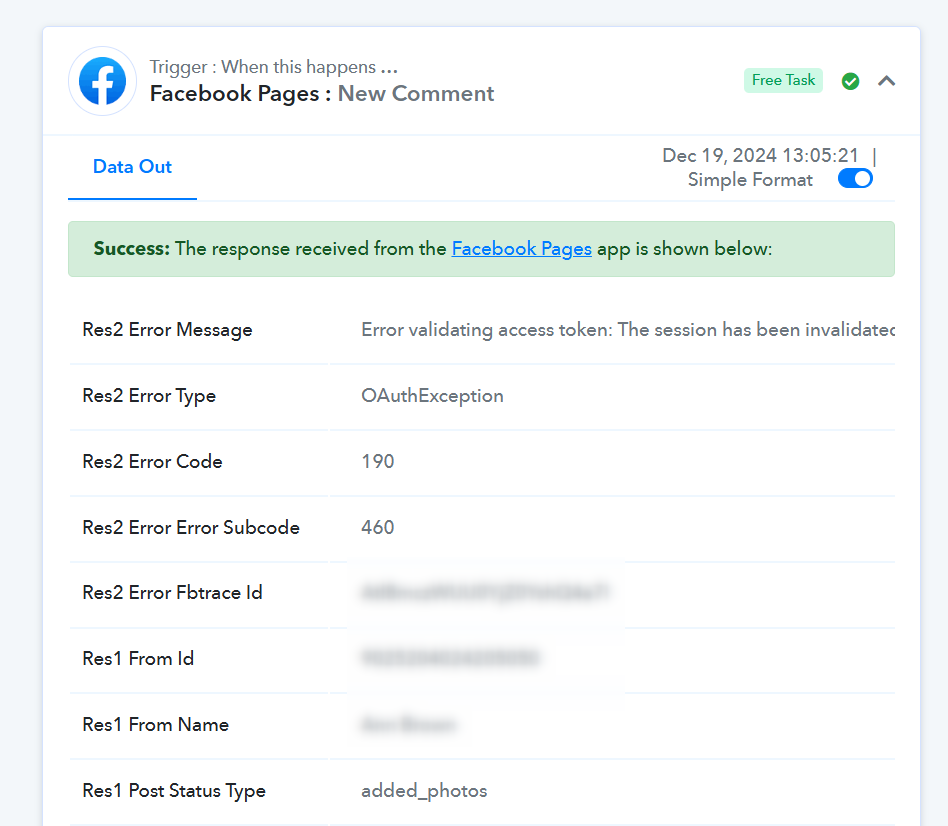
Could you please establish a new connection in the Facebook Pages trigger step of your workflow? Then, monitor your workflow for some time to see if the comments are being posted.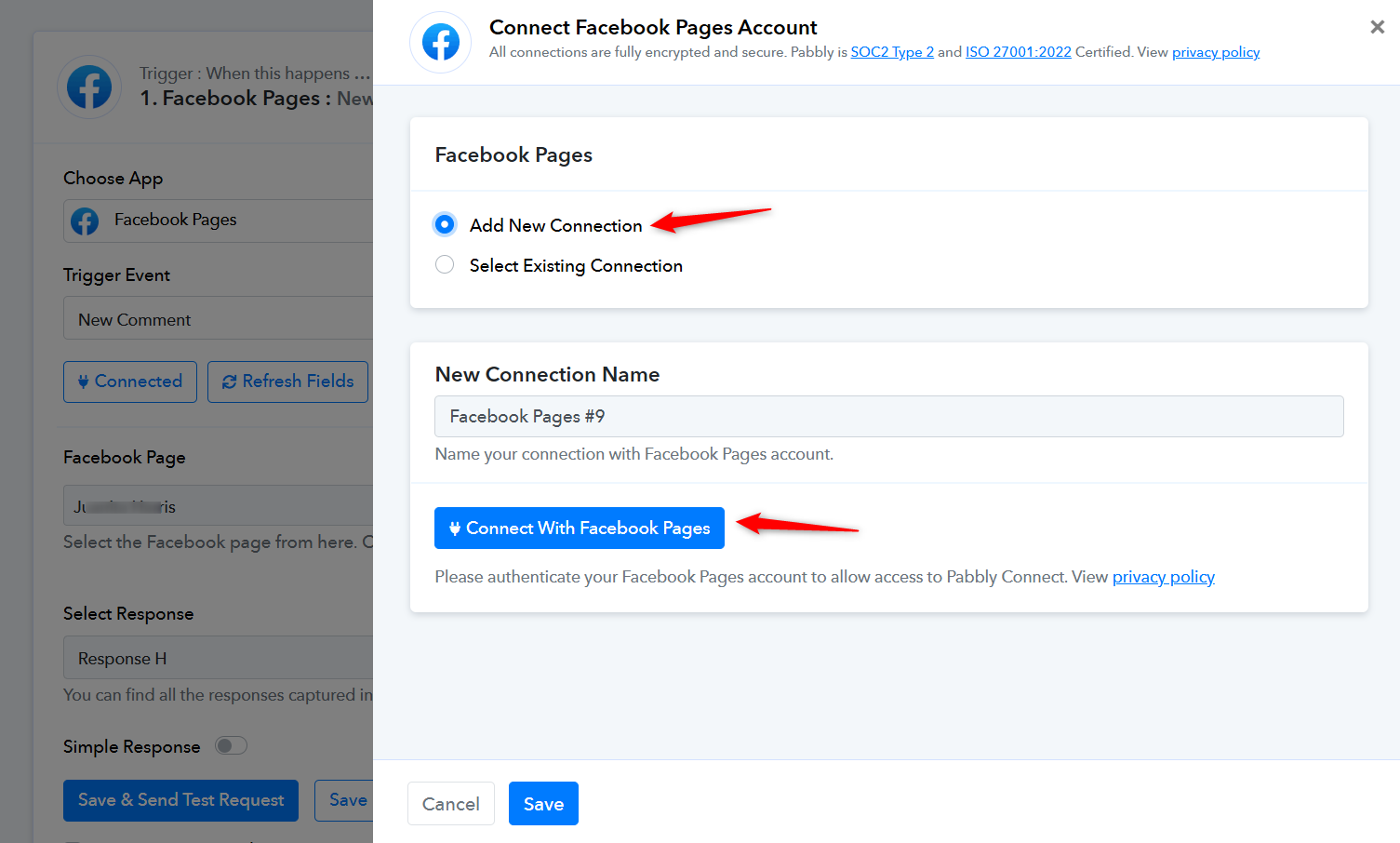
It seems that you are encountering an "Invalid Access Token" error in the trigger step of your workflow.
Could you please establish a new connection in the Facebook Pages trigger step of your workflow? Then, monitor your workflow for some time to see if the comments are being posted.
Thank you very much.
I guess something was fixed on your side too.
as you suggested I have added new connection and it worked and also old one started working again next day.
Do you suggest to add new connection every time I will create new flow?
No, you don't have to establish a new connection for each workflow. You only need to do this if you change your Facebook account password or encounter this issue.