Assistance Required for Filtering Razorpay Payments and Sending Google Drive Folder Based on Product
Status: Open · Asked by Jashan VJ Master on · 0 views
Dear Pabbly Support Team,
I hope you are doing well.
I am reaching out for assistance regarding the integration between Razorpay and Pabbly, specifically in filtering payments based on products and automating Google Drive folder sharing based on the product purchased.
Situation:
- I have multiple products set up on Razorpay, and after a successful payment, I want to send a specific Google Drive folder corresponding to the product purchased to the customer.
- In the tutorial video, it shows how to filter payments based on the product name or page, and then share a Google Drive folder accordingly.
However, I am encountering an issue: when I receive the webhook response from Razorpay, I am not seeing the expected fields in the payload, such as payment_entity.notes, course_entity, or other relevant identifiers that would allow me to filter the payments based on the product purchased.
Issue:
- Without these fields in the webhook response, I am unable to filter the payments effectively and therefore cannot send the correct Google Drive folder to the customer for the respective product they purchased.
- As a result, all folders are being shared for one product, and I would like to avoid this.
Request:
I would appreciate your guidance on how to ensure that these fields (payment_entity.notes, course_entity, etc.) are included in the Razorpay webhook response. Alternatively, if there is another method to achieve this filtering and sharing of Google Drive folders for different products, I would be grateful for your advice.
Please let me know the steps I should follow to resolve this issue. If any additional configuration is required on the Razorpay or Pabbly side, I am happy to implement those changes.
Thank you for your support. I look forward to your response.
Best regards,
Jashandeep
VJ MASTER
+91 7696500005
[EMAIL][email hidden][/EMAIL]
Hello @Jashan,
Currently, the response sent by Razorpay does not contain any keys based on which you can filter payments, except for the amount. The trigger you are using is a descriptive webhook-based trigger, and in such cases, the response sent is entirely dependent on the trigger application. Unfortunately, we cannot modify or add fields to the webhook response on our end.
If you require specific fields (such as payment_entity.notes, course_entity, etc.) to be included in the Razorpay webhook response, we recommend reaching out to the Razorpay team. They would be able to add the required fields to the webhook response or as custom fields so the required info can be captured, which will help resolve your issue.
We hope this helps! Please let us know if you need further assistance.
Hello @Jashan,Currently, the response sent by Razorpay does not contain any keys based on which you can filter payments, except for the amount. The trigger you are using is a descriptive webhook-based trigger, and in such cases, the response sent is entirely dependent on the trigger application. Unfortunately, we cannot modify or add fields to the webhook response on our end.
If you require specific fields (such as payment_entity.notes, course_entity, etc.) to be included in the Razorpay webhook response, we recommend reaching out to the Razorpay team. They would be able to add the required fields to the webhook response or as custom fields so the required info can be captured, which will help resolve your issue.
We hope this helps! Please let us know if you need further assistance.
But there is option of course_entity to use filter option by pabbly so that we can know from which product or page the payment has arrived and on that basis its sends the file(action) and i saw that option is coming on your tutorial video but not on mine The option is "payload payment entity notes"
and i just want this option to come and this option came on your both english and hindi tutorial.
Please try adding "Get Payment by ID" as step 2 of your workflow and check if it provides the name of the purchased product.
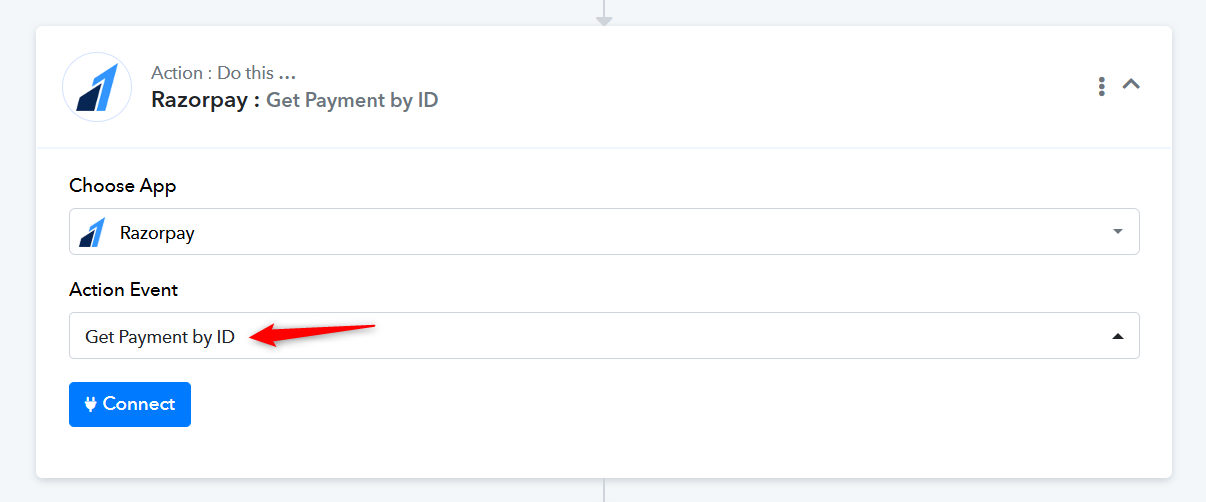
You can follow the steps below to establish a new connection with your Razorpay account.
Thanks for the clear instructions! It's great to know the process and turnaround time in advance — very helpful for anyone using the Pabbly products.