Auto create coupon and link to affiliate
Status: Open · Asked by 99 Interactive on · 0 views
Suppose i sell a product using PSB, can it create a coupon based on information receive during billing at PSB and create a new affiliate for all product on PSB using Pabbly connect ?
Hello @99 Interactive ,
To better assist you, could you please provide more details regarding your query? Specifically, what do you mean by "Suppose I sell a product using PSB, can it create a coupon based on information received during billing at PSB"? This will help us understand your use case and provide an appropriate resolution.
Additionally, we currently do not have an action event to create a new affiliate for Pabbly Subscription Billing in Pabbly Connect.
For now, we kindly request you to submit this as an "Update Existing Application" request in our forum. If we receive multiple requests from users, we will evaluate its feasibility and consider adding it to Pabbly Connect.
You can submit your request here:
? Update Existing Application Request
If you have any other concerns, please feel free to reach out. We are always happy to assist you!
Action event to create a new affiliate for Pabbly Subscription Billing in Pabbly Connect
This is actually my Query
Hello @99 Interactive,
You can use the Create Customer action to add an affiliate. Our team has introduced a new field called "Is Affiliate", which, when set to "Yes", will automatically register the customer as an affiliate.
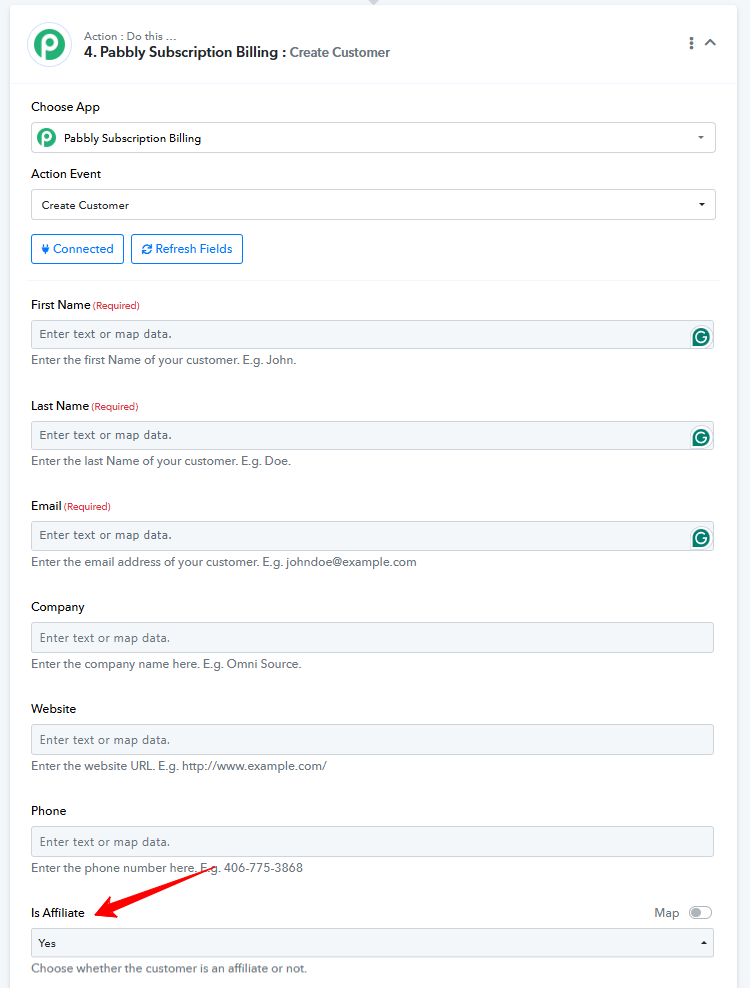
Thanks for the information, but what when the new customer is affiliate turns yes need to mark under some other affiliate (when running multi tier affiliate) ?
Hello @99 Interactive,
Currently, multi-tier affiliate creation is not available in the API. The use case you want to achieve can only be managed manually.
My customer is created automatically when they buy subscription, i have changed the setting in PSB as all paid customer are affiliate auto approve,
i want to create a numerical coupon with the help of Pabblyconnect and assign the coupon to affiliate.
i cant find the same Assigning thing in Action step while creating coupon
Please Help
Could you please share the Workflow URL where you have this concern?
https://connect.pabbly.com/workflow/mapping/IjU3NjYwNTZhMDYzNjA0MzE1MjY4NTUzMjUxMzci_pc
i am trying to create a coupon and link it to an affiliate in workflow, creating coupon can be acheived but not linking to an existing affiliate.
Hello @99 Interactive,
Thank you for reaching out.
The feature you’re looking for—specifically, the ability to assign a coupon directly to an affiliate via an action step in Pabbly Connect—is currently not available, as we do not have an endpoint to perform this operation at the moment.
We recommend submitting this as a feature request on our public roadmap so that our team can review and consider it based on feasibility and overall demand.
How to know that the roadmap is even been Viewed or discussed ?
I have submitted 2 request in Roadmap under Subscription Billing: New Feature Request / Bug Reporting
Hello @99 Interactive,
As of now, there isn’t a direct way to check the review status of your requests. However, if you could please share the two requests you’ve submitted, we’ll be happy to check their status and update you accordingly.
@Preeti Paryani I am Looking forward for the second one first and i know this will surely help many..
Hello @99 Interactive,
Thank you for sharing the details. We have escalated this to our technical team for further review. We will keep you informed and get back to you as soon as we have any updates on the matter.
Hello @99 Interactive,
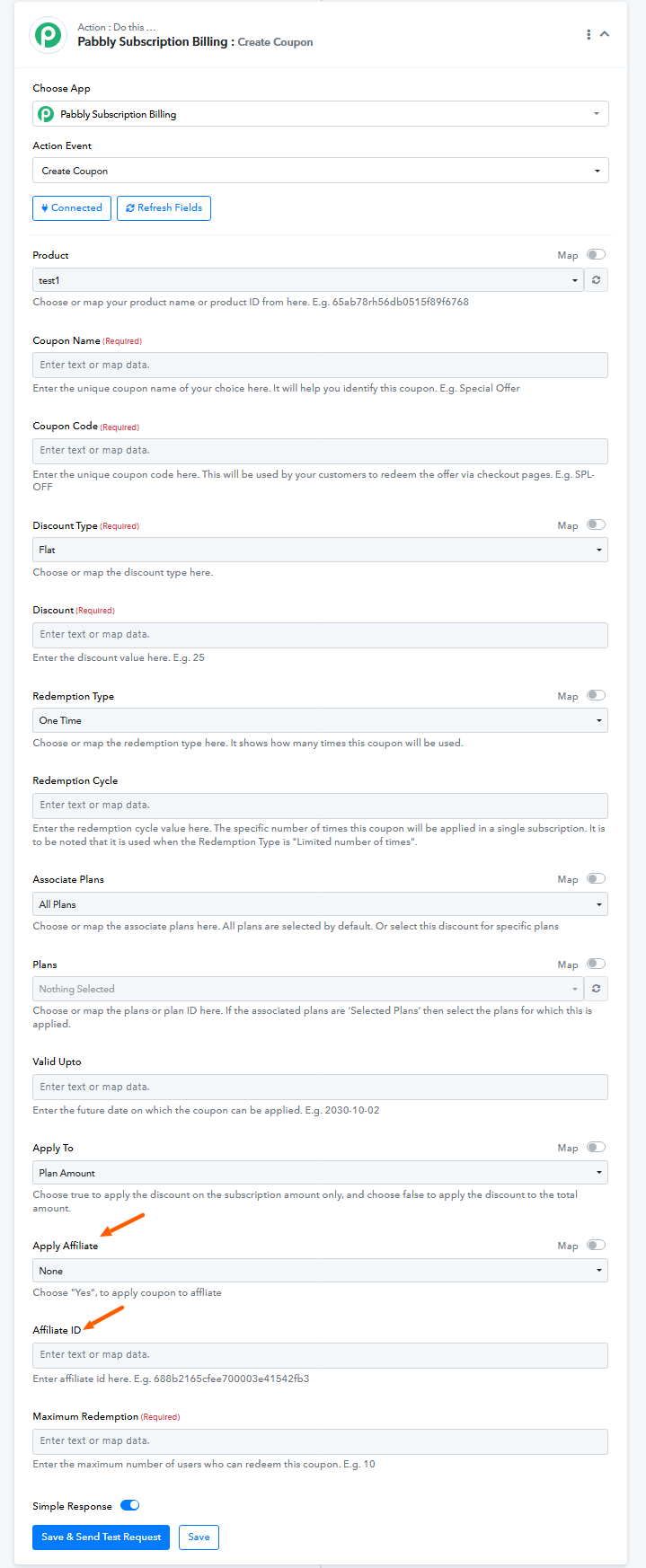
You’ll now be able to assign a coupon to an affiliate while creating it within Pabbly Connect.
Please refer to the attached image for better clarity on how this can be configured.
Marvellous
@Preeti Paryani Thank You...
Hello @99 Interactive,
We're glad that we could help. If you have a moment, please add a review for Pabbly on Google. Your feedback helps us improve.
Done rating
@Preeti Paryani Will Now wait for the first 1 to be completed soon.
Hello @99 Interactive,
Thank you for your input.
The feature you’ve requested regarding affiliate tier behavior isn’t currently possible. In the existing system, if tiered affiliates are enabled (e.g., Tier 2), any new affiliate referred by a Tier 2 affiliate will automatically be assigned to Tier 1. This is by design and reflects the intended structure of the system.
If you're looking to set up a more specific parent-child hierarchy, you can utilize the affiliate tiers up to Level 10, which allows for more customized multi-level setups. However, the specific functionality you’re asking for is not supported at this time.
We appreciate your understanding.
Hello @99 Interactive,You’ll now be able to assign a coupon to an affiliate while creating it within Pabbly Connect.
Please refer to the attached image for better clarity on how this can be configured.
after the coupon created using Pabblyconnect, i tried to go to coupon section and see if it has been created correctly. but after clicking on edit it takes forever to open the coupon. Please check into this
Could you please let us know the coupon name? This will allow us to better look into the issue.
Could you please let us know the coupon name? This will allow us to better look into the issue.
coupon name : CustomerSamirCustomerSamnani9327712681
Hello @99 Interactive,
Thank you for sharing the details.
We attempted to access the coupon from your account but were unable to do so. However, we tested the same action on our end and were able to create and open the coupon successfully.
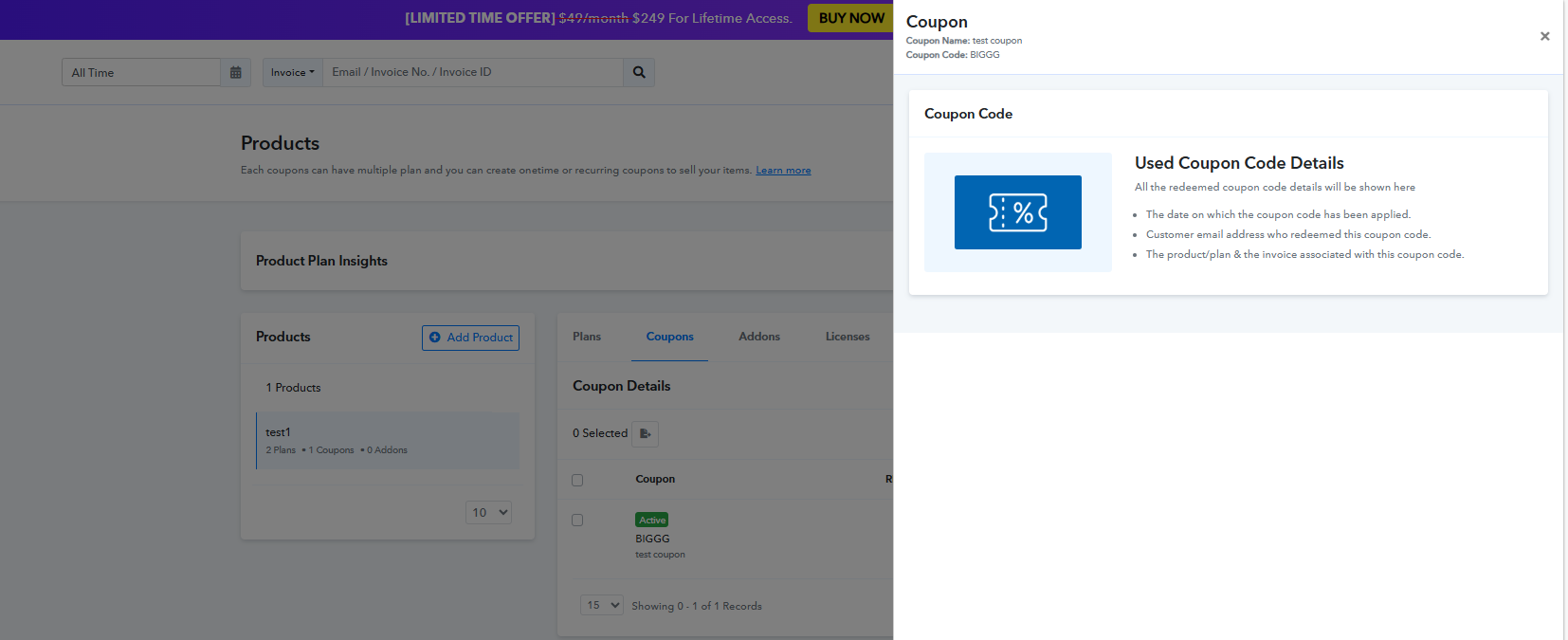
To assist you better, could you please:
- Try creating a new coupon and see if the issue persists, or
- Share the workflow URL where this coupon is being created, so we can review it.
Additionally, if you're comfortable, please grant us access to your Pabbly Connect account by confirming in your next reply with a statement like:
"You can access my Pabbly Connect account and make changes if required."
Also, please include the email ID associated with your account.
Looking forward to your response.
Tried again but no success
Workflow url
https://connect.pabbly.com/workflow/mapping/IjU3NjYwNTZhMDYzNjA0MzE1MjY4NTUzMjUxMzci_pc
"You can access my Pabbly Connect account and make changes if required."
email : ohello.reminder99.com
Hello @99 Interactive,
Upon checking, it appears that the coupon was created under the wrong configuration. In the Affiliate ID field, you need to pass the actual Affiliate ID, not the email address.
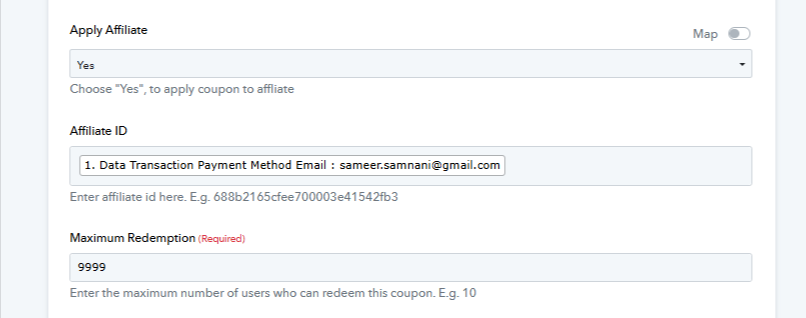
We’ve attached a screenshot highlighting where you can find the Affiliate ID in your PSB account for reference.
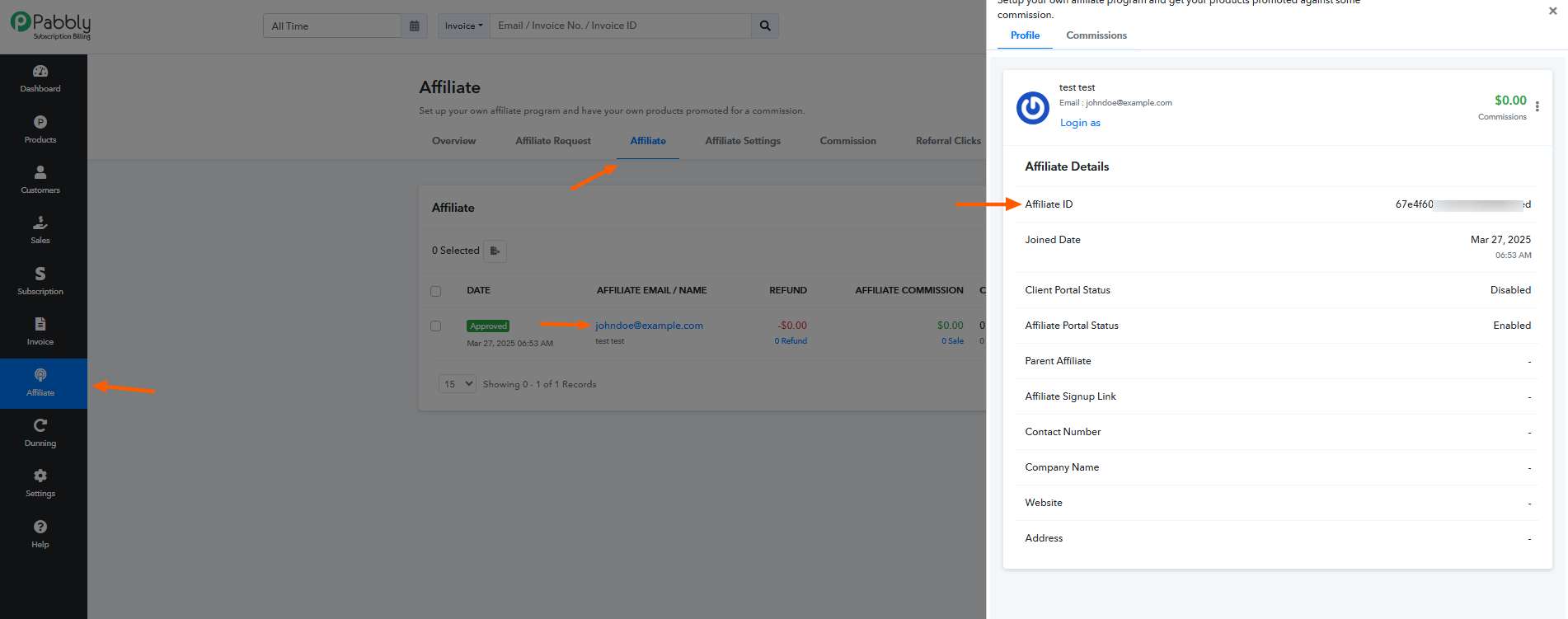
Please make the necessary update and let us know if you need further assistance.
Thank you, Its now working
Hello @99 Interactive,
Thank you for the update. If you have a moment, please rate us on Google. Your feedback helps us improve.