Auto generated email has stopped triggering
Status: Open · Asked by Suganya on · 0 views
Hi,
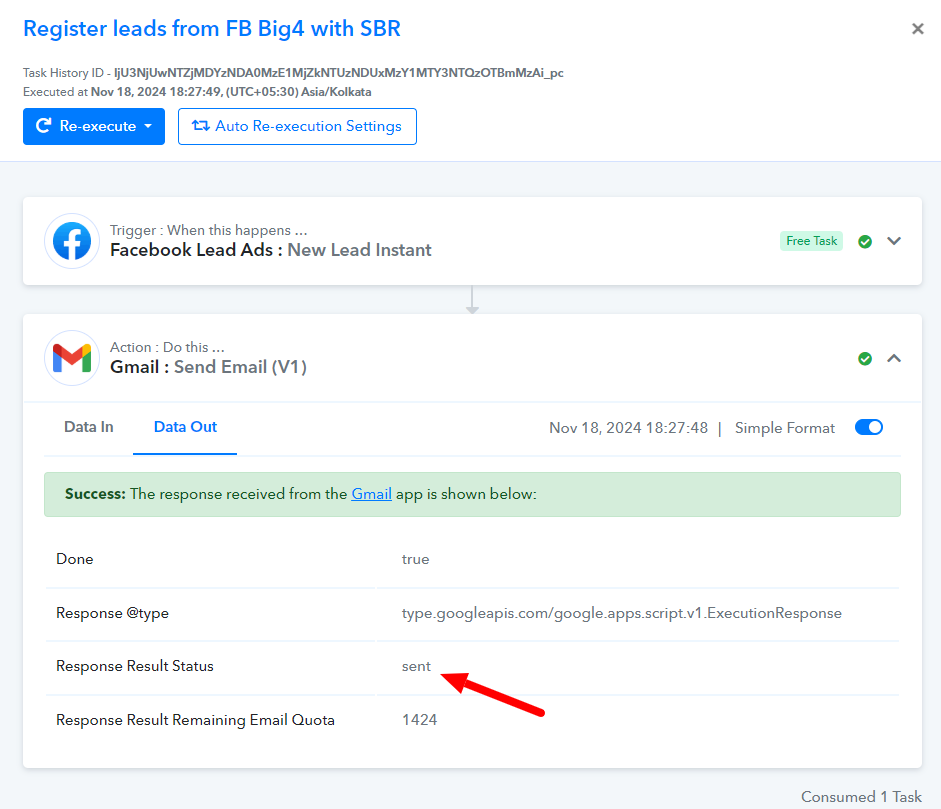
Our workflow had stopped triggering after a week all of a sudden. The workflow is to capture all the Facebook leads on particular form and send an autogenerated Email to mentioned recipients. It was working fine for 1 week and stopped working suddenly. In Pabbly History, We could see all the status as success. In Sender Email, we could see the mail in sent items. But still the recipients did not receive mail. So we did all the mails manually. I have mentioned one of the History ID here for your reference. Can you fix it and We need a response asap.
Attachments
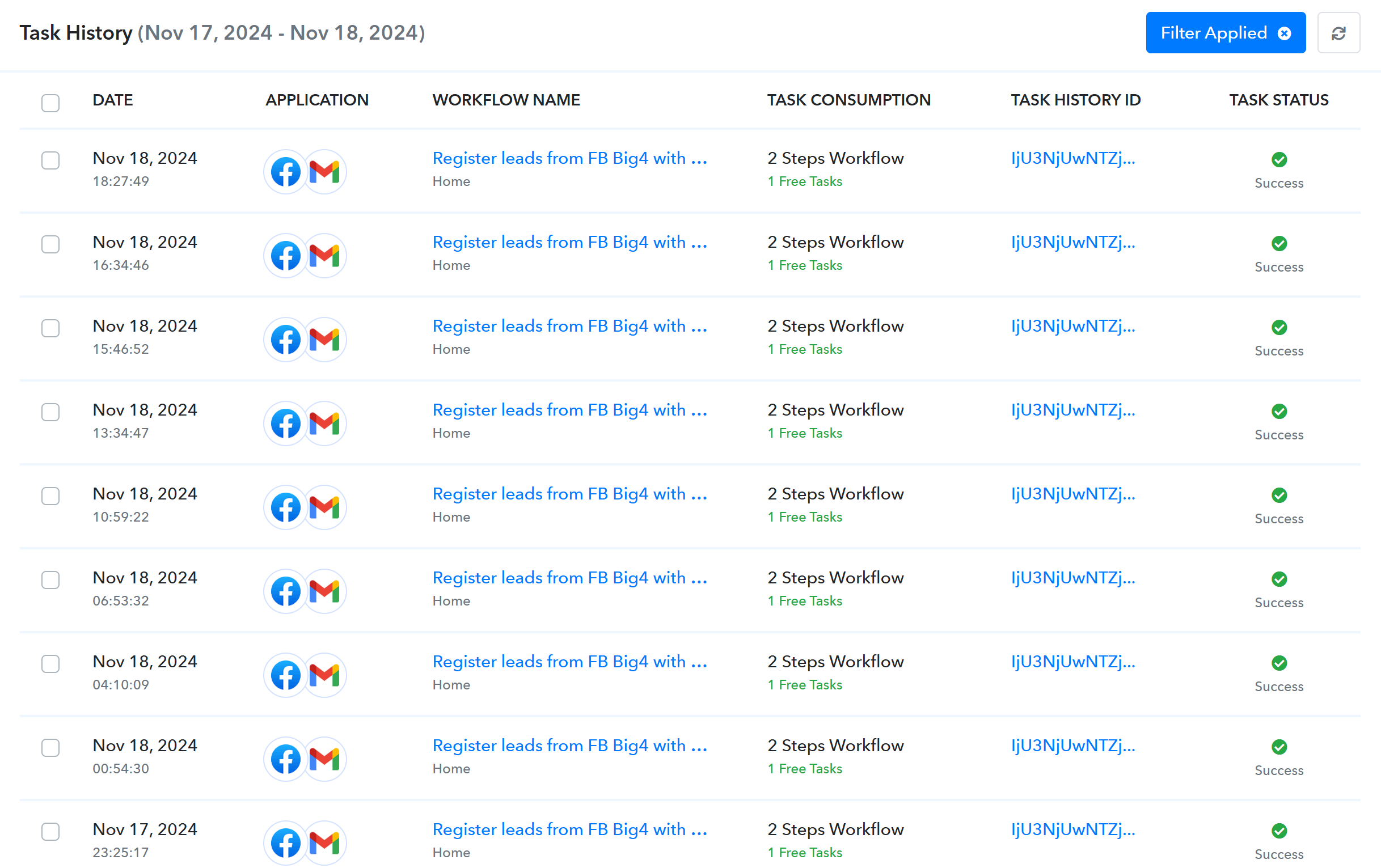
Hello @Suganya
Your workflow seems to be working fine, please refer to the attached screenshot.
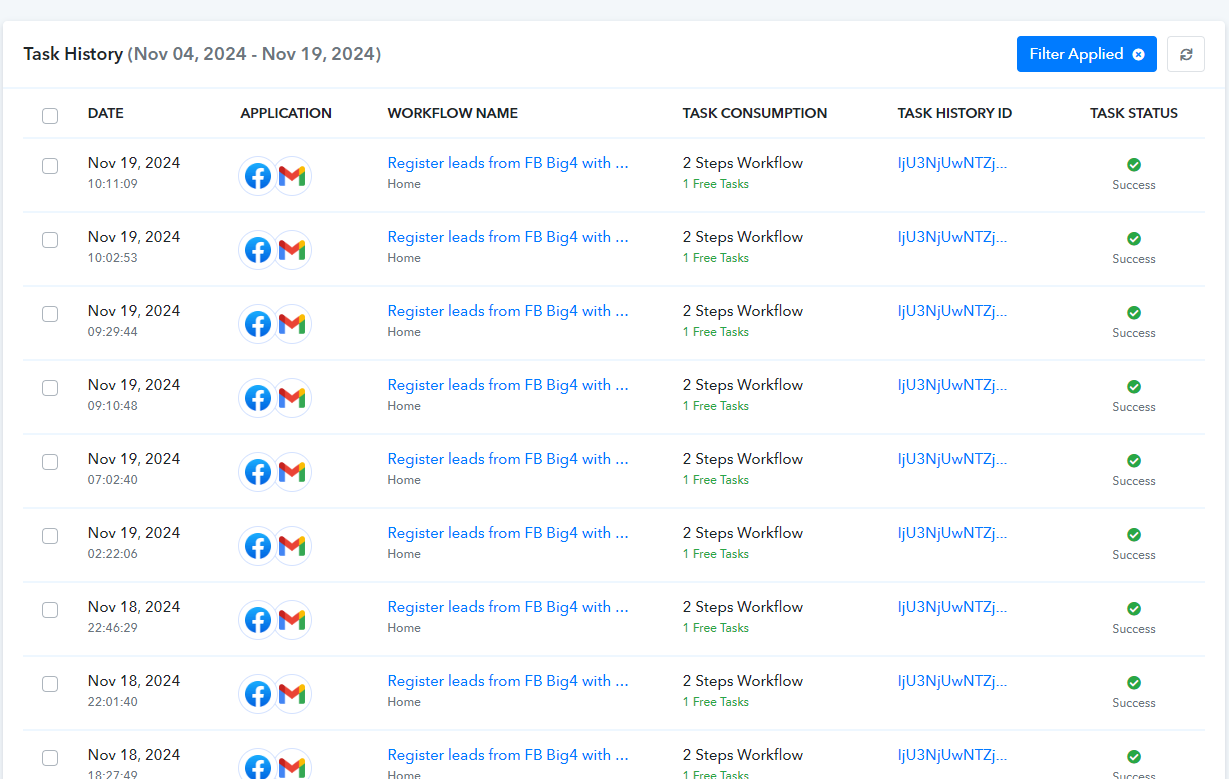
Regarding the task history you mentioned, the response received from the Gmail API indicates that the email was successfully sent. However, we recommend checking the Spam or Junk folders in your users' accounts, as the message may have been filtered there. If the email is still not found, we suggest reaching out to Gmail support, as they will be better positioned to assist you further.
Hello,
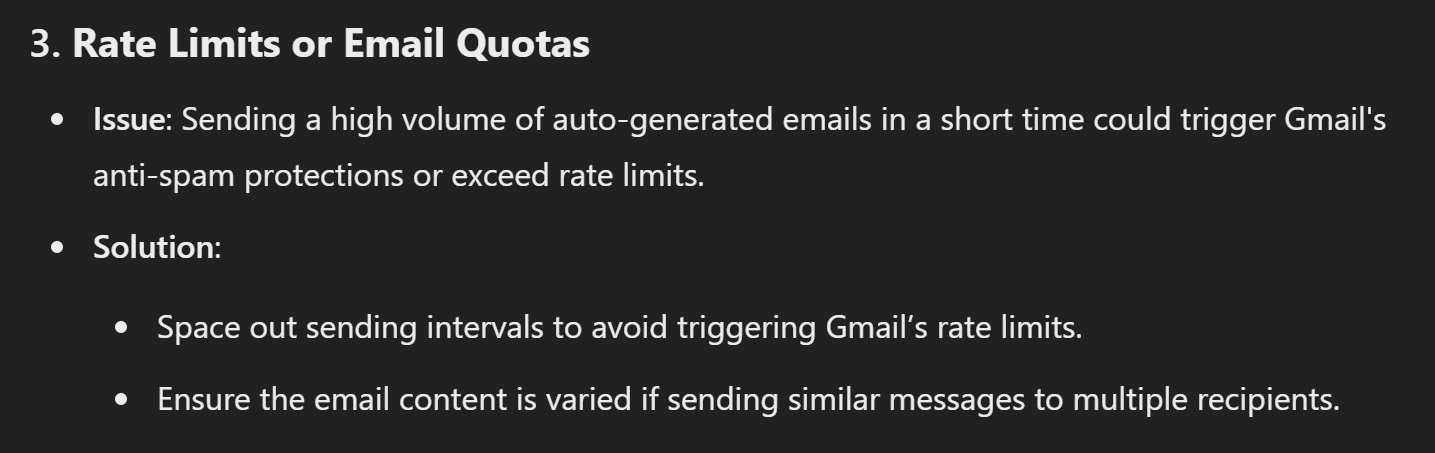
I could see in the research that Sending a high volume of auto-generated emails in a short time could trigger Gmail's anti-spam protections or exceed rate limits as mentioned in the below screenshot. But we could not see any Emails in Inbox or SPAM as we could check since 3 of the recipients in CC are our colleague. We are sure that we are not the first customer to have this issue and you would have faced many in your experience in this scenario. So we need a solution from your side how to hack this and send the mail without a timeframe, as we are very much in need of this autogenerated email for now. So fix this asap and give us a solution in anyways.
Thanks,
Suganya
Attachments
Hello @Suganya
Can you please try using the Send Email (V2) action instead of the Send Email (V1) action, monitor the workflow behavior for some time, and let us know if the issue persists We have also set up a workflow to monitor the same.
@Preeti Paryani It works. Thanks.
Hello @Suganya
Thanks for the update!