Automating WhatsApp Contacts Creation in HubSpot via Pabbly
Status: Open · Asked by Vais Sai on · 0 views
Dear Team,
I would like to set up an automation where, when a user starts communicating with us via WhatsApp, the contact is automatically created in HubSpot CRM. Please help me on this.
Thanks,
Hey @vais,
Could you please confirm the trigger application you are using to manage your WhatsApp messages? Knowing the specific application will help us guide you correctly with the workflow setup.
Looking forward to your response.
Hi Preeti,
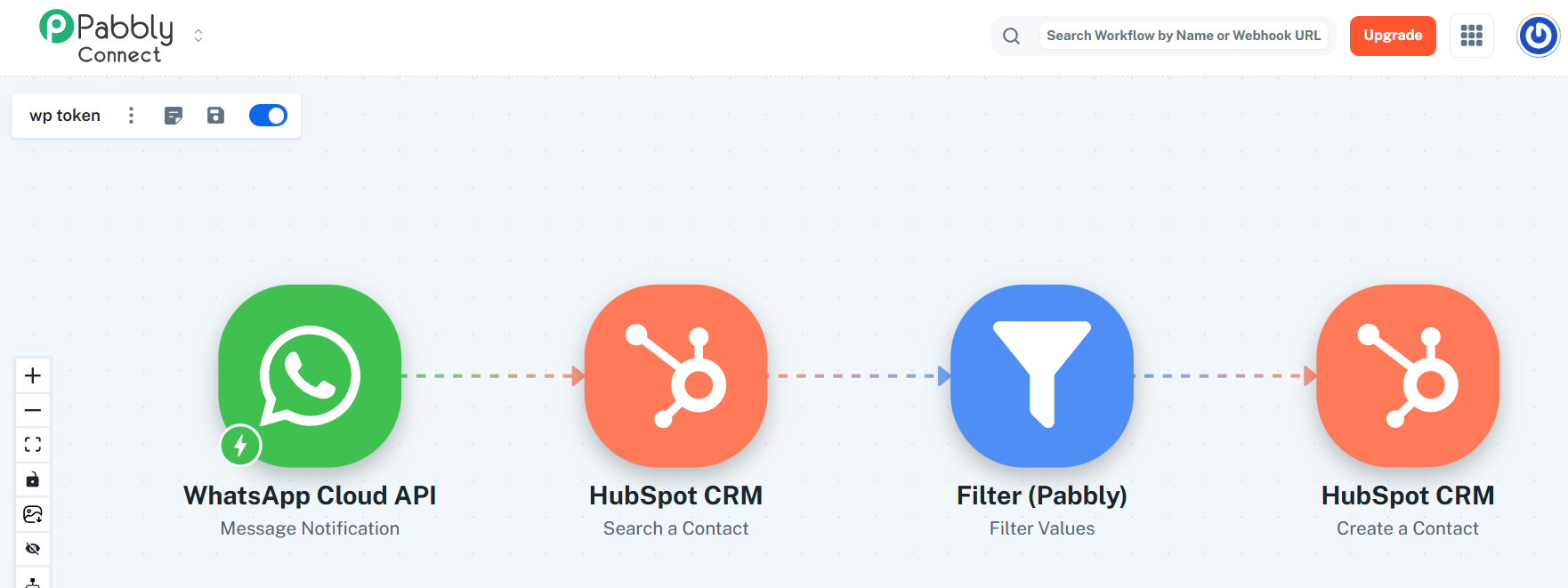
Please find the workflow below.
Thanks.
The workflow you had set up was already correct. Each time you receive a new message on WhatsApp, a contact will be added to your HubSpot CRM account.
We’ve made a slight change to your workflow by adding a Search a Contact action step along with a Filter step. This ensures that if the contact already exists in your HubSpot account, it won’t be added again, thereby preventing errors related to duplicate contacts.
Thanks & Regards,
Arshil Ahmad
Customer Support Associate
? Pabbly.com
?Rate your support
Hi Arshil,
Thanks for your reply.
The contact is not being created automatically in HubSpot CRM when communication is initiated via WhatsApp. Please find the attached video clip for your reference.
https://drive.google.com/file/d/1truDurieGmDAMqUKDdebxoZIqBhnVWpU/view?usp=sharing
Thanks.
Please set up Pabbly Chatflow: New Messages Received as the trigger step of your workflow by following the steps shown below, and then try to capture a new message. Currently, new messages are not triggering your workflow.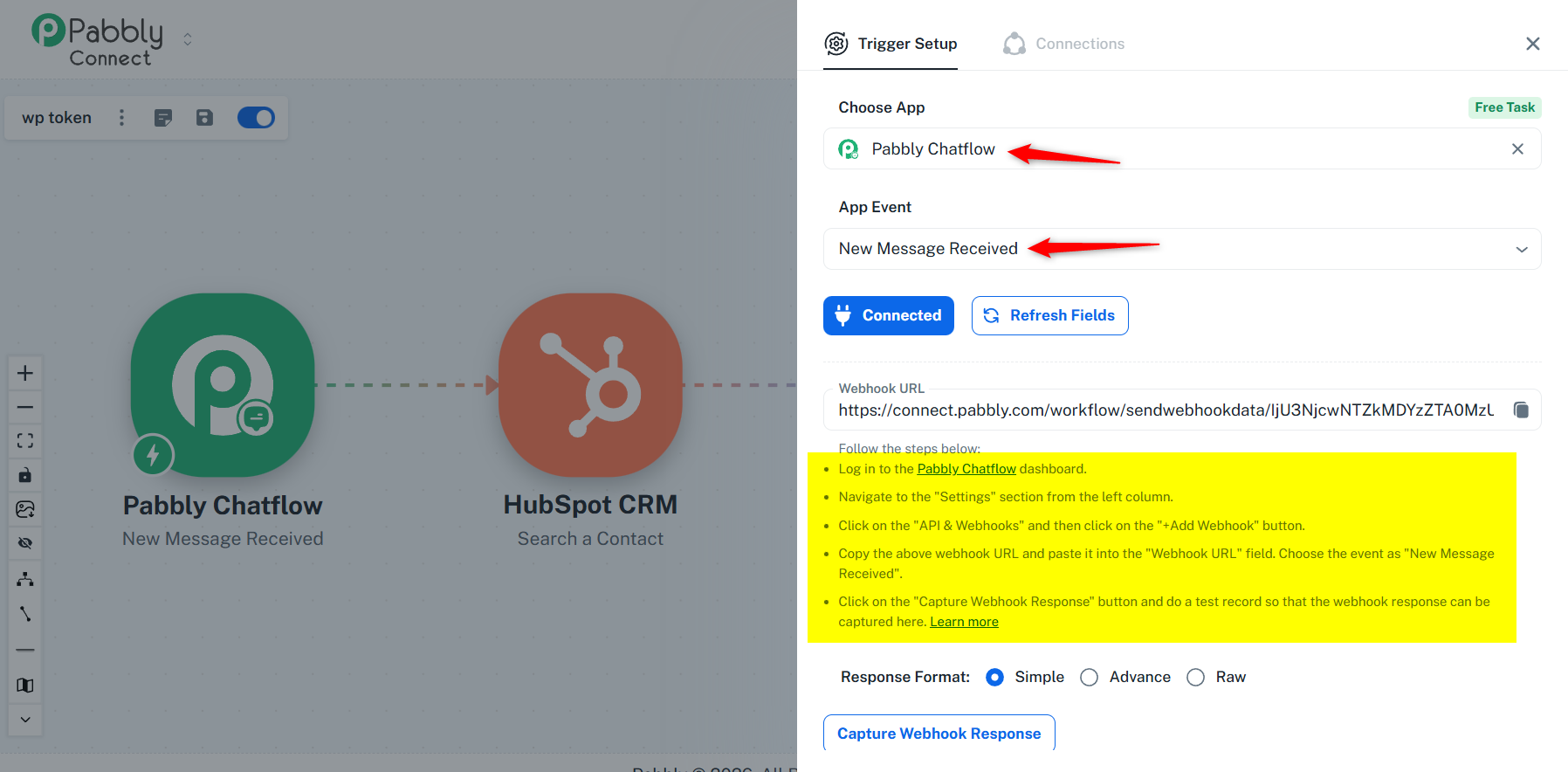
Thanks & Regards,
Arshil Ahmad
Customer Support Associate
? Pabbly.com
?Rate your support
Hi Arshil,
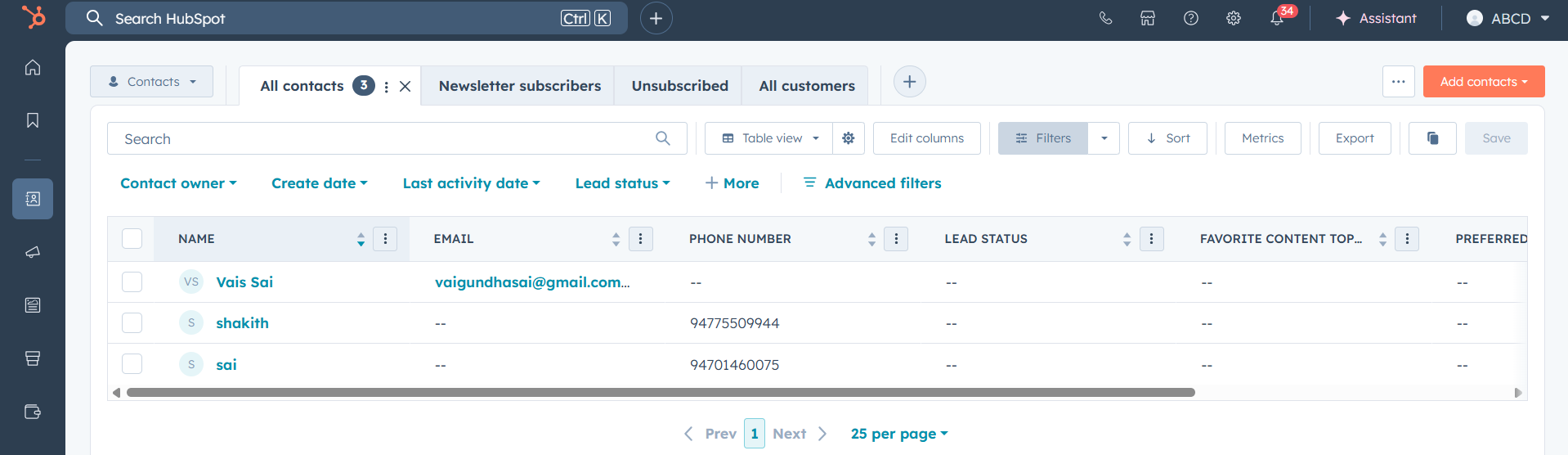
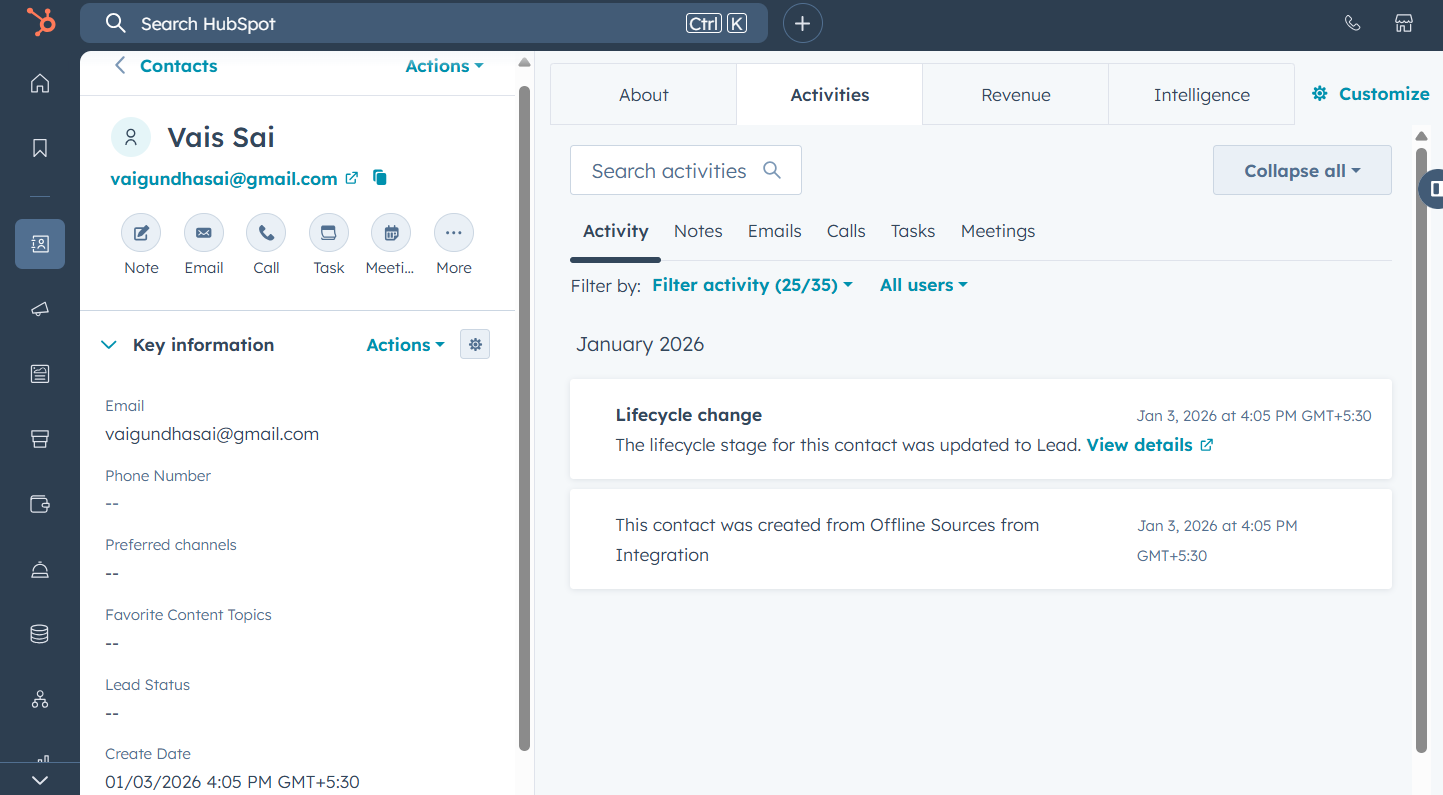
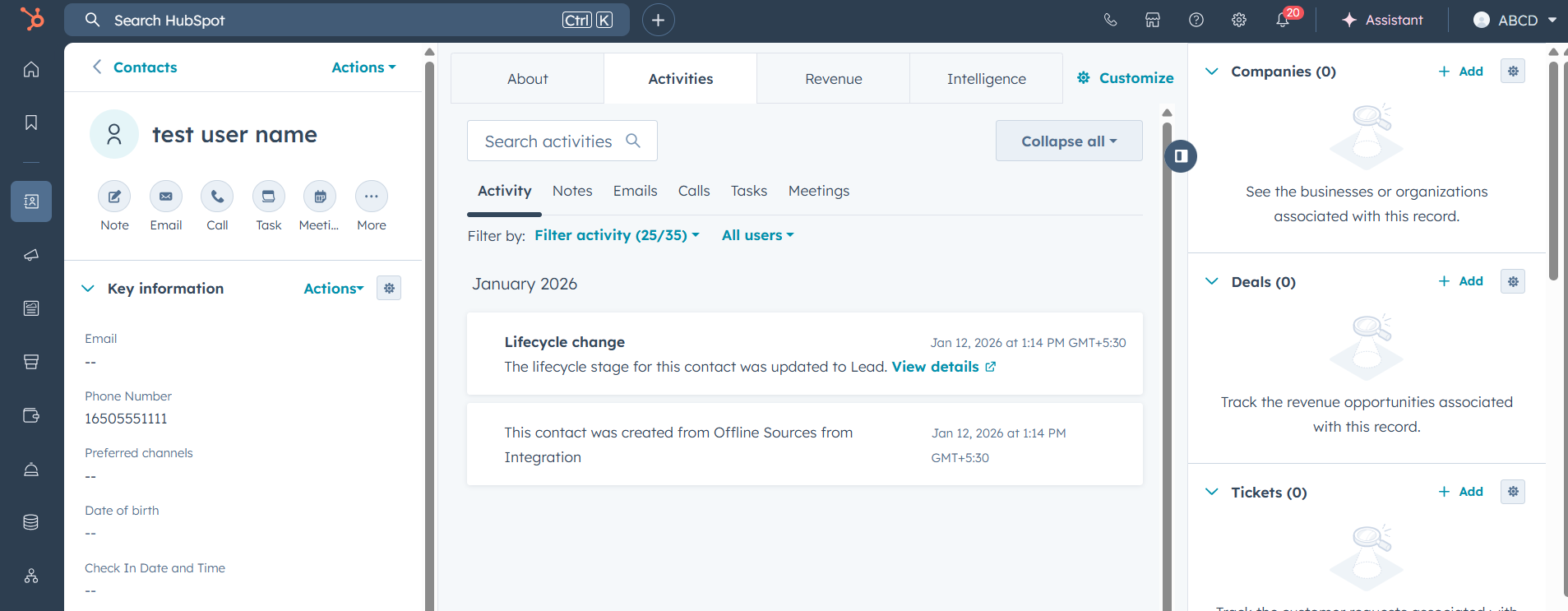
I have created the workflow as you mentioned. The contact was created only once during the initial setup. After that, when I send another WhatsApp message, a new contact is not created in HubSpot CRM.
Additionally, the phone number and WhatsApp message are not showing in HubSpot CRM.
Please find the attached screenshot for your reference.
Please find the workflow : https://connect.pabbly.com/v2/app/workflow/share/WxNZa18IUzBUHgdtA2ZRdlxIAwcIUVY0UUgGFFVaUysAWlIHBkdYMlsXVnRQC1c2B04HbVUKDWgPG1BUUgRUJwAZBhRQU1AqWxYJOgNKCDtbBVlxXz4#
Hello @vais,
Thank you for bringing this to our attention.
We have escalated the concern to our technical team for further review. We kindly request some time for investigation, and we will share an update with you at the earliest.
Thank you for your patience and cooperation.
Hi Preeti,
Can I have an update on this?
Thanks.
Hello @vais,
Thank you for your reply. At the moment, we haven’t received any updates on this concern. We have followed up with the respective team, and once we receive an update, we will get back to you.
Thank you for your patience.
Hello @vais,
The issue you were facing has now been fixed. We kindly request you to check on your end and let us know if the issue still persists.
Hi Soumya,
I created another account due to insufficient task allocation and tested the workflow again.
During the initial setup and testing phase, the contact is created successfully in HubSpot CRM. However, when I send a real message from WhatsApp, the contact is not being created in HubSpot.
This indicates that the setup works during testing, but the workflow does not trigger for live WhatsApp messages.
Could you please help us identify why incoming WhatsApp messages are not creating contacts in HubSpot and advise on the correct configuration?
You have my permission to log into my Pabbly Connect account, and edit workflow If required.
Hello @vais,
Thanks for sharing the details.
Upon checking, the issue seems to be with the WhatsApp number connected in Pabbly Chatflow. As per the screenshot shared, the connected number is showing the status as “Disconnected”, due to which the incoming WhatsApp messages are not being captured, and the workflow is not triggering for live messages.
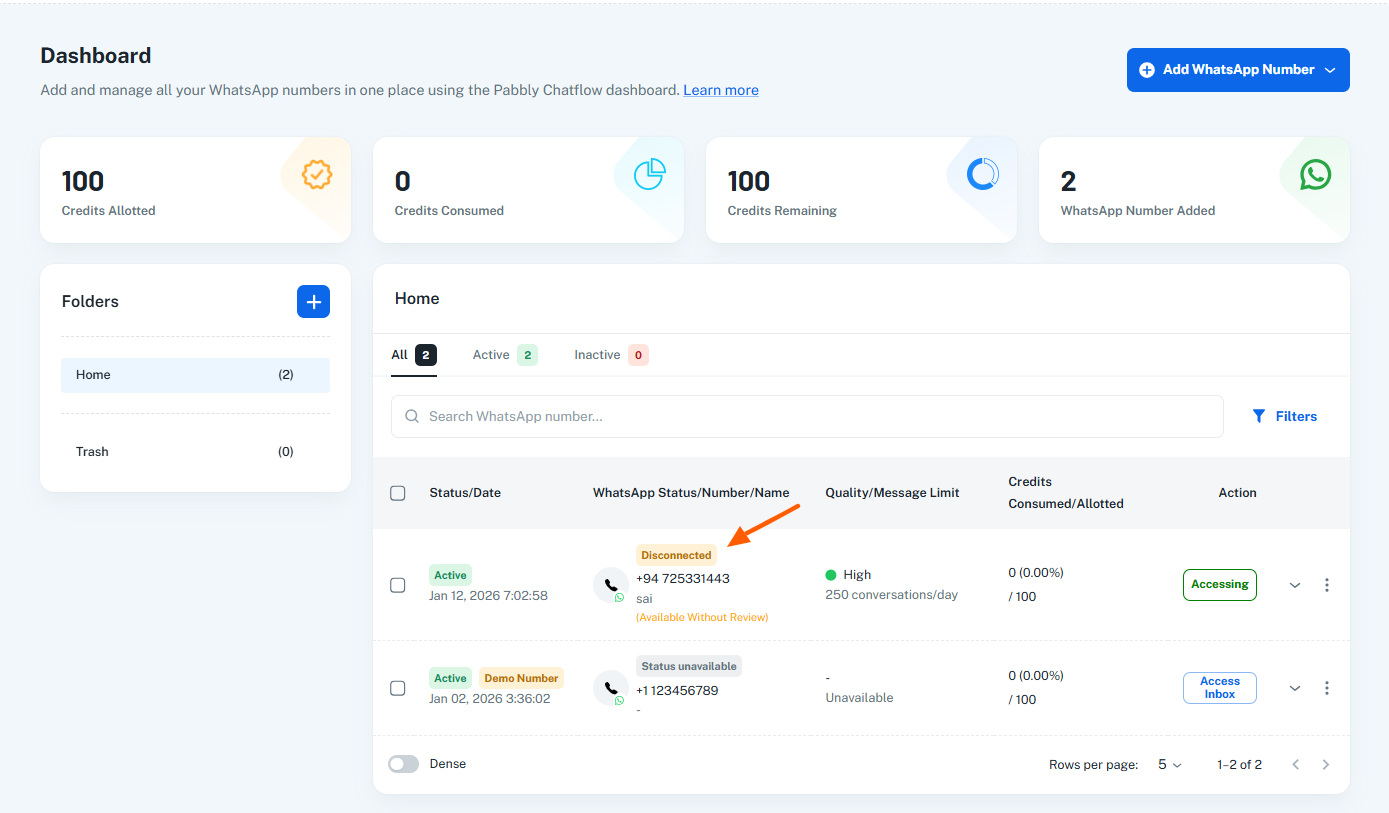
We recommend that you first reconnect the WhatsApp number properly in Pabbly Chatflow, and once the number shows as Active/Connected, then proceed with setting up and testing the workflow again.
After reconnecting, your live incoming messages should get captured correctly, and the HubSpot contact creation should work as expected.