automating wordpress on social media
Status: Open · Asked by serwar habib on · 0 views
i want to post my wordpress posts on social media. i intend to create dynamic images for each wordpress post. i have created 10 dynamic image templates. now i want for each wordpress post a different template is chosen. how can i automate this?
Hello @serwar24554,
Thank you for sharing your use case.
Could you please share the workflow associated with this setup? This will help us better understand the current configuration and suggest the most effective way to dynamically select different image templates for each WordPress post.
Looking forward to your response.
Hello @serwar24554,
Could you please confirm which step contains the image templates? This will help us review the workflow accordingly and assist you more effectively.
step 12. i am thinking could this be a solution. after one template is published. then i put delay after that step for 2 hours then again add template step and regenerate the new image with new template. i think this could work. but then i am confused how will the trigger step work. which is triggering once daily.
hi i think i figured it out. thanks for the help
No, that won't work. Do you want to change the template ID (a new template every day) each time the workflow executes?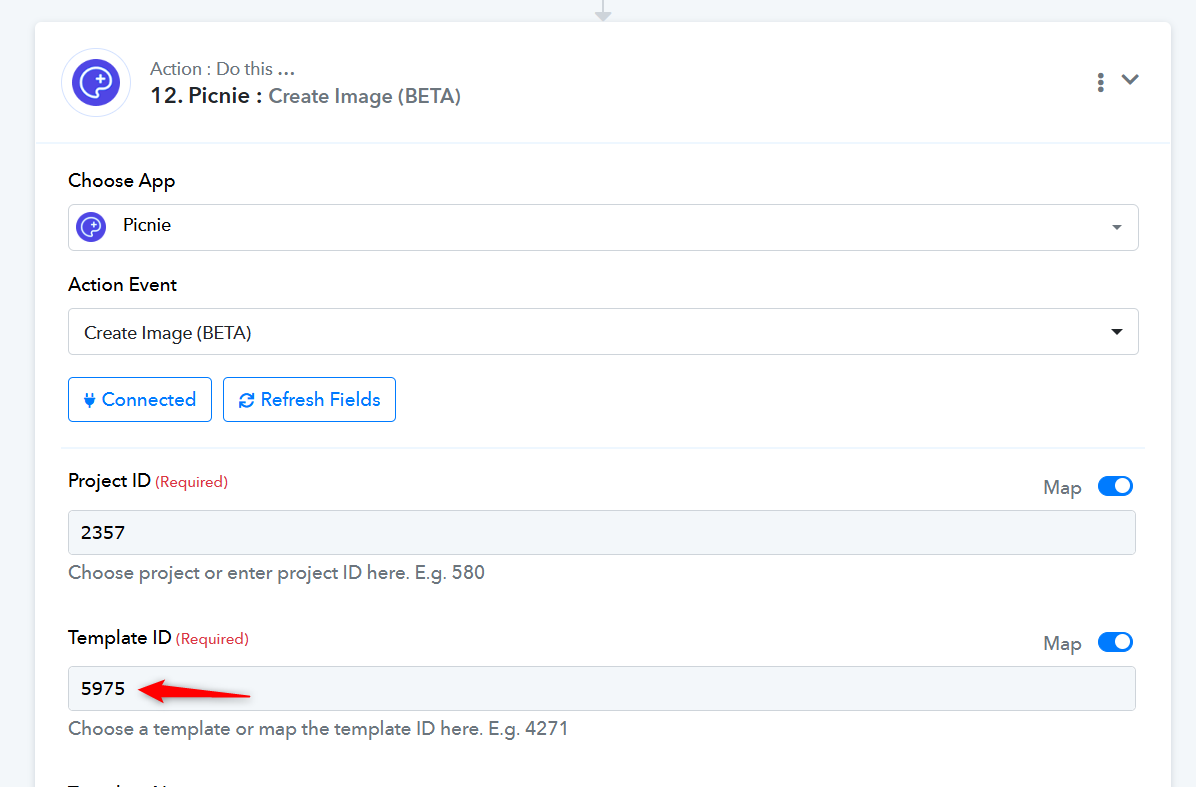
yes. template id and name need to change for using different template. and they have to be manually mapped.
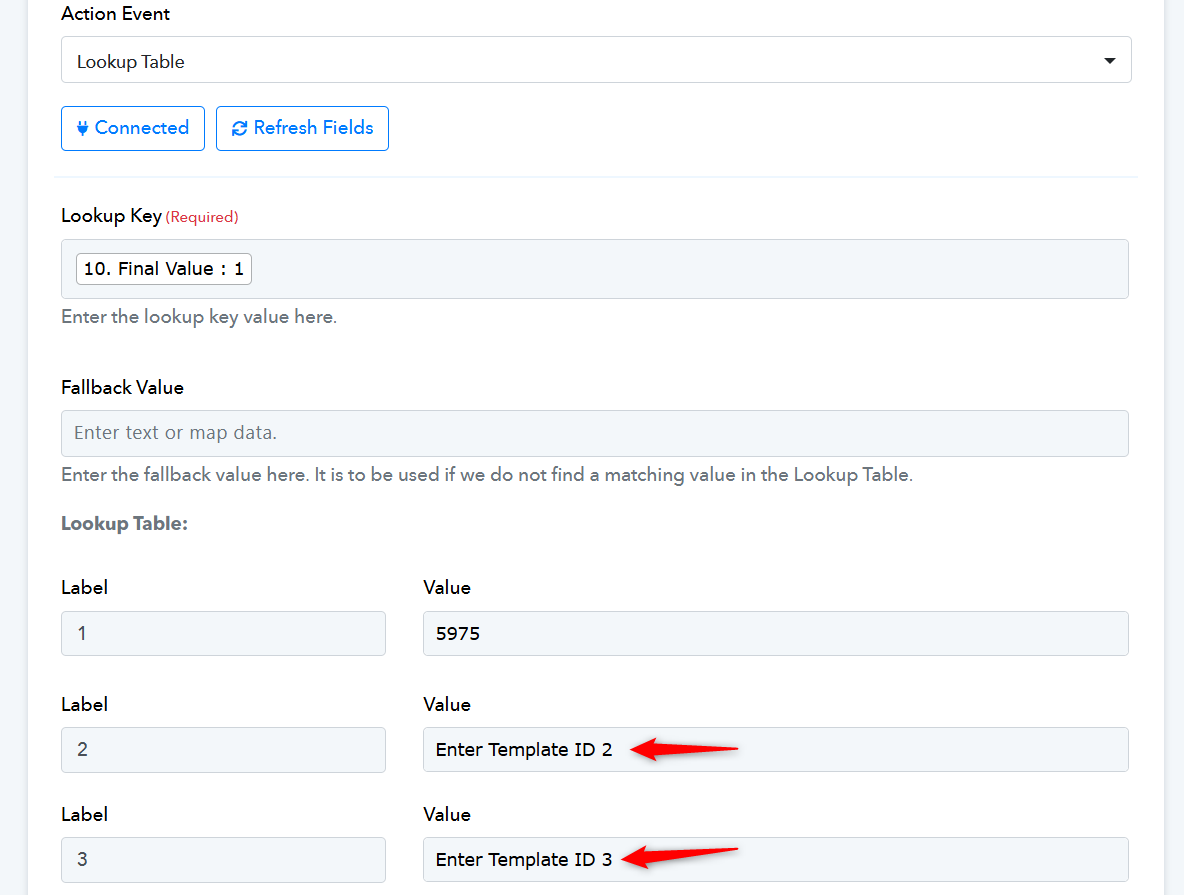
We have added a Counter and a Lookup Table to your workflow. The Counter will generate values from 1 to 10 each time a task is executed. In the Lookup Table action step, you can assign a Template ID to each number from 1 to 10, and based on the number received from the Counter step, the Lookup Table will return the corresponding Template ID. You can then map this Template ID from the Lookup Table step to Picnie. In essence, this setup will help you cycle through all the Template IDs with each task execution.