Automation Go High Level
Status: Open · Asked by Openfy on · 0 views
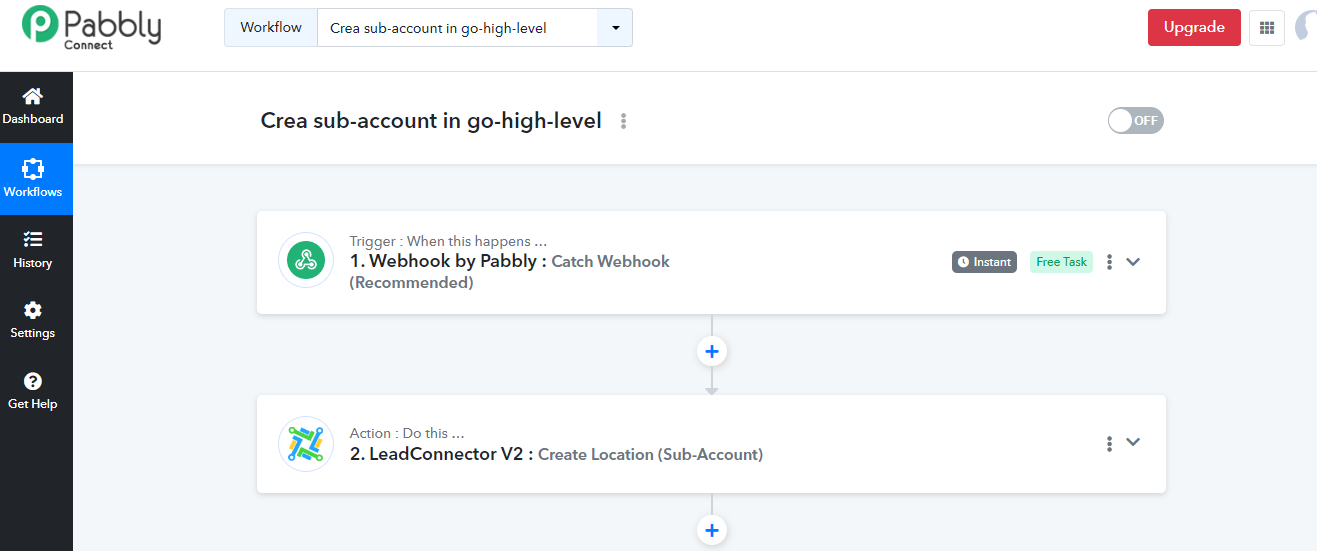
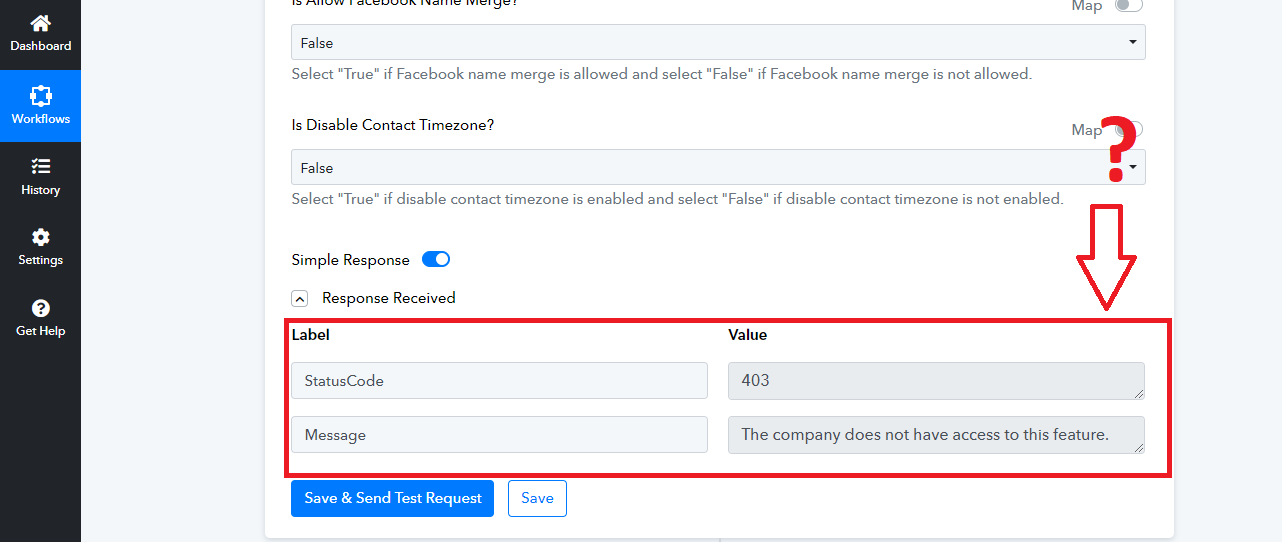
HI! I'm creating an automation with Pabbly to create an automatic sub-account with Go High Level but when I get to the end the system gives me an error message. Why? My plan with Go High Level is the 297...
Hi @Openfy,
Please verify from your Agency account if it has all the permissions to create a sub-account. For those with Agency access, go to Agency View >> Settings >> Team. Locate the team member you'd like to set user permissions of
- Click the Action button (Pencil icon) next to the user's name
- Choose Roles & Permissions
- Click on the corresponding checkboxes and sliders for the permissions you want to set for that user.
- Click Save after
Note: To get to these settings, you need to be either an Agency Admin or Account Admin for a particular Sub-account.
HI! I'm creating an automation with Pabbly to create an automatic sub-account with Go High Level but when I get to the end the system gives me an error message. Why? My plan with Go High Level is the 297...
I am facing the exact same issue as well, it works in v1 but doesn't work in v2. I have tried to contact ghl support but no replies yet.
Let me know if you find a solution from GHL team.
Hey @Openfy
Can you please tell us what subscription type you are using for LeadConnector?
Hi there! Mi plan is Freelance Plan by $297
I am facing the exact same issue as well, it works in v1 but doesn't work in v2. I have tried to contact ghl support but no replies yet.Let me know if you find a solution from GHL team.
I tried V1 of Lead Connector but, once connected, it asks me to enter the API Key which in the Freelance plan (from $297) doesn't show it to you!
So it's not possible to automate the creation of sub accounts with Pubbly and Go High Level's $297 plan??
Hi @Openfy,Please verify from your Agency account if it has all the permissions to create a sub-account. For those with Agency access, go to Agency View >> Settings >> Team. Locate the team member you'd like to set user permissions of
- Click the Action button (Pencil icon) next to the user's name
- Choose Roles & Permissions
- Click on the corresponding checkboxes and sliders for the permissions you want to set for that user.
- Click Save after
Note: To get to these settings, you need to be either an Agency Admin or Account Admin for a particular Sub-account.
Please allow me some time to discuss this with my team. We will get back to you shortly.
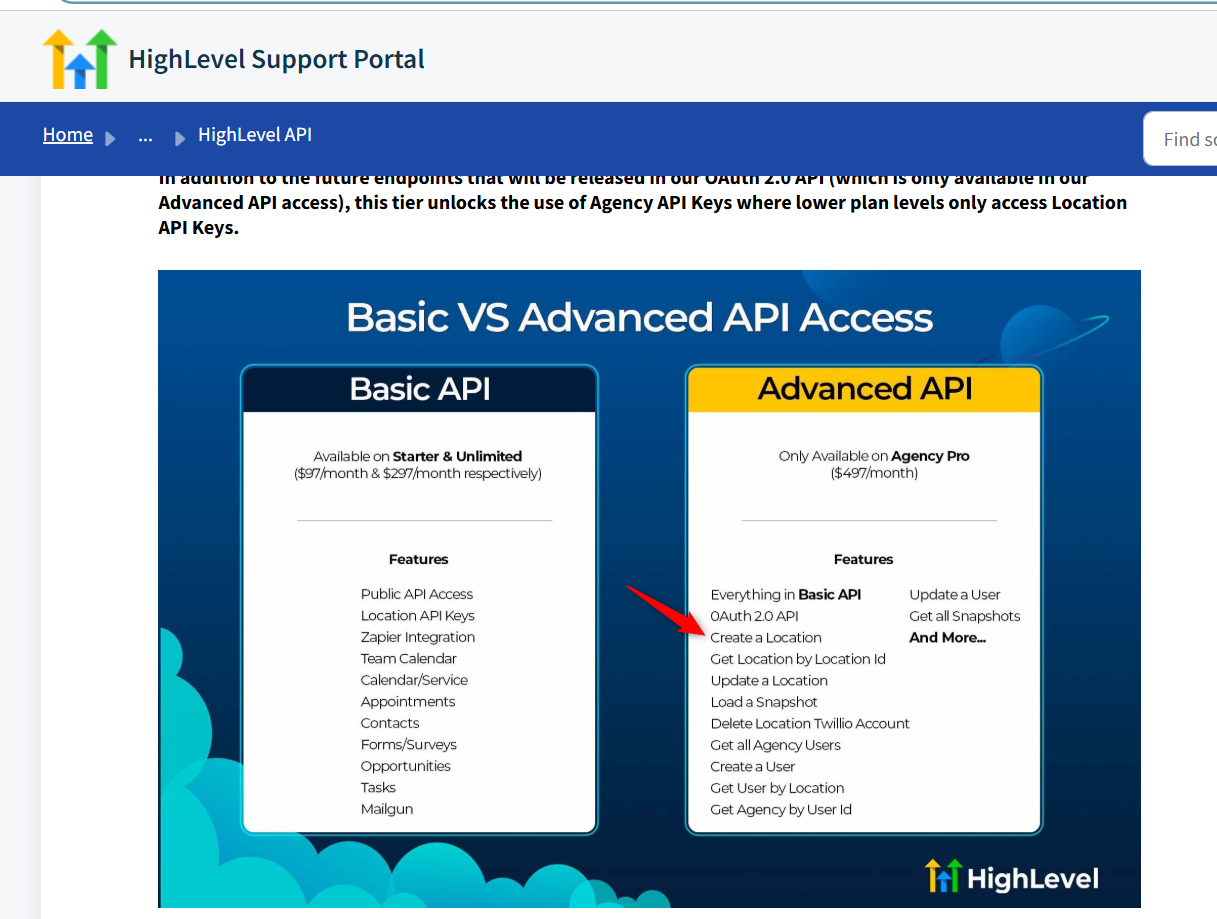
After consulting with the LeadConnector team, we learned that the 'Create Location' feature is exclusive to agencies on the $497 plan. Customers on the $297 plan may encounter this error(The Company doesn't have access to this feature).
We suggest you get in touch with GHL's support team to gain a better understanding of this issue.
That's what I thought. I am only on the $297. Which doesn't make sense because If I am on a 497 plan then I don't need pabbly for that right.
Currently, GHL requires you to have the $497 plan to use Advanced API features, which include the option to Create a Location. I’m afraid we cannot do anything about this from our end.
https://help.gohighlevel.com/support/solutions/articles/48001060529-highlevel-api