Autowebinar date setup on Webinarkit
Status: Open · Asked by moshbari on · 0 views
in webinarkit/autowebinars date setup issue:
If webinar presentation date is required, what to do for auto webinars?
Scenerio-1:
if the auto webinar is set to play everyday at 12PM ET
Scenerio-2:
if the auto webinar is set to play multiple times per day. 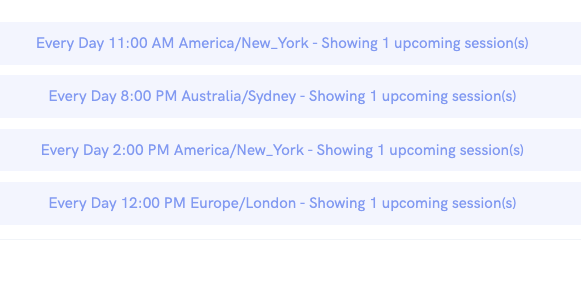
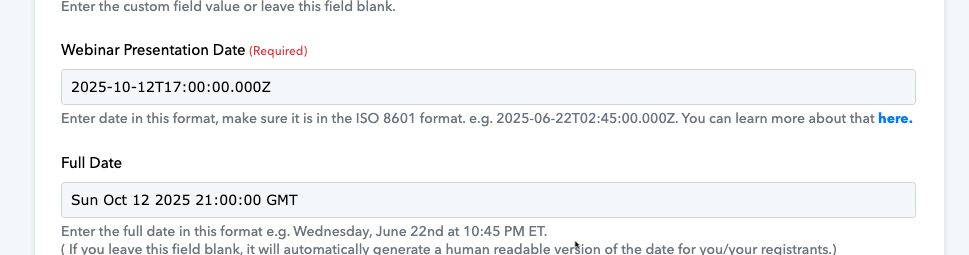
Hi @moshbari,
Please make a short screen recording and elaborate a bit more on your exact use case and the issue you’re encountering.
Hi @moshbari,Please make a short screen recording and elaborate a bit more on your exact use case and the issue you’re encountering.
here you go https://www.loom.com/share/29526b868e284c2291764ba34ec20a70?sid=b1778c57-5c6c-48b8-9cdb-d38d3c3f2ff6
You can add the Date/Time Formatter as step 2 in your workflow to get the current date (UTC) and pass it to the 'Webinar Presentation Date' field. Each time your workflow is executed, the current date will automatically be passed to the WebinarKit action step.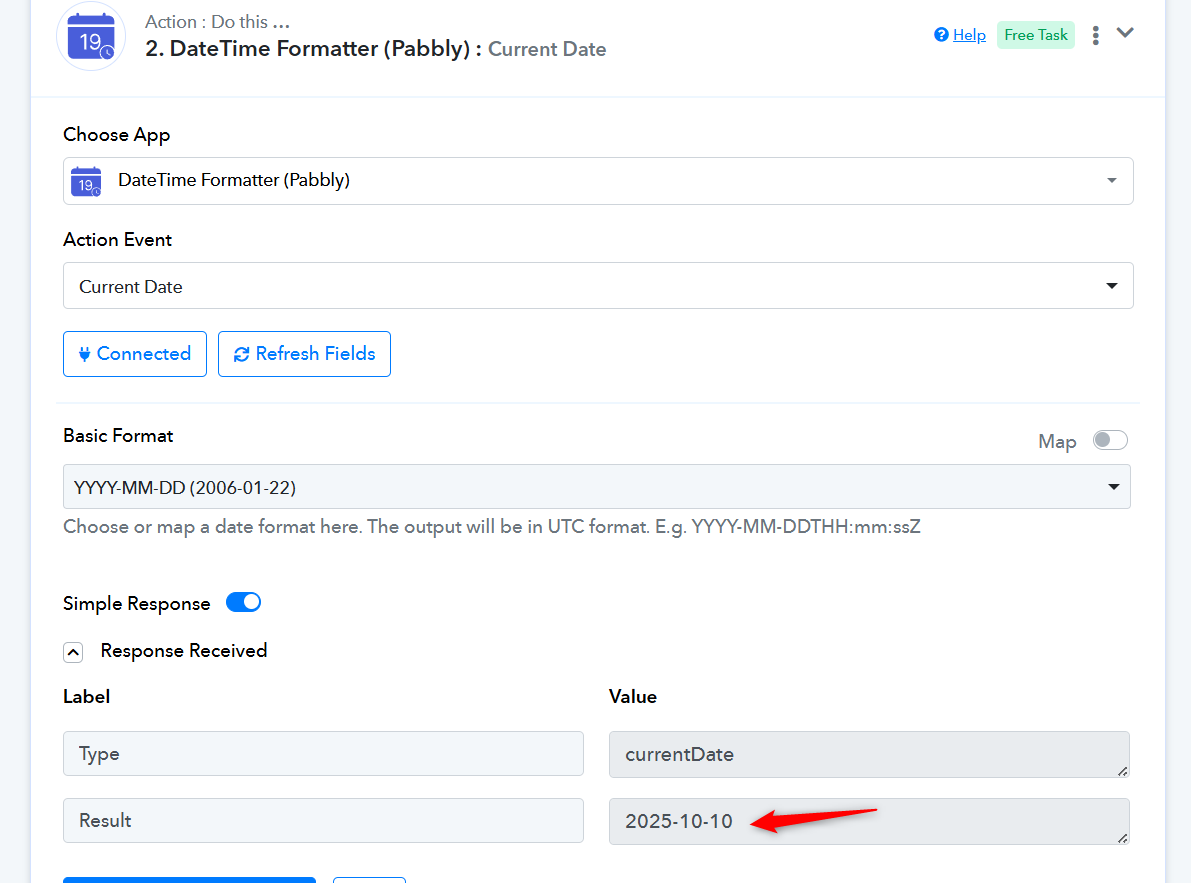

Thanks & Regards,
Arshil Ahmad
Customer Support Associate
? Pabbly.com
?Rate your support