BigCommerce to Saasu
Status: Open · Asked by Peter@Cooee Bay on · 0 views
Action: Saasu: Create Contact
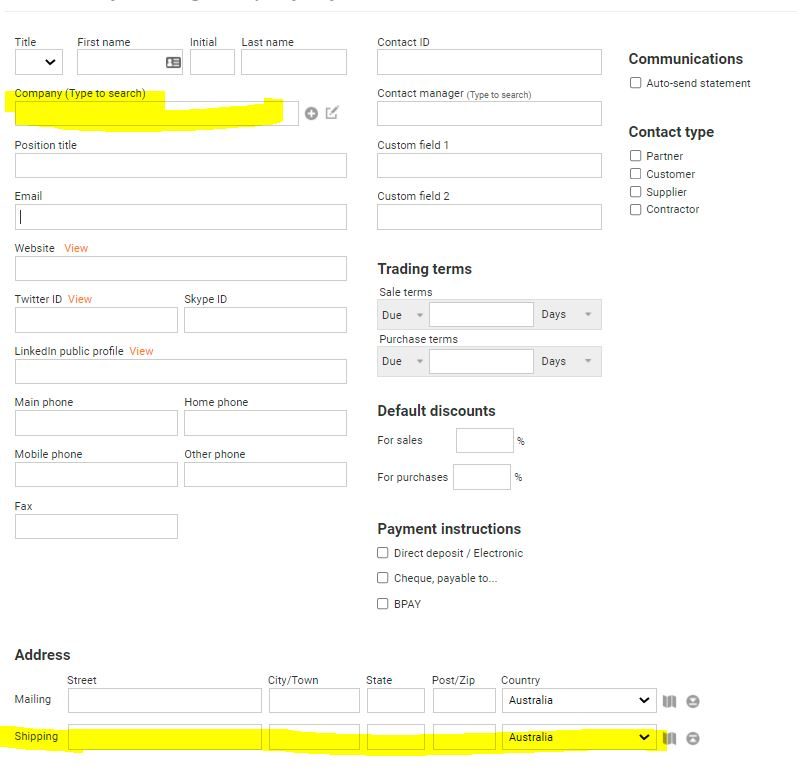
How do we apply Company Name and Shipping name / delivery address? The shipping name / delivery do not appear as fields to be propagated in Saasu.
Delivery "Labels" do not appear in BigCommerce Action event: Get Order By ID
You need to use another action event "Get Shipping Addresses by Order ID" for that -
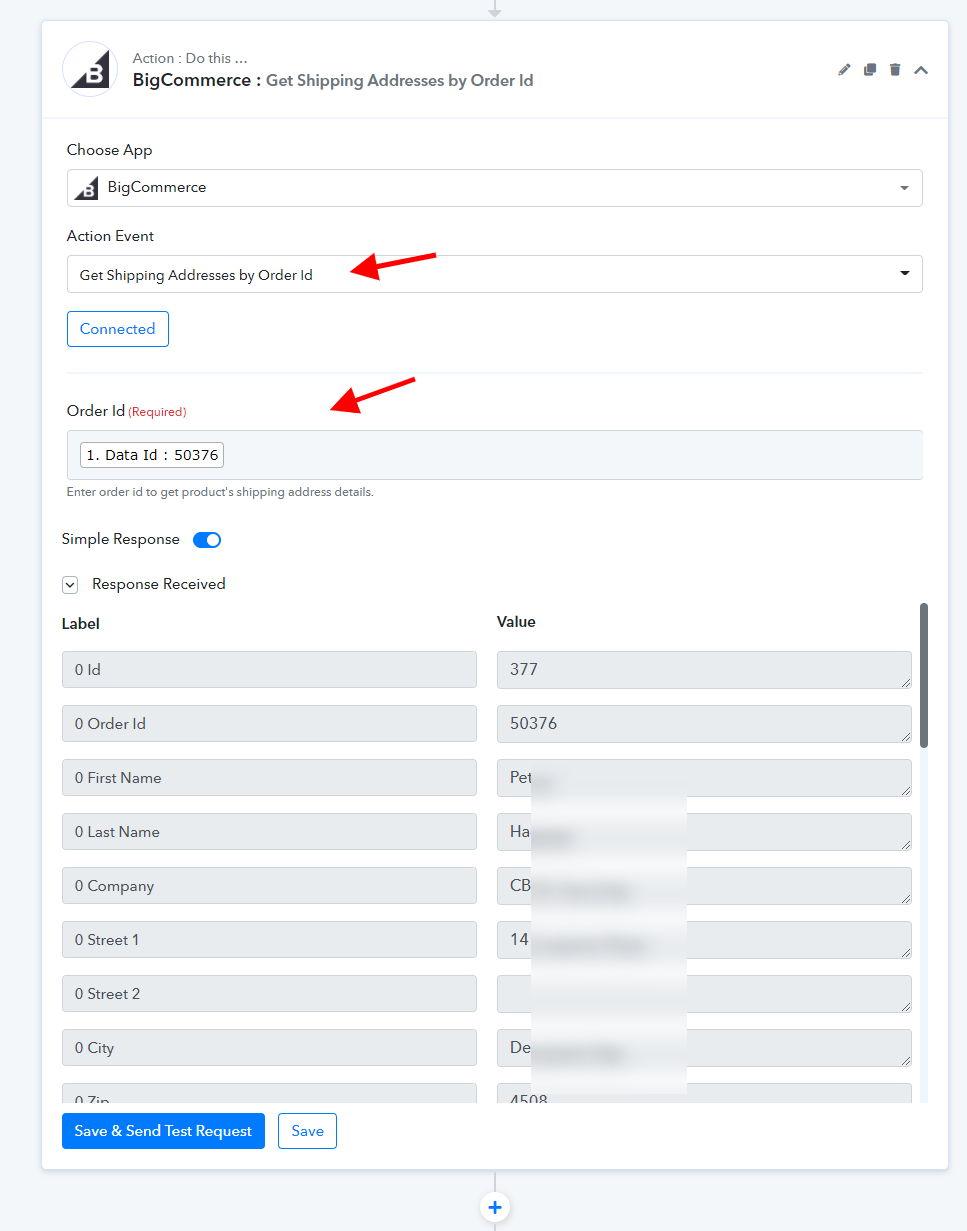
To get the Company Name and delivery address to their respective Saasu fields, do we use the Order ID as shown below?
Attachments
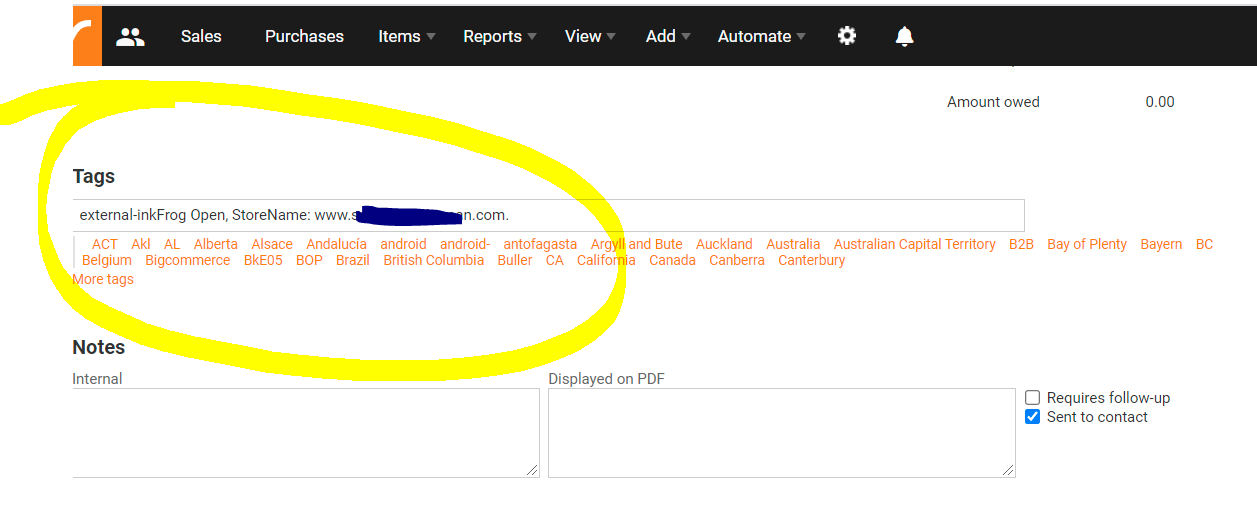
In Saasu, we currently get Tags in the respective field
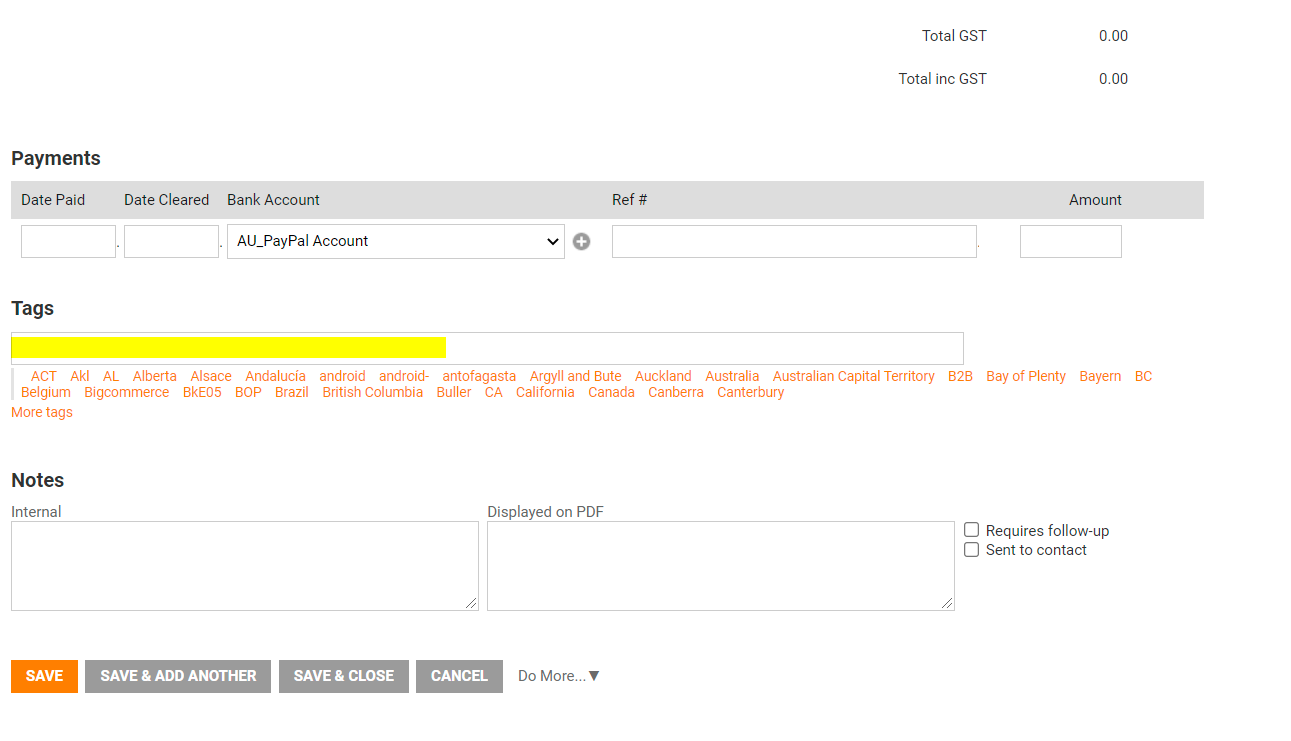
Our eBay Australia store is linked to BigCommerce > Saasu. Tags that we obtain show store name and external link
To get the Company Name and delivery address to their respective Saasu fields, do we use the Order ID as shown below?
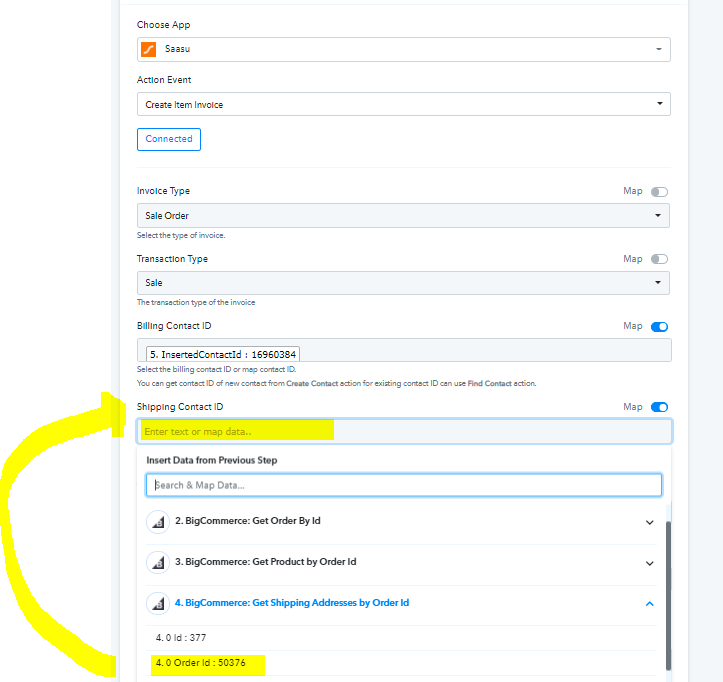
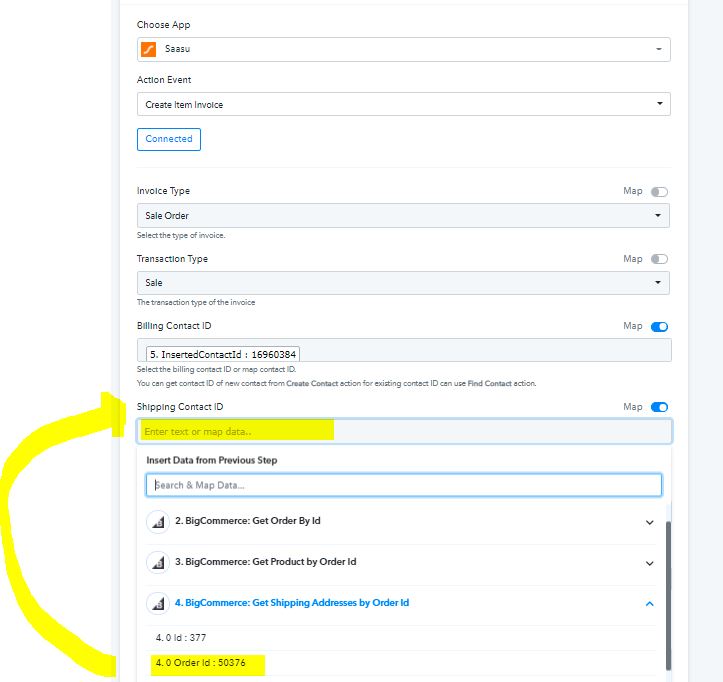
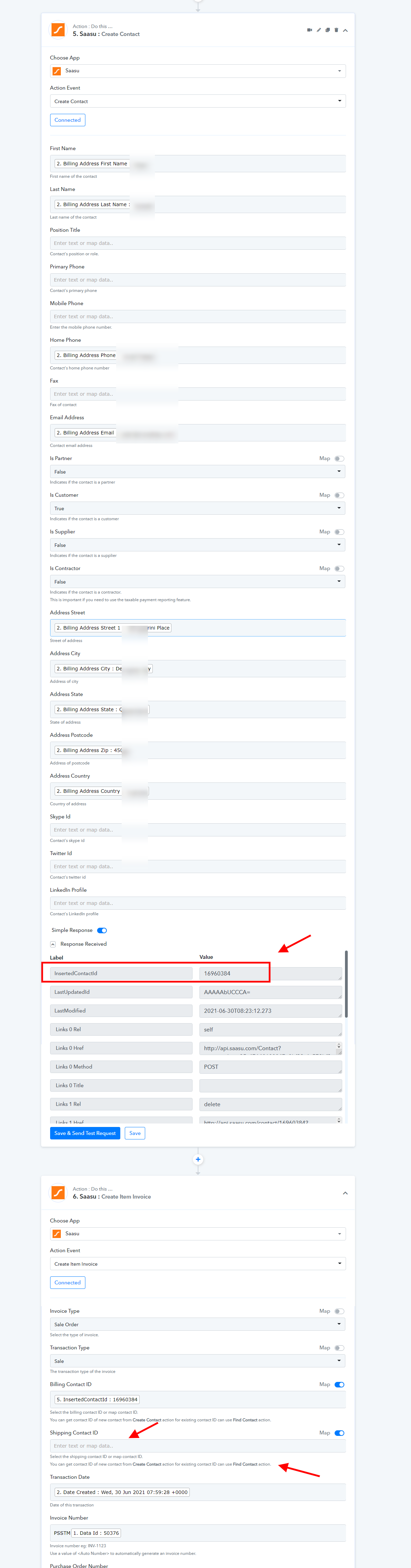
You will get the Shipping Contact ID from the Create Contact step as shown below -
Further please elaborate on your questions regarding the tags so that we can assist you better. Thanks!
The tags feature in Sassu is for orders coming from BigCommerce which shows the store name and eBay platform eg InkFrog
If the shipping contact ID is different than the Billing Contact ID, where do we obtain the Shipping Contact ID data. Your suggestion appears to be duplicating Shipping from Billing contact.
Hey @CooeeBay
Sorry for the inconvenience, please allow us some time to check over your concern. Kind patience will be appreciated.
Thanks!
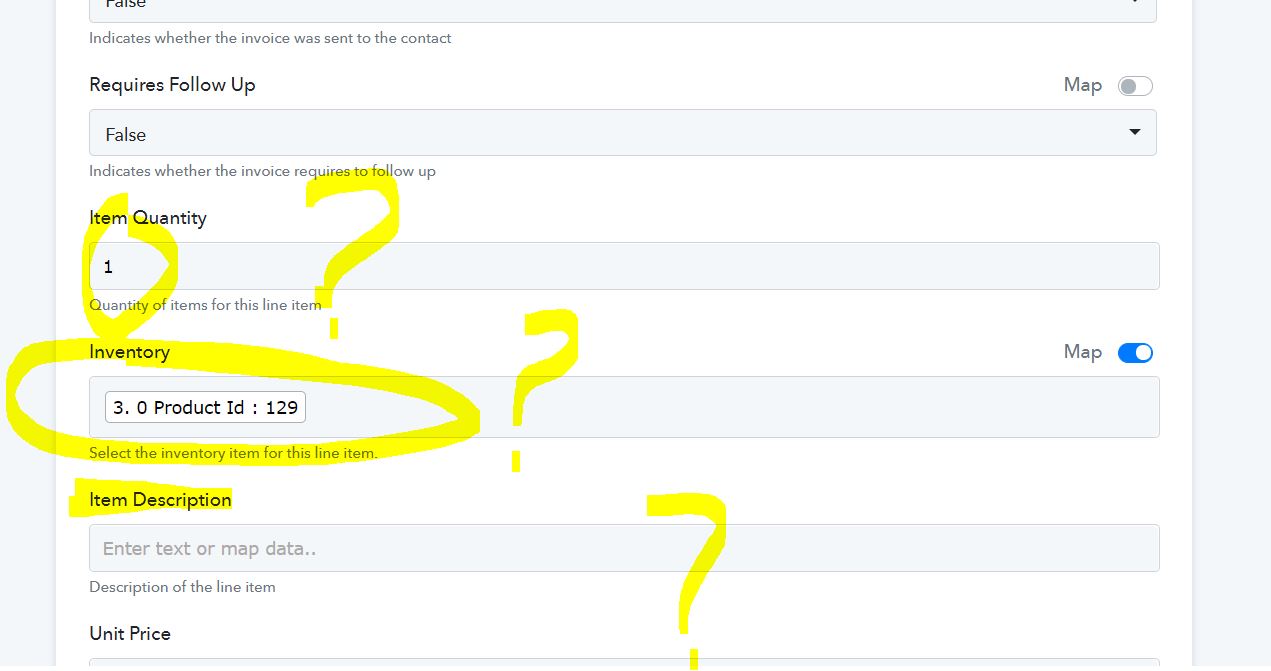
Our first orders came through today on BigCommerce SafetySamTheMan workflow and the Item code was incorrect and no item description. The workflow setting for SAASU: Create Item Invoice was prefilled originally with text: PLB005 (this was our first trial task). We have made an assumption it should be 3. 0 Product Id : 129, however the response received was " "Line #1: Item 129 is not found.""
We have now left the Item Description field blank as we are not sure what to do next.
We have another three BigCommerce to setup within the next 2 days, so we are using this store as the template.
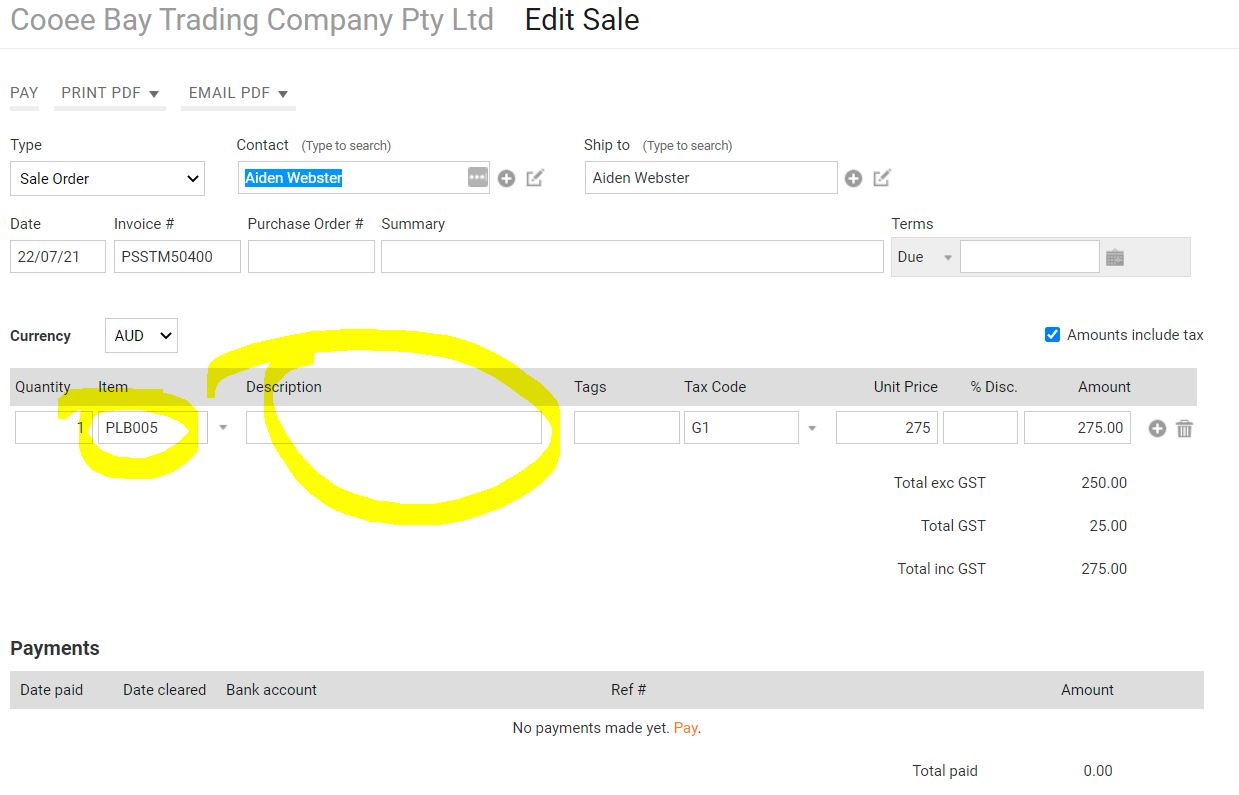
Also, the Item Quantity field is fixed with the number 1 If or der for 2 + quantity is ordered in BigCommerce, will that quantity be sent to Saasu or is it currently fixed for 1 unit per line item?
Hey @CooeeBay
The item quantity you can map it from any above API's response according to your product details. Further, the error which you getting is because the Investory which you have mapped is currently not present in your WooCommerce Account.
Please provide the inventory id which is already available in your account.
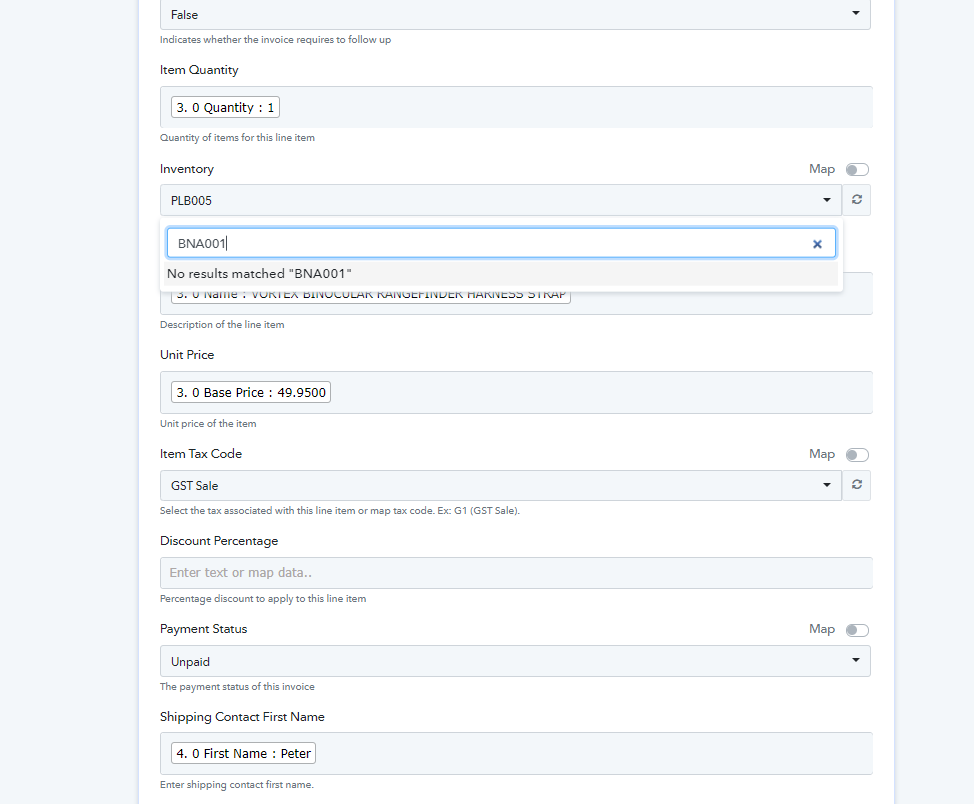
Hey @CooeeBayThe item quantity you can map it from any above API's response according to your product details. Further, the error which you getting is because the Investory which you have mapped is currently not present in your WooCommerce Account.
Please provide the inventory id which is already available in your account.
We are linking to BIGCOMMERCE, not WooCommerce
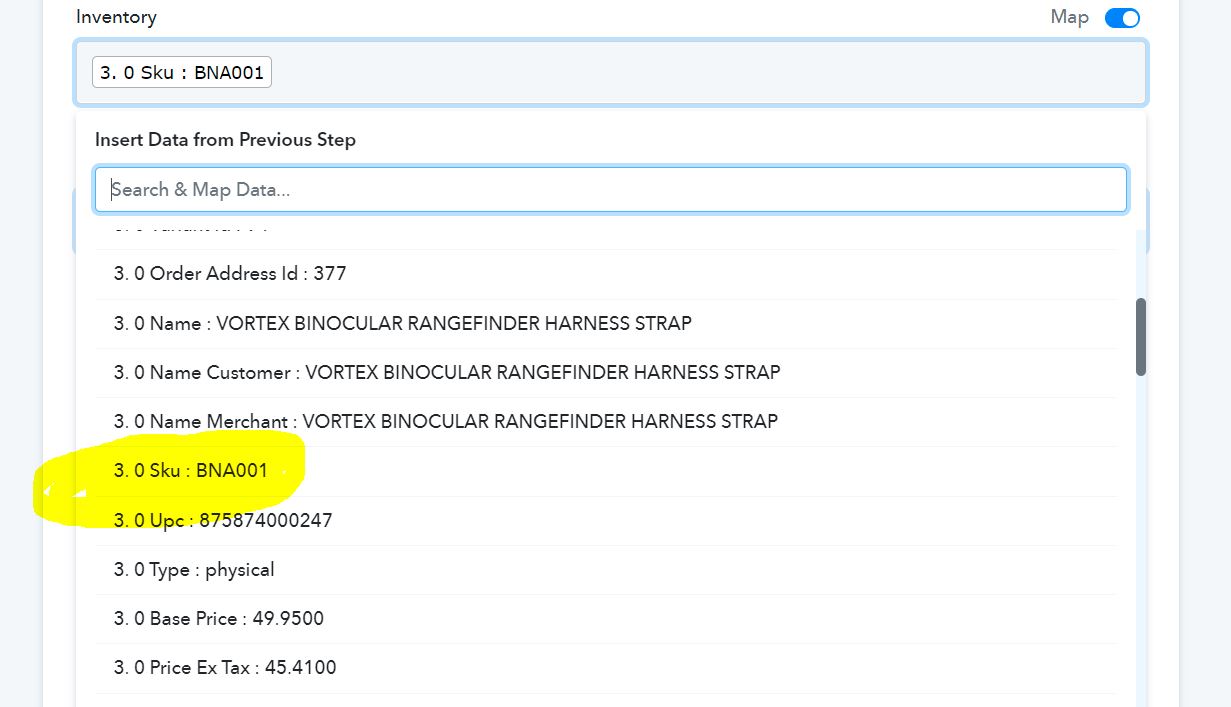
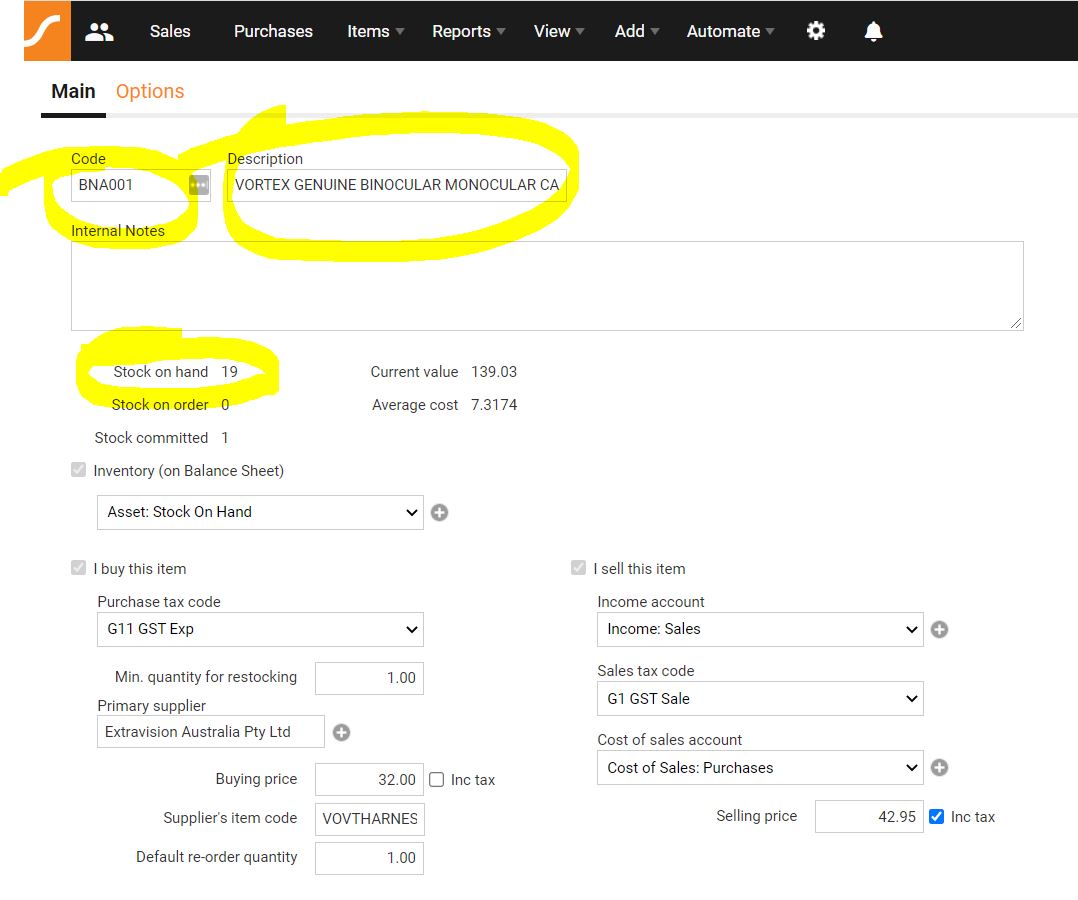
In Saasu, our SKU is what is used and BNA001 is an active item.
Hello @Supreme Verma , Sassu Create Contact by default add address as Mailing Address. We want to add it as Shipping Address.
How to do that? and also Pabbly does not have options to add Tags to contacts. Please add that, zapier has that.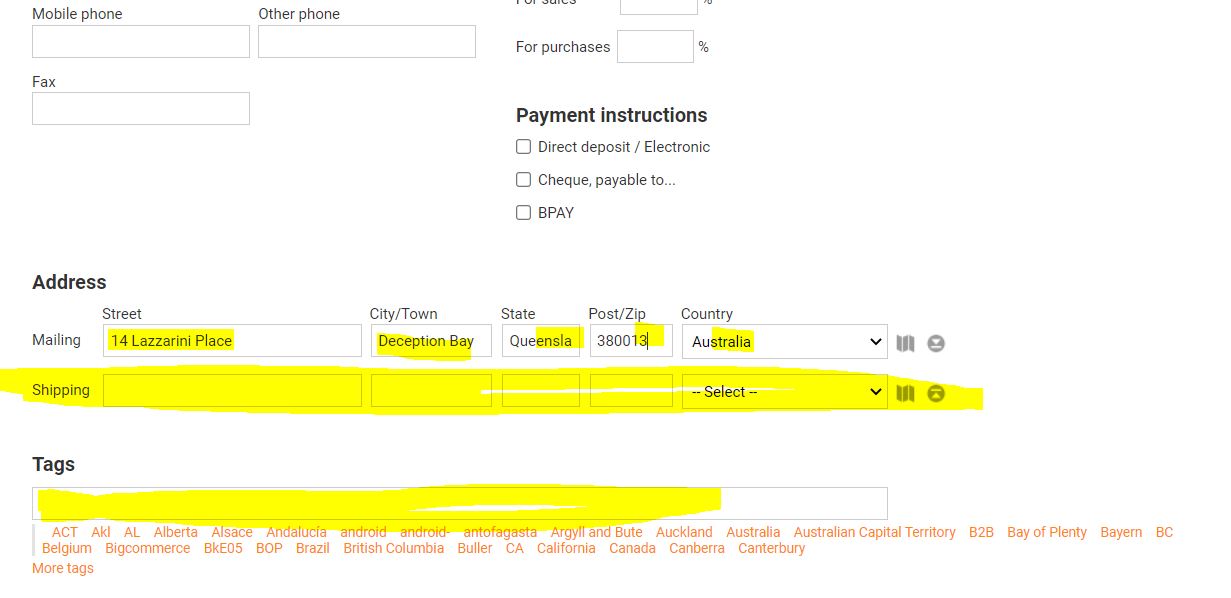
Hey @CooeeBay
The Inventory which you are providing is currently not available in your Saasu, as you can also check that it is not available. And the SKU which you are trying to pass is the code.
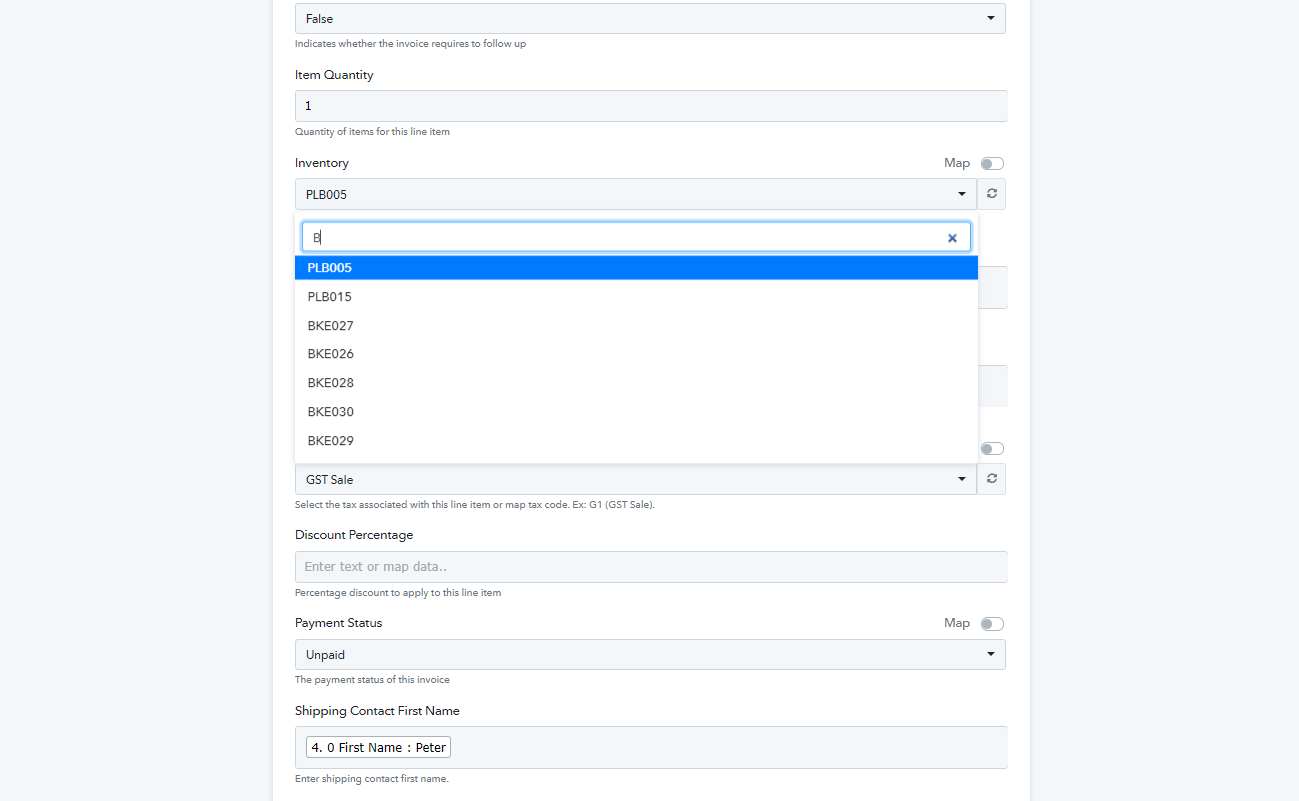
Else, for this
How to do that? and also Pabbly does not have options to add Tags to contacts. Please add that, zapier has that.
[IMG width="551px" alt="SMATE Item-Shipping-1 error.JPG"]https://forum.pabbly.com/attachments/smate-item-shipping-1-error-jpg.2373/[/IMG]
Please allow us some time to check the possibility of it.
Hey @CooeeBayThe Inventory which you are providing is currently not available in your Saasu, as you can also check that it is not available. And the SKU which you are trying to pass is the code.
Else, for this
Please allow us some time to check the possibility of it.
@Supreme Verma Where you require the Inventory value, are your referring to the Saasu Item UID example: Saasu Item Code: PLB005 is Pabbly: 3166335 ... https://secure.saasu.com/a/net/setup_inventoryitem_edit.aspx?fchk=32902&action=edit&uid=3166335&ref=~/
@Fagun Shah
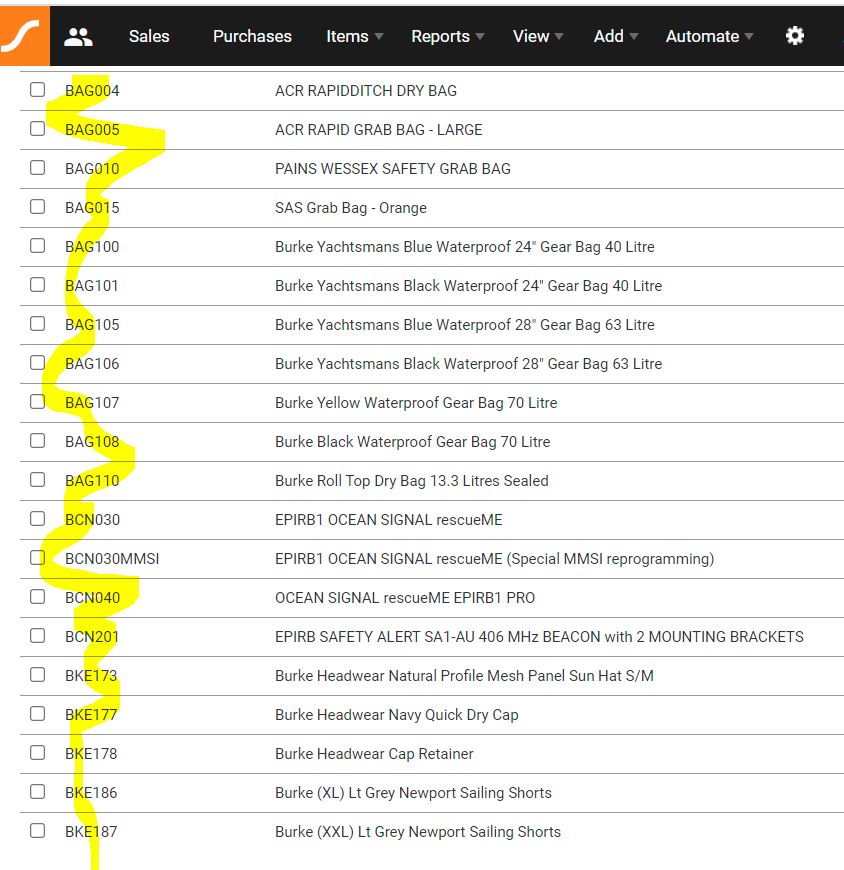
@Supreme Verma We have over 200 items in the store and need Pabbly to map the respective SKU that is in Saasu coming from BigCommerce. We are not a single item store.
@Supreme Verma sample list of items:
We have made some changes to your workflow.
We have added the "Find Item" action step replacing the google sheets step. This will help you to get the "item id" which will be mapped in "Inventory" field of "Create Item Invoice" Action Step. Also, added the tag field in the same. Please review the changes and let us know.
We have made some changes to your workflow.
We have added the "Find Item" action step replacing the google sheets step. This will help you to get the "item id" which will be mapped in "Inventory" field of "Create Item Invoice" Action Step. Also, added the tag field in the same. Please review the changes and let us know.
Hi
I'm new to Pabbly and also mapping to Saasu. I also get the "Line #1: Item 0 is not found." error.
Did you solve your issues and get Saasu receiving correctly from Big Commerce?
Hello @johnrowl
We have replied to your query at another thread, please refer to the thread URL - https://forum.pabbly.com/threads/squarespace-to-saasu.24665/