Bug Report: Inconsistent Parameter Encoding in FluentCRM Integration
Status: Open · Asked by Volker Klärchen on · 0 views
Hi Team,
I've encountered a critical bug in the "FluentCRM > Update a Contact" integration where the automation fails during live execution but works perfectly during the "Save & Send Test Request" phase.
The Issue:
During live execution, Pabbly seems to automatically transform the "tag" input into an array format in the URL string, even when only a static ID is provided.
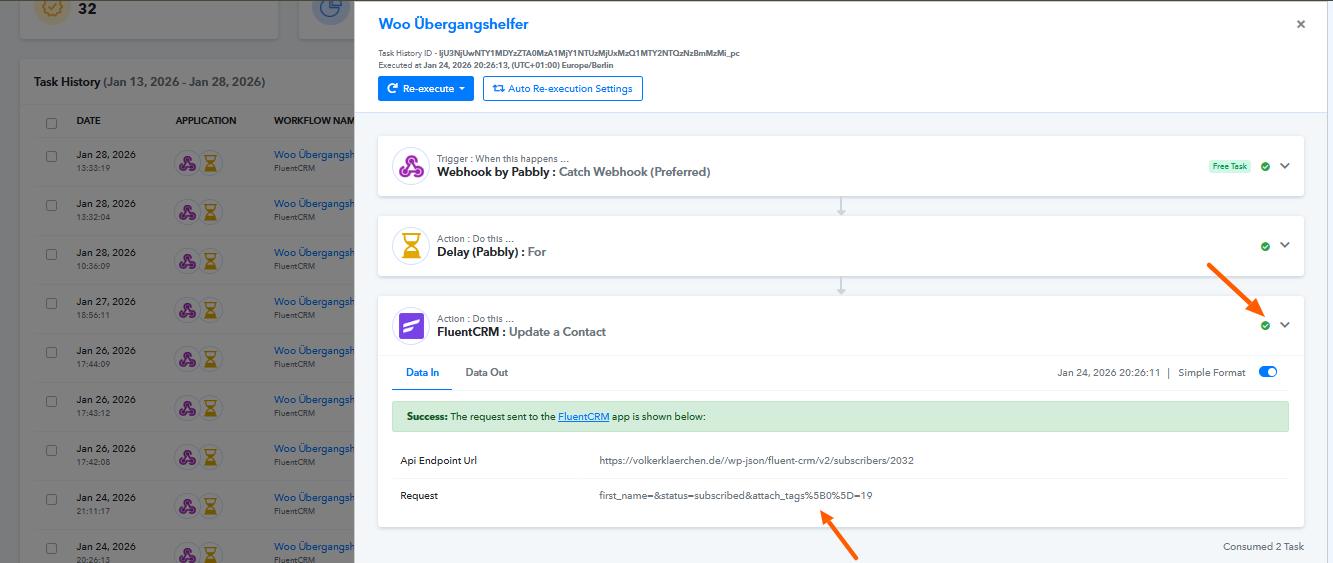
So the tag 19 gets transmitted as the parameter attach_tags%5B0%5D=19 which in turn leads to a 404.
When sending the same data while editing the workflow the parameter is sent correctly as attach_tags[0]=19 and the tag is applied correctly on the receiving end.
Expected Behavior:
The live execution should send the parameters exactly as the manual test does, without additional encoding that breaks the REST route.
Could you please investigate why the live runner encodes the parameters differently than the test environment?
Best regards
Volker
Hello Volker,
Thank you for reaching out to us and for sharing the detailed information along with the workflow URL and Task History ID.
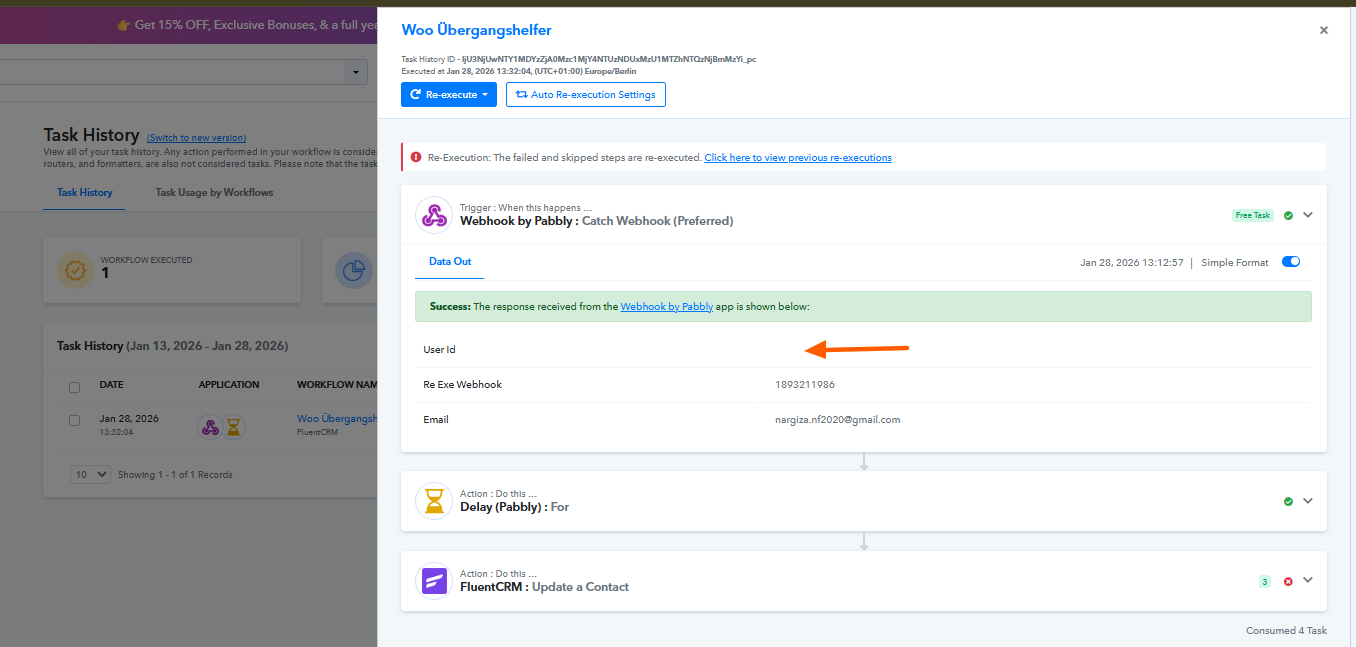
Upon checking the failed task execution, we noticed that the User ID coming from the trigger is not being received in the 3rd action, which is the step where the failure is occurring. This missing User ID is the primary cause of the issue.
Please note that the tag parameter being encoded in the format you mentioned is also present in the successful task executions, so this behavior is expected and is not the reason for the failure.
We recommend reviewing the trigger response to ensure that the required User ID is consistently captured and correctly mapped in the action step. Once the User ID is available in the execution, the action should work as expected.
Please let us know if you need any assistance verifying or correcting the mapping.
Wow, thank you for the fast response. So it really was a mistake on my part - thank you for helping me out!
Glad we were able to help. We’d really appreciate it if you could share some quick feedback on the support you received:
https://forms.gle/GAjS4wdPYKuhnEYV9
Thank you for your time.
Thanks & Regards,
Arshil Ahmad
Customer Support Associate
? Pabbly.com
?Rate your support