Bunny.net Upload File - No location to put file
Status: Open · Asked by Soleiman Bolour on · 0 views
I am very confused and wondering if I am missing something.
Bunny.net upload file has no field for the uploaded file? Where is it supposed to get the file from?
I have a link of the file from webflow, but don't understand where the upload file is coming from.
Hi @soleimanb,
It appears that the action is missing a field where you can pass a file URL to be uploaded to Bunny.net. Please allow me some time to have this reviewed by our technical team. We will get back to you with an update soon.
Thanks & Regards,
Arshil Ahmad
Customer Support Associate
? Pabbly.com
Our team has made a minor change to the Bunny.net: Upload File action step and its help text. You can pass the URL in the URL field.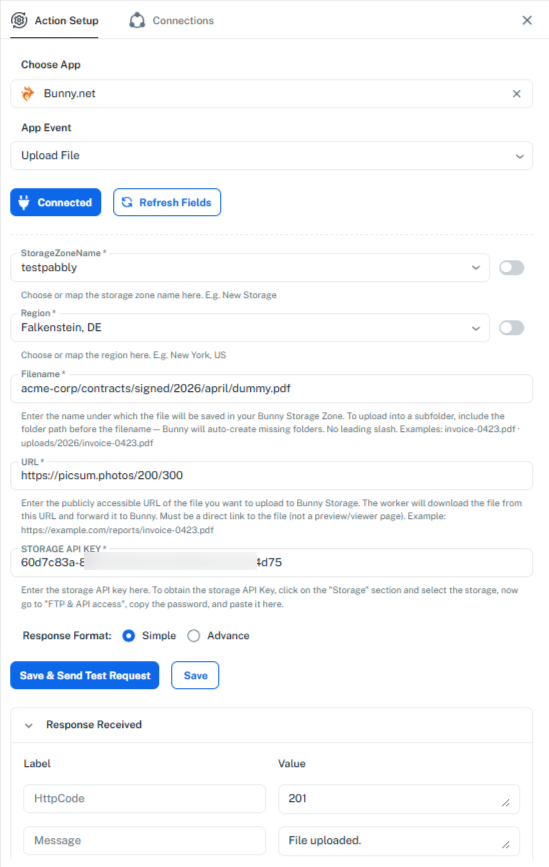
Thanks & Regards,
Arshil Ahmad
Customer Support Associate
? Pabbly.com
Awesome. That works great.
Any chance you can set something up where the image url comes back?
You won’t be able to directly retrieve the image URL in the Upload File action step, as the Bunny.net API endpoint does not return a URL in its response.
However, we can try using the Download File endpoint to see if it returns the file URL. The API documentation mentions that it returns the file stored at the given path, but it is not entirely clear what the exact response will be, so we can test it.
https://docs.bunny.net/api-reference/storage/manage-files/download-file
I have set up this endpoint in a new workflow in your Pabbly Connect account. Please enter the path where the file is uploaded. If it is uploaded directly to the root of your storage zone, you can leave the path field empty. Then, enter your API key in the designated field and click on “Save & Send Test Request” to check the response.
https://connect.pabbly.com/workflow/mapping/IjU3NjcwNTZlMDYzNDA0MzU1MjZmNTUzNjUxMzUi_pc
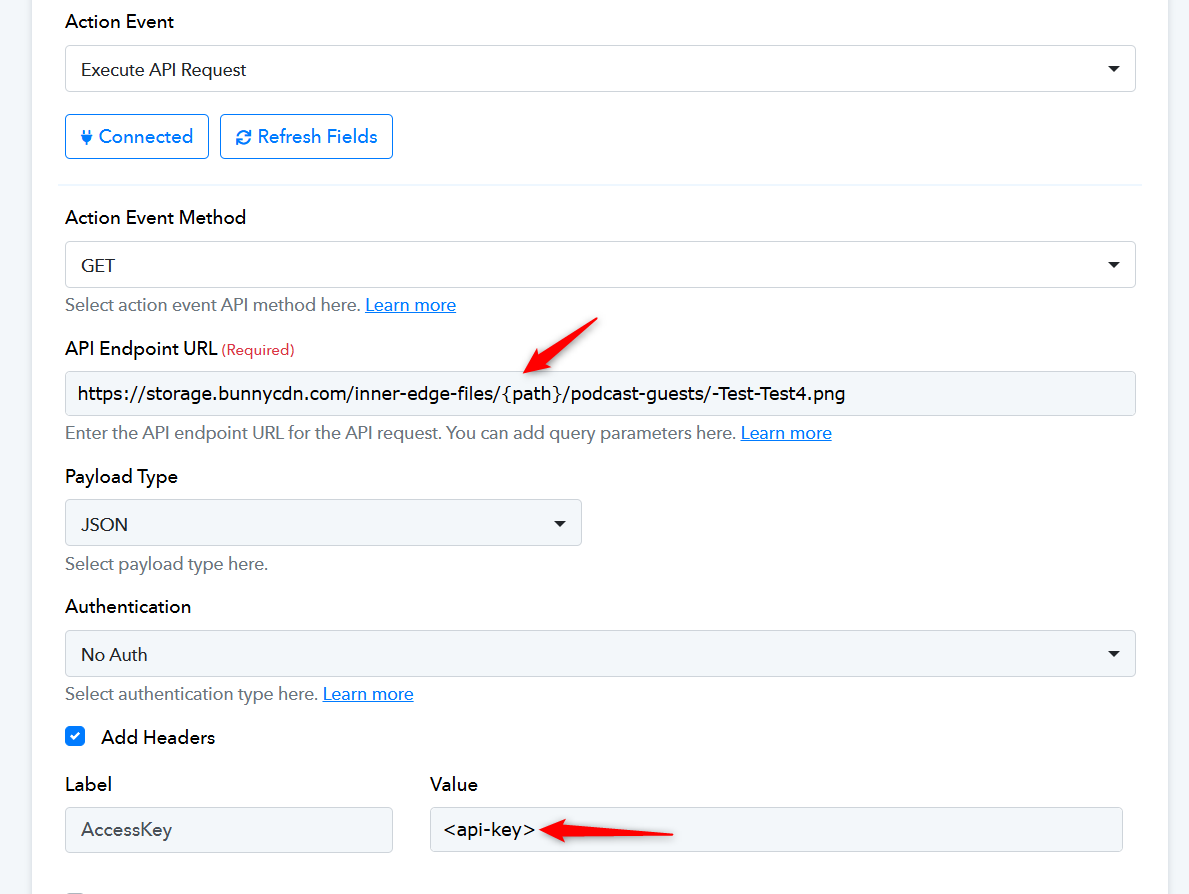
If this works, we can add the Download File action event directly to the Bunny.net action application.
Thanks & Regards,
Arshil Ahmad
Customer Support Associate
? Pabbly.com
Thanks but this still is having me guess what the file name is. If I have someone who has the same and last name, it will cause an issue. I found another work around. Thanks.
Yes, that would require you to have a unique name for each file. This can be achieved by adding a counter to the workflow, but since you have already found a workaround, it is no longer needed. Do let us know if you need help with anything else.
Thanks & Regards,
Arshil Ahmad
Customer Support Associate
? Pabbly.com