Calendly Start Event Date
Status: Closed · Asked by zest83 on · 0 views
Hi Team,
Receive Date for START EVENT TIME in format: YYYY-MM-DDTHH:MM:SS:00.000000Z
Now, this date is shown in UTC
So Do I need to convert this date from UTC to Indian Standard Time (IST) in order to send a reminder using the "Delay Until" trigger OR can i simply schedule using UTC?
Hi @zest83,
You don't need to change the timezone, as the Delay step uses UTC. Simply convert your date format to the one specified in the Delay step help text and map it to the Delay step.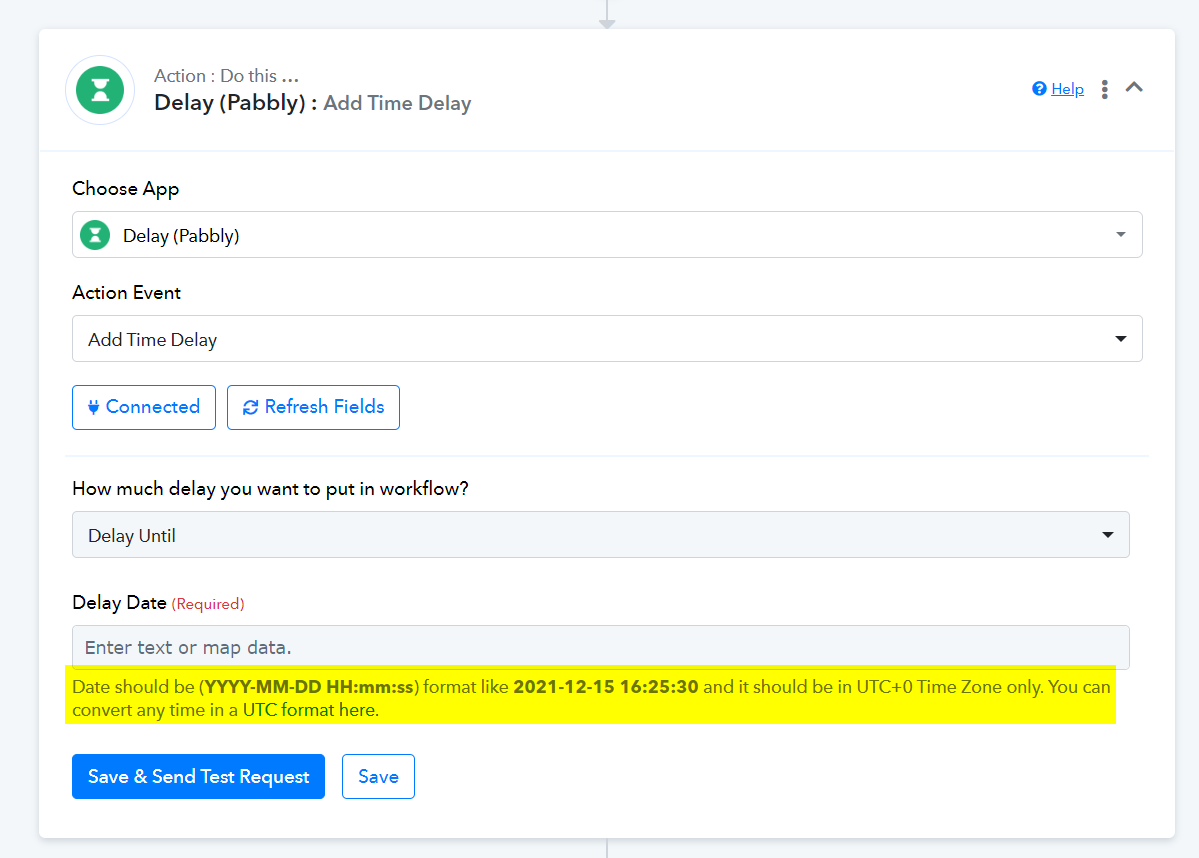
sorry i got here but DELAY DATE what am key in? really not understand
can please have a example?
2024-11-01T02:00:00.000000Z change to GMT i know +8 but how to key in this column?
Please watch the video shared below to understand how the Delay feature works.
sorry im using Calendly to google excel,
may know the time zone famatter in where insert?
between calendly and google excel, or after excel?
i try both but nothing chage
sorry im using Calendly to google excel,
may know the time zone famatter in where insert?
between calendly and google excel, or after excel?i try both but nothing chage
You need to add the Date/Time Formatter after the Calendly trigger step. Please elaborate on your exact use case and issue in more detail, and also share the Workflow URL where you encountered this concern.
got it, thanks!