campaign
Status: Open · Asked by cynopha on · 0 views
I am unable to add the sender email or from name while creating a campaign using the “API / Workflow Campaign” method.
Could you please explain how these fields can be added?
I am unable to add the sender email or from name while creating a campaign using the “API / Workflow Campaign” method.
Could you please explain how these fields can be added?
Hi @cynopha,
Thanks for reaching out to us.
Regarding the API / Workflow Campaign, could you please confirm whether you are using a Pabbly Connect workflow to send this campaign?
If yes, kindly share the workflow URL as well so that we can better check the setup and guide you on how the Sender Email and From Name fields can be attached/configured.
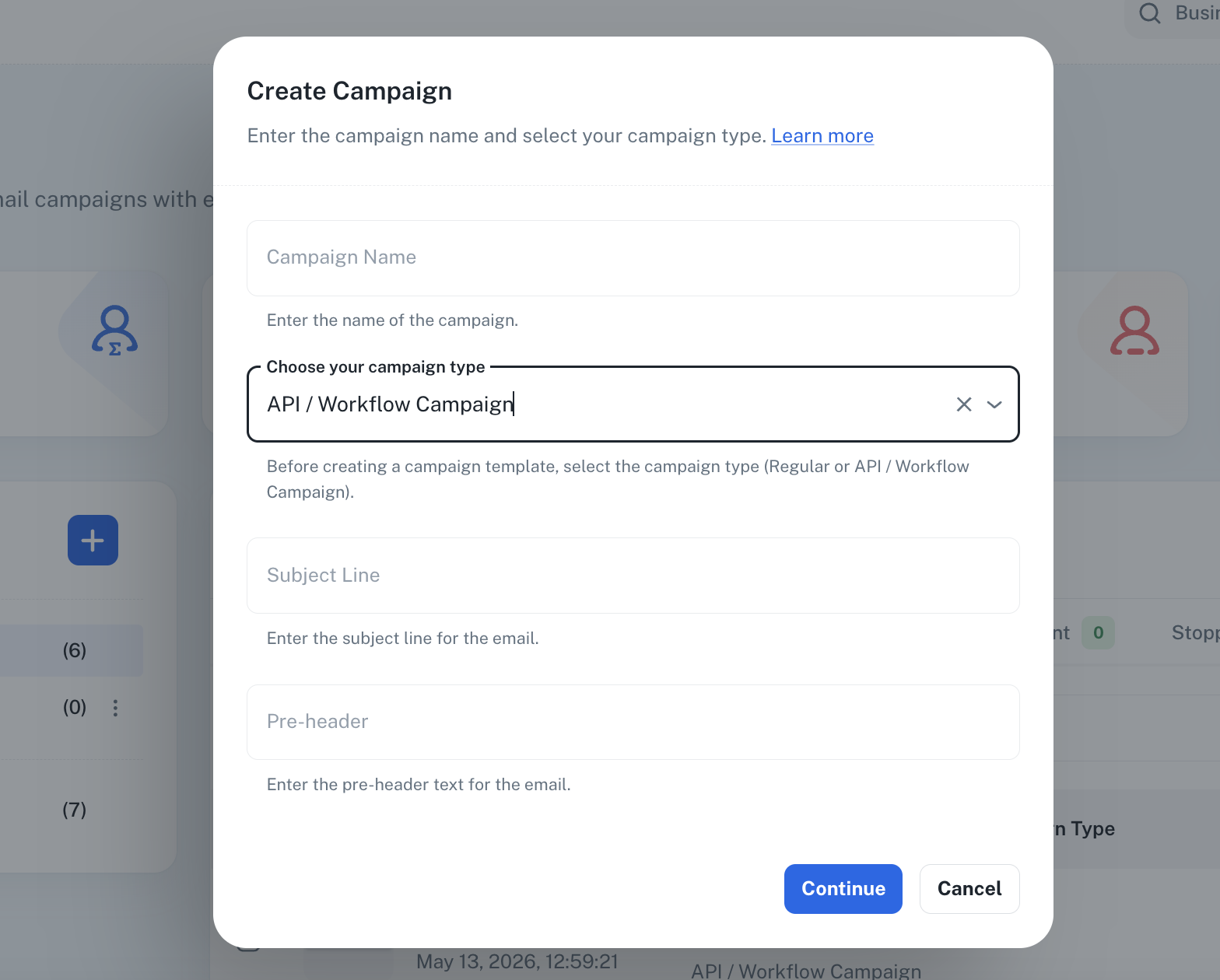
when i am creating a campaign i cant add sender email or from name anywhere here in "Pabbly Email Marketing"
Hey @cynopha,
I have attached a short screencast explaining how you can create an API Campaign or Workflow Campaign, send it, and add the sender details as well.
Please refer to the video below:
https://www.awesomescreenshot.com/video/52548990?key=2d3f67a1509ddbd5753ba4a675b1766b
If you have any further queries, please let us know.