Can we add product images on the checkout page? Similar to what I can do in Thrivecart and others
Status: Closed · Asked by Daily on · 0 views
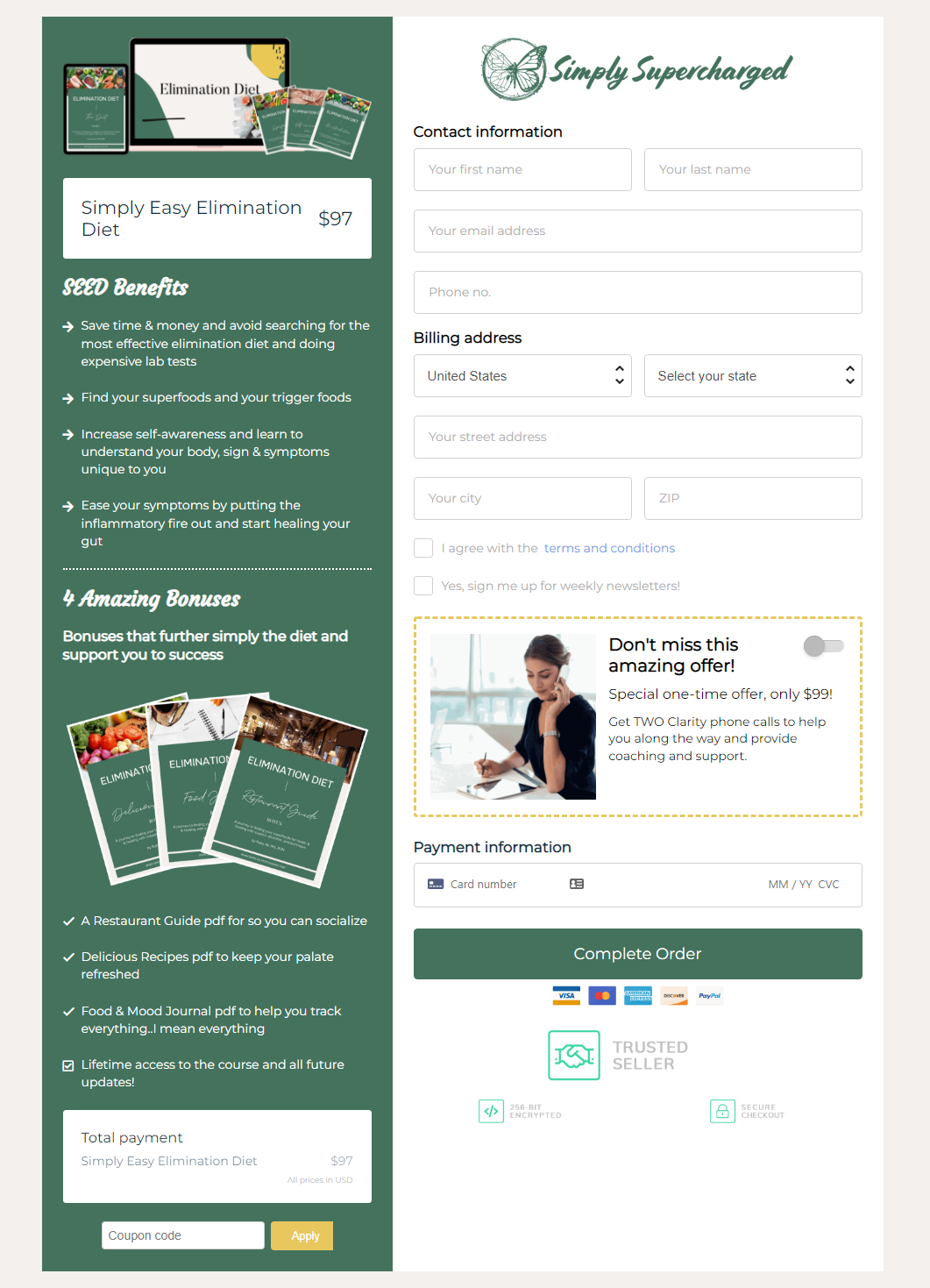
The ability to add images seems really easy to do and gives the checkout a completely different look and feel. Example below is very beautifully done. Please advise?
Hello Jason,
We would like to inform you that you can customize the Checkout Page through Checkout Customizer. You can design your checkout page according to your business requirements via Checkout Customizer.
Home -> Settings -> Products -> Plans -> Checkout Customizer
Please refer to the link for checkout page customizer - https://www.pabbly.com/subscriptions/docs/customize-checkout-page/#section1
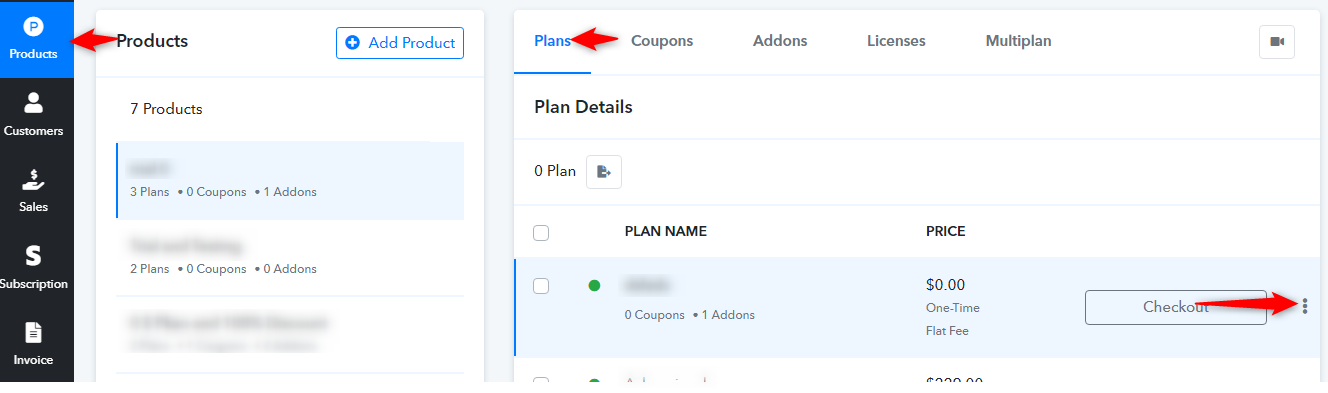
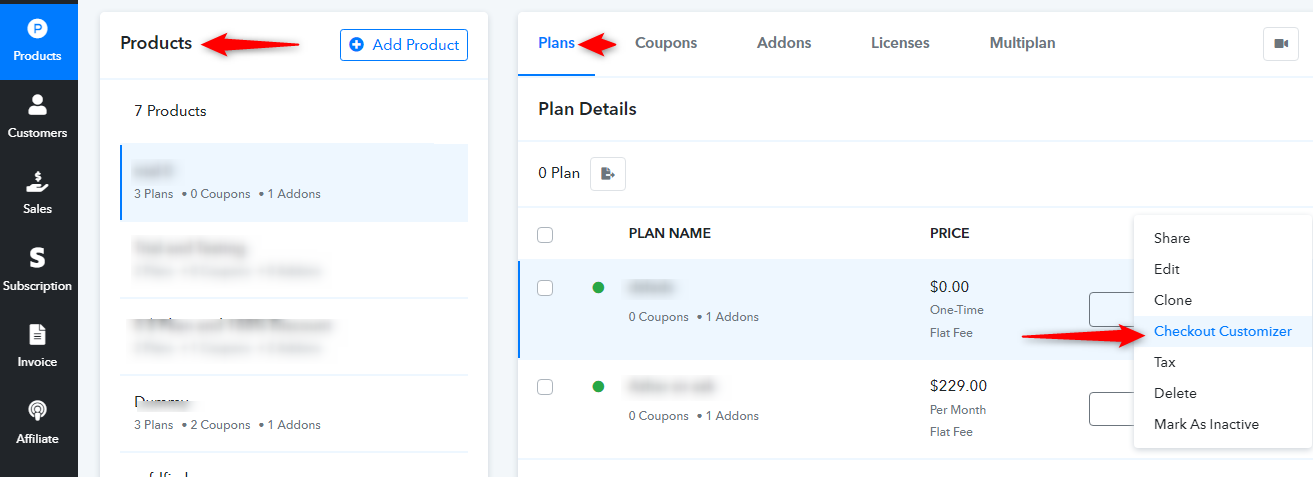
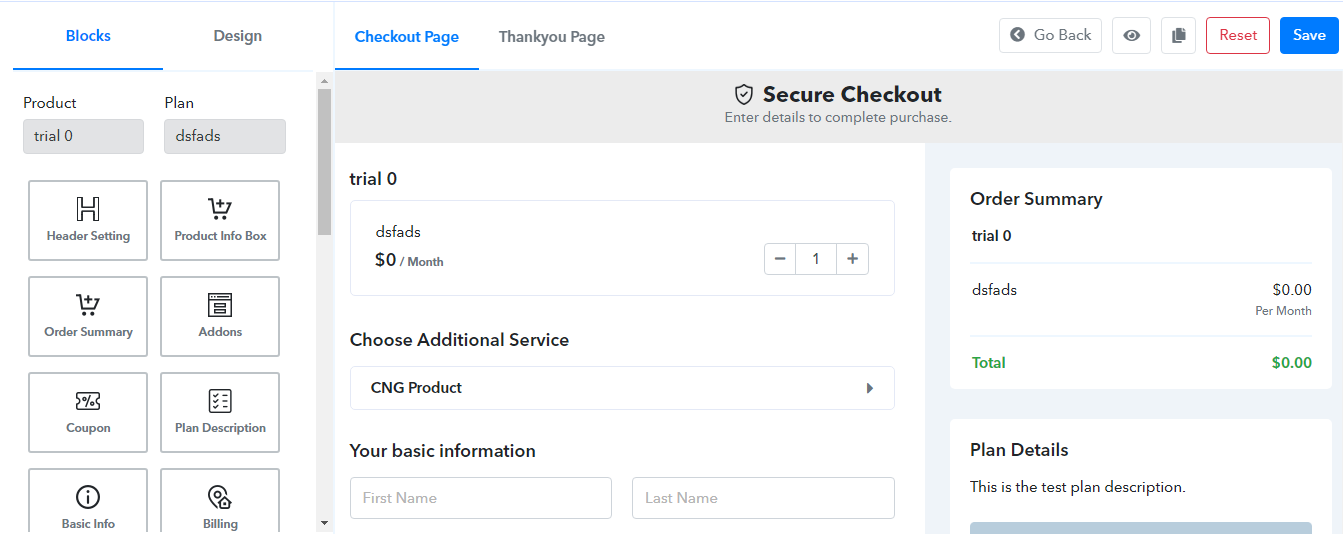
Hope the above information helps you.
If you need further support please reach out to us.
Regards,
Vipin Mishra
Vipin,
I'm not sure if you understood my question.
I provided an example specifically to illustrate the use of images on the checkout page.
I'm well aware of how to customize the checkout page. To my knowledge, none of the design blocks give me the ability to add a product IMAGE like in the example. I don't see anything in your screenshots that suggest how to do that without trying to add custom code. If I'm wrong please advise?
Seems like a glaring oversight and easy enough to add pretty quickly.
Thanks
This was my initial reason for posting:
The ability to add images seems really easy to do and gives the checkout a completely different look and feel. Example below is very beautifully done. Please advise?
This is a feature request!! Please add it back to that forum.
Thx
Hello Jason,
We would like to inform you that you can add the images to your checkout page through the Plan Description in the Edit option given in our Product section.
Product >> Plans >> Click on 3 dots (given against the plan) >> Edit >> Plan Description.
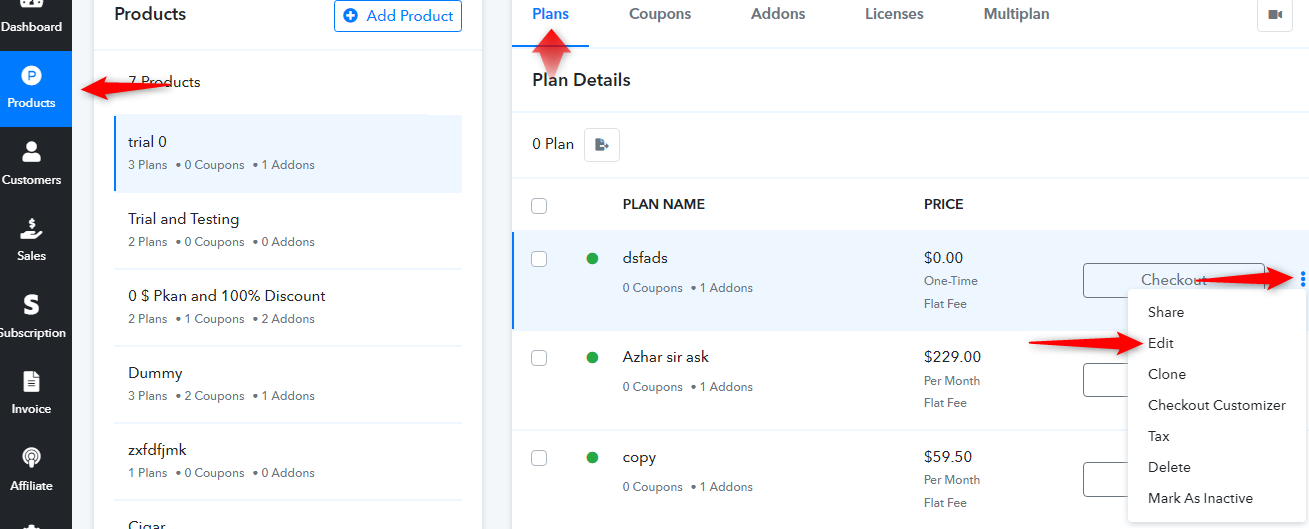
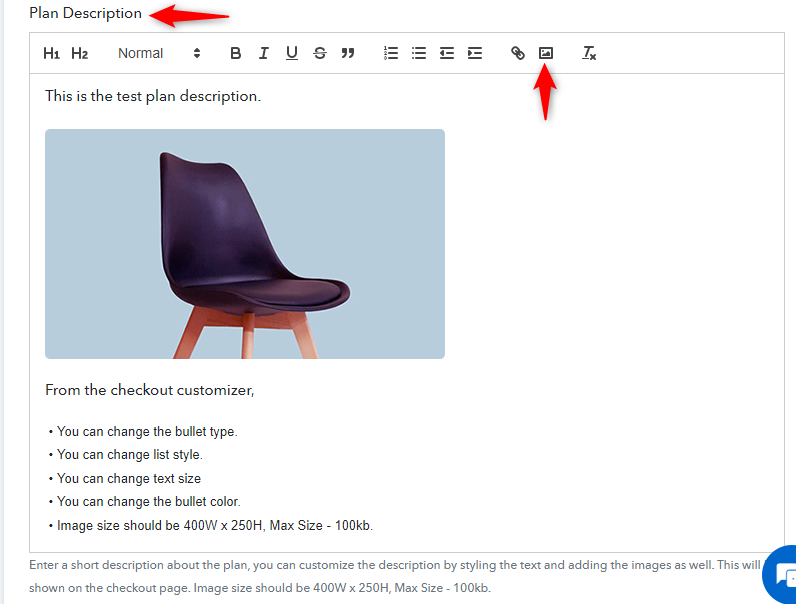
Hope this may helps you and if you need further support feel free to reach us.
Regards,
Vipin Mishra