Can we put the delay task in seconds instead minutes, hours, days or weeks ?
Status: Open · Asked by clem on · 0 views
I'm trying to build the open ai assistant for Telegram, and in the workflow it necessite a delay to reply the answer from open ai assistant to the telegram user. But the delay task is only in minutes, hours, days and weeks. But the better parameter will be in seconds because customer cant wait one minute to get the answer. I'll try a 0.1 minute, or 0,1 minute (with coma insttead point) but it isn't accepted by the task. Only round number like 1 or 2.
Is there a way to fiw this problem or should we wait for an entire minute to get the answer in Telegram ?
Thank you for your help
Hello @clem,
You can use "Code by Pabbly" to add a delay in your workflow. Refer to the attached image for guidance.
code:
await new Promise(resolve => setTimeout(resolve, 20000));
output = [{wait: "20000ms"}];
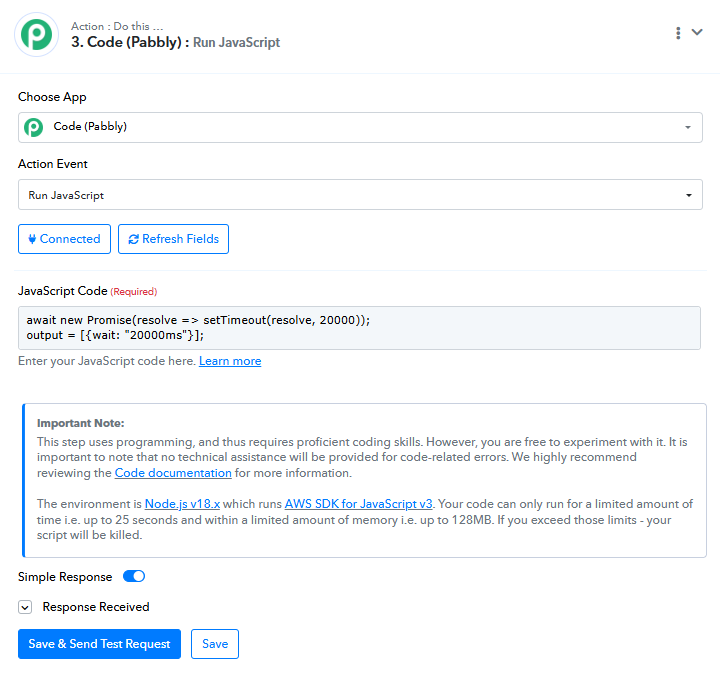
Alternatively, you can use the action available in Pabbly Connect, as shown in the attached screenshot.
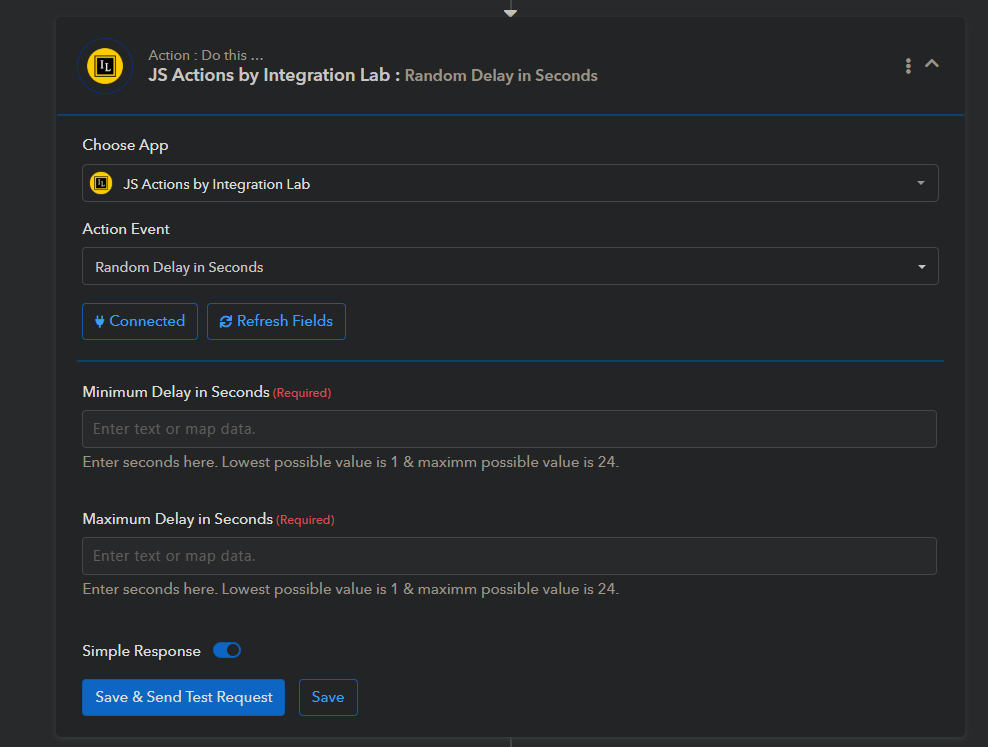
Is this still working/ Because when I tried with the code given here, it gives me following error.
You cannot import node modules, use eval(), or timer functions (setTimeout, setInterval, setImmediate) in your code. We have already imported Node modules like 'crypto-js', 'lodash', and 'moment' into the wrapper function for you. To use them call these predefined variables: CryptoJS, _, moment respectively.
Can someone please tell me what is current solution for this? I want to delay with 5 seconds
Hello @@corprodoc
No, currently this method is not supported. Adding a delay in seconds through code or any alternative workaround is not possible at the moment, as the platform does not allow the use of timer functions such as setTimeout, setInterval, or similar methods.
If our team introduces native support for second-level delays in the future, we will definitely keep users informed.
We appreciate your patience and understanding meanwhile.