Cannot find excel sheet
Status: Open · Asked by NISAR - HELIXCER on · 0 views
Hi,
I am trying to add new row the worksheet. But my excel files not visible in Pabbly Connect. Please find the attachments.
Hello @Nisar,
Could you please confirm that the Excel file you are trying to access is stored in OneDrive? If yes, please ensure that your OneDrive account is open in another tab and that the Excel sheet is also opened in a separate tab in your browser.
If the issue persists even after keeping these tabs open, please provide us with the workflow URL where you are facing this issue so we can investigate further and assist you better. Additionally, it would be helpful if you could share a short screen recording demonstrating that all the required tabs are open, yet the sheet is not visible to you.
Looking forward to your response.
Hi,
We have tried the steps, and still it is not working. Please find the workflow URL and screen record.
https://connect.pabbly.com/workflow/mapping/IjU3NjYwNTZkMDYzMzA0MzE1MjY4NTUzMzUxMzci_pc
Hello @Nisar,
I can not find the Screen Recording in the attachments. Could you please reshare it?
PFA
Hello @Nisar,
I am still unable to find the attachment. It would be helpful if you could upload the file to Google Drive and provide a shareable link (accessible to anyone) so that I can view the screen recording.
Additionally, could you please confirm whether the files you are trying to access are stored on OneDrive, as asked previously? This will help us assist you more effectively.
Hello @Nisar,Could you please confirm that the Excel file you are trying to access is stored in OneDrive? If yes, please ensure that your OneDrive account is open in another tab and that the Excel sheet is also opened in a separate tab in your browser.
If the issue persists even after keeping these tabs open, please provide us with the workflow URL where you are facing this issue so we can investigate further and assist you better. Additionally, it would be helpful if you could share a short screen recording demonstrating that all the required tabs are open, yet the sheet is not visible to you.
Hi,
Please find below the screen record link.
https://drive.google.com/file/d/16Ntp5cO1dE9GlOfjvmaIqaIWkpHt6G6l/view?usp=sharing
Hello @Nisar,
Apologies for the inconvenience you're facing. Please follow the exact steps below and let us know if this helps in displaying the worksheets and workbooks in the dropdowns:
- Log in to OneDrive.
- Instead of opening the Excel file directly, search for Excel files by entering "xlsx" in the search bar.
- Click on the required .xlsx file to open it.
- Go to Pabbly Connect, reconnect with Excel in the action step, and check if the workbooks appear.
- If the workbooks still don’t appear, try refreshing the fields multiple times.
If the issue persists, please provide us with a recording of the entire process so we can investigate further.
Hi,
Test request was success.
Hello @Nisar,
Thanks for the update!
Hi Team,
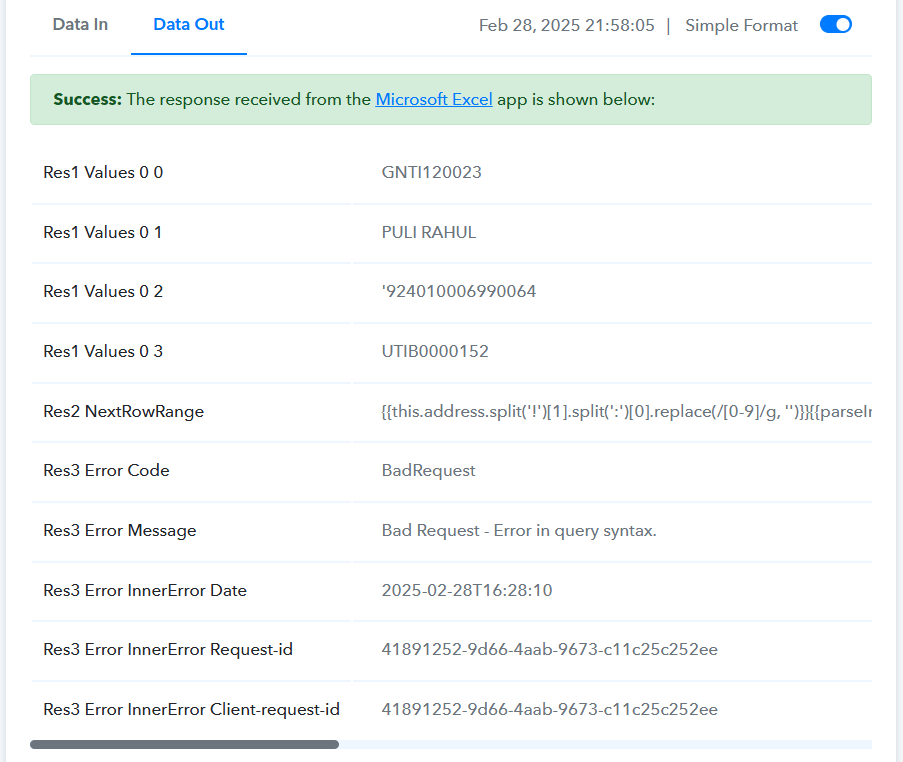
The test run was success, but the actual fails. Please find the screenshot. Multiple task fails, how to run this again now
Hello @Nisar,
It looks like some changes were made to the Excel sheet after setting up the action step. To resolve this, please reconfigure the action and try again. Let us know if this helps in resolving the issue.