Cannot Map Leads into Workbook Microsoft Excel
Status: Open · Asked by Astra Digital on · 0 views
can you help me how to make the connection whole again
Hi Astra Digital,
Thank you for reaching out to us.
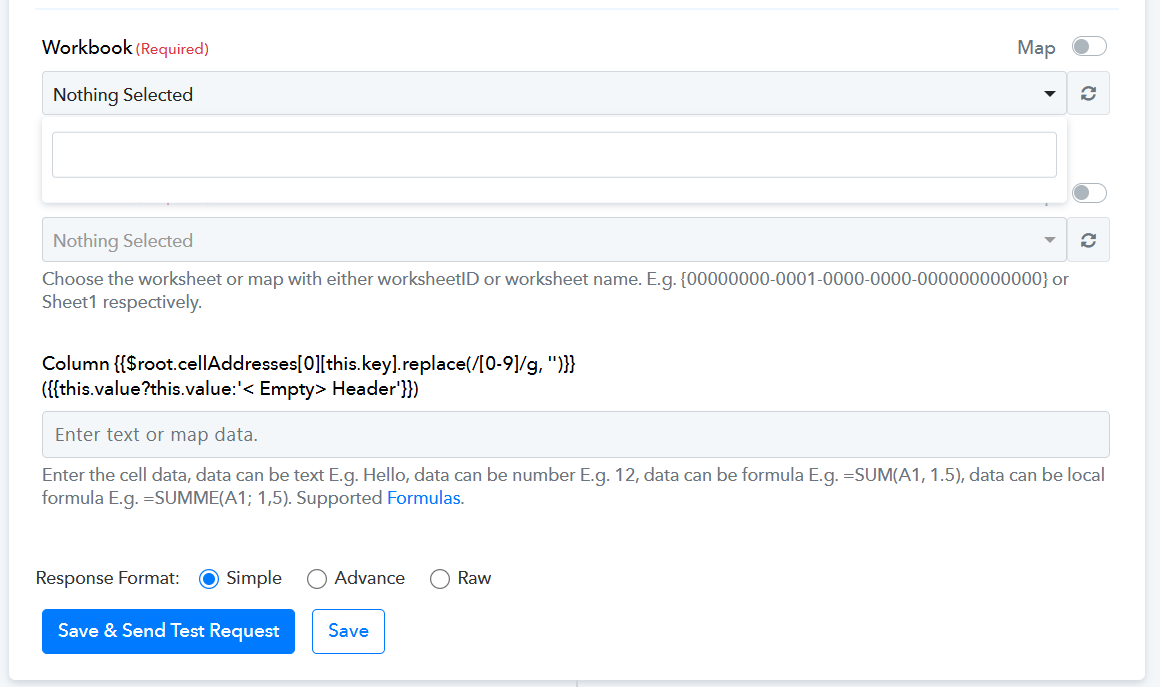
Microsoft integrations (such as Microsoft Excel and SharePoint) in Pabbly Connect use OAuth-based authentication. If the connection token expires or loses permissions, the workbook dropdown fields may appear blank or fail to load.
To resolve this issue, please re-authenticate your Microsoft account by following these steps:
Open your workflow and go to the Microsoft Excel / SharePoint action step.
Click on the connection dropdown and select Add New Connection.
Click the "Connect with Microsoft Excel / SharePoint" button.
Log in with your Microsoft credentials and grant all required permissions.
Once re-connected, click the Refresh button next to the Workbook field to reload your files.
If the issue persists after re-authenticating, please share your Workflow URL with us so we can investigate the setup directly.
Thanks & Regards,
Hrishabh
Customer Support Associate
🌐 Pabbly.com
👉 Rate your support