cannot save workflow due to router
Status: Open · Asked by Shahidul Islam Pranto on · 0 views
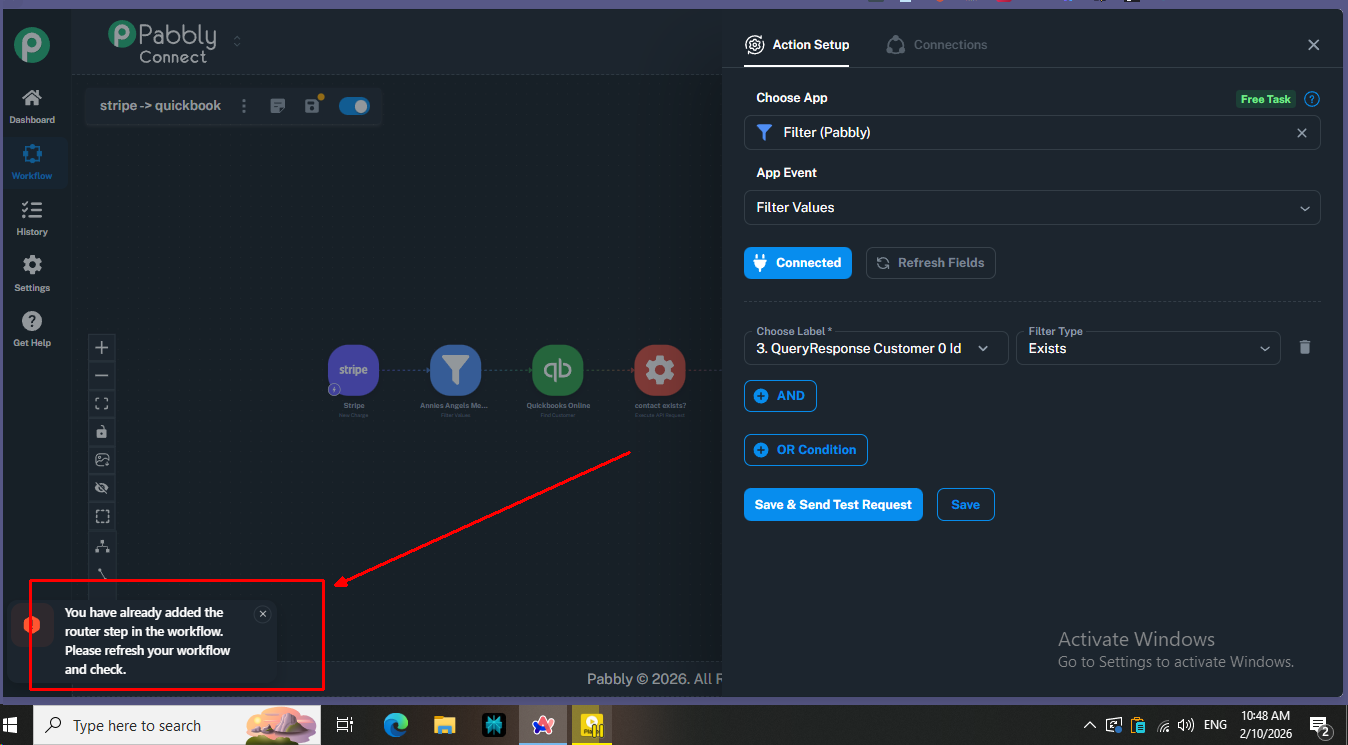
Please see the issue in my workflow (see screen shot).
On another note, can you revive my previous workflow? I by mistake saved the new workflow.
Hi @shahidul_islam_pranto,
Thanks for reaching out and for sharing the screenshots.
We tested this from our end and observed the same behavior. In your main workflow, we can see an API step, whereas in the cloned workflow, the step at the same position appears as a Router instead.
Could you please confirm:
- Whether there was a Router in the original workflow and it was later edited/replaced with the API step, or
- If any step was deleted or modified after the workflow was created?
This will help us understand what changed and assist you more accurately.
See this workflow history IjU3NjUwNTY0MDYzNzA0MzM1MjZjNTUzNzUxMzA1MTYxNTQzNzBmMzAi_pc
This was one of the run of original workflow. I mistakenly saved an empty workflow and everything is gone. Now, the router does not work.
See this workflow history IjU3NjUwNTY0MDYzNzA0MzM1MjZjNTUzNzUxMzA1MTYxNTQzNzBmMzAi_pc
This was one of the run of original workflow. I mistakenly saved an empty workflow and everything is gone. Now, the router does not work.
I’m afraid it’s not possible to restore a router or any other step once it has been deleted.
================================================
Did you save this same workflow empty in a separate tab?
Thanks & Regards,
Arshil Ahmad
Customer Support Associate
? Pabbly.com
?Rate your support
Did you save this same workflow empty in a separate tab?
Yes, I saved the workflow in a refreshed tab which included no steps. Now, the workflow is not supporting in inclusion of router although I see no router present already. Can you help please. Thanks.
Hey @shahidul islam pranto,
Thank you for the clarification.
Unfortunately, once a workflow is saved after removing steps (including Routers), the previous configuration cannot be restored or undone.
In this case, we recommend creating a new workflow from scratch and reconfiguring the required steps, including the Router, as per your original setup.