Can't create a user with Pabbly on GoHighLevel anymore..? Please help
Status: Open · Asked by Aesthetic Growth Ventures on · 0 views
We have used Pabbly for 5-8 months now to create a sub-account on GoHighLevel including adding the customer as the user.
Recently we started getting errors and I just found that it was an error about creating our customer as a user on their account
It creates the sub-account as it should but gives us this error message when it tries to create the customer as a user on their new account.
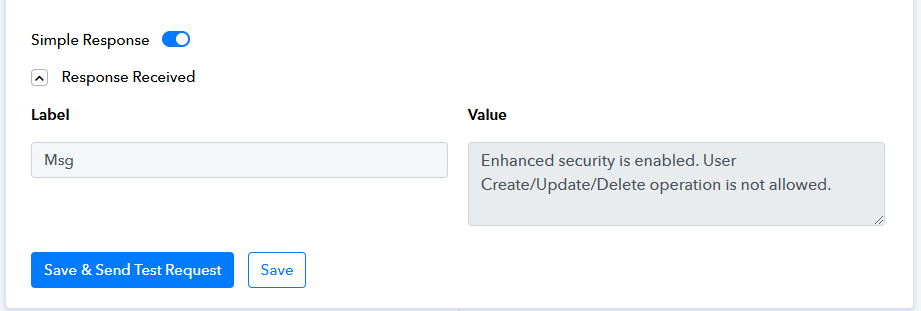
"Create/Update/Delete operation is not allowed."
Any suggestions why this is not allowed?
I don't see any problems on the account and we changed nothing in the Pabbly automation.
Thanks
Kenneth Rebech
Attachments
Hello @Aesthetic Growth Ventures
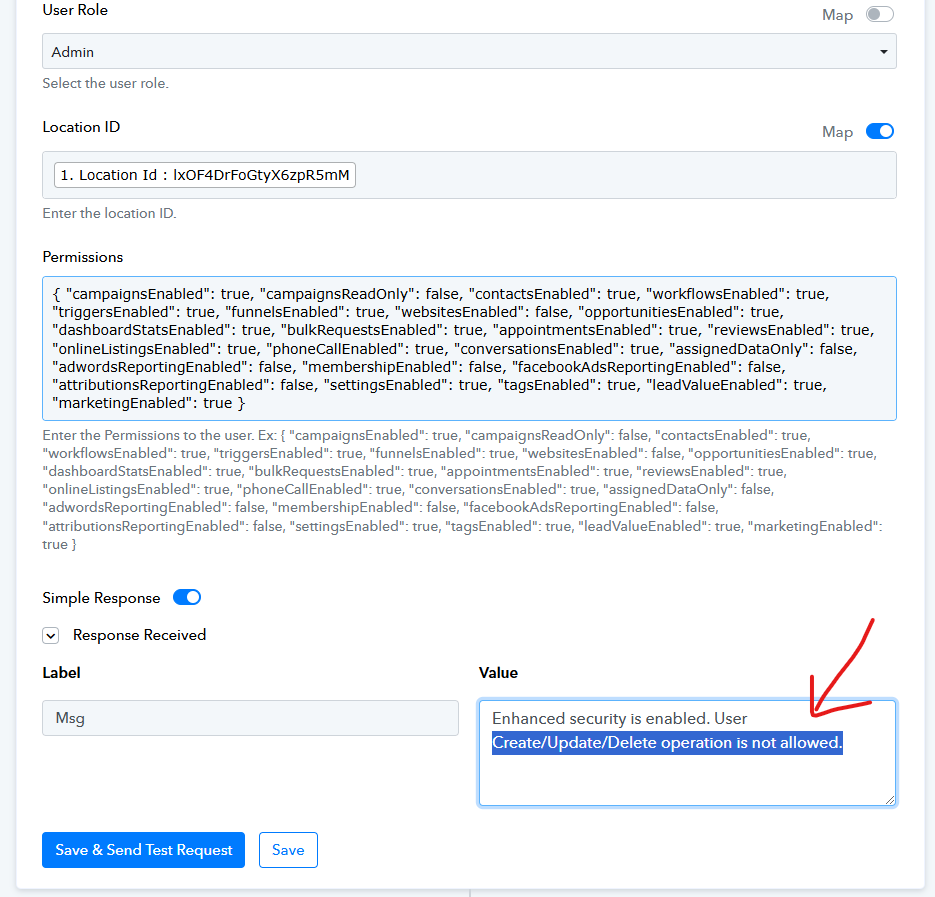
As we have checked the workflow, the issue seems to be the location ID entered under the LeadConnector V1: Create User action step, refer to the attached screenshot.

Kindly check and map the location ID accordingly as another location ID is also been received from the Create Location step.
Attachments

Thanks for getting back to me.
So what exactly do you want me to do or change?
Thanks
Kenneth
Hello @Aesthetic Growth Ventures
It looks like you have entered the location ID coming from the response of Step 1, instead of Step 2. Kindly map it accordingly and let us know if it works for you.
[IMG alt="1730186678219.png"]https://forum.pabbly.com/attachments/1730186678219-png.49202/[/IMG]
The only other ID I can find of Step 2 is just called ID. I tried it and I'm still getting the same error.
Is this the correct ID?

Hello @Aesthetic Growth Ventures
In that case, it seems there are some internal security settings, as per the response, due to which you are facing the issues.
Hi..
Okay, strange.. It's been working all the time since I set it up until now when it suddenly stopped working..
So what would you recommend me to do?
Thanks :)
Kenneth
Hello @Aesthetic Growth Ventures
Unfortunately, I can not recommend anything else besides checking the internal security. Also, I can not find any successful task history of that workflow.
Okay I understand, but can you expand what you mean by internal security? In GoHighLevel or on Pabbly and can you tell me what I'll be looking for?
Kenneth
Hello @Aesthetic Growth Ventures
The Enhanced security is enabled at GoHighLevel's end and it seems you would find such settings in your account. Please contact the GoHighLevel support team regarding the "Enhanced security is enabled. User create/update/deleted is not allowed" response message as they are better equipped to assist you with this issue.
Hi again..
I just spoke to Go High Level's support and they say everything is working on their end and told me to get back to you again as the problem is not on GHL but according to them it's an error on Pabbly.
I don't know if this is correct or not, but hopefully you can take a look and see if there's anything you can do.?
I tried setting up a new Pabbly intergration called GHL Account Creation V2 but it creates the sub-account and then it's giving me the same error message when it tries to create a user to the sub-account.
Thank you
Kenneth
Hello @Aesthetic Growth Ventures
The issue you were facing is from the GoHighLevel's end, you can confirm the same by referring to the following document - https://help.gohighlevel.com/support/solutions/articles/155000002545-enhanced-account-security
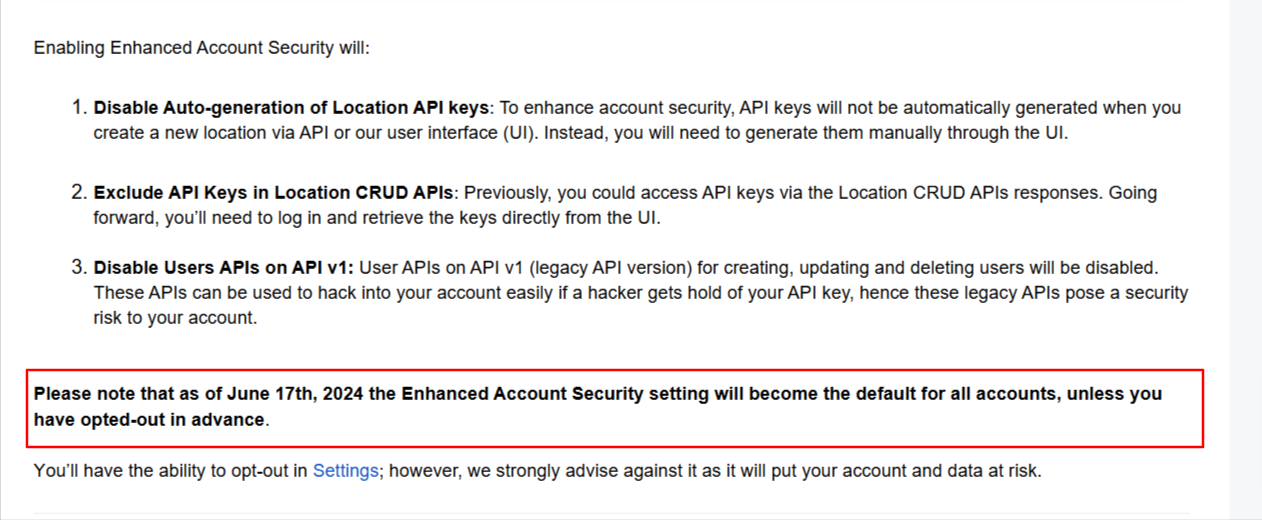
Although the issue is with the Lead Connector v1, please try using Lead Connector v2 instead and let us know if this resolves your issue.