Can't save action. Request shows that we cannot access Pabbly.com
Status: Open · Asked by Cerq on · 0 views
Hi Everyone,
Just want to ask for your help regarding the issue we are facing. We are trying to use the "Add New Row" Google sheet action and we are unable to save it whenever we are using the function "CONCAT"
Here is an example, when we try to save the add new row action that contains this formula it just spins endlessly.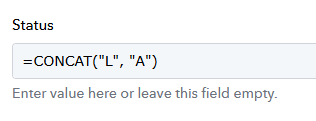
Also, doing a deeper check, whenever we save the action that contains the concat formula we are seing this request.
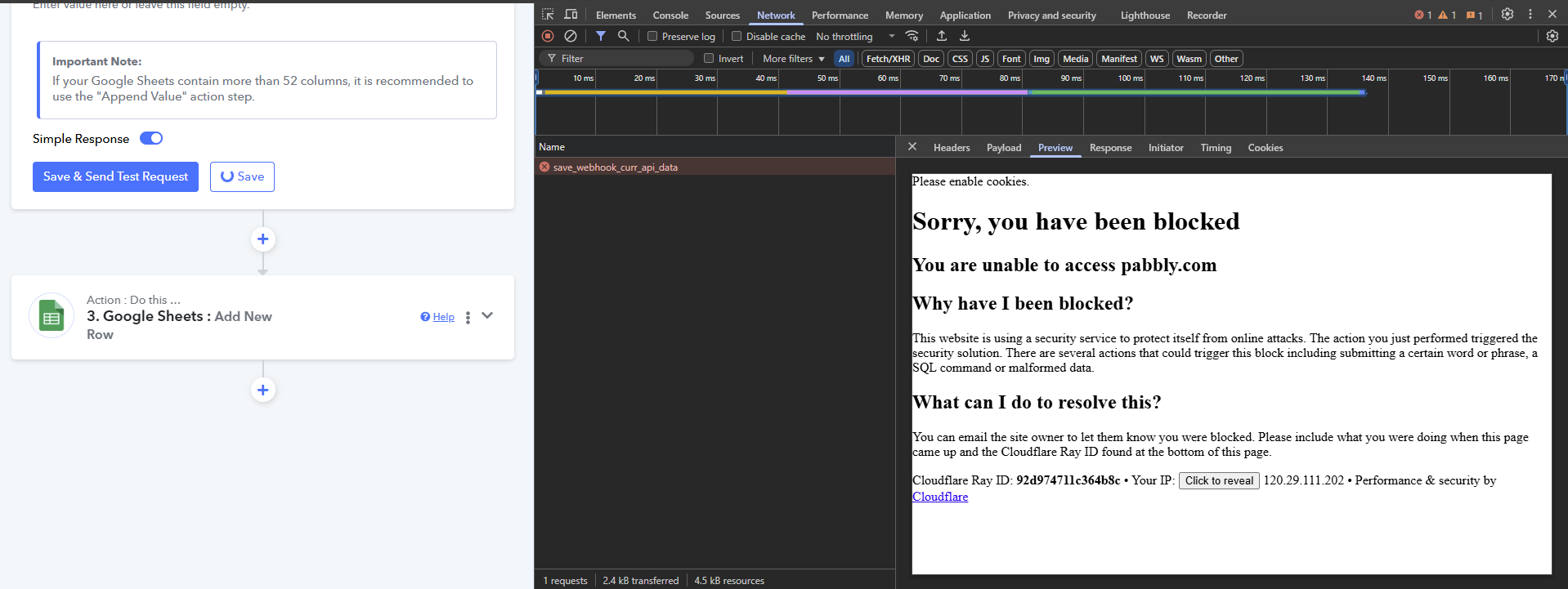
this only happens when we are using "Concat". We tried to remove the "Concat" in the formula and it has no issues saving it. Can you please help us check? Thanks!
Hello @Cerq,
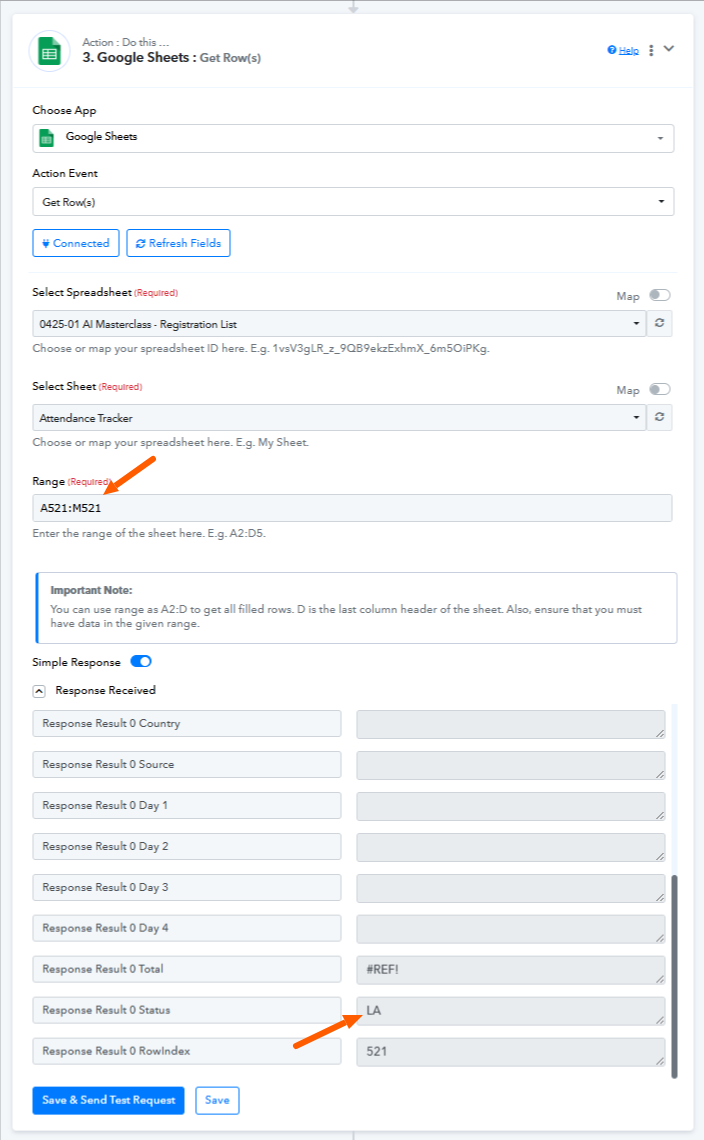
We tested the "Add New Row" action using the same CONCAT formula, and it appears to be working fine on our end. The data is being correctly added to Google Sheets without any issues.
For your reference, we've attached screenshots showing the successful execution. We’ve also left the action unchanged in your workflow so you can review and test it directly.
Please give it a try and let us know if you continue to face any issues.

PS: This thread has been moved to private discussions to maintain confidentiality.
Hi @Preeti Paryani
Thank you for your response! I have checked the action that you have made. Without making any changes, I tried to click Save and Save and Send a request but I am still unable to save the action and the button just keep on spinning.
On the network monitor, it still shows that I am blocked by Pabbly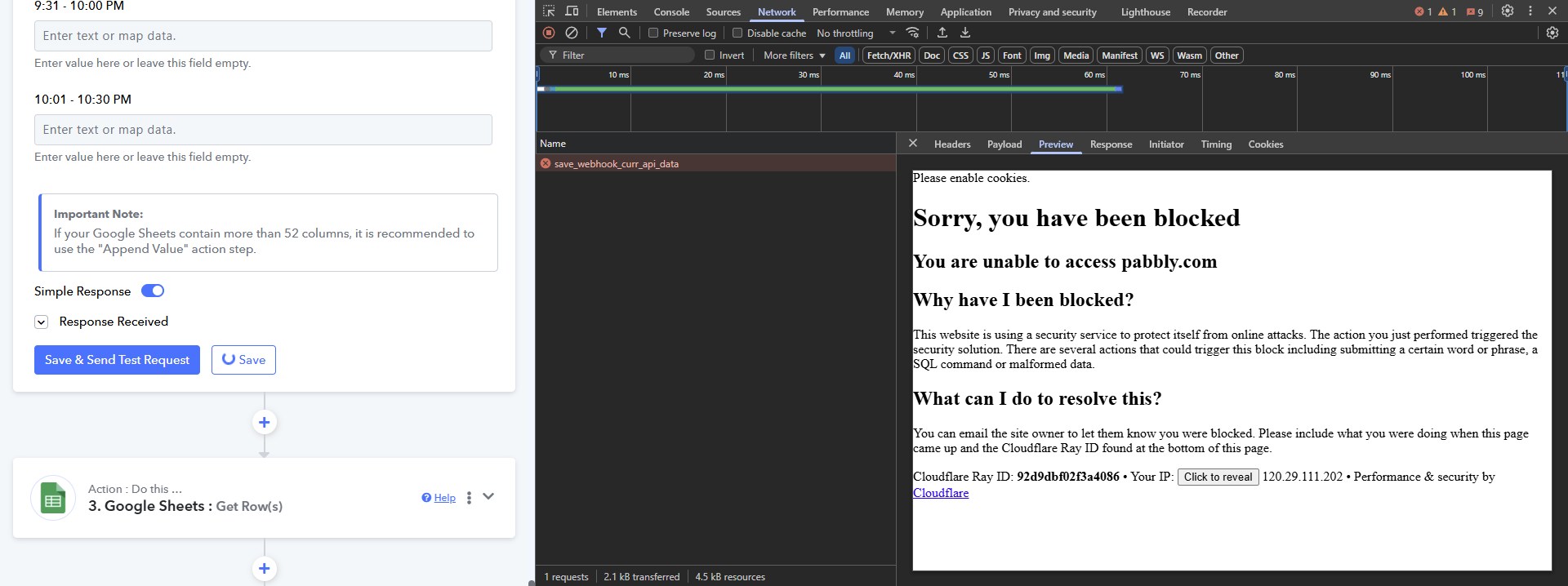
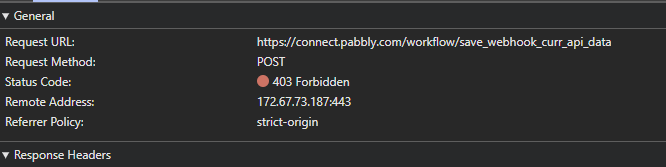 \
\
We have only encountered this when concat is used. I also tried this on other accounts 1 paid, and 2 free accounts but I still encounter the same problem. I also tried using mobile phone and mobile internet instead of my home wifi but I am still encountering the issue.
Hello @Cerq,
Please allow us some time to look into the issue. We’ll get back to you with an update as soon as we have more information.
Appreciate your patience!
Hello @Cerq,
Could you please name the browser you are using?
Hi Preeti, I am currently using Chrome browser. I am also using chrome on mobile when I tested it on mobile earlier
If you're on Windows, try pressing CTRL + Shift + R to perform a hard refresh in your browser and check if that resolves the issue. For Mac users, press Command + Shift + R to hard refresh the browser and see if that fixes your issue.
Hi @ArshilAhmad
I have tried CTRL + Shift + R but issue still persists
Hello @Cerq,
Thanks for the info. We have escalated this concern to our technical team for further investigation, please allow us some to look into the issue and we will get back to you soon.
Hi @Preeti Paryani,
Thanks! Please do keep me posted once the technical team has an update as this is preventing us from saving some of our crucial workflows that is supposed to run on next week monday. Appriaciate your help!
Hello @Cerq,
Could you please try saving the step after disabling any security-related browser extensions? Additionally, if you’re using a VPN, we recommend disabling it temporarily, as it might be causing the issue.
Let us know if it works after making these changes.
Hi @Preeti Paryani I do not have any security related browser extension as of the moment. I am also not using a VPN. Same thing during my test on my mobile phone, no VPN and Extension but issue is still there
Hey @Cerq
I’d recommend trying to access it using a different browser, as that often resolves such issues. Please give it a try and let us know if the problem persists.
Hi @manthan, I have tried it in Edge and I even installed another browser, Brave. I also tried using their incognito feature but still the same. We cannot save if concat is used. Do we have an update with the technical team? We need to update our workflow tomorrow since it is scheduled to run multiple times tomorrow until thursday. Thanks!
Hello @Cerq,
Could you please confirm if Brave has any extensions added or imported from another browser while the setup?
Hi @Preeti Paryani, Brave does not have any extensions or imports from another browser. It was a fresh install with nothing added into it
Hello @Cerq,
Please let us know a convenient time for you to join us over a Google Meet between Monday to Friday, during either of the following time slots:
- 11:00 AM – 1:00 PM IST
- 4:00 PM – 5:00 PM IST
Let us know your preferred time so we can schedule the meeting accordingly to assist you better.
Hi @Preeti Paryani, I'll try to find some time this week. I'll let you know. But for the meantime we have resorted to use a different formula to enable us to use the current workflow. Thanks!
Hello @Cerq,
Our team has made some changes. Could you please try saving the step with the Concat formula and let us know how it goes?