Can't See Multi-Line Fields in Zoho CRM
Status: Closed · Asked by iRest Institute on · 0 views
There are 3 types of Multi-Line fields in Zoho CRM: Plain Text Small, Plain Text Large, and Rich Text.
The Rich Text Multi-Line fields aren't showing up in the list of fields in Pabbly (the other two do show up). Is it possible for Pabbly to pull in the Rich Text fields?
Hello @iRestAdmin,
Please provide us with the workflow URL associated with your concern so we can better look into the issue. Also, please provide us with more information on the fields which are not visible in Pabbly.
@Preeti Paryani Here's the workflow: https://connect.pabbly.com/workflow/mapping/IjU3NjUwNTZlMDYzNDA0M2M1MjZjNTUzMzUxM2Ei_pc
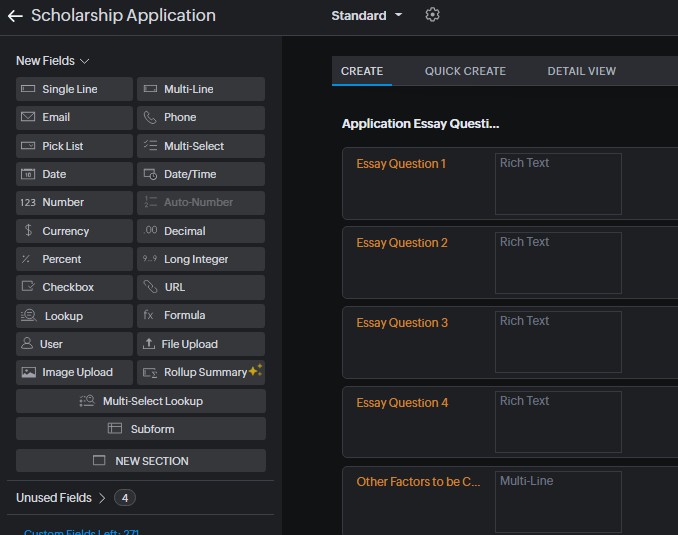
The effected step is the last one. The missing fields are Essay Question 1-4. You'll note there is a field below those named: "Other Factors to be..." This is last a Multi-line field, however it is "Plain Text Large" while the Essay Questions are "Rich Text". It does show up in Pabbly's list of fields while the Essay Questions do not. Here's a screenshot from Zoho CRM:
Thank you for sharing the workflow and providing a detailed response. Please allow us some time to look into this concern, and we will get back to you with an update soon.
@ArshilAhmad you're most welcome. I look forward to hearing what you find out.
We have made some changes to the 'Insert/Update Record' action step. Click the 'Refresh Fields' button, and the missing fields will now be visible.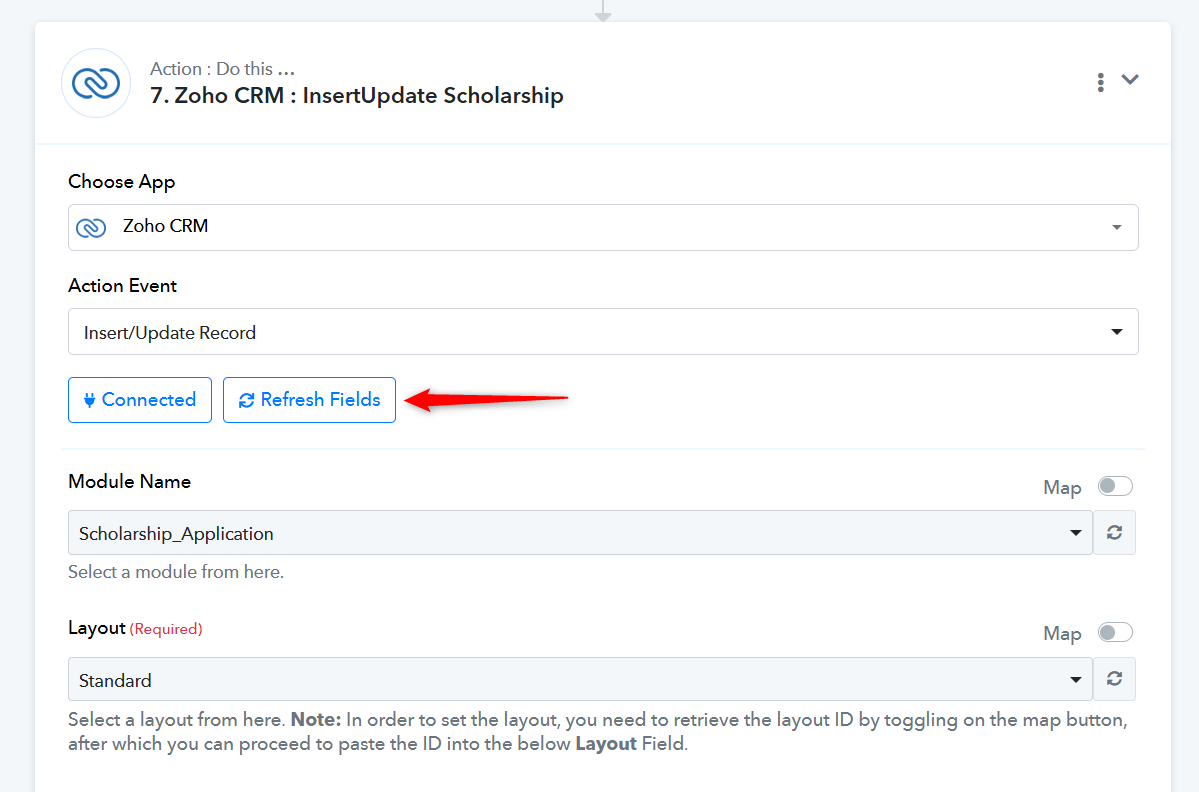
Thanks, @ArshilAhmad that worked. It even remembered my previous mappings.