Can't seem to connect Simplymeet.me account with Pabbly Connect?
Status: Open · Asked by BNCW Enterprises on · 0 views
Bumping this, Simplymeet has changed they no longer have webhooks in the settings but are offering API. What's the workaround for this?
Hello @adityarajsingh,
We have escalated this concern to our technical team for further review. Please allow us some time, and we will get back to you as soon as we have further updates on it.
Thanks, will be waiting!
Hello @adityarajsingh,
Thank you for your patience.
We’d like to inform you that the team is currently working on the new triggers, which are presently in the testing phase. We request you to kindly allow us some more time.
As soon as we receive any updates from the team, we will promptly get back to you.
Awesome, thank you!
Hello @adityarajsingh,
We’re excited to inform you that the SimplyMeet integration is now live on Pabbly Connect!
You can explore the available triggers and actions here:
https://www.pabbly.com/connect/integrations/simplymeet-me/
Feel free to check it out and let us know if you have any questions or need assistance getting started.
Thank you!
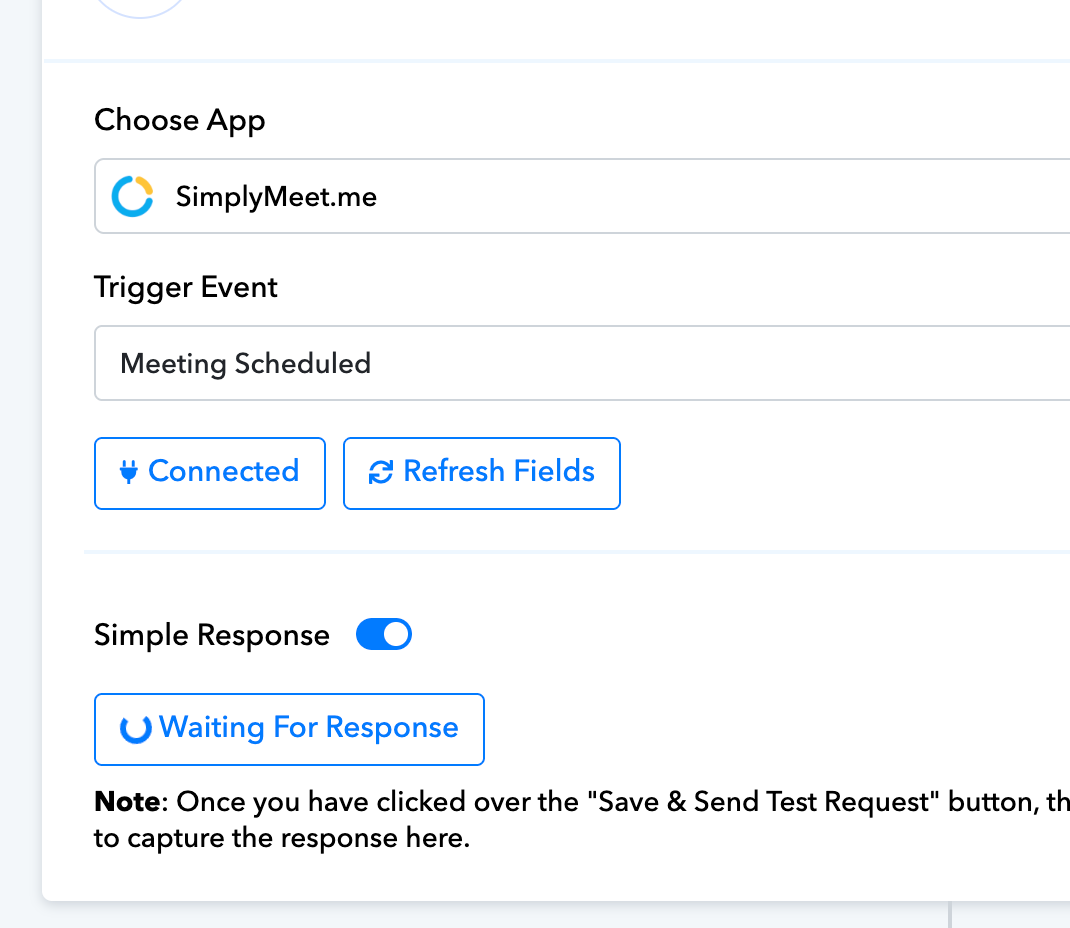
Hey, I just tried building SimplyMeet to Slack, connected simplymeet using the API, started "capture response > waiting for response" and then did a test submission using simplymeet URL, but nothing was recorded in the Pabbly integration.
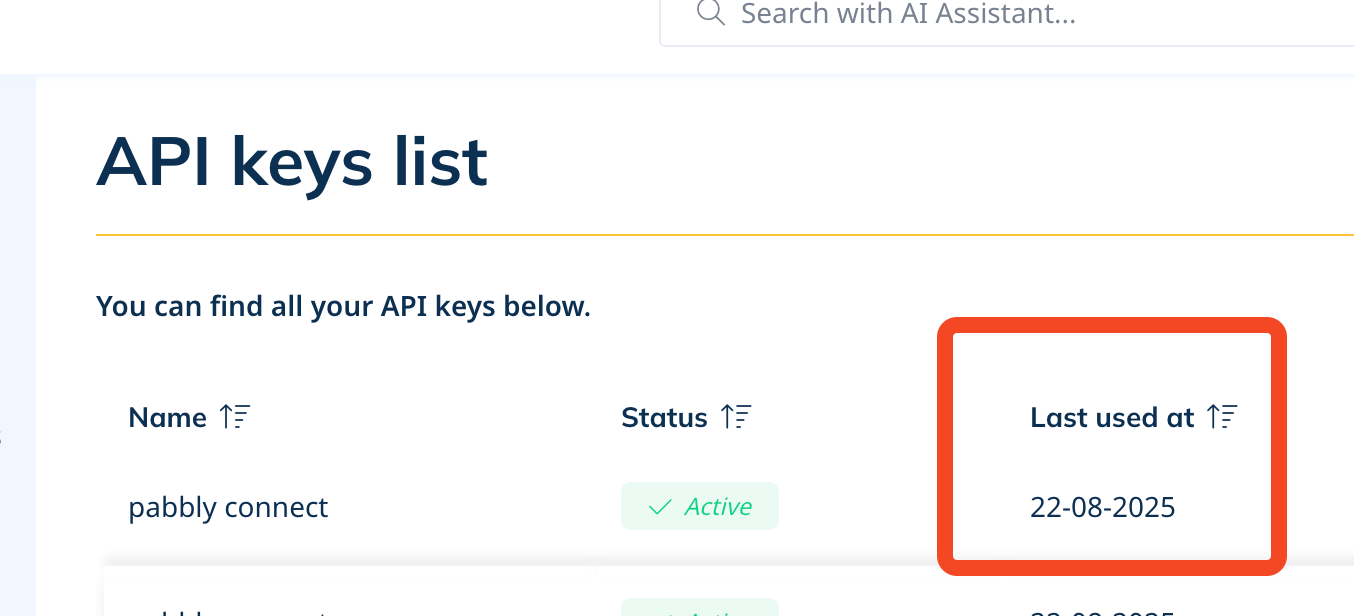
The simplymeet API dashboard https://secure.simplymeet.me/integrations/api says that the API was fired.
Pabbly simplyconnect trigger is stuck on "waiting for response"
Hello @adityarajsingh,
Could you please provide us with the Workflow URL where you are facing this issue? This will help us investigate the problem more effectively and assist you accordingly.
Please be aware that to assist you effectively, we may need to access your Pabbly Connect account. If you're comfortable with this, please grant us permission by stating in your next reply:
"You have my permission to log into my Pabbly Connect account and edit the workflow, if required. Here is the registered email address associated with it."
Looking forward to assisting you further.
[IMG width="640px" height="192.821px"]https://lh7-rt.googleusercontent.com/docsz/AD_4nXfPcCwB4KhpCYZ_j7Ew8f5B00PHn9HBkcOKZG29d4JbXAdwvrxQapFg5Xn3lEEzKKG2kewpHgFKLEUSpBuHyoM3OIUQA1I6PjmFE5oLDd1hb6ivpOcvSjFBrElS8kjSmJlOpCDzCQ?key=nsDumdqHFySLv4i3KkkEsp9o[/IMG]
You have my permission to log into my Pabbly Connect account and edit the workflow, if required. Here is the registered email address associated with it. [gmail removed]
Hello @adityarajsingh,
Thanks for sharing the details. We tested this on our account by creating a workflow with the Meeting Scheduled trigger, scheduling a meeting, and were able to successfully capture the response. This indicates that the issue may be due to a connection problem at your end or that the specific trigger event was not performed correctly.
We’ve attached the steps below on how you can locate the API key and proceed with scheduling the meeting. We recommend creating a new workflow with a fresh connection by following these steps, then scheduling a meeting again. The response should be captured in the workflow.
1. Go to Integrations & Plugins, under User Integration, click the edit button for API.
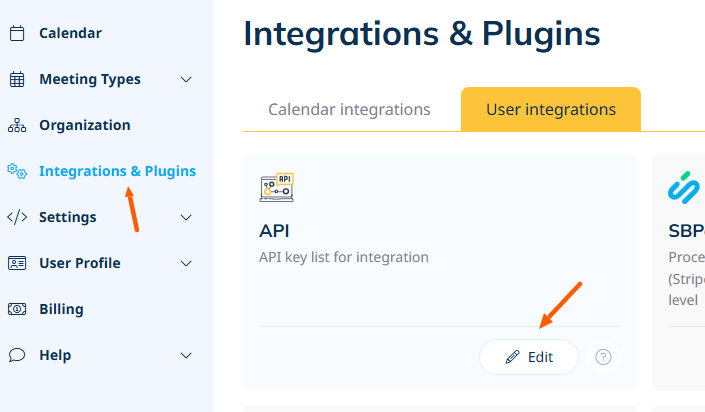
2. Add a API key, and use this key while setting up the connection.

3. Go to the booking page.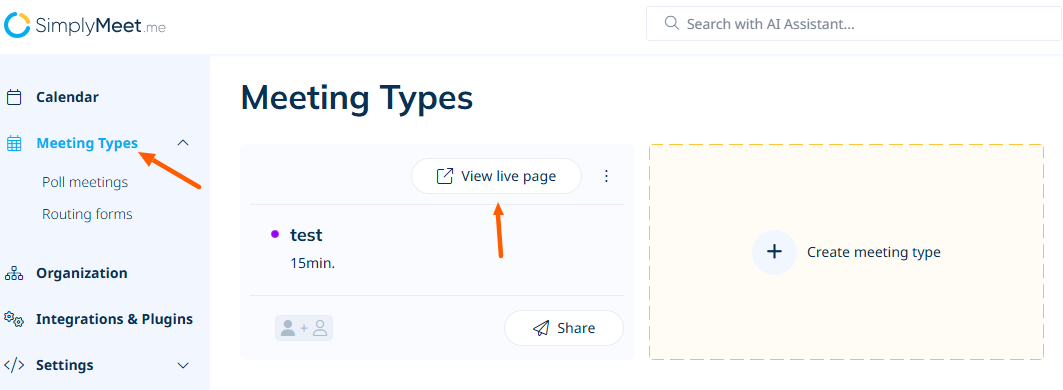
4. Schedule a meeting from there.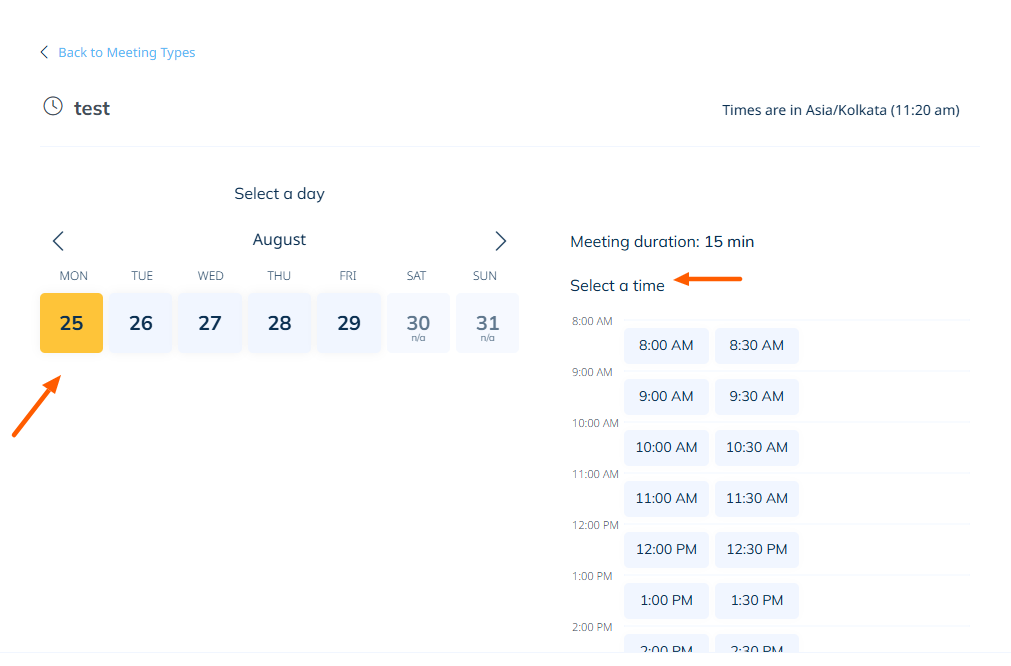
5. And then the response should get captured under workflow trigger.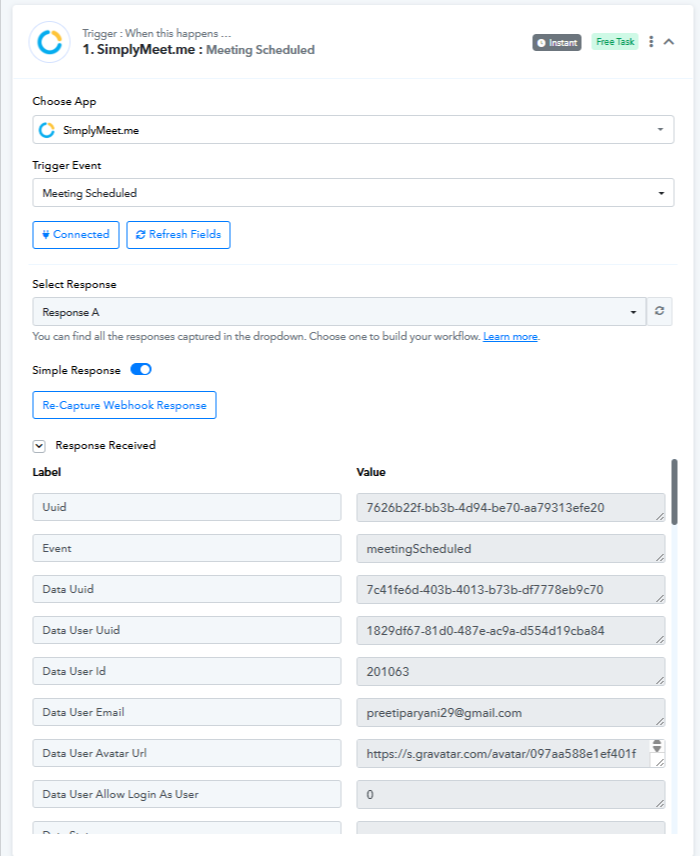
Please try this and let us know how it goes.