Capture Razorpay status in Woocommerce
Status: Open · Asked by Sidharth on · 0 views
How can I create a workflow to only capture woocommerce order whose payment status is authorised. As of now, all orders irrespective of their status are being processed by the workflow.
Hey @Sidharth
Could you please provide more details about your concern? Also, kindly share the workflow URL for further investigation.
issue # 1
currently have none. i have tried multiple ideas but nothing seem to work.
sharing a cloned workflow url which fetches all orders - https://connect.pabbly.com/workflow/share/DkZVZ1YBAWJXHQNpAlEAJwgcAQUDWVRtARhSQFZZXCQHXQJpVhcAaloWU3FRGlc2Vh9SOFQIUGkIHAQAUAYJelVPAQMDAF0nAUxTKANOWmkOUFV9Vjc#
You can add a filter action step to restrict the other order status from WooCommerce in your workflow. So that you can only send the messages to those whose order is completed/pending as per your need.
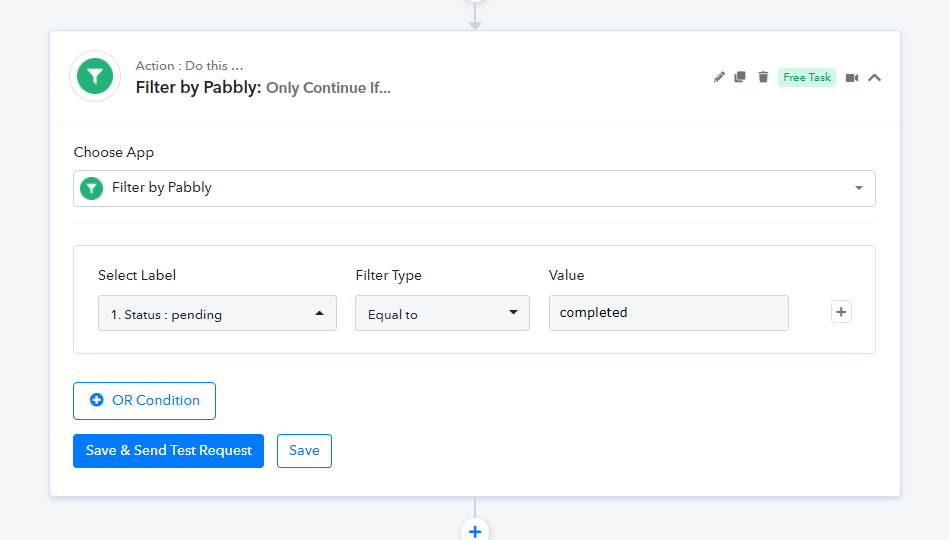
after this do i need to use "route" the or just "add a row in google sheet" action?
Place the Filter step following the trigger event, then proceed to use any action step that fits your use case. To pass the data onto Google Sheets, just incorporate the corresponding action step.
this works but the problem I am facing is that that I have placed a filter wherein the entry will ONLY be made in google sheets if an order created status is processing. sometimes, the order (#2) is created and payment is captured. its status should be processing but its status in woocommerce is failed or cancelled due to last response received from payment gateway (razorpay). in that case I have to manually change the status (of order #2) from failed / cancelled to processing. Once this is done manually, the trigger doesnt run and the action from woocommerce to google sheet entry is not done as the "order" created status was failed initially.
in simple terms, in case of an order update, I want the trigger and action to run only once, per status.
if required, we can discuss this over a call
Hello @Sidharth,
Could you please share the Workflow URL where you have attempted to implement this use case? This will help us provide more accurate suggestions.
Hello @Sidharth,
The workflow appears to be set up correctly, as a new order is created in WooCommerce with a status of "Processing." This is when the workflow will be fully executed.
Could you please clarify your exact requirements? Adding a short screen recording that explains your use case would be very helpful.
in case an order status is "failed" and i have manually updated the status to "processing", then the workflow doesnt execute. how can i do that?
For this, you will need to set up 'WooCommerce: Order Updated' as your trigger step.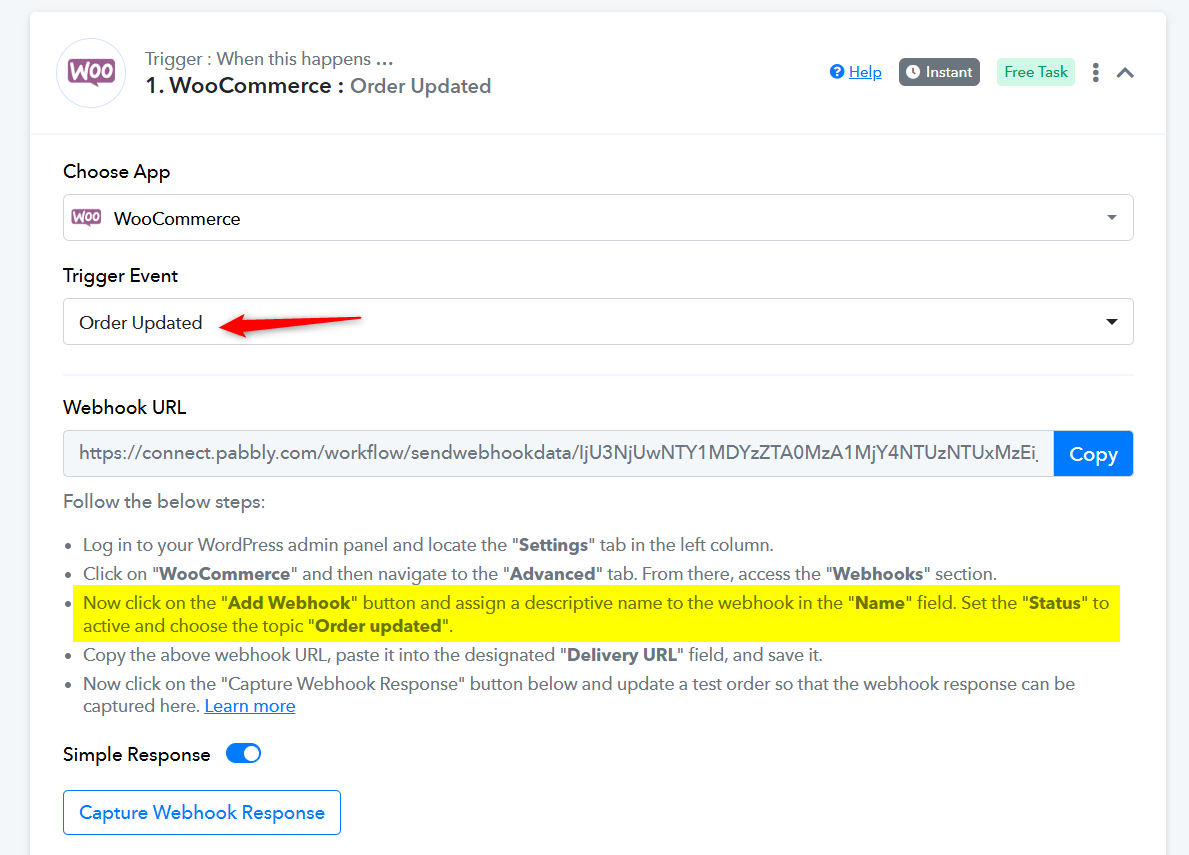
Watch the video shared below to understand how you can setup 'Order Updated' as your trigger step.