Chat flow not working beyond one step
Status: Open · Asked by Manish Kumar Jha on · 0 views
Hi, I had cloned one new chat flow which was earlier working for a new chat flow to be created customised it as per new customer segment connected it to new google sheet did dry run and it was working when i sent the brodcast i can see it does not work beyond sending template, pls suggest what is wrong here and how to correct it?
Hey @Manish Kumar Jha,
Thanks for reaching out to us.
Could you please share a few chat examples where you tested the specific flow, but it did not trigger? This will help us review the behavior more accurately and assist you accordingly.
Looking forward to your response.
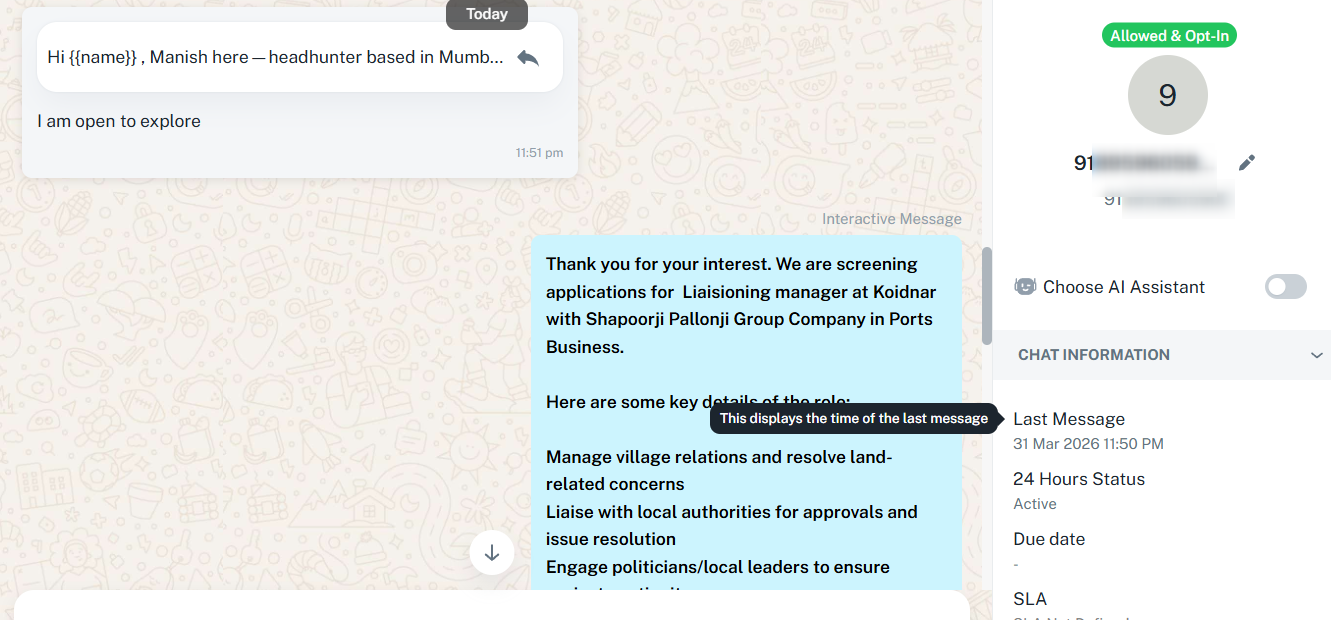
Thank you Preeti! Here are few screenshots...template is being triggered however next conversation / flow is not happening.....If possible can you and i get on a call and short this out.
Thank you Preeti! Here are few screenshots...template is being triggered however next conversation / flow is not happening.....If possible can you and i get on a call and short this out.
Attached are screenshots
Hey @Manish Kumar Jha,Thanks for reaching out to us.
Could you please share a few chat examples where you tested the specific flow, but it did not trigger? This will help us review the behavior more accurately and assist you accordingly.
Looking forward to your response.
I cant see my uploaded screenshots despite uploading multiple times...what to do?
I cant see my uploaded screenshots despite uploading multiple times...what to do?
You can upload the images to Google Drive and share the link, but that isn’t necessary for now.
We sent a template message to our testing number and then responded to the same message by clicking on the button, and the flow worked without any issues. Please test this on your end and let us know if it’s working now.
https://chatflow.pabbly.com/app/inbox?id=69cc0f3e4b437cd5e83271de
Thanks & Regards,
Arshil Ahmad
Customer Support Associate
? Pabbly.com
?Rate your support
Hi Arshil, Thank you for your
You can upload the images to Google Drive and share the link, but that isn’t necessary for now.We sent a template message to our testing number and then responded to the same message by clicking on the button, and the flow worked without any issues. Please test this on your end and let us know if it’s working now.
https://chatflow.pabbly.com/app/inbox?id=69cc0f3e4b437cd5e83271de
Thanks & Regards,
Arshil Ahmad
Customer Support Associate
? Pabbly.com
?Rate your support
Hi Arshil, Thank you for your response. It still is not working...i tried on my numberf and it did not worked......attaching google drive folder with screenshots pls help https://drive.google.com/drive/folders/1Fs4vZ6zU9tq88oPgNx4cJV9LpYThbxH_?usp=sharing
Also if possible can we do a virtual call to resolve this?
Hi @Manish Kumar Jha,
Thanks for reaching out and sharing the screenshots.
Upon reviewing them, it appears that your flow is configured to trigger when the template “isha_start” is selected. However, the broadcast message is being sent using a different template, i.e., “start.”
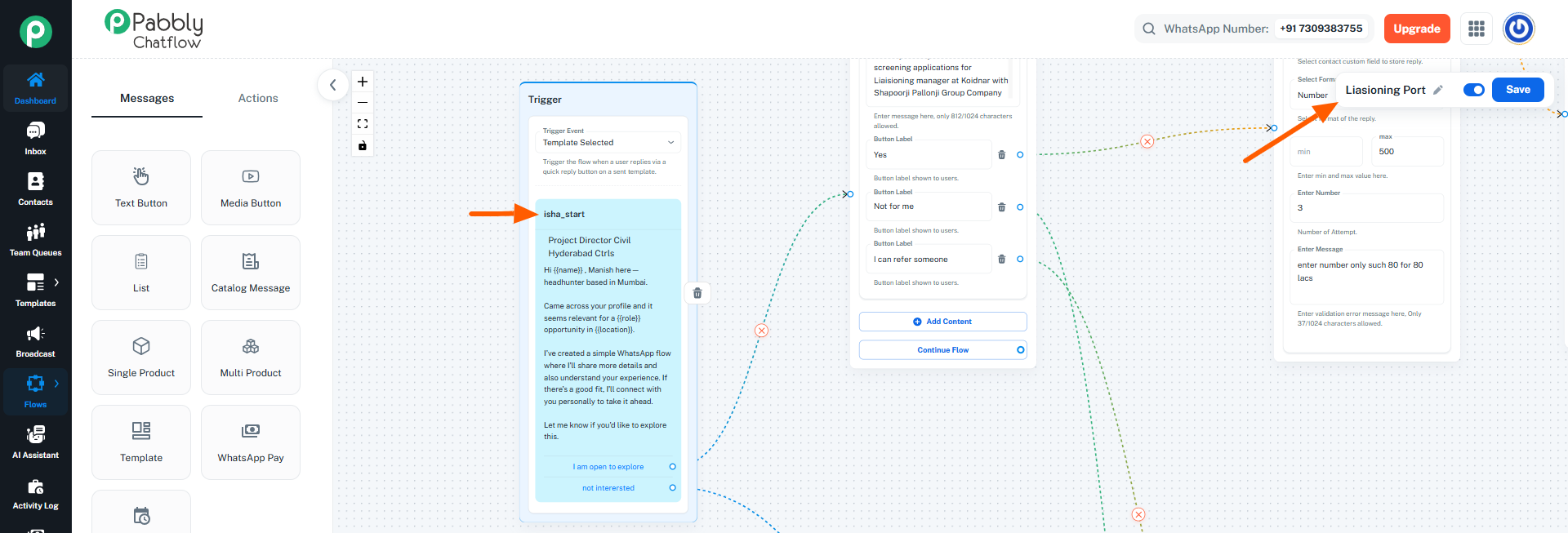
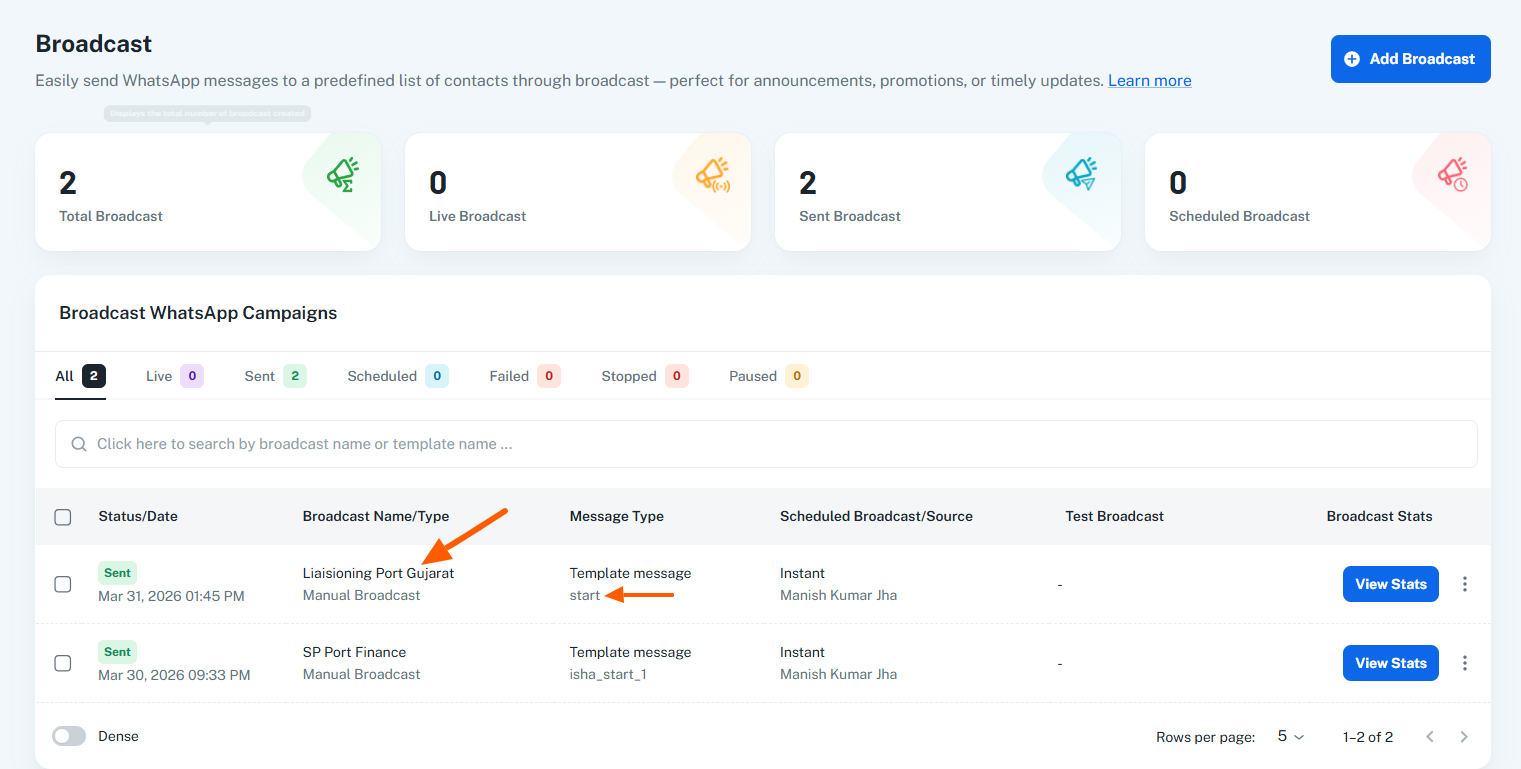
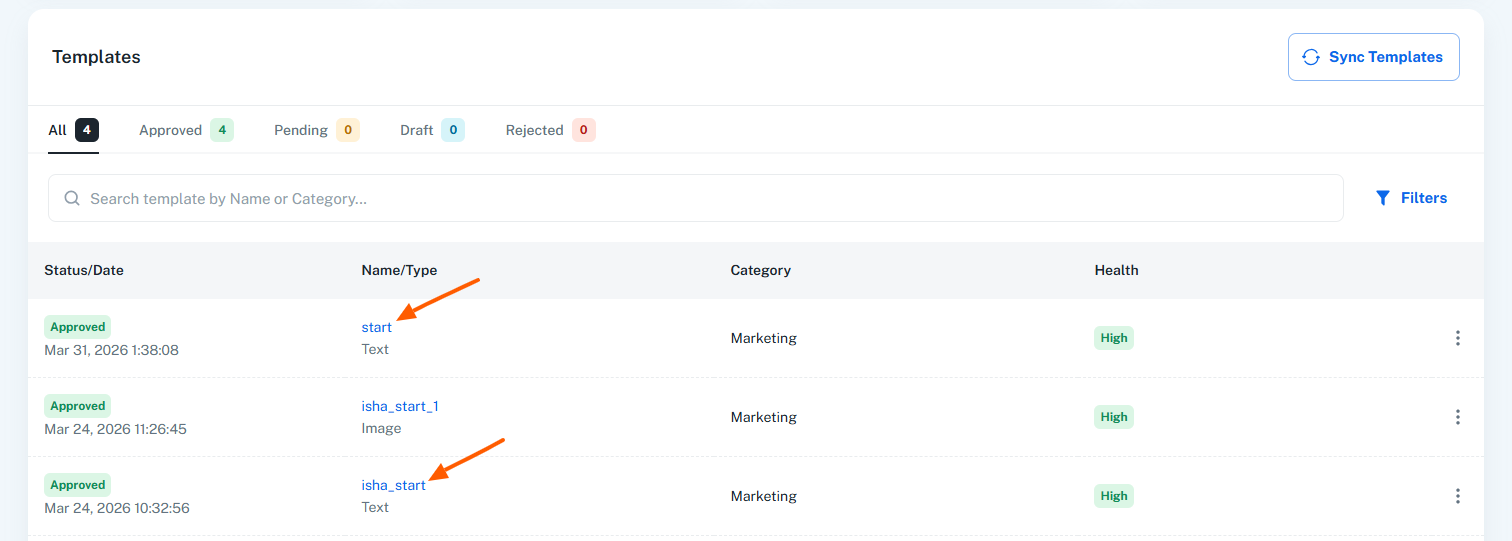
Since both templates are different, the flow is not getting triggered beyond the first step.
Recommended solution:
Please go to your flow and select the correct template (the same one used in your broadcast) as the trigger. This will ensure the flow executes as expected.
Let us know once done or if you still face any issues—we’ll be happy to assist further. ?
Hi @Manish Kumar Jha,Thanks for reaching out and sharing the screenshots.
Upon reviewing them, it appears that your flow is configured to trigger when the template “isha_start” is selected. However, the broadcast message is being sent using a different template, i.e., “start.”
Since both templates are different, the flow is not getting triggered beyond the first step.
Recommended solution:
Please go to your flow and select the correct template (the same one used in your broadcast) as the trigger. This will ensure the flow executes as expected.
Let us know once done or if you still face any issues—we’ll be happy to assist further. ?
Thank you preeti! You were right i have changed the template now! Also pls suggest on two specific issues i am witnessing
1. Name of contact does not get captured in the template despite putting the variable of name, role and location...how can i correct that ?
2. How can i add a 5 minute timer if the person has not responded to a message to remind him to contniue the flow?
Thank you preeti! You were right i have changed the template now! Also pls suggest on two specific issues i am witnessing
1. Name of contact does not get captured in the template despite putting the variable of name, role and location...how can i correct that ?
2. How can i add a 5 minute timer if the person has not responded to a message to remind him to contniue the flow?
Also on media question i have enabled documents only and even in my test chat i uploaded a doc file however in the flow a new format file which is .bin is being openned which not supported....pls suggest how to correct this
Hi @Manish Kumar Jha,
Thanks for reaching out.
Regarding your queries:
1) Name not getting captured in template
It appears that for the contacts you tested, the name field is not saved for those numbers. When a user initiates a chat, the name is auto-fetched only if it is available from WhatsApp or stored in the contact fields. In your case, the name was neither received nor stored in custom fields, which is why it is not being passed in the template.
Recommendation:
- Test with contacts where the name is already available, or
- Add a step in your flow to ask for the user’s name and store it in a custom field so it can be reused in future messages/templates.
2) 5-minute reminder if no response
For template-triggered flows, this is not directly possible. However, once the user enters the flow:
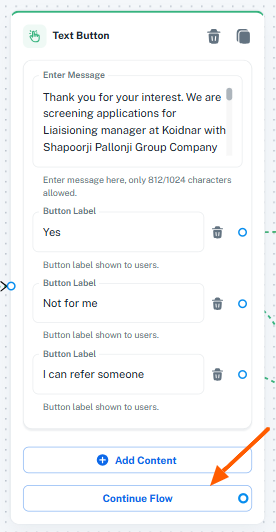
- Use the “Continue Flow” option under the nodes
- Add a Delay step (5 minutes) after it
- Then send a reminder message asking the user to continue
This works only after the user has interacted at least once in the flow.
3) File coming as .bin format
To check this properly, we’ll need the actual file that was uploaded in the chat. Could you please share the exact file in your next reply?
Once we have that, we’ll review and guide you accordingly.
Looking forward to your response.