Checkout Customizer: Checkbox and Radio fields render as plain labels
Status: Open · Asked by Sven Bosau on · 0 views
In the checkout customizer, Custom Fields set to Checkbox or Radio don't render as actual inputs. Only the label text is shown, with no clickable checkbox or radio button, so the field is non functional.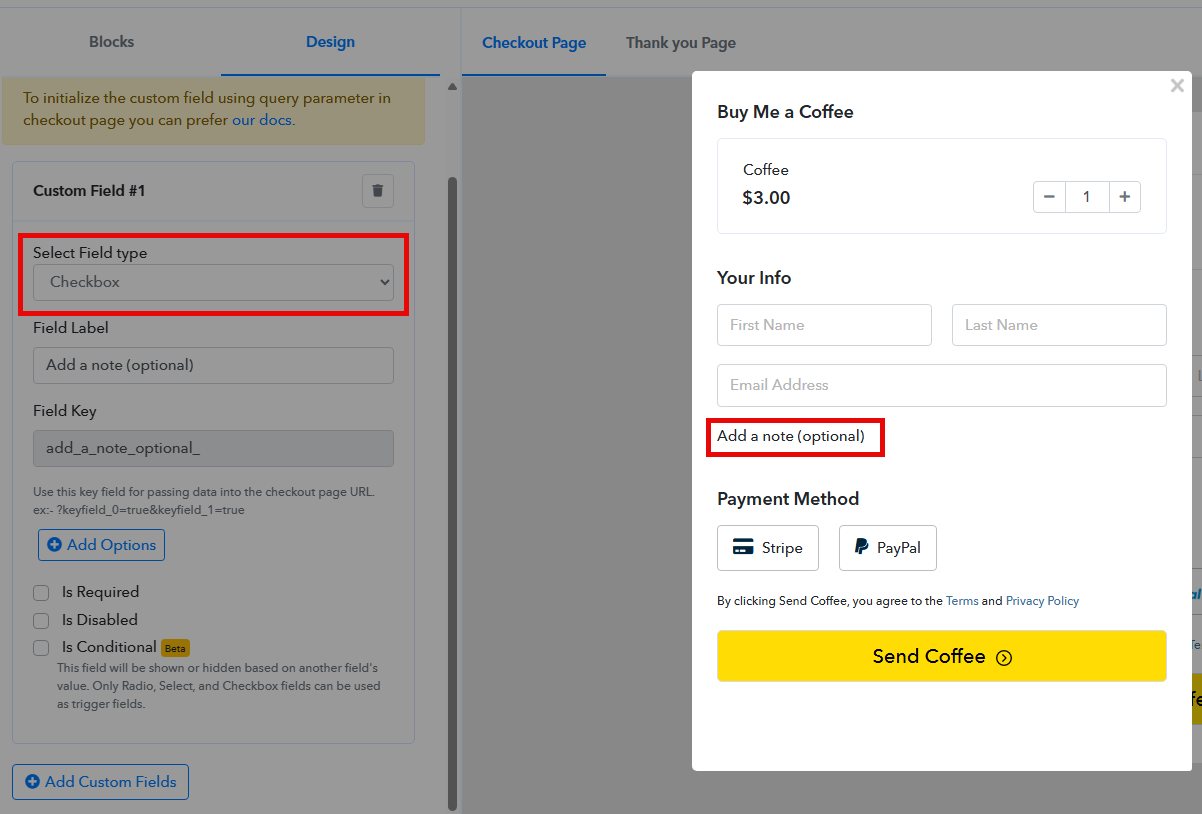
Same issue already reported with video here: https://forum.pabbly.com/threads/checkout-customizer-quantity-option-not-showing-checkbox-not-rendering-and-console-error-on-text-area-field.35640/
Can you please fix that? Thanks!
Hi @sven-bo,
Your concern will be addressed here:
https://forum.pabbly.com/threads/checkout-customizer-quantity-option-not-showing-checkbox-not-rendering-and-console-error-on-text-area-field.35640/
Thanks & Regards,
Arshil Ahmad
Customer Support Associate
? Pabbly.com
?Rate your support
Hi @sven-bo,
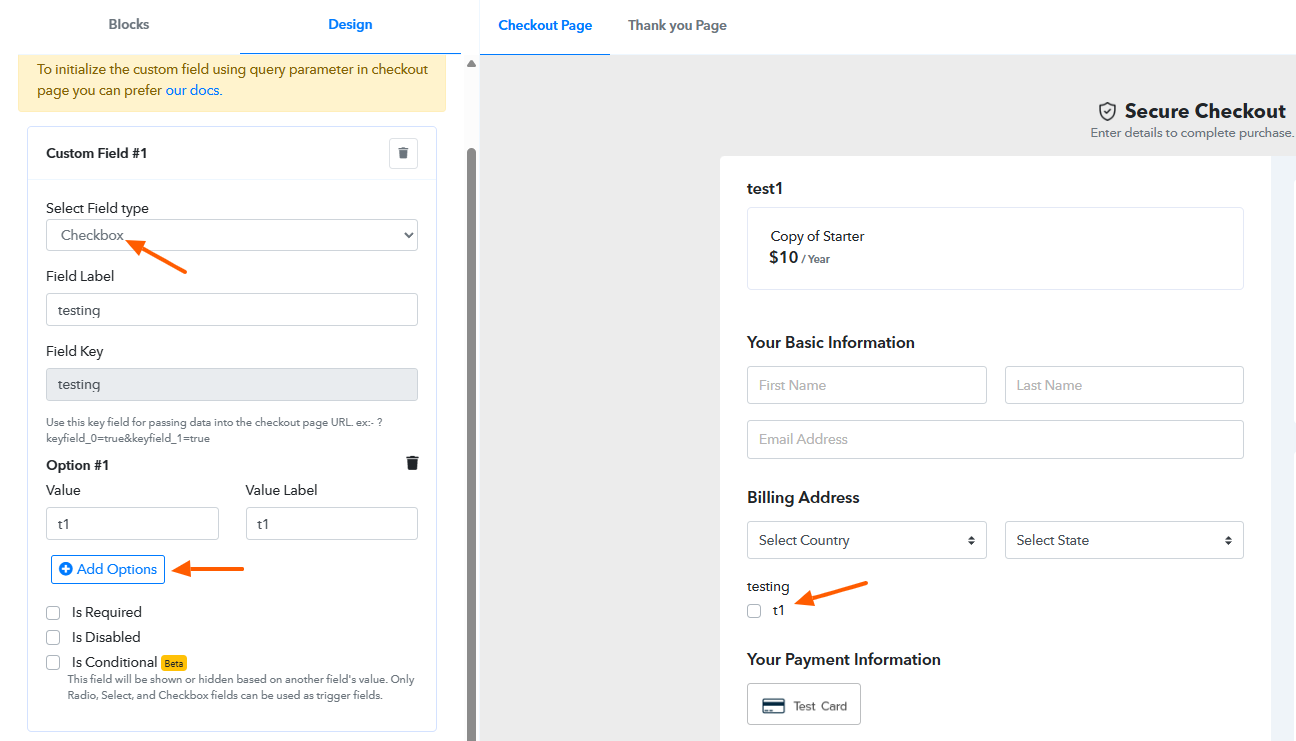
It appears that options have not been added yet, which is why they are not showing on the checkout page.
Kindly add the required options and test again. We checked this on our end, and it seems to be working as expected.
Please let us know how it goes.
Thanks, that works now.
One thing though: the checkbox field type has an overall field label (kind of like a heading) above the actual checkbox options. When I only want a single checkbox like "Order as a business" as the option, that heading on top becomes redundant.
The problem is I cannot leave the field label empty, as the form refuses to save. If I use a blank space as the label, it saves and nothing visible is shown, but the space is still rendered and creates an awkward gap above the checkbox.
Could you allow the field label (heading) to be left empty, or add an option to hide it entirely?
Hi @sven-bo,
Thank you for your feedback.
At the moment, this is the expected behavior—when adding a custom field, the field label is mandatory and must be present above the options.
If you would like this flexibility, we recommend submitting it as a feature request on our roadmap so our product team can review the possibility of making the field label optional or allowing it to be hidden.
Please let us know if you need help submitting the request.