Checkout page customizer
Status: Closed · Asked by Pabbly Team on · 0 views
[Customer Query] -
I did customize the checkout page for All Product/All Plans but checkout pages are not following the new design, help me with the reason for this?
In Pabbly Subscription Billing, the check out pages of different products and plans are customized on the basis of filters priority settings.
Maximum priority is given to –
Individual product – Individual plan > Individual product – All plan > All product – All plan.
That means the maximum priority is given to the customization of the checkout page of individual product and individual plan. So, if you wish to set the customization for All Products/All Plans then you could simply use the reset to default option.
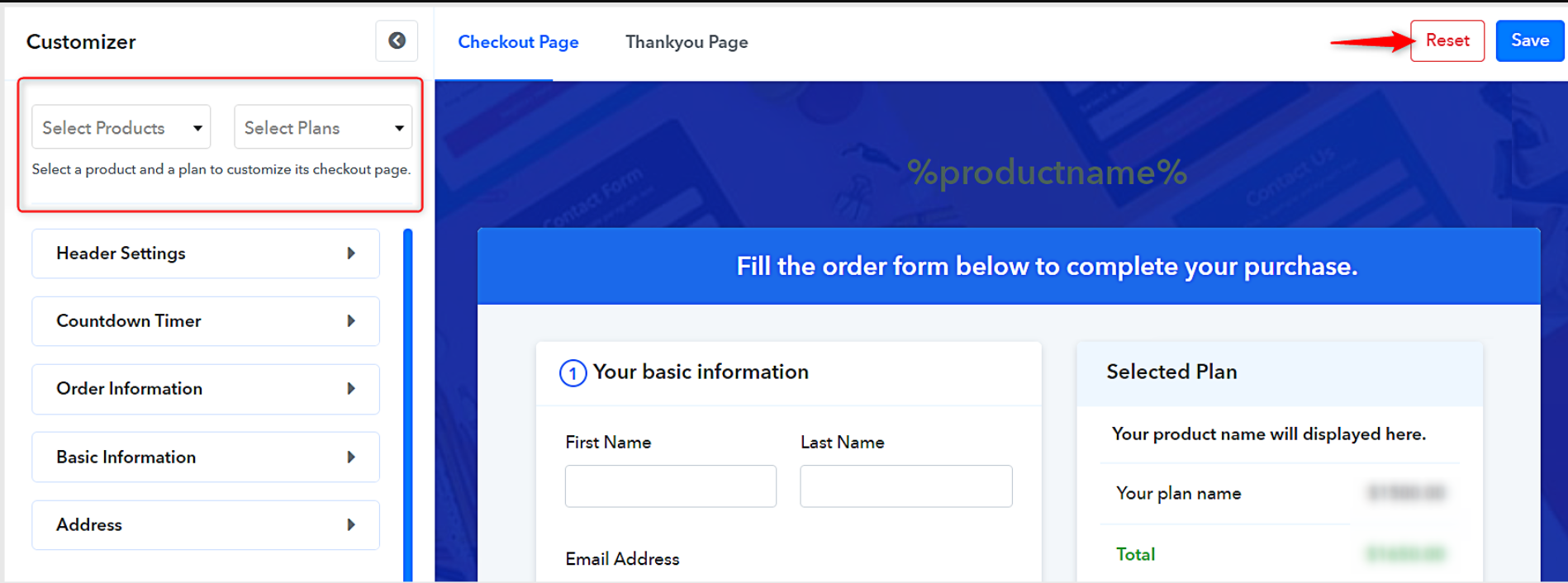
There is one more advantage of this setting that you can customize all the checkout pages of different plans in a different manner. For reference, please follow this documentation - https://www.pabbly.com/subscriptions/docs/customize-checkout-page/#section1
my check out page customizer is missing. what is going on?
I can also not find the my checkout page customizer. Has it been moved?
I can also not find the my checkout page customizer. Has it been moved?
Hi,
The checkout page customizer is recently been shifted in the latest update from the "settings to the plan actions" option in the Pabbly Subscription Billing account. For tracking the same, please follow this post - https://forum.pabbly.com/threads/psb-updates-shifted-existing-menus-to-a-new-position.265/
With the new Checkout Customizer how can I select All Products and All Plans to make general changes to all plans at the same time?
There are no dropdown lists any more
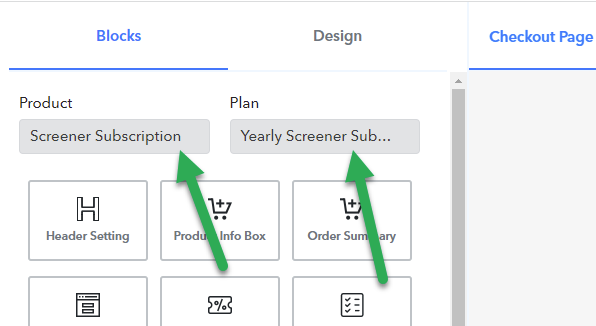
With the new Checkout Customizer how can I select All Products and All Plans to make general changes to all plans at the same time?
There are no dropdown lists any more
Yes, I have also found this a major issue, because now we have to build one page and clone the design to all other pages. Also, I have no way to change the initial design of my multi-plan page now, since I do not have the option to clone a design to a multi-plan page, where it changes the initial design of the page, before selecting any one plan.
Hello Everyone there's a new option developed for cloning or importing designs from one plan to different plans.
You'll find it while customizing your checkout pages. On top right.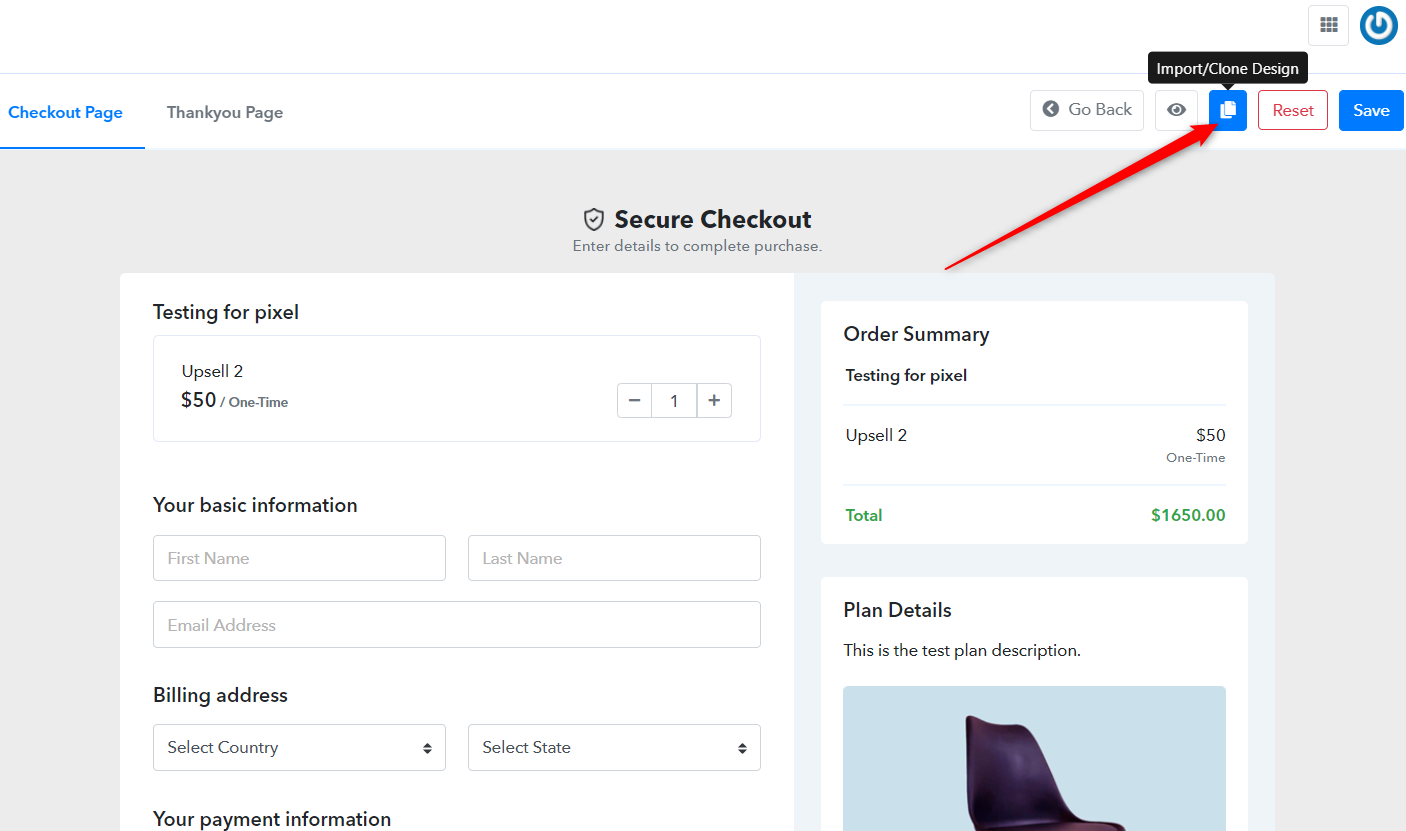
Hello Everyone there's a new option developed for cloning or importing designs from one plan to different plans.You'll find it while customizing your checkout pages. On top right.
As I stated, this does not allow me to clone a design to a multi-plan page and I have a private forum post looking for support's help to copy the styles from all my other checkout pages to the initial appearance of the multi-plan checkout page. The new checkout customizer has locked me out from editing this type of page. Please help. Thanks!
Hello Brandon,
We've replied to your query in the thread that you started.
Well I don't know where that initial thread is and I am having same issues, the multi cart has the base logo and coloring and cannot customize for the product anymore. Bottom line should be a simply answer where do we now edit multiitem carts?
I have the same issue. I dynamically create plans through Pabbly Connect and I want them to use the same checkout template (which includes custom testimonials, translated text into Danish and more). That customization should apply to every single plan that is created under the product.
A. In Pabbly Connect there is no way to select the Checkout Design of the plan your create
B. In Pabbly Subscriptions you can only manually copy the Checkout Design to another plan, which means that all those plans use those default wrong designs.
There must be a way to apply the same Checkout Design to all plans - eg. make a design the default. How can I do that?
Without it a way to set a default, it basically makes Pabbly Subscriptions un-useable as a checkout solution using Pabbly Connect, unless I want fake testimonials and the default design/text which does not fit the product.