Circle to leadconnector workflows are not working
Status: Open · Asked by Yasirabbas on · 0 views
Two of my workflows are not working. Pabbly is not sending contacts from circle to leadconnector, neither is it sending tags from circle to LeadConnector. Pleae help me fix that.
Hi @Yasirabbas,
Could you please share the Workflow URLs where you have this concern?
Here are the URL's of two workflows.
1-https://connect.pabbly.com/workflow/mapping/IjU3NjYwNTY4MDYzMTA0MzA1MjZhNTUzMTUxMzUi_pc
2-https://connect.pabbly.com/workflow/mapping/IjU3NjYwNTY4MDYzMTA0MzU1MjY1NTUzMDUxMzUi_pc
I think we are missing some steps in the actions. I think the contact id is not properly configured. Please help us to figure out this issue.
In this workflow, we have added a 'Search Contact' action step and mapped the Contact ID to the 'Add Tags to Contact' action step. This ensures that the tag is added to the correct contact.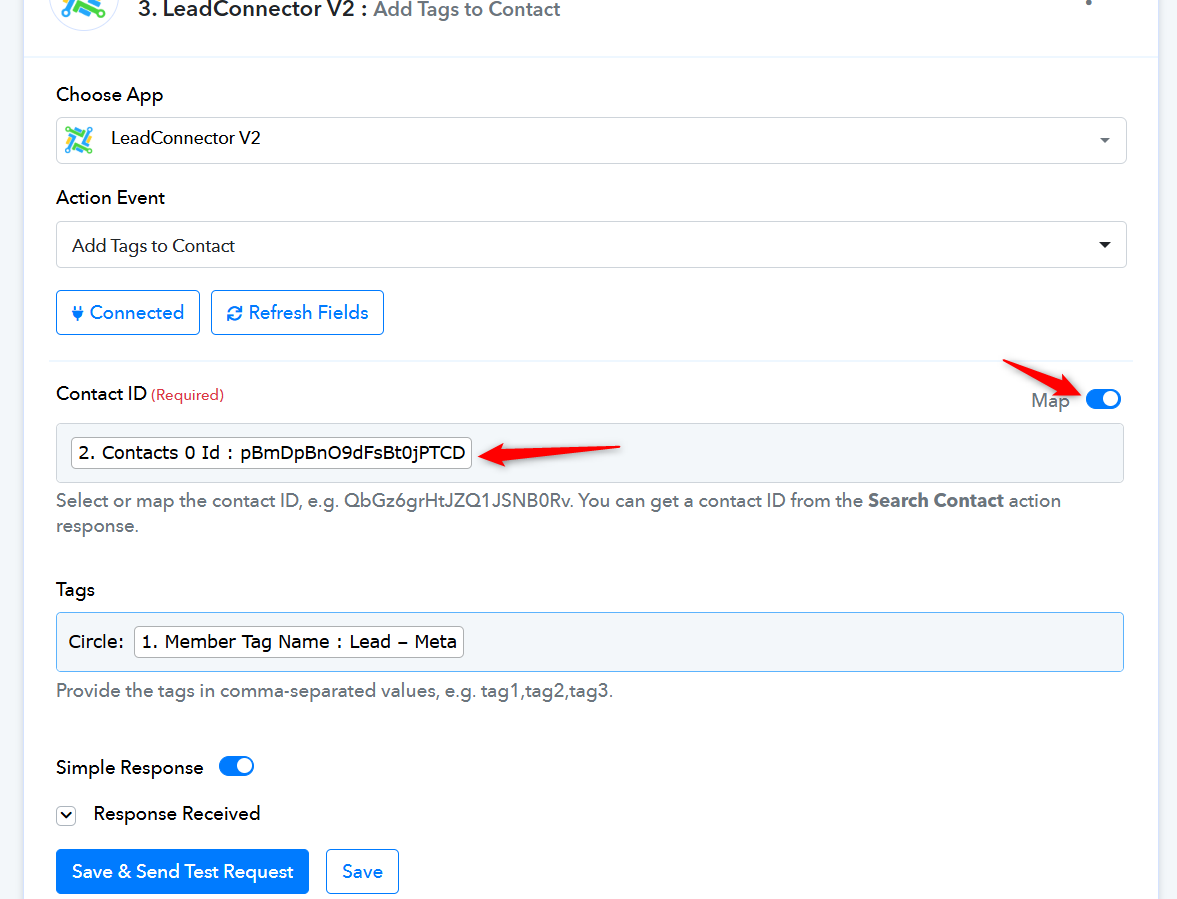
===================================================================
https://connect.pabbly.com/workflow/mapping/IjU3NjYwNTY4MDYzMTA0MzU1MjY1NTUzMDUxMzUi_pc
This workflow is already set up correctly to add a new contact to GHL and assign the 'Circle: Lead-Meta' tag to that contact. Please note that if you add the tag through the 'Create or Update Contact' action step, it will remove all previously existing tags from the contact.
If you want to retain the existing tags, you should add an 'Add a Tag to Contact' action step to the workflow and use that step to add the new tag.
Thank you for the support. We have now setup the actions as per your instructions as shown in the screenshot above. We then tested by tagging a contact in circle but it did not immediately tag the same contact in GHL. Does it take some time to get updated? If yes, then approximately how much time should we wait to see the tag tested.
Your workflow has a trigger interval of 8 hours, so it may take up to 8 hours for a newly tagged member to trigger your workflow. If you’d like, we can reduce this trigger interval to 10 minutes on your behalf.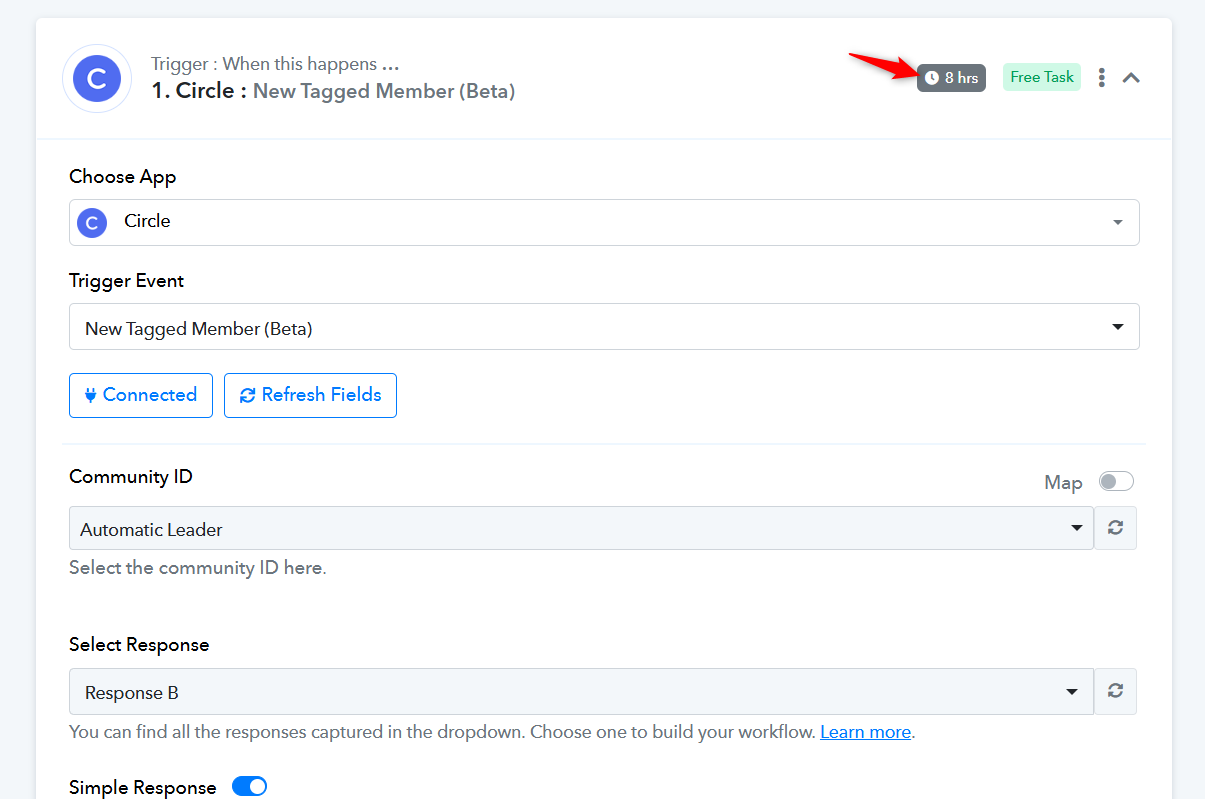
Yes reduce this.
We have reduced the trigger interval time of this workflow to 10 minutes.
https://connect.pabbly.com/workflow/mapping/IjU3NjYwNTY4MDYzMTA0MzA1MjZhNTUzMTUxMzUi_pc
We are testing two workflows to check if they are working properly. They are set to trigger every 10 minutes, and we have to wait 10 minutes to confirm our test results. Can you please reduce the trigger time of the following two workflows to every 1 minute so that we can do the testing quickly?
https://connect.pabbly.com/workflow/mapping/IjU3NjYwNTY4MDYzMTA0MzA1MjZhNTUzMTUxMzUi_pc
https://connect.pabbly.com/workflow/mapping/IjU3NjYwNTY4MDYzMTA0MzU1MjY1NTUzMDUxMzUi_pc
Hello @Yasirabbas,
Unfortunately, we won't be able to accommodate that request. The trigger time for polling-based triggers can only be set to a minimum of 10 minutes and cannot be reduced further.
We appreciate your understanding.