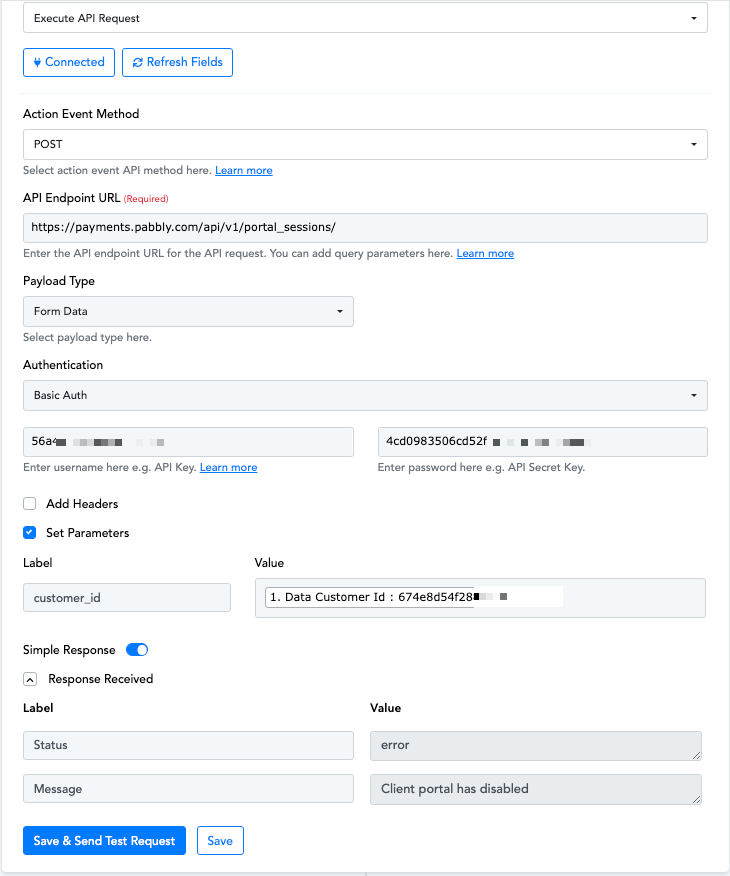
Client portal has disabled
Status: Closed · Asked by Troy Coker on · 0 views
Hi, I have already used the same keys to GET the customerId successfully. Any idea why I would get an error and "client portal disabled"?
Hey @troycoker08
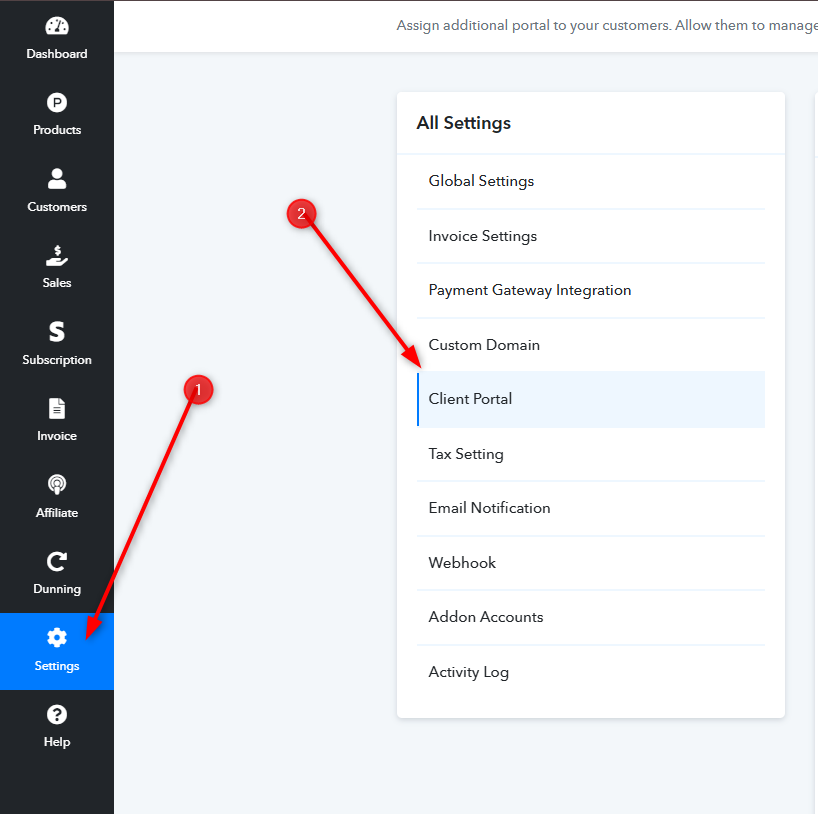
You need to go to your Pabbly Subscription Billing dashboard. You can find the Client Portal in the Settings section. Please refer to the image below,
Further, you will need to enable client portal for all users,
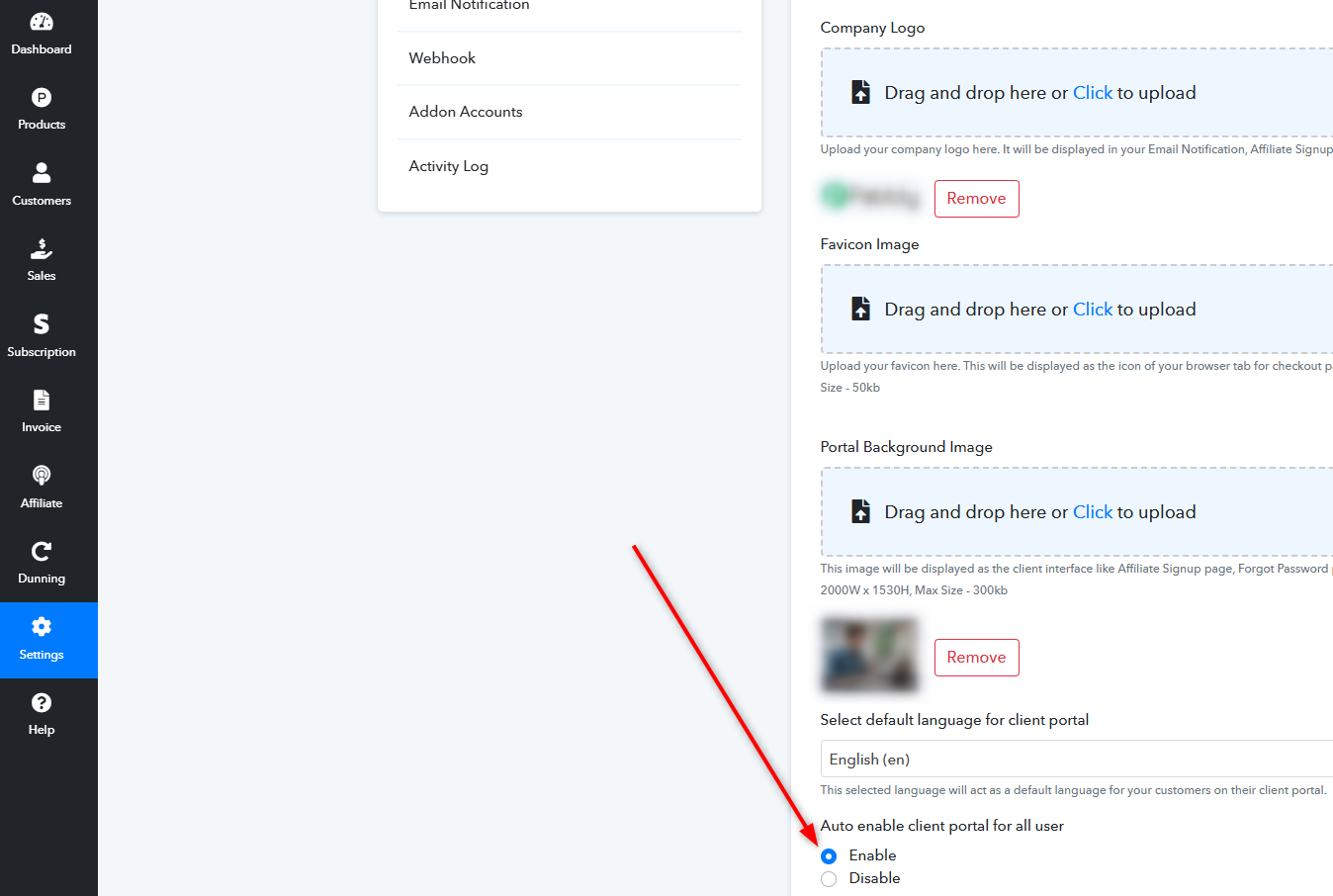
Kindly try again after enabling the same and let us know if it works for you.
Thank you. You were right, the client portal was not enabled. Even after I did that however I get the same response. The issue is still there.
Hey @troycoker08
Kindly let us know the workflow name in which you are using this API by Pabbly step so that we can look into it and assist you accordingly.
Hey @troycoker08Kindly let us know the workflow name in which you are using this API by Pabbly step so that we can look into it and assist you accordingly.
It is Step 3 in "TEST - Pabbly Sub - Pabbly Client Portal - IntaLoop SubAccount"
aside from the cleint portal disbaled response I have looked the customer up via postman customer_id call and they are not present but when I do a "list all customers" call the customer is listed along with the same customer_id
Hey @troycoker08
We could not find workflow named "TEST - Pabbly Sub - Pabbly Client Portal - IntaLoop SubAccount" in account associated with "[email][email hidden][/email]". Kindly let us know the correct email address or the workflow URL so that we can check and assist you with the issue accordingly.