Connect error
Status: Closed · Asked by Michael Bianco on · 0 views
Hi Michael,
Thank you for reaching out.
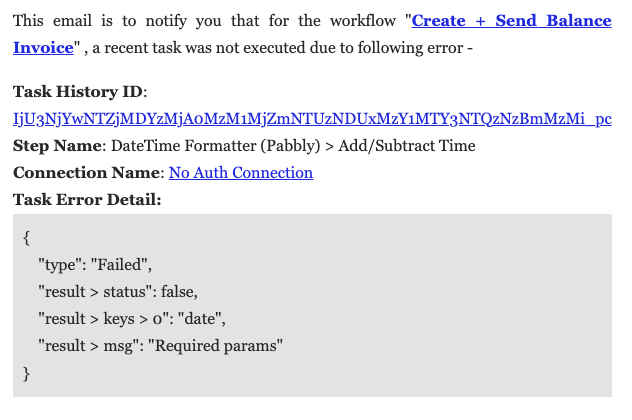
We reviewed your workflow (Create + Send Balance Invoice) and investigated the task history.
The error in your DateTime Formatter (Pabbly) > Add/Subtract Time step occurs because your workflow uses an Iterator to loop through rows from your Google Sheet, and some rows have an empty event_date column. When the Iterator processes a row without a date, the DateTime Formatter fails because it is missing the required date parameter.
To resolve this and prevent the workflow from failing on blank rows, you can add a Filter step right after your Iterator:
Step to Add: Add a Filter (Pabbly) step immediately after your Iterator step.
Filter Configuration: Set the condition to check if the
event_datefields "Is Not Empty" or "Exists".
This way, the workflow will automatically skip any rows that don't contain a date and will only proceed to the DateTime Formatter when valid data is present.
Please let us know if you need any help setting this up!
Thanks & Regards,
Hrishabh
Customer Support Associate
🌐 Pabbly.com
👉 Rate your support