Connect Zoho Salesiq chatbot leads to google sheet
Status: Open · Asked by beginnersworld02 on · 0 views
Hi, I want to connect my Zoho Salesiq chatbot leads to a google sheet. I want the transcript to be uploaded onto a google sheet. Could you please tell me what are the steps that i hav to follow to do the same.
Hi @beginnersworld02,
For this use case, you need to select Webhook by Pabbly as your trigger step in Pabbly Connect. This will generate a webhook URL that you can use in Zoho SalesIQ.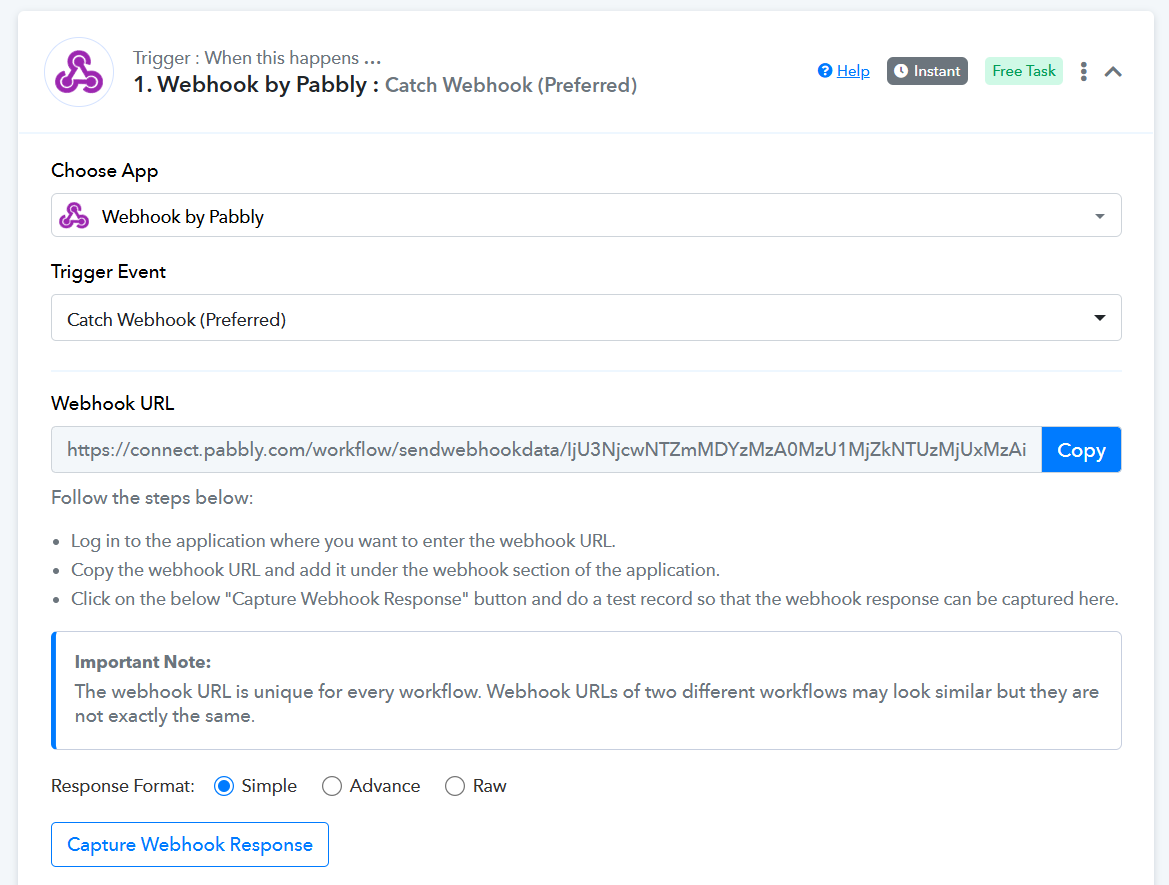
- Go to SalesIQ → Settings → Developers → Webhooks
- Create webhook:
- Event: conversation.completed
- Method: POST
- URL: Paste Pabbly webhook URL
- Save and trigger a test chat
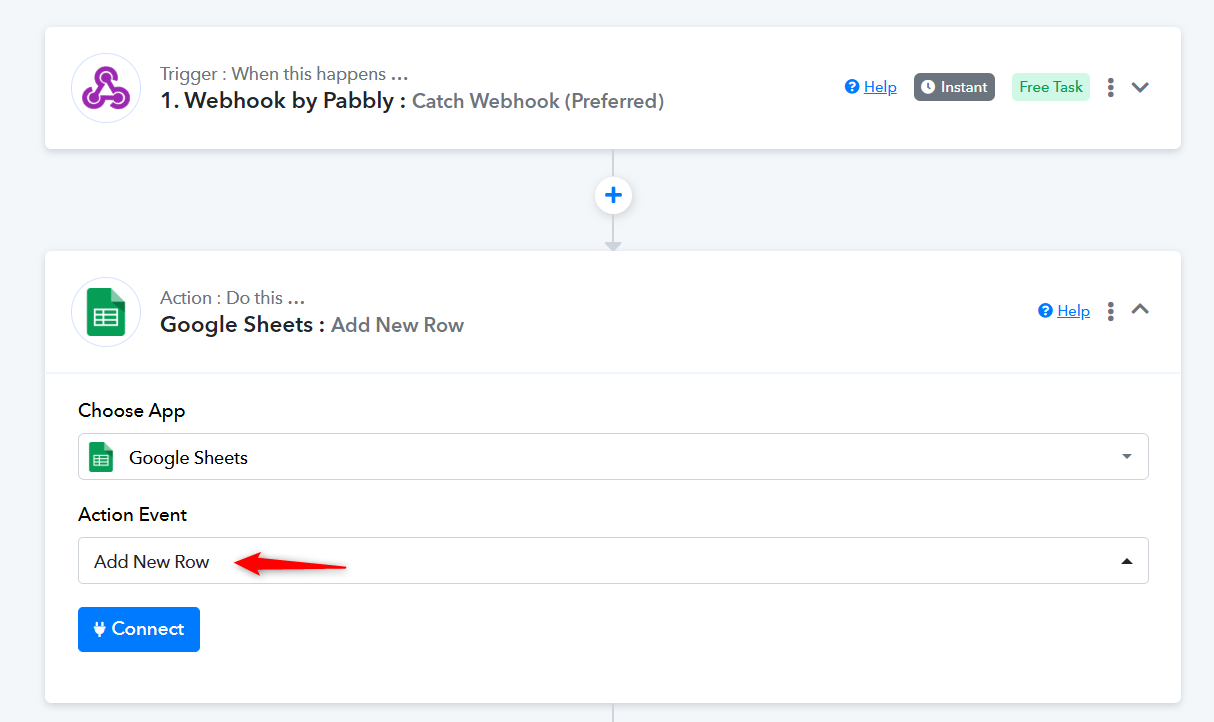
Once the chat is captured in your Webhook by Pabbly trigger step in Pabbly Connect, you can use the Add New Row action in Google Sheets to send that chat data to your spreadsheet.
Thanks & Regards,
Arshil Ahmad
Customer Support Associate
? Pabbly.com
?Rate your support
Hi, i am able to receive the test response using this method. Howver i want one more field to reflect in pabbly when receiving the lead details. I wat to capture the last link that the lead has gone to throigh the chatbot. It is not recording as of now. Could you pls guide me on how to achieve this.
Task History ID -
IjU3NjUwNTY0MDYzZjA0MzA1MjY0NTUzNTUxM2I1MTY2NTQzNTBmMzYi_pc
https://beginnersworld.com/ You can find the chatbot oon th bottom right for your reference
Hey @beginnersworld02,
I can see that the webhook response is currently returning the Entity Visitor Conversation ID and other conversation details. However, the chat URL is not a field that is directly returned in the Zoho SalesIQ webhook payload by default.
Here's how you can get the chat URL:
Use the Zoho SalesIQ API You can use the Entity Visitor Conversation ID (coming directly from your webhook response) to make a follow-up API call to Zoho SalesIQ and fetch the full conversation details, which should include the chat URL.
The API endpoint you'd want to hit is:
GET https://salesiq.zoho.com/api/v2/{portal_name}/conversations/{conversation_id}
You can set this up as an HTTP action in your workflow right after the webhook trigger, passing the Entity Visitor Conversation ID value as the conversation_id in the request.
That said, I'd recommend double-checking the Zoho SalesIQ API documentation or with the Zoho SalesIQ Team to confirm the exact response structure and whether the chat URL is returned under a specific field name, as this can vary based on your portal configuration and plan.
Let me know if you need help setting up the HTTP action to make this API call!