Connecting Manychat to Systeme.io
Status: Open · Asked by Tisha on · 0 views
Hi!
Since Systeme now has an API, I notice you have added some new options.
I would like to see the best way to Add a tag, to an existing subscriber or creating a new subscriber in my Systeme.io account, from an email address provided via a Manychat automation.
The idea is to get someone to become a newsletter subscriber in Systeme, once they have stated their email in Manychat.
I have been able to do this:
1. Manychat: External Request (grabbing their email - no problem here)
2. Systeme.io: Search contact by email (in this case the contact already existed, no problem)
3. Systeme.io: Add tag to contact. -- Here the Pabbly options force to search the contact via a Contact ID, and the one provided seems to be random, not the one from the previous step.
So I need to verify that this is going to:
1) Update the tag on a contact, if the contact exists
2) Create the contact and add a tag, if the contact does not exist yet.
What would be the best procedure to do so?
I thought I might try a "router" option, to distinguish if the contact exists or does not exist in the Systeme database. But in that case, I don't know how to set the filter option to "exist" at all?
Thanks!
Hey @Tisha
To execute a workflow based on a condition, you should use the router in your workflow. I recommend referring to the video tutorial below on how to use the router.
youtube.com/watch?v=RutEGD77JVM
youtube.com/watch?v=R4zxsQr70Dw
Upon reviewing your workflow, it appears that you are already using the router and the issue related to "Systeme.io: Add Tag to Contact" has been resolved. Please double-check, and if you have any further concerns, feel free to reach out.
Thanks, I'm just unsure of how to set it up, in which order.
Step 1: Trigger on Manychat
Step 2: Is that the router or the "Search contact by email" in Systeme?
And then 3 and 4 and possibly 5... (add tag if the contact exists; create contact if it doesn't exist and then add tag) Not sure how to set them up, in which order, and how to test it twice in the same workflow so that I have one lead that already exists in the database and one that does not.
Do you understand what I mean?
I would really appreciate if you could tell me which order I need to have the steps on, to accomplish this task that seems easy but is so much more complicated than expected.
Another problem when choosing which tag, it seems like Pabbly only shows the latest 10 tags or so (and searching for a tag that is older is not shown on the list). I have more than 250 tags, and the "subscriber" tag is very far back in my list. Should I create a tag from scratch when using Pabbly, so that Pabbly can find it? (or is this a bug you can fix?)
The workflow you've created is correct. You can use the "Systeme.io: Search Contact by Email" as the second step.
All you need to do is set the filter condition based on the email, referencing the video tutorial I provided earlier.
youtube.com/watch?v=RutEGD77JVM
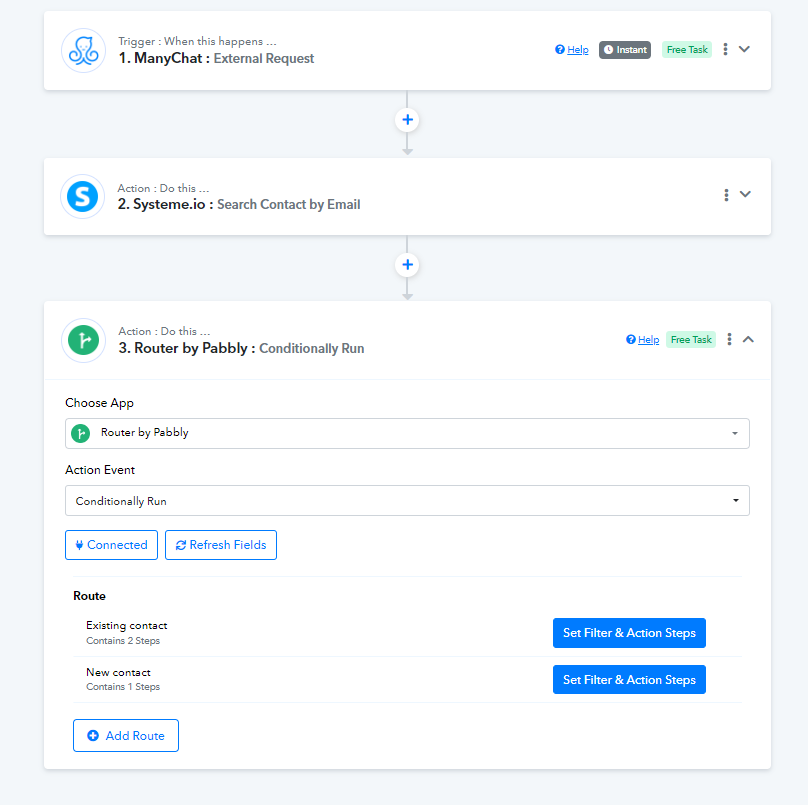
Another problem when choosing which tag, it seems like Pabbly only shows the latest 10 tags or so (and searching for a tag that is older is not shown on the list). I have more than 250 tags, and the "subscriber" tag is very far back in my list. Should I create a tag from scratch when using Pabbly, so that Pabbly can find it? (or is this a bug you can fix?)
I'd like to clarify that in the Systeme.io application, only some tags will be listed, not all 250 tags.
If you want specific tags, you need to search for them. We have added an action step for you. Now, you can select the tags you want using the tag name.
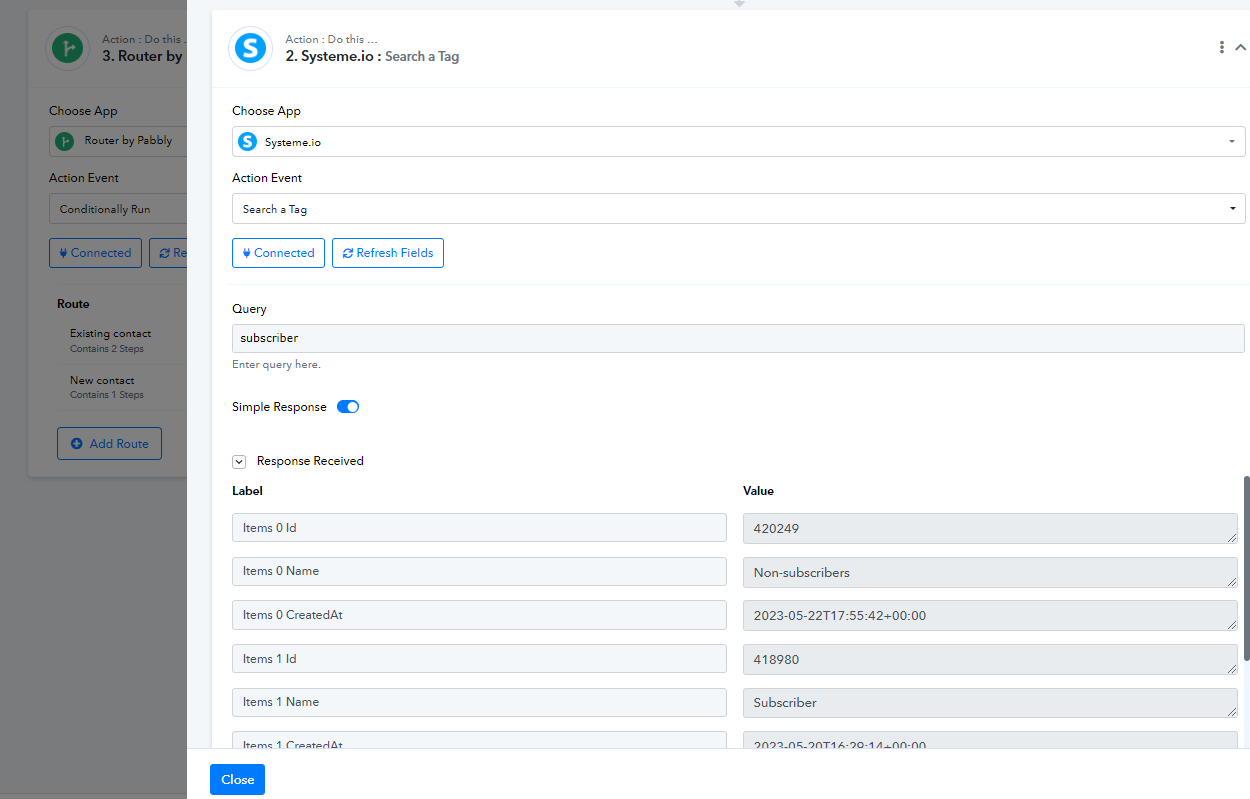
Thanks for that extra bit of information, but I still lack the full picture.
How are the other steps connected (this has been my original question all along).
Can you send an image of the WHOLE thing please?
Step 1: Manychat
Step 2: Search contact by email
Step 3: Router
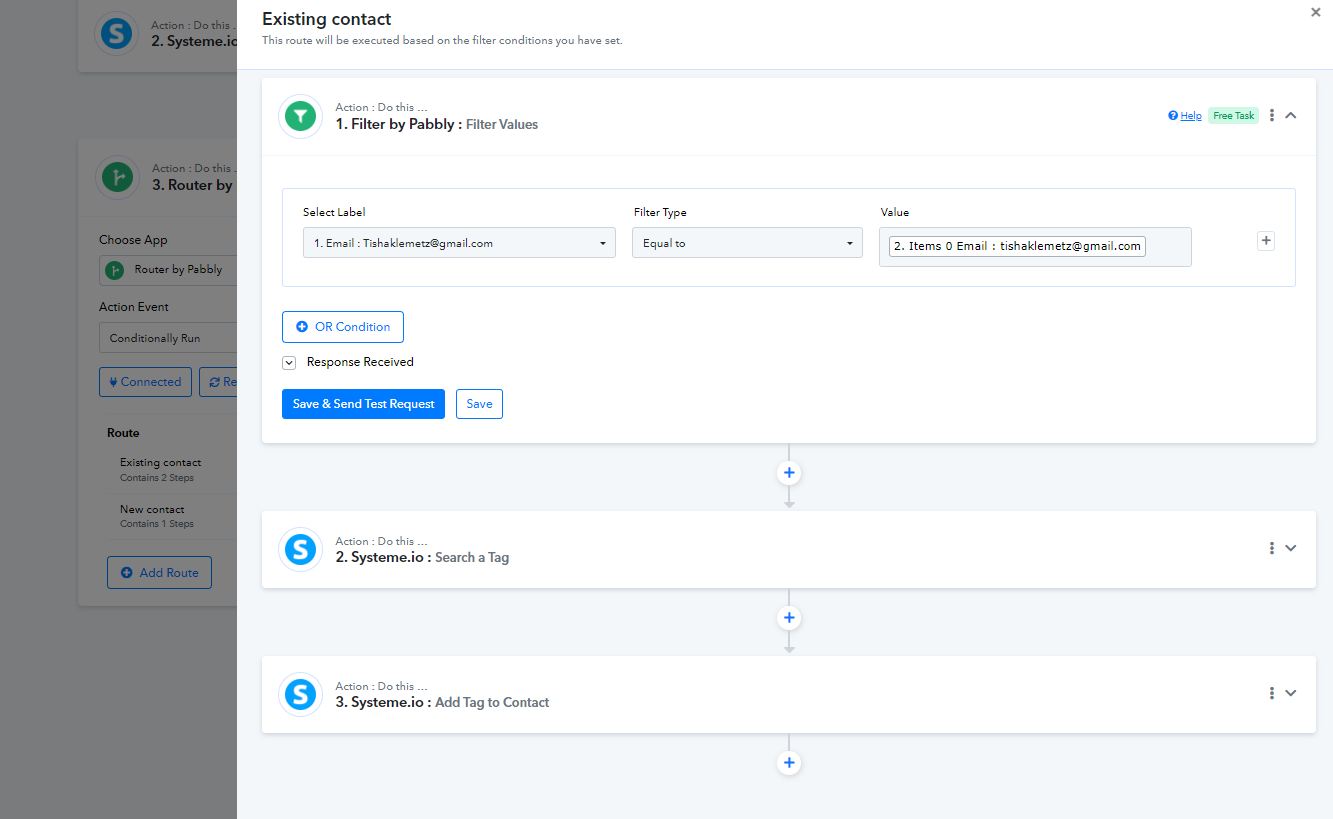
Then comes a router step "if contact exists - search tag - add tag"?
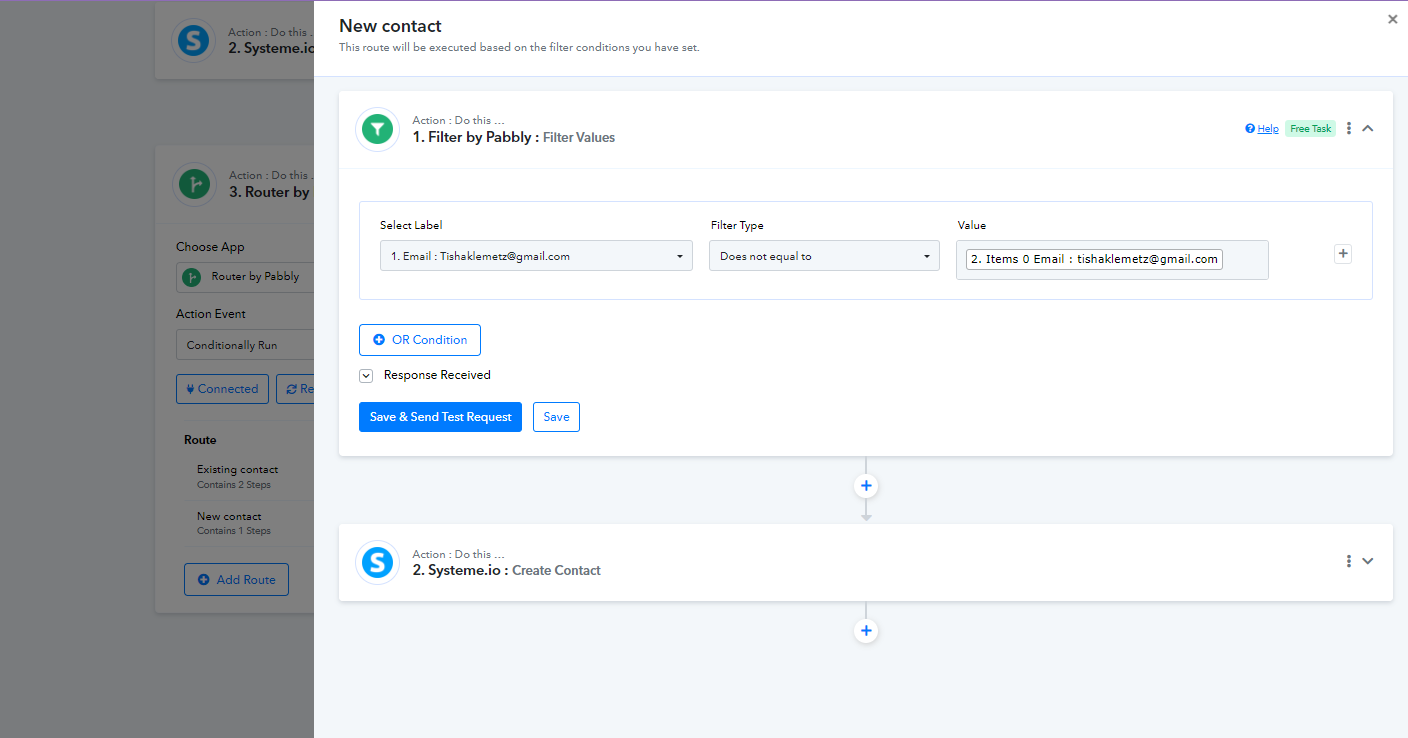
And a router step "if contact does NOT exist - create contact - search tag - add tag"???
How do I filter the "email does not exist" option for the router step?
This is seemingly a basic automation but with so many steps it's extremely more complicated than if done by Zapier.
Could you perhaps film a tutorial?
Please check the screenshots of the workflow below. I have set everything for you in your workflow including the filter condition.
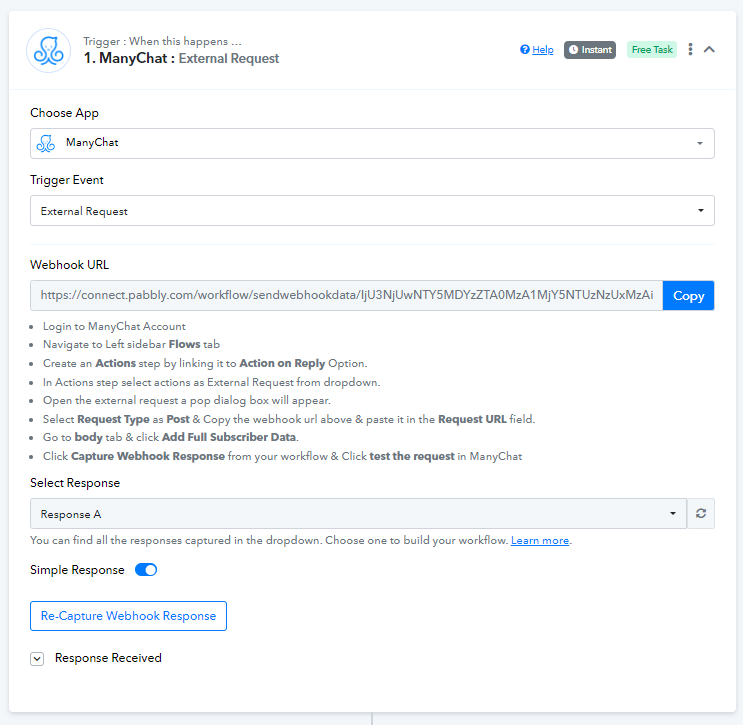
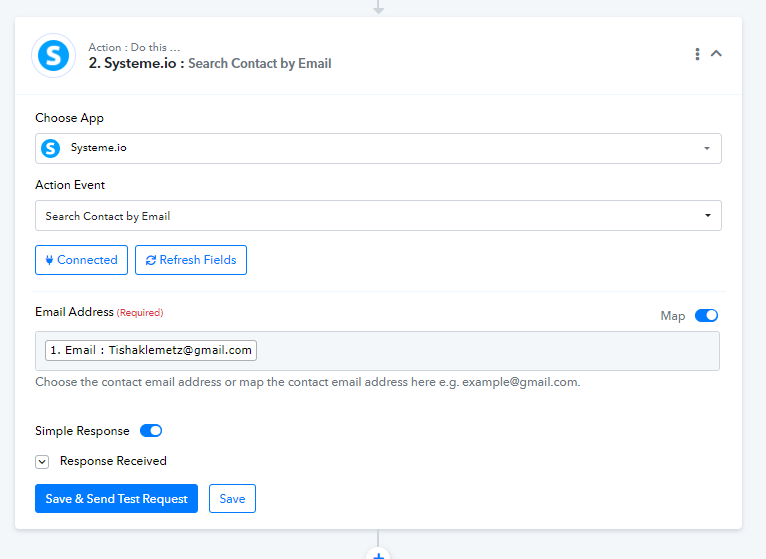
Thanks Arshita! I was testing it today and the complication was that I had to run the Manychat webhook response again, to include a not previously existing email, so the system would allow me to test both options (existing contact and new contact).
The test seemed ok, so I set it live and tried it from Instagram.
But the new contact that I added, was actually added but without a tag.
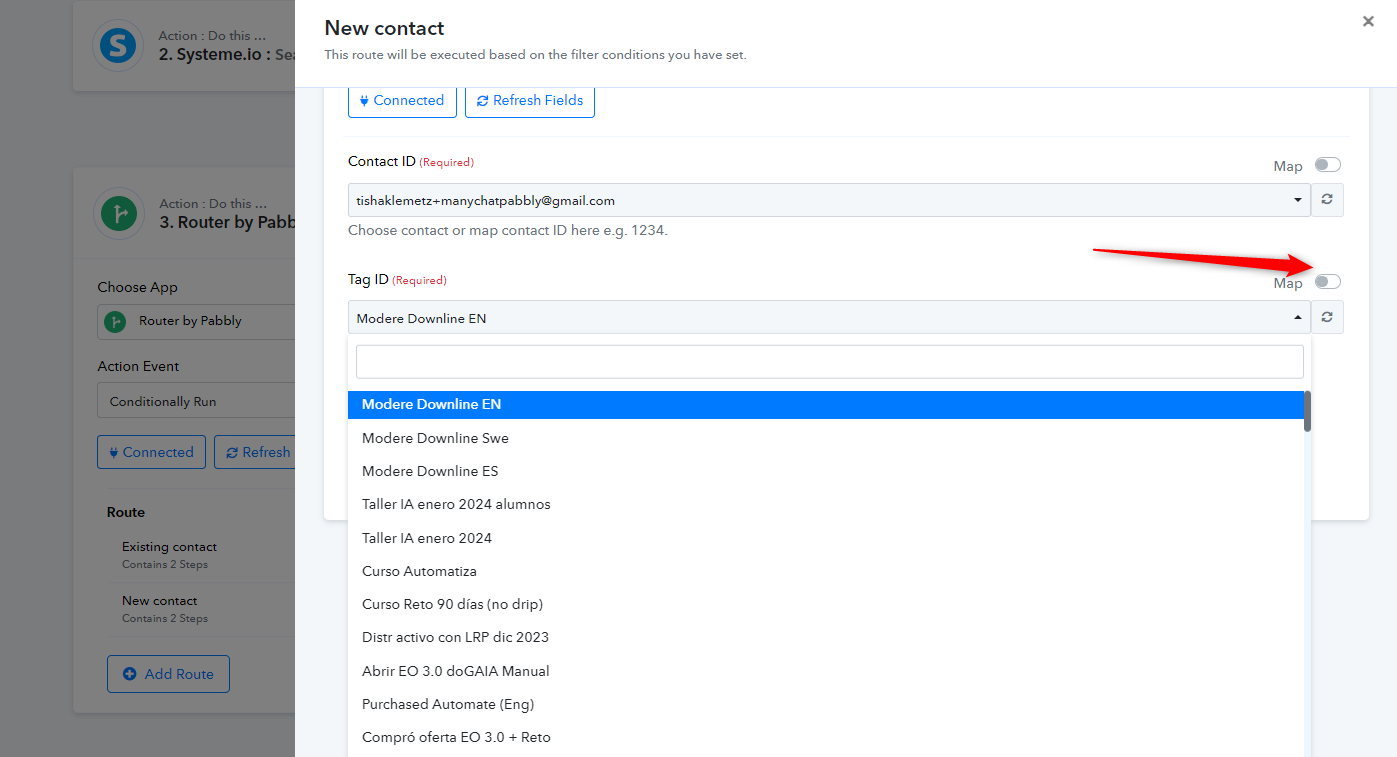
On the second option in the router, where the contact was not previously existing, I did not "search" for the tag since I had picked up the tag ID in the first option. Perhaps that was incorrect, and I needed to actually search for the tag ID in option two as well?
In this case, you have the option to disable the map feature, refresh the field, and then choose the tag from the dropdown menu. Afterward, you can enable the map option again.
This process will allow the field to retrieve the tag ID associated with the selected tag. If you cannot locate the tag in the dropdown menu, you may need to add an action step to search for the tag.
It seems like you are attempting to search for a contact that is not present in your Systeme.io account. Try adding a contact with that email address to your Systeme.io account, and then use the 'Search Contact by Email' action step.
This is what I am trying to set up
Leads gives their name and email details on Instagram
Manychat + Pabbly integration
Check systeme.io to see if the contact email exists or not
If the contact email already exists > add a tag
If the contact email does not exist > create new contact AND add a tag
For anyone else that stumbles across this post and is also having troubles.
I used claude ai to help me troubleshoot the whole process. I've now tested and got it all working as should ??
Hello @reneemaree,
Thanks for assing the update.