Connecting Microsoft Excel
Status: Open · Asked by Bhaskar Gupta on · 0 views
Hi Everyone,
I am trying to connect Microsoft Excel with Pabbly but it is showing me this:
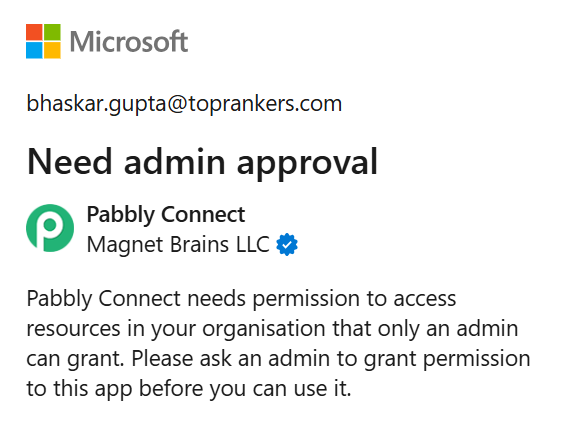
It's the company provided account and I have created Excel sheet in my account but it still asks permission to access from admin. Why So and what could be done in this case?
Hello @Bhaskar,
For your IT administrator, the process would generally involve:
- Logging into the Microsoft Entra admin center.
- Navigating to "Enterprise applications."
- Finding the request for Pabbly Connect.
- Reviewing the requested permissions.
- Granting tenant-wide admin consent for the application.
This will allow Pabbly Connect to be a trusted application within your company's Microsoft 365 environment, enabling you to use it without further prompts for admin approval.
Hello @Bhaskar,For your IT administrator, the process would generally involve:
- Logging into the Microsoft Entra admin center.
- Navigating to "Enterprise applications."
- Finding the request for Pabbly Connect.
- Reviewing the requested permissions.
- Granting tenant-wide admin consent for the application.
This will allow Pabbly Connect to be a trusted application within your company's Microsoft 365 environment, enabling you to use it without further prompts for admin approval.
Hi @Preeti Paryani
We tried this
Hello @Bhaskar,For your IT administrator, the process would generally involve:
- Logging into the Microsoft Entra admin center.
- Navigating to "Enterprise applications."
- Finding the request for Pabbly Connect.
- Reviewing the requested permissions.
- Granting tenant-wide admin consent for the application.
This will allow Pabbly Connect to be a trusted application within your company's Microsoft 365 environment, enabling you to use it without further prompts for admin approval.
Hi @Preeti Paryani
We tried this but we can't see any request for any pabbly application, how to proceed further?
Please try making the connection again and follow the steps suggested above, as that is the only way to provide access to company-provided accounts.