Connection Google Sheet to Pipedrive (Contact and Deal)
Status: Closed · Asked by SupportHubstrat on · 0 views
Hi, I'm having trouble integrating a connection between Google Sheets and Pipedrive through Pabbly.
I will briefly explain what goal I need to achieve:
I have a Google Sheet on which the LEADS of a Facebook campaign are reported.
Our Pipedrive account involves using 2 separate accounts.
So consequently each account has its own personal API token to use for connecting with Pabbly.
To test how the integration works I performed the following steps.
1) I generated an API Token (Pipedrive)
2) I created a new Workflow structured like this:
Trigger: New or Update Sheet Row (Google Sheet)
I took the WEBHOOK link and inserted it into the Google Sheets extension for Pabbly
I inserted the trigger cell (see attacchment 1)
I performed SEND TEST and Pabbly recognized the call via webhook.
Action 1:
Create a new person on Pipedrive
I made the connection between Pabbly and Pipedrive and matched the fields of the Google Sheet with those of the People section of Pipedrive
By clicking SAVE AND SEND TEST REQUEST the contact is created correctly.
Action 2:
Create Deal (Pipedrive)
I matched the fields
By clicking SAVE AND SEND TEST REQUEST the DEAL is created correctly in the test PIPELINE
Since everything worked correctly, I proceeded to carry out the same operation only using the second available account.
At this point the problem arises, that is, when the DEAL is created in Pipedrive, even though a specific PIPELINE is selected, the deal is always created in the same test workflow pipeline.
I also tried to change the pipeline in the test workflow but even in this case the Deal is always inserted in the test Pipeline
I'm waiting for some feedback
I remain at your disposal should you require further details or screenshots
Thank you
Attachments
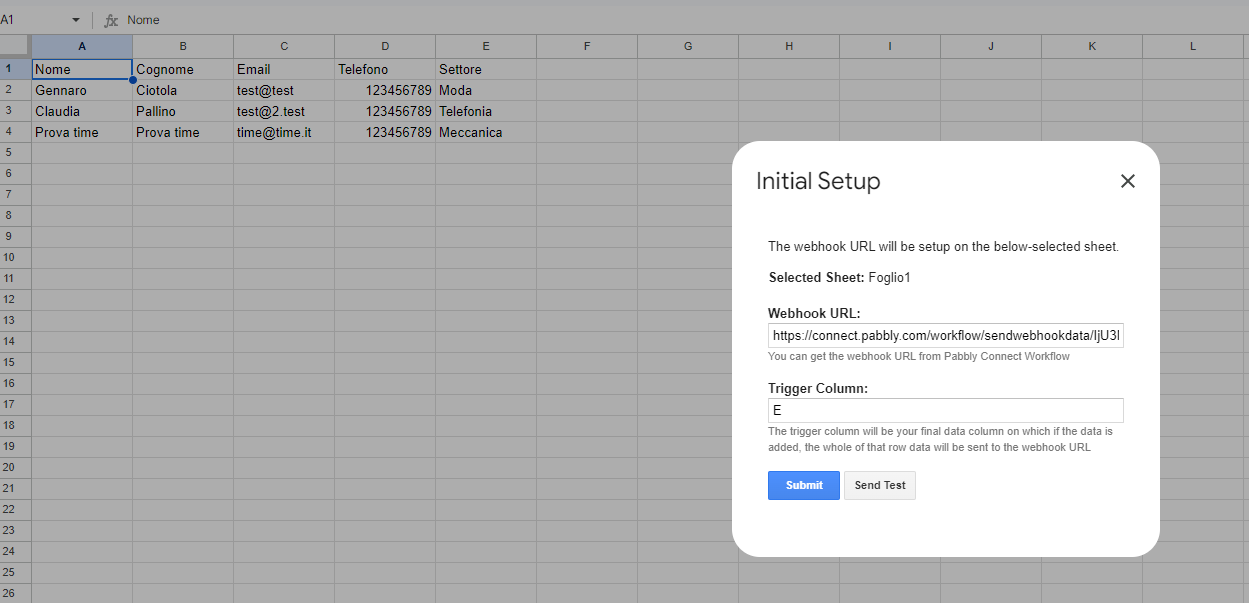
Hi @SupportHubstrat,
https://connect.pabbly.com/workflow/mapping/IjU3NjYwNTZkMDYzNzA0MzI1MjZmNTUzZDUxM2Ii_pc
This workflow is set up to associate the deal with the Pipeline ID 'Lead Technonidi,' and based on your task history, it seems to be getting added to the same pipeline. Do you expect it to be added to a different pipeline?
https://drive.google.com/file/d/1dsoO02LhiEA2NNNICebk365uJ59RC2MC/view?usp=sharing
Hello and thanks for the reply.
In theory, based on how the Workflow is set up, as you say, the deal should be created in the Tecnonidi Lead Pipeline (ID 8) but practically the DEAL is created in the Claudia Pipeline (ID 3).
Task History ID - IjU3NjUwNTZkMDYzNzA0MzY1MjZhNTUzNTUxMzA1MTYyNTQzMjBmMzki_pc
Executed at Sep 05, 2024 21:50:17, (UTC+00:00) America/Danmarkshavn
As you can see from this video
To prevent the same Deal from being created multiple times it is necessary to use the action: Find or create new deal?
Thank you
Thank you for sharing this information. We have added a delay as step 3 of your workflow. Please test your workflow again to see if it helps in creating the deal in the correct pipeline.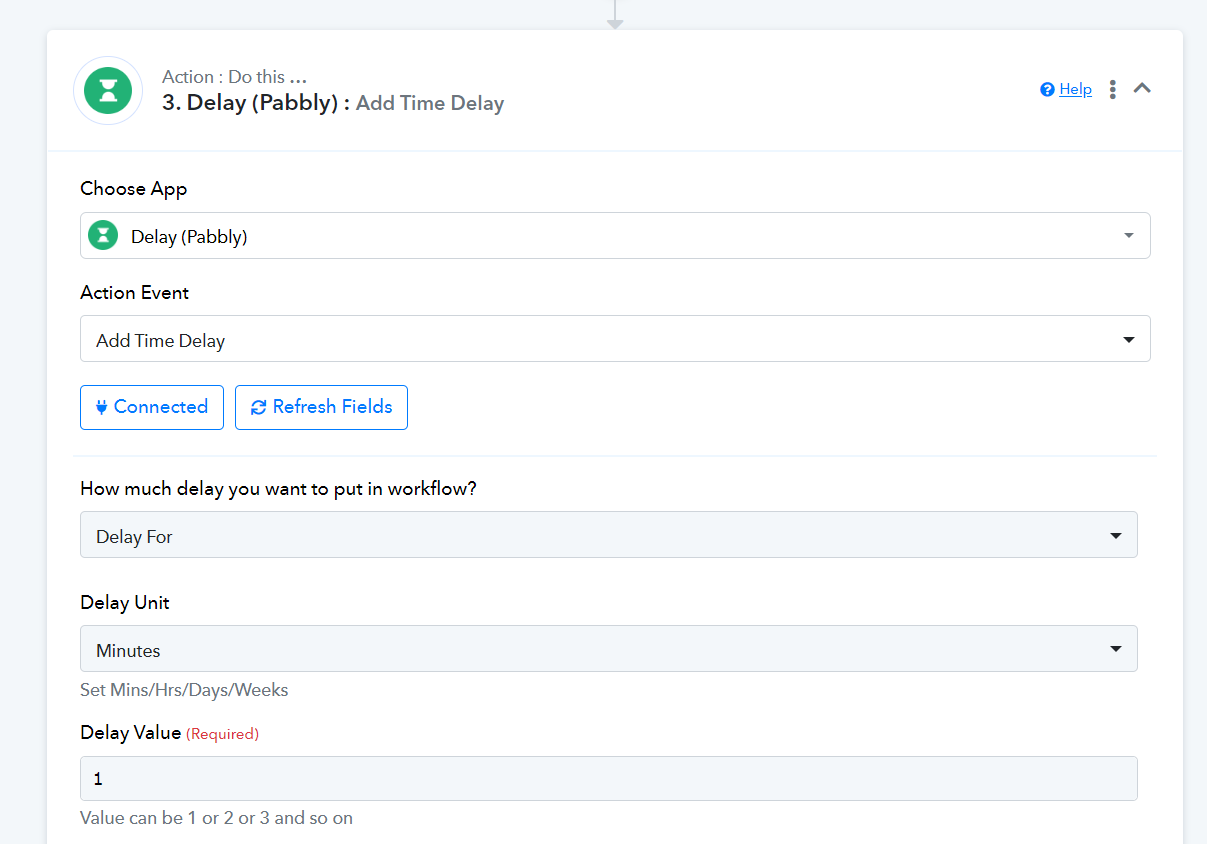
To prevent the same Deal from being created multiple times it is necessary to use the action: Find or create new deal?
Yes, you will need to use the 'Find or Create a Deal' action step to prevent the creation of duplicate deals.
Thank you for sharing this information. We have added a delay as step 3 of your workflow. Please test your workflow again to see if it helps in creating the deal in the correct pipeline.
Hi, also in this case the deal creation is done in Pipeline ID 3 instead of Pipeline ID 8.
We have also replaced the Create Deal action with Find or create new deal to prevent the creation of duplicate deals
We have made some changes to your workflow. Please check whether the deal is created in the 'Lead Technonidi' pipeline now.
https://connect.pabbly.com/workflow/mapping/IjU3NjYwNTZkMDYzNzA0MzI1MjZmNTUzZDUxM2Ii_pc
Hi I tired again but still not working.
I tryed to reset all the trigger and and action but i forget the condition in this ACTION can you tell me again? 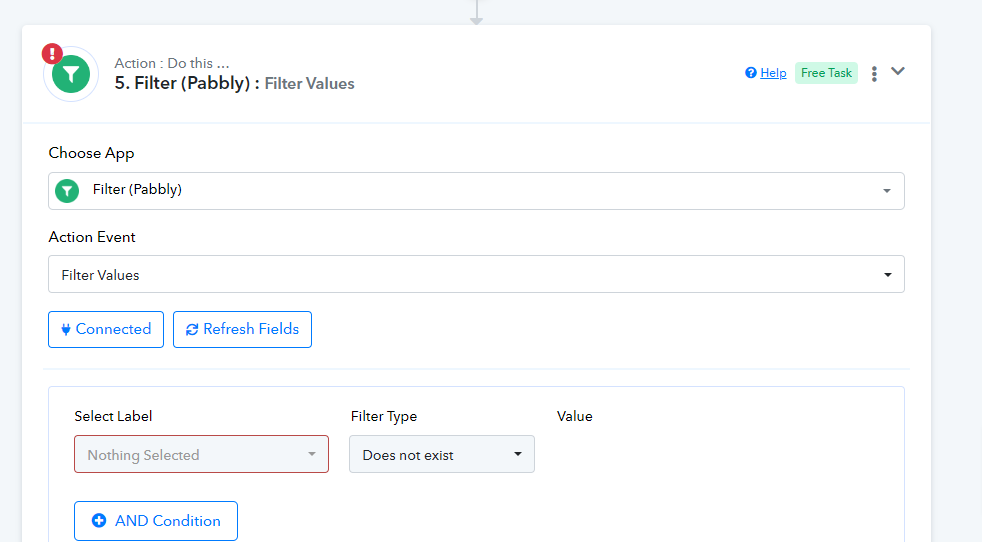
Ehi friend I tied again and now it seems that works properly!!!
Thank you so much!!!
You seem to be getting errors during automation.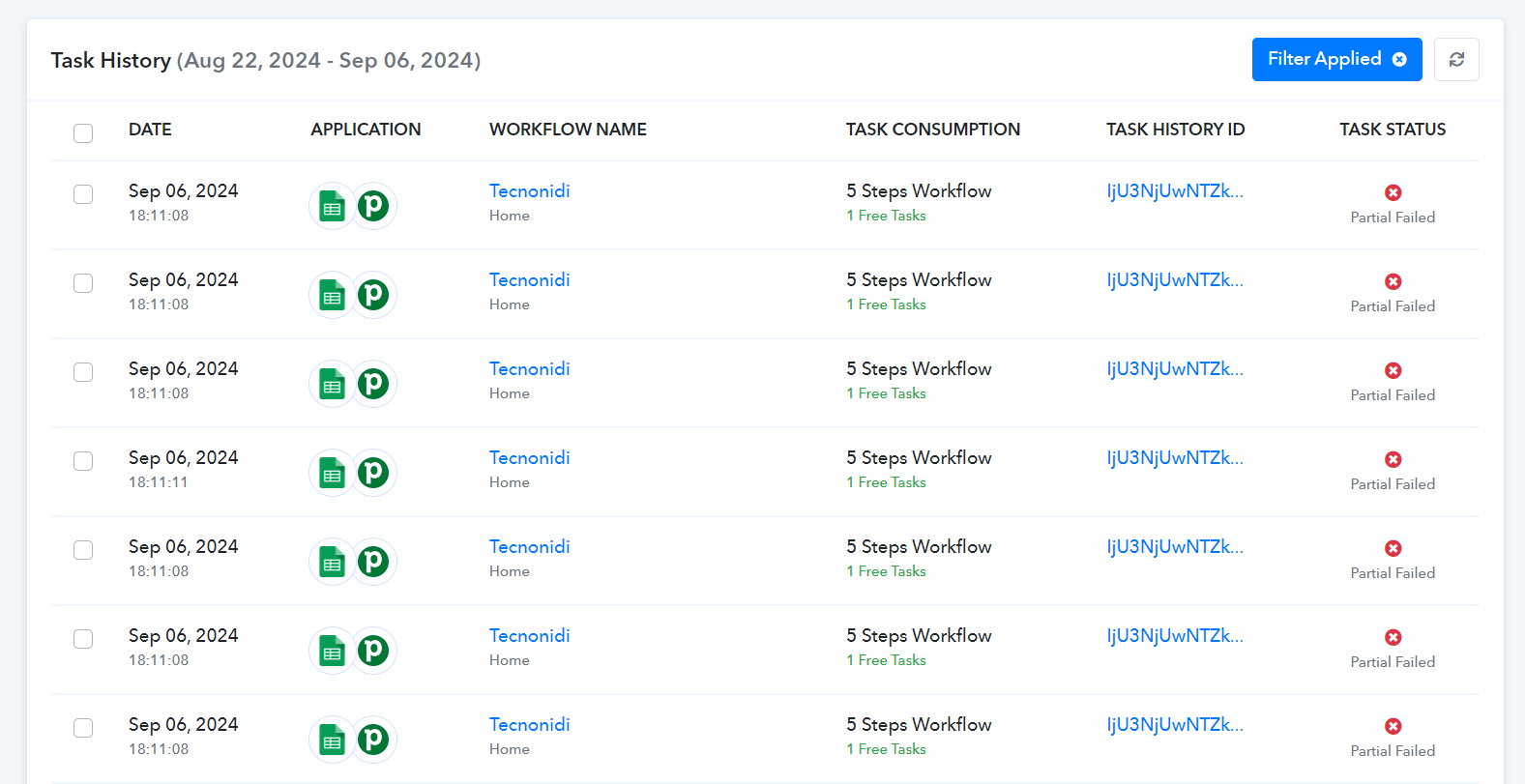
You need to map the Title from your Google Sheets trigger step.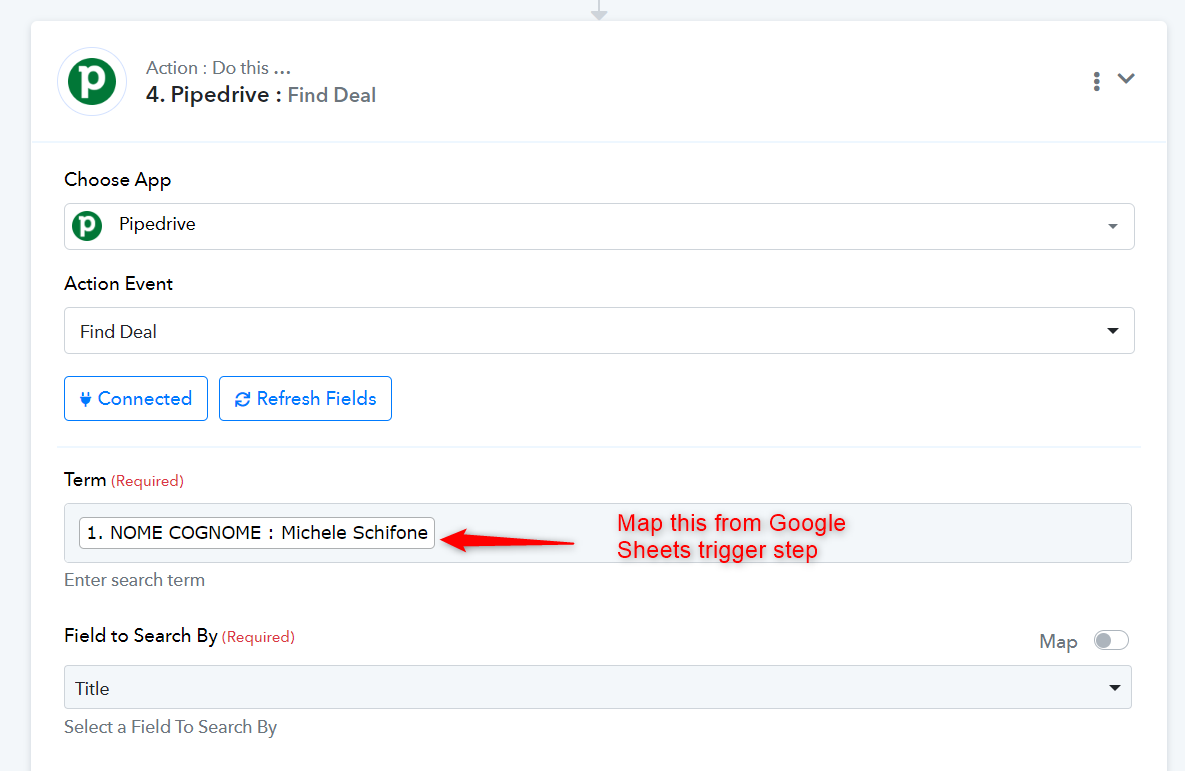
Then add a Filter step with this filter condition.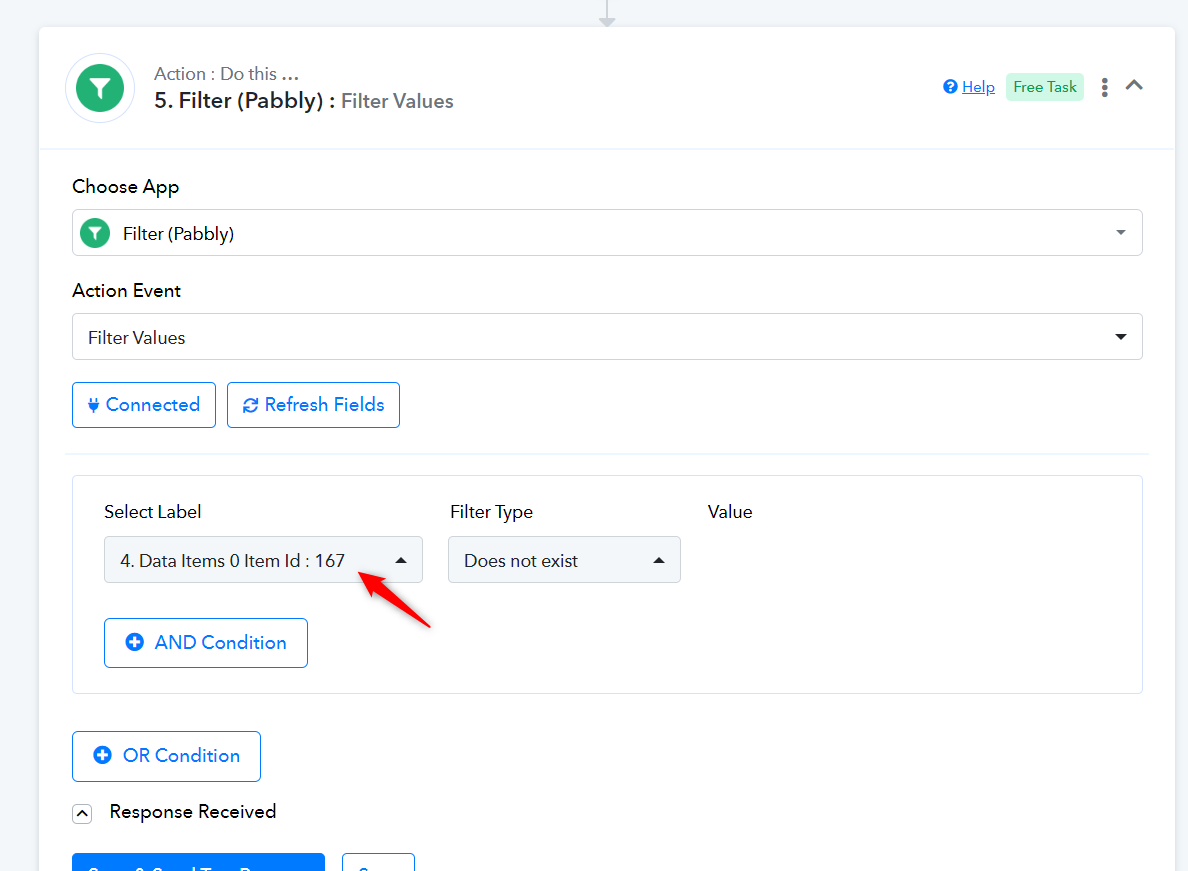
We have made the necessary changes to your workflow on your behalf. Please test it now.
Thank you so much!!! You saved me!
All work properly and no error appear
Thank you!
Thank you for the update. Glad we were able to help.