convert numbers to ordinal numbers
Status: Open · Asked by Stuart on · 0 views
Hi,
Is there any way to convert numbers to ordinal form?
That is 1 > 1st, 2 > 2nd 3 > 3rd, 123 > 123rd.
I could do it with a lookup table for 1 and 2 but that's not a free task!
Free tasks in pabbly connect can't do this.
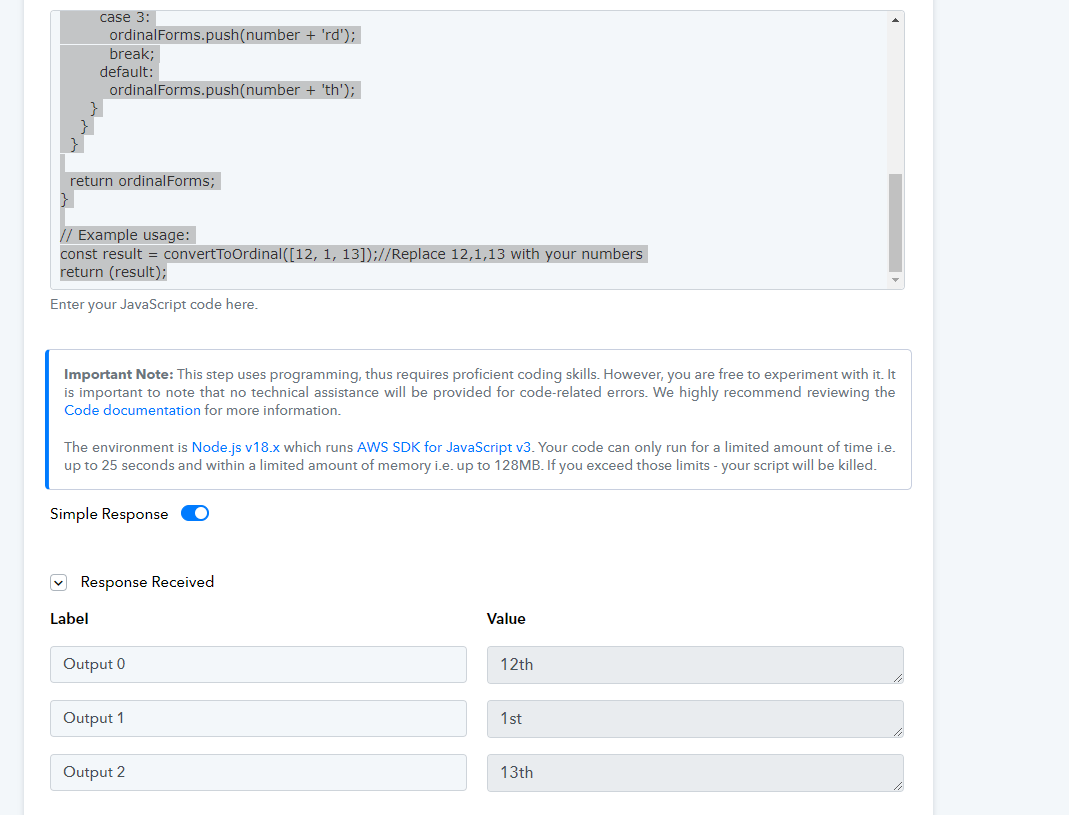
Try this JS code action instead, which converts multiple comma separated cardinal numbers to ordinal numbers -
function convertToOrdinal(numbers) {
if (!Array.isArray(numbers)) {
return ['Input should be an array of numbers'];
}
const ordinalForms = [];
for (const number of numbers) {
if (typeof number !== 'number') {
ordinalForms.push('Not a number');
} else if (number % 1 !== 0) {
ordinalForms.push('Not an integer');
} else if (number >= 11 && number <= 13) {
ordinalForms.push(number + 'th');
} else {
switch (number % 10) {
case 1:
ordinalForms.push(number + 'st');
break;
case 2:
ordinalForms.push(number + 'nd');
break;
case 3:
ordinalForms.push(number + 'rd');
break;
default:
ordinalForms.push(number + 'th');
}
}
}
return ordinalForms;
}
// Example usage:
const result = convertToOrdinal([12, 1, 13]);//Replace 12,1,13 with your numbers
return (result);
Hi I would actually like the reverse! Converting Ordinal dates (1st, 2nd...) in a form input to 1,2... in Pabbly so that it can be processed correctly by the Date Formatter. Is there a javascript for this too?
use regex to strip out non digits
Thanks! However, I have this:
Jan 4th 2025
And I want to make it
Jan 4 2025
with one Pabbly step. Is that possible with your solution? I think i'd have to isolate the date, strip out with regex, and then put the date together again.
I've tried with javascript, but i don't want the info in [ ], just the result: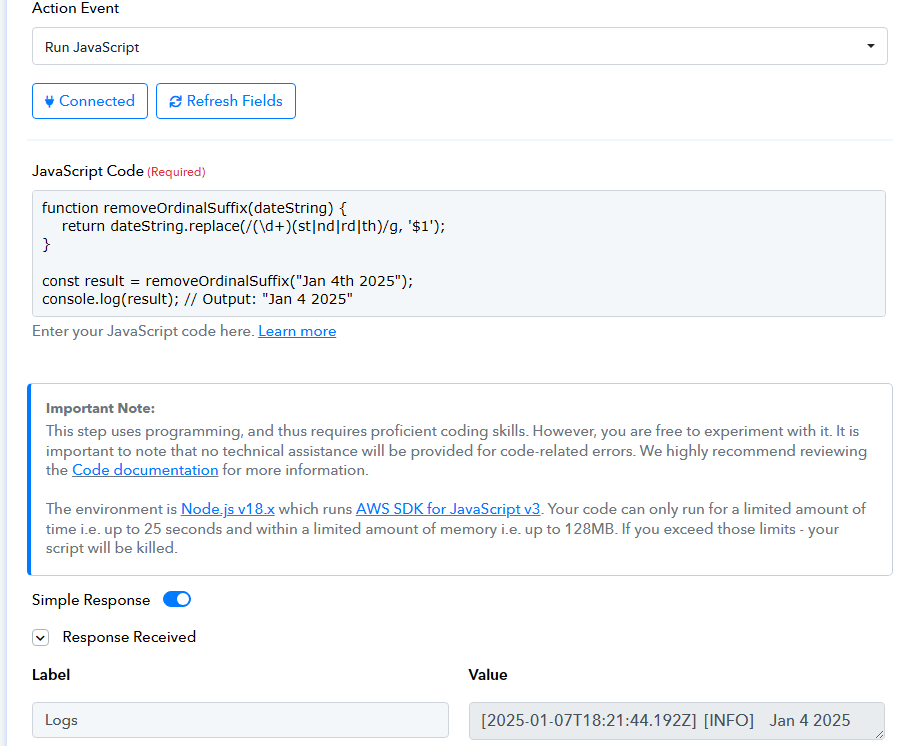
you could do that just change the last line from
console.log(result)to
return(result)but it is a paid task.
you could do it with free tasks but I think it will be 2 steps (split, then regex).
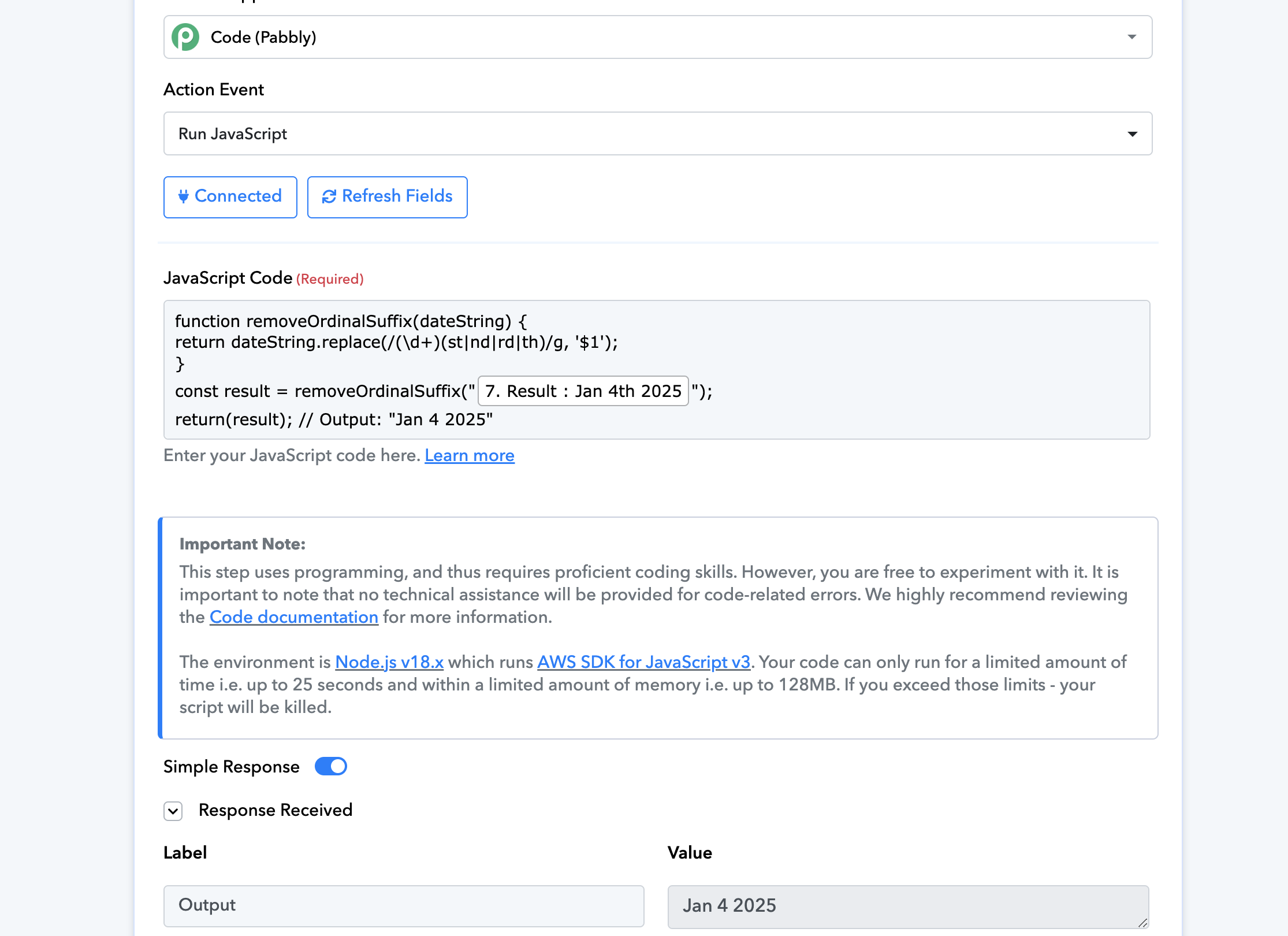
Thanks again! I think from your wording, there is no free way to do this in one step within Pabbly?
Yes, if you want to use regex to strip out 'th' or 'nd', you would have to split the date and then put it back together once it's stripped of the unwanted characters
===============================================================
Or you can also use two 'Replace Text' action steps to remove the unwanted characters.
Thanks - I think with Replace Text there would need to be multiple steps to remove "th", "nd", "st", am I right?
Yes, you need three 'Replace Text' action steps in your workflow to achieve the desired result. Also, you have to map the result of one Text Formatter to another. Check out the workflow shared below.