Create a Reel using Instagram connector
Status: Closed · Asked by Sarayu CB on · 0 views
Hello Sarayu,
Thank you for reaching out.
To investigate this issue further, we would like to test the workflow from our end.
Could you please confirm whether we have your permission to use your workflow for testing? As part of the investigation, we may need to publish a test Reel to verify the behavior of the Instagram for Business → Create Reel Video action & confirm your workflow name as well.
Once you confirm, we'll proceed with the testing and update you with our findings as soon as possible.
We look forward to your confirmation.
Thanks & Regards,Anushka Sahu
Customer Support Associate
🌐 Pabbly.com
Yes please, publish and inform me in the chat imeediately;
Please update me in a call as well is possible
Hello Sarayu,
Thank you for your patience.
We checked your workflow and found that the Video URL mapped in the Create Reel Video step was incorrect. We updated it with the correct video URL from our end, and the request was processed successfully.
The Reel Container ID has now been generated successfully, which confirms that the Create Reel Video step is working as expected.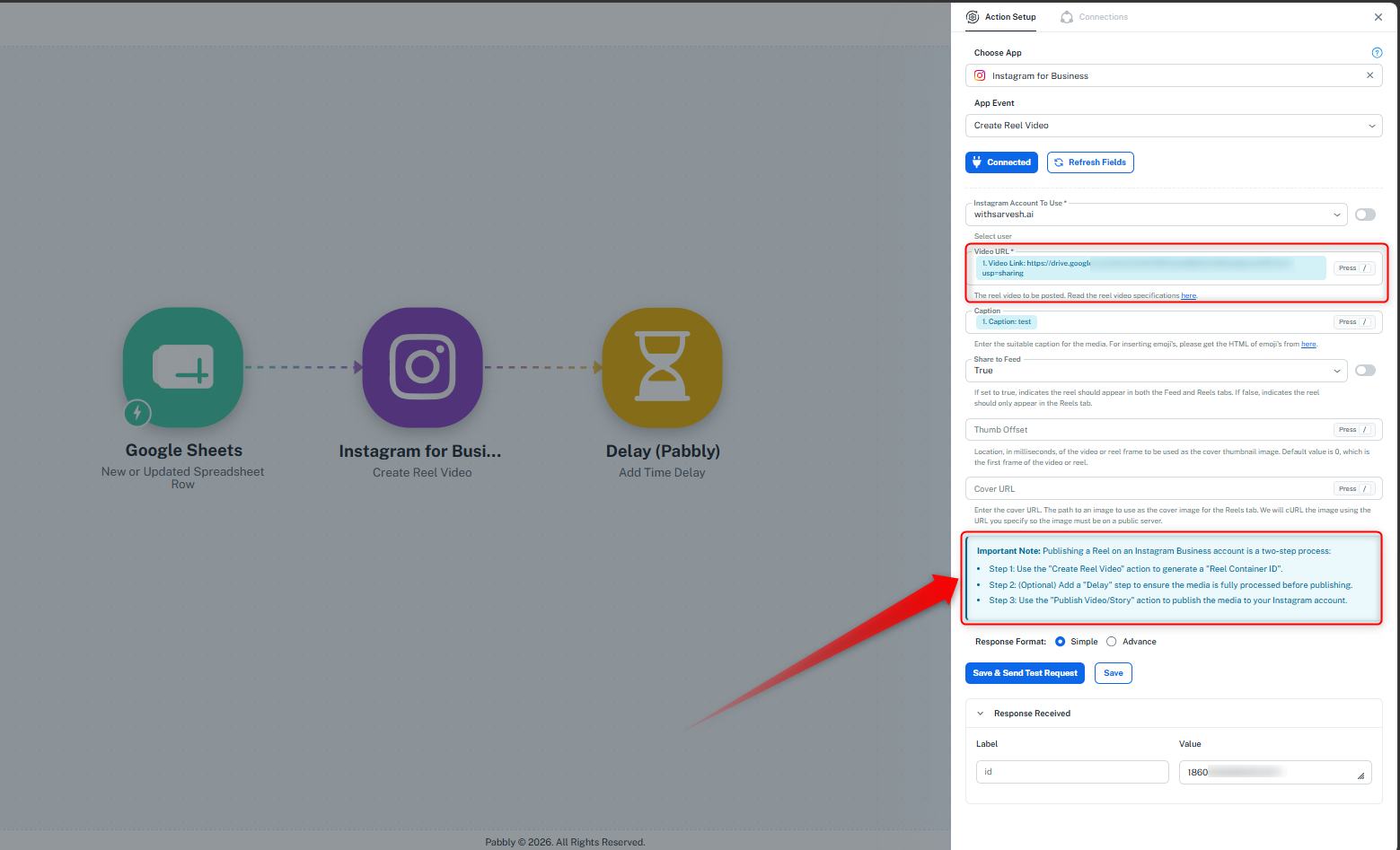
You can now proceed with the remaining workflow by adding the Publish Video/Story action step after the delay step and use the generated Reel Container ID to publish the reel.
Please test the complete workflow once and let us know if you face any further issues.
Thanks & Regards,Anushka Sahu
Customer Support Associate
🌐 Pabbly.com