Create Google contact error 400
Status: Open · Asked by Tejo Waskito Effendi on · 0 views
create google contact action get this response:
error code:
400
error message:
Invalid JSON payload received. Unknown name "": Root element must be a message.
error status:
INVALID_ARGUMENT
Hello @sampaht,
Could you please try performing the action by selecting a gender from the dropdown under the Gender field and confirm if it works?
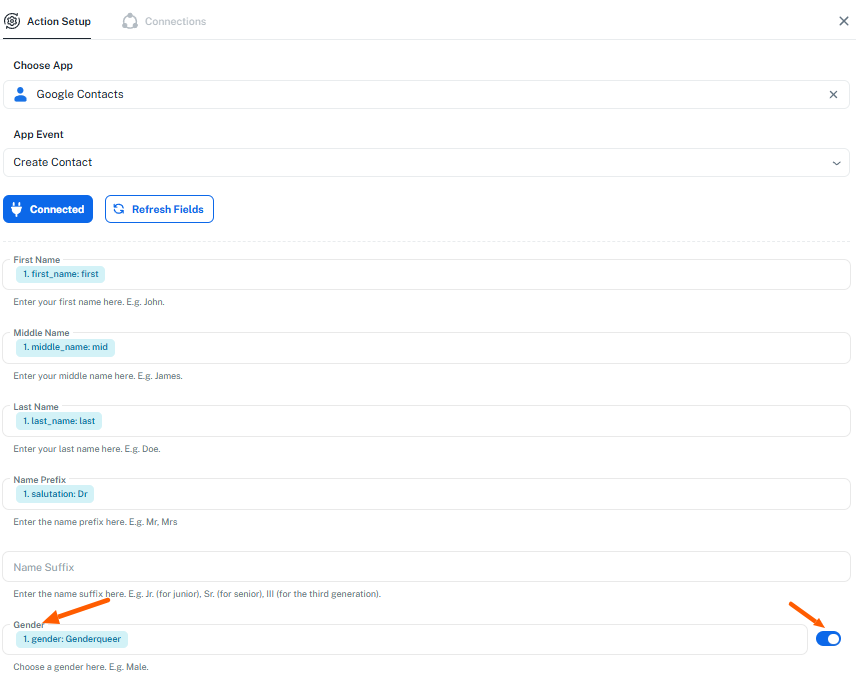
change it to drop down still make it error 400
Hello @sampaht,
After carefully reviewing your workflow, we found that the error was caused by the date and month input fields. Specifically, Google Contacts does not accept a leading zero in the month field.
We have added two Text Formatter steps to remove the leading zero before sending the data.
[IMG width="403px" height="261.224px" alt="1758786076144.png"]https://forum.pabbly.com/attachments/1758786076144-png.60836/[/IMG]
[IMG width="413px" height="261.792px" alt="1758786386171.png"]https://forum.pabbly.com/attachments/1758786386171-png.60837/[/IMG]
After this adjustment, everything is working perfectly.
Please test it on your end and let us know if it works as expected. Also, we would really appreciate it if you could rate our support agent using the link in the signature below.
Thanks. Now it is working. Even with gender from event0.
Thanks for the update and for filling the feedback form. For now, we are closing this thread and if you encounter any issue in future, please feel free to reach out to us.
I created follow up workflow https://connect.pabbly.com/v2/app/workflow/mapping/IjU3NjYwNTY1MDYzMTA0MzQ1MjY1NTUzNjUxMzEi_pc
But I cannot test the update google contact.
The format is same, content sent from this workflow and follow up workflow is same. One to create contact, and one to update contact.
1. There is possibility contact will have more than 1 phone number, and more than 1 email address. How to translate it to update google contact action?
2. Where is field [salutation]?
3. How to update custom fields if it is not always exist? I have 2 custom field, UID and gender (as a custom field, not Google standard field). Gender is not always sent, may be blank. If blank do not update gender.
I created follow up workflow https://connect.pabbly.com/v2/app/workflow/mapping/IjU3NjYwNTY1MDYzMTA0MzQ1MjY1NTUzNjUxMzEi_pc
But I cannot test the update google contact.
The format is same, content sent from this workflow and follow up workflow is same. One to create contact, and one to update contact.1. There is possibility contact will have more than 1 phone number, and more than 1 email address. How to translate it to update google contact action?
If there are two or more email addresses or phone numbers, you need to pass them in a comma-separated format, as shown in the help text.


2. Where is field [salutation]?
Are you referring to the 'Prefix' field being missing in the 'Update Contact' action step?

3. How to update custom fields if it is not always exist? I have 2 custom field, UID and gender (as a custom field, not Google standard field). Gender is not always sent, may be blank. If blank do not update gender.
You can map values to both fields. If data is provided during automation, the fields will be updated; otherwise, they will remain unchanged.
You might want to check this workflow if you are looking to create/update contact in Google Contacts.
youtube.com/watch?v=3aJrusUlv9w:475
Thanks & Regards,
Arshil Ahmad
Customer Support Associate
? Pabbly.com
?Rate your support
Hi, this workflow run well in test.
But in real use, it get errors at google contact action. can you check history:
IjU3NjUwNTZiMDYzZTA0MzA1MjZiNTUzNDUxMzc1MTY0NTQzNTBmMzki_pc
IjU3NjUwNTZiMDYzZTA0MzM1MjY4NTUzYzUxMzc1MTY2NTQzNDBmMzci_pc
IjU3NjUwNTZiMDYzZTA0MzM1MjY4NTUzYzUxM2E1MTYyNTQzNjBmMzUi_pc
IjU3NjUwNTZiMDYzZTA0MzM1MjY4NTUzZDUxMzM1MTZhNTQzODBmMzIi_pc
IjU3NjUwNTZiMDYzZjA0MzU1MjZhNTUzMjUxMzc1MTYyNTQzOTBmMzIi_pc
Same issue happens in this workflow
https://connect.pabbly.com/v2/app/workflow/mapping/IjU3NjYwNTY1MDYzMTA0MzQ1MjY1NTUzNjUxMzEi_pc
only test workflow runs well, but real use case failed. Please check the history too.
Hello @sampaht,
Thank you for sharing the workflow details.
For the workflow where you are creating the contact, please try recreating it in the Classic Builder and let us know how it performs there.
Regarding the workflow where you are updating the contact, please delete the “Update Contact” step once and add it again. Then check the workflow history to see if it runs properly. If the issue persists, try creating the same workflow in the Classic Builder as well and let us know how it goes — or simply inform us so we can look into it further.
hi @Preeti Paryani,
recreating it in classic builder have same issue. When running save and send request, google contact create the contact. But when receiving actual data it have error 400.
classic builder workflow_id=IjU3NjYwNTY0MDYzNDA0MzE1MjY4NTUzMDUxMzMi_pc
During setup, you mapped the key 'Phone Nos 2 Name' in the Custom Field.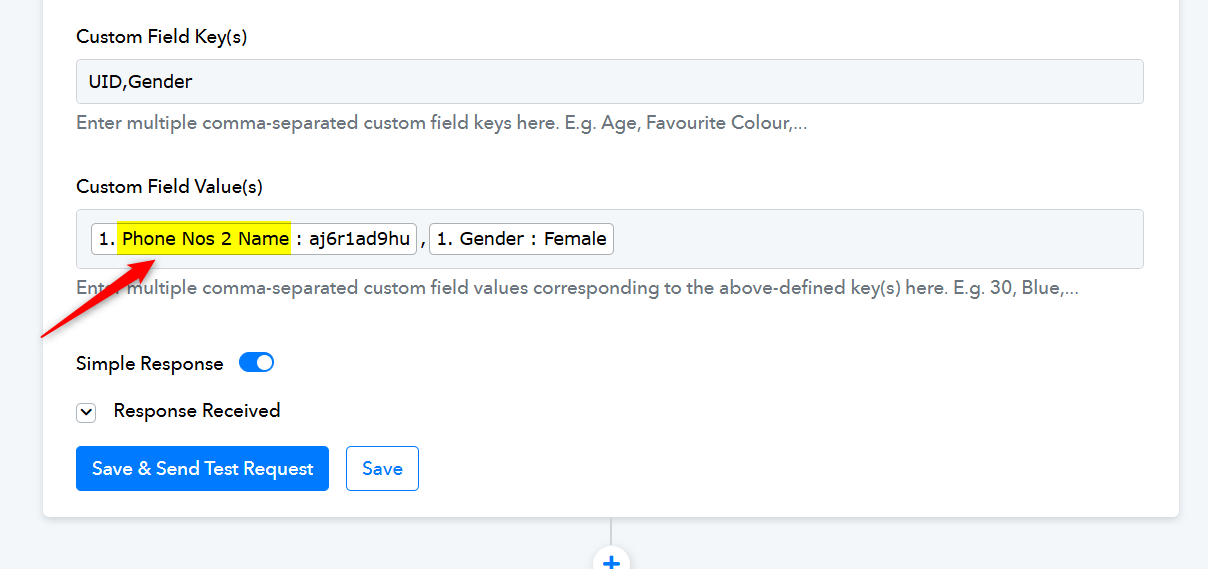
However, during automation, you are not receiving this key, which is why nothing is being mapped to the Google Contacts action step, resulting in the issue.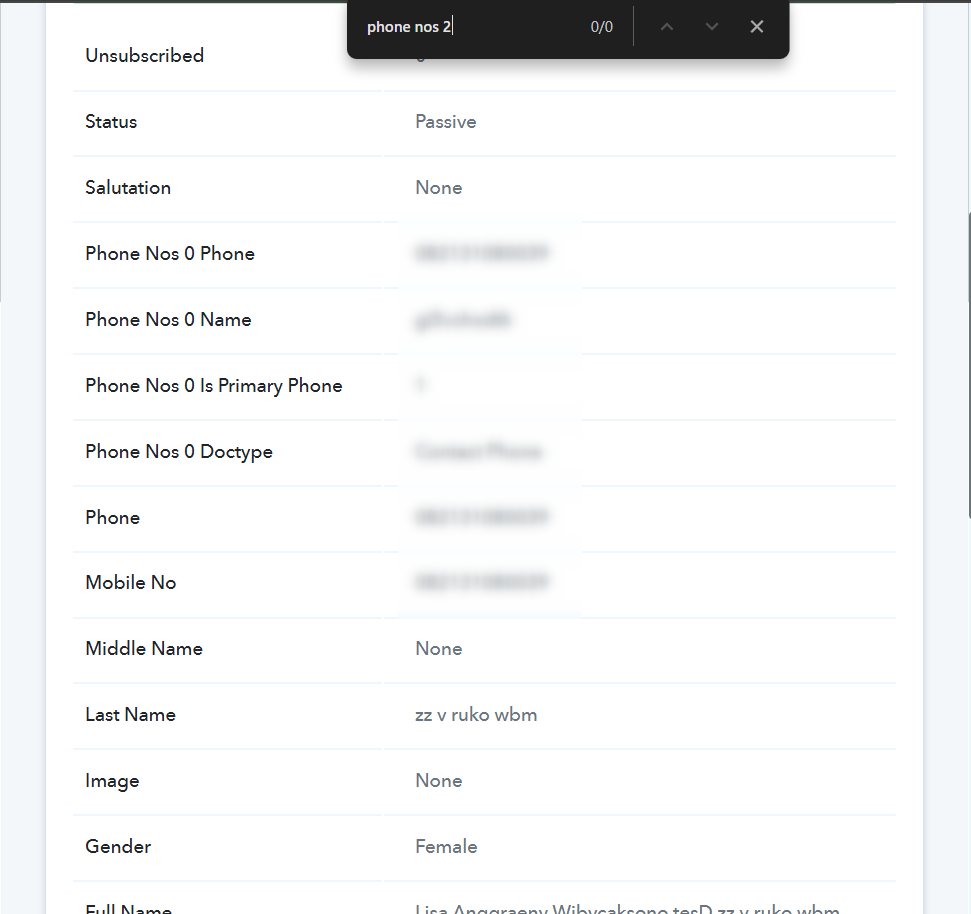
However, during automation, you are not receiving this key
Thank you! This is the reason.
Are you referring to the 'Prefix' field being missing in the 'Update Contact' action step?
yes, i cannot find it in update google contact action.
yes, i cannot find it in update google contact action.
Currently, the Update Contact action doesn't have the specific field. We have escalated the request to add it within the action. We will get back to you once we receive any updates on the developments.
How to make it work 2 ways, But not triggering infinite loop?
If webhook source send data, update/create google contact.
If google contact updated, update webhook source with API action.
Hello @sampaht,
Could you please let us know the trigger source/application from where the data is being captured in the trigger? This will help us assist you more effectively.
If your goal is to first search for a contact and then create or update it based on the search result, you can follow this approach:
- Add a Router after the “Search Contact” action.
- In one route, set the condition if the Contact ID from the Search Contact action exists, then Update Contact.
- In the second route, set the condition if the Contact ID does not exist, then Create Contact.
- After these routes, you can use the Data Forwarder: Return Data to Source action to send the data back to the webhook source.
This setup will ensure the process runs both ways without causing an infinite loop.
As you read from previous conversation in this thread, I end up with creating 2 webhook trigger.
1 is triggered when I [create] a contact from other app. Thus leading to create google contact action
the other is triggered when I [save] a contact from other app. Thus leading to update google contact action.
It appears that the [save] trigger is always triggered, both from [create] (because after contact is , it is to database). I plan to delete the [create] trigger using solution you offer below.
f your goal is to first search for a contact and then create or update it based on the search result, you can follow this approach:
- Add a Router after the “Search Contact” action.
- In one route, set the condition if the Contact ID from the Search Contact action exists, then Update Contact.
- In the second route, set the condition if the Contact ID does not exist, then Create Contact.
- After these routes, you can use the Data Forwarder: Return Data to Source action to send the data back to the webhook source.
The problem is, I want to be able to update contact from google contact (from web, android/ios device), and send it back to my app.
If I create "when google contact created/updated then create/update contact in my app" workflow, it will create infinite loop.
Hello,
If your workflows trigger on every contact create or update, sending updates back to your app can cause an infinite loop.
Hello @sampaht,
Our team has added the name prefix field in the Update Contact Action as well.
Can you please review this history ID too?
IjU3NjUwNTZhMDYzNTA0MzU1MjZlNTUzNjUxMzY1MTYxNTQzNzBmMzki_pc
get error 400 again.
Hello @user,
Thank you for sharing the details and the history ID.
Upon reviewing, it appears that the 400 error is likely occurring due to some invalid parameters passed in the request. Below could be the possible reasons:
- Invalid phone number format.
- Empty fields:
is there any way to prevent empty string to be sent? If I use router, it will be either a very long workflow and possibly run multiple times for routes of each empty string combination, or a lot (based on permutations) of routes of combination for each empty string combination.
I’m afraid there’s no workaround to prevent sending empty strings. However, you can add a ‘Text Formatter: Default Value’ action step for each field that might contain an empty string, and then map its output to the Google Contacts action step. This will ensure that a default value is passed to the Google Contacts action step during automation if an empty string is received in the trigger step.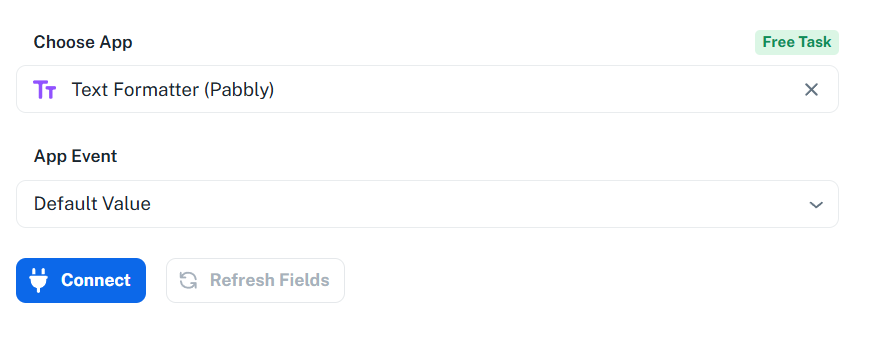
Here is the perfect solution for this---
This usually means there’s a problem with your OAuth setup. Try these steps:
- Check your redirect URI — it must match exactly in Google Cloud Console.
- Enable People API or Contacts API in the API Library.
- Use correct scopes like: https://www.googleapis.com/auth/contacts
- Clear cache or try incognito mode.
Empty fields:
This is the cause. My custom field value is empty and Google reject it.
Hello @sampaht,
Glad it helped!
I hope your issue is now resolved.