Creating invoices in Zoho books automatically from Woocommerce
Status: Open · Asked by naveenkunju on · 0 views
I have referred to the below video and created the flow to create new contacts in Zoho books from Woocommerce orders. However, what I need is as and when an order comes, it should check whether that customer is in Zoho books and generate invoice, if the customer is not present create the customer and then create the invoice. What is the best way to apply this conditional logic and what should be the variables we need to be checking in for this setup?
Hello @naveenkunju
To set up this workflow in Pabbly Connect, you can follow these steps:
- Trigger: Use a trigger from WooCommerce for new orders.
- Action 1 (Zoho Books : Find Customer): Use the "Find Customer" action in Zoho Books to check if the customer already exists. You can use the customer's email or phone number from the WooCommerce order data as a unique identifier.
- Conditional Step(Router): You can use the Customer ID to filter if the customer exists or not
- If the customer is found, move to the next step to create an invoice.
- If the customer is not found, proceed to create a new contact.
- Action 2a (If Customer Exists - Create Invoice): Generate the invoice directly using the customer ID found in Action 1.
- Action 2b (If Customer Does Not Exist - Create Customer & Then Create Invoice):
- First, create a new customer using the WooCommerce data.
- After creating the customer, use the generated customer ID to create the invoice.
By checking variables like the Customer ID as unique identifiers, you can implement this conditional logic smoothly. Let us know if you need further clarification on any step!
Thanks for this. In the Router step, I could not see Customer ID in the drop down. Can you please specify the correct parameter to use here?
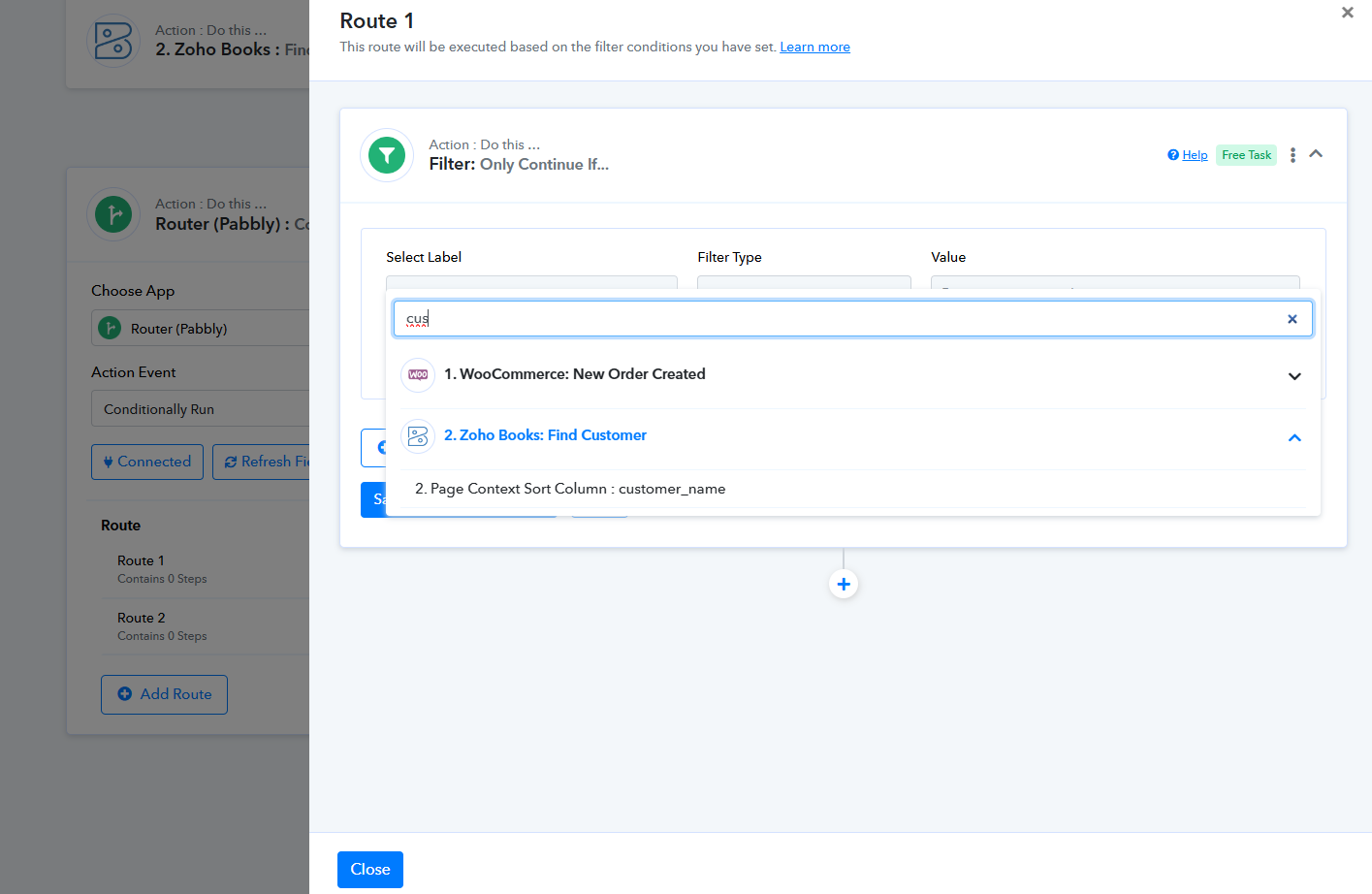
Can you also give me the condition to be checked in this step?
Hello @naveenkunju
You can get the customer ID from the second step which is Zoho Books: Find Customer. I have created I have already added the router step, set the filter condition, and recorded a video for the same please refer to it - https://www.loom.com/share/f50531bf81dc4275af5fde5b47c6bfd1 sid=32df2071-c759-4cab-9053-5008d30f6744
Amazing. This works and the instructions you have given are crystal clear. Thank you so much.
If I have around 100-200 orders every month, do I need to take a premium subscription for pabbly or the free one is sufficient? Can I also check whether pabbly slows down the website in any ways?
This workflow will consume 2-3 paid tasks per new order created, depending on which route is executed. We allot 100 paid tasks to users on our free plan, so you may need to purchase a paid plan